Turn on suggestions
Auto-suggest helps you quickly narrow down your search results by suggesting possible matches as you type.
Cancel
- Home
- :
- About TimothyHales

TimothyHales
Esri Notable Contributor
since
04-10-2014


01-15-2026
2859
Posts created
965
Kudos given
226
Solutions
2130
Kudos received
Turn on suggestions
Auto-suggest helps you quickly narrow down your search results by suggesting possible matches as you type.
My Ideas
(3 Idea Submissions)Latest Contributions by TimothyHales
|
POST
|
This is a known issue and is being addressed by NIM063163.
... View more
10-26-2011
11:22 AM
|
0
|
0
|
763
|
|
POST
|
This idea has been submitted on the ArcGIS Ideas page: Make changes to fields after they have been created. Check it out and vote on it.
... View more
10-17-2011
04:01 AM
|
0
|
0
|
1378
|
|
POST
|
I am sure there are several ways to do this. One way I have used polygons in ArcScene is to set the extrusion to one of the fields. This can be accessed from the layer properties. View the attached screenshot to see my results.
... View more
10-14-2011
09:39 AM
|
0
|
0
|
772
|
|
IDEA
|
When activating an extension in ArcMap, the extension has to be activated again in other products like ArcCatalog. It would be helpful that when activating an extension it gets activated across all products.
... View more
10-14-2011
05:24 AM
|
24
|
1
|
1351
|
|
BLOG
|
If you have built overviews properly, your imagery will display at full extent. However, if your images disappear and turn gray when you zoom in, you don’t have access to your source rasters. The cause for this is that either you do not have permission to the location of the source rasters or that the source rasters have been moved. 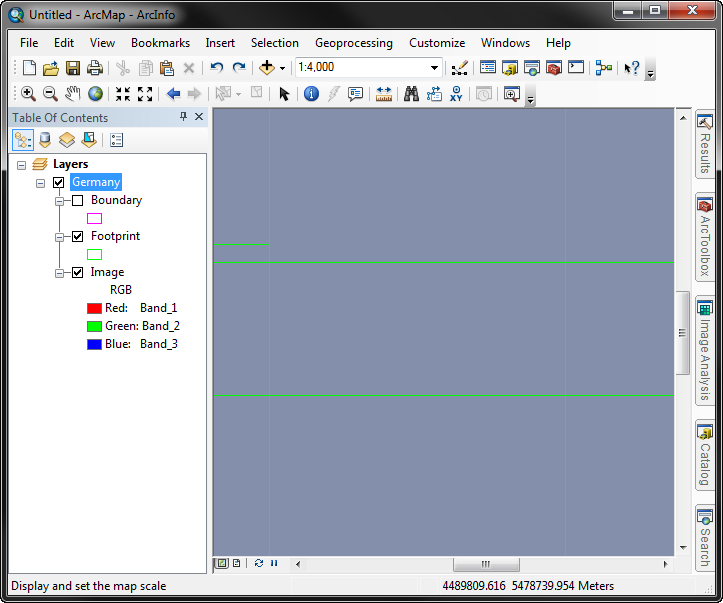 Check which reason applies to your situation, and use the Repair option to determine the folder paths of the source rasters.
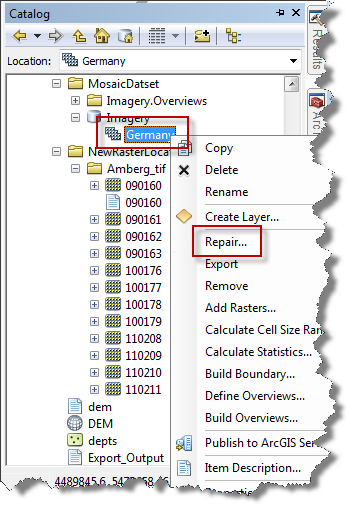 2. Copy the Old Path from the dialog and paste into Windows Explorer. 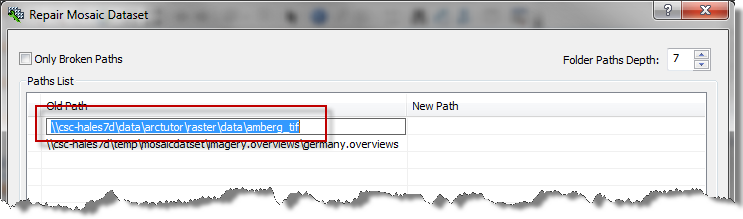 If you are denied access to the folder, it’s a permissions issue. If the raster images are not found at that location, you’ll need to repair the mosaic dataset to use the correct path to the rasters. To correct this, go back into the Repair Mosaic Dataset dialog and input the correct folder path location.
Notice that there is also the option to show only the broken paths. If this option was checked (as in the below example), the overviews path would not be listed because they aren’t broken. 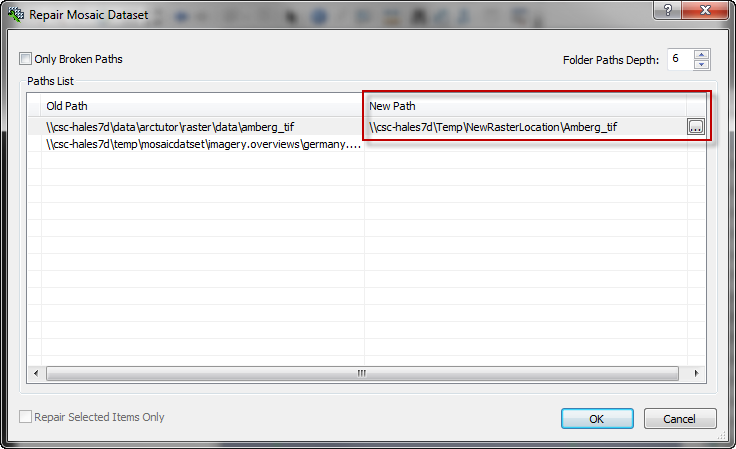 After repairing the source paths for the rasters, either refresh the display or remove/re-add the mosaic dataset. The imagery should then display at all scales. 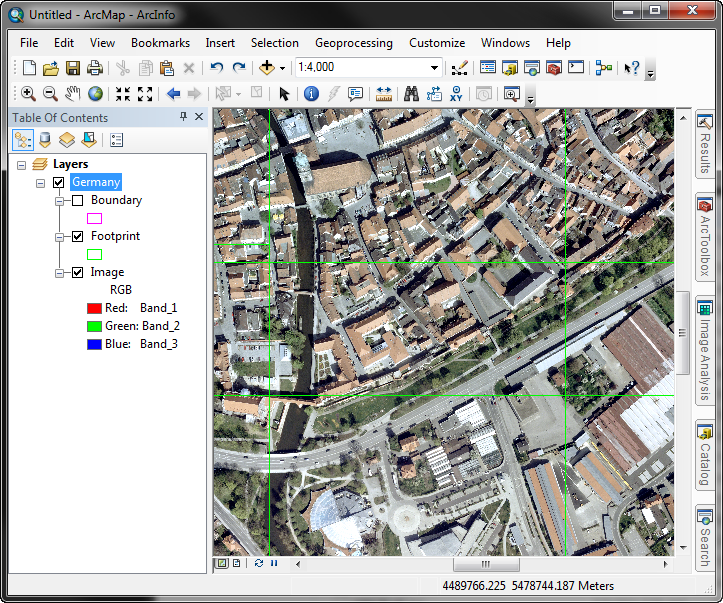 Related Links:HowTo: Find the paths of source data when the mosaic dataset has many rowsMosaic dataset: wireframe not image, huh?Timothy H. -Geodata Raster Support Analyst Related Links:HowTo: Find the paths of source data when the mosaic dataset has many rowsMosaic dataset: wireframe not image, huh?Timothy H. -Geodata Raster Support Analyst |