I'm just trying to work out if it is possible in Survey123 Connect 3.13 to set the appearance for a repeat so that all the records are shown on the survey form at one time. Intended use is the field client on an iPad.
I've set up a repeat with a fixed grid appearance for manhole inspections which looks as I want it to. However the default behaviour when entering multiple records is for each one to be accessed via the arrows underneath the questions.
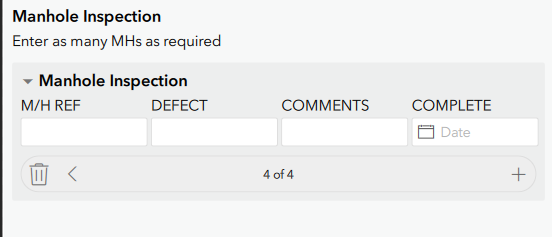
Is there are way to make each record appear below each other i.e. like a spreadsheet/paper form/database table, so that the user has a better visual indication of their progress and can easily jump back to a previous record if it needs adjusting?
In our case they could be inspecting up to 300 manholes as part of the overall survey so I think it would quite fiddly to have to use the arrow buttons to scroll through records to find and check a particular record.





