- Home
- :
- All Communities
- :
- User Groups
- :
- LocalMaps NZ
- :
- Questions
- :
- Re: Measure & Draw. (Printing)
- Subscribe to RSS Feed
- Mark Topic as New
- Mark Topic as Read
- Float this Topic for Current User
- Bookmark
- Subscribe
- Mute
- Printer Friendly Page
Measure & Draw. (Printing)

- Mark as New
- Bookmark
- Subscribe
- Mute
- Subscribe to RSS Feed
- Permalink
The segment lengths on the Measure/Draw is great, but it clutter the map with measurement labels.
At the moment it’s showing by default, maybe it need to be OFF be default.
Switching if OFF might be a step too far for Jo Public. (I did not find it intuitive.)
2 other issues to mention.
- When you ‘edit’ a drawing and e.g. delete a measurement, it deletes ALL the measurements of all the drawings.
Then, adding another drawing, it adds back all the measurements again.
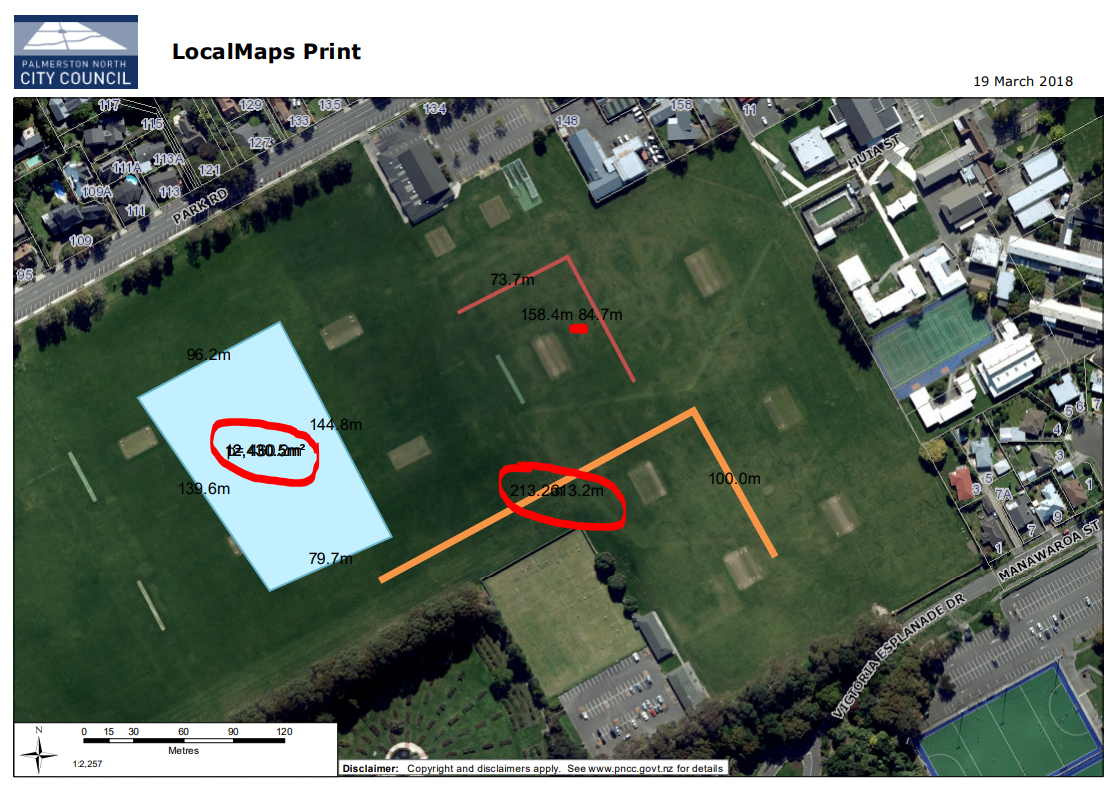
- When you print a drawing, the measurements are different from the map.
Colour, font and size is different.
Placement is different.
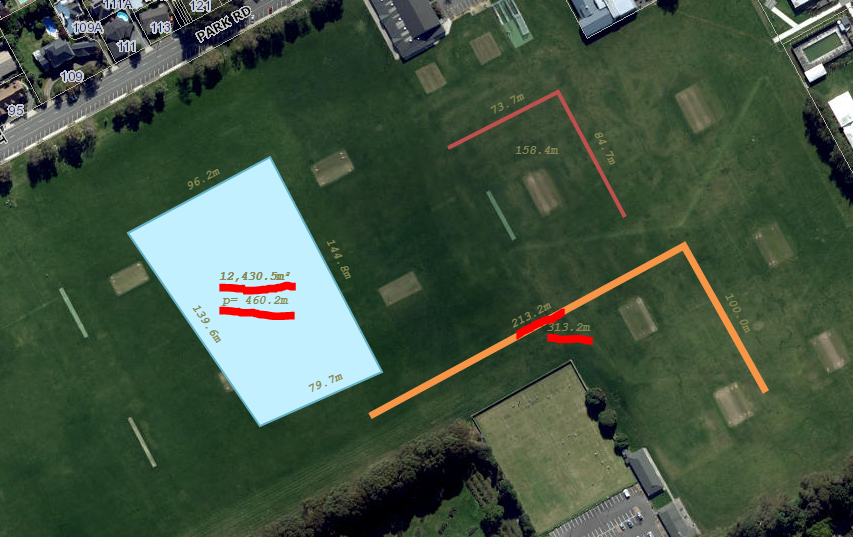
Quite often 2 or more measurement labels might overlap. See 2nd image.
Examples below. (Image 2 is the print of image 1.)
No overlap on map, 1st image, but print, 2nd image, the text overlap.
Thanks
Andre
.png "Grant-S-Carroll")

- Mark as New
- Bookmark
- Subscribe
- Mute
- Subscribe to RSS Feed
- Permalink
Hi Andre
Thanks for this, we're aware of a few issues with the current draw tool. We're making this a high priority for the next release due out in June. I know you;ve talked to Lauren, so we may be in touch to get some of your thoughts\ideas.
Cheers
Grant
