- Home
- :
- All Communities
- :
- Products
- :
- ArcGIS Workflow Manager
- :
- ArcGIS Workflow Manager Questions
- :
- Export Workflow to a pdf
- Subscribe to RSS Feed
- Mark Topic as New
- Mark Topic as Read
- Float this Topic for Current User
- Bookmark
- Printer Friendly Page

- Mark as New
- Bookmark
- Subscribe to RSS Feed
- Permalink
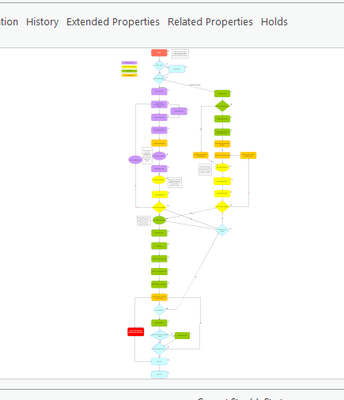
We would like to export the structure of a workflow in a pdf, and we don't know how to do this. I can only imagine a print screen and stitching the images. Any better ideas?
Solved! Go to Solution.
Accepted Solutions


- Mark as New
- Bookmark
- Subscribe to RSS Feed
- Permalink
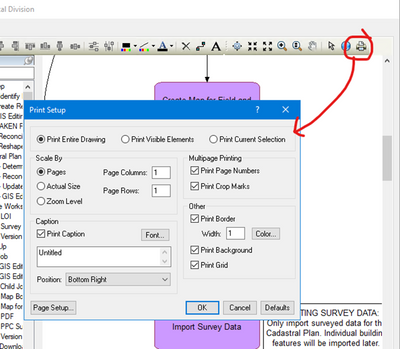
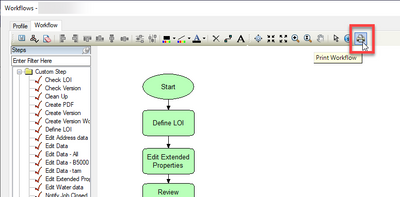
Hello Vassilis. For Workflow Manager (Classic), open the Workflow Manager Administrator application, then open your workflow and you will see a Print tool at the top of the workflow editor. Then you can Print to PDF or a printer.

- Mark as New
- Bookmark
- Subscribe to RSS Feed
- Permalink
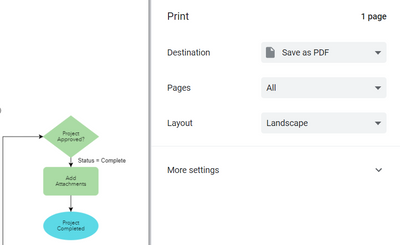
Your interface looks different than what I see. Are you using the Workflow Manager Server or Workflow Manager (classic)? If using the service-based Workflow Manager Server, you can select the Print tool at the top of the diagram editor and then Print to PDF (or some other variation of that, depending on your browser).

- Mark as New
- Bookmark
- Subscribe to RSS Feed
- Permalink
We use Workflow Manager (classic).
- Mark as New
- Bookmark
- Subscribe to RSS Feed
- Permalink
Hello Vassilis. For Workflow Manager (Classic), open the Workflow Manager Administrator application, then open your workflow and you will see a Print tool at the top of the workflow editor. Then you can Print to PDF or a printer.
- Mark as New
- Bookmark
- Subscribe to RSS Feed
- Permalink
Correct @MaryMozingo, I keep your answer as Accept as Solution. I found it too, but I'm not an administrator so I couldn't find it before.
Thank you for your answer.