- Home
- :
- All Communities
- :
- Products
- :
- ArcGIS Pro
- :
- ArcGIS Pro Questions
- :
- Re: Intersections of a fishnet
- Subscribe to RSS Feed
- Mark Topic as New
- Mark Topic as Read
- Float this Topic for Current User
- Bookmark
- Subscribe
- Mute
- Printer Friendly Page
Intersections of a fishnet


- Mark as New
- Bookmark
- Subscribe
- Mute
- Subscribe to RSS Feed
- Permalink
ArcGIS Pro 2.6
I have a fishnet of polyline segments that I would like to create intersection points from. See illustration below. This fishnet is the addressing grid of my area of jurisdiction so the object is to have a point (mulitple points, actually) that has the coordinate values of the intersecting lines.
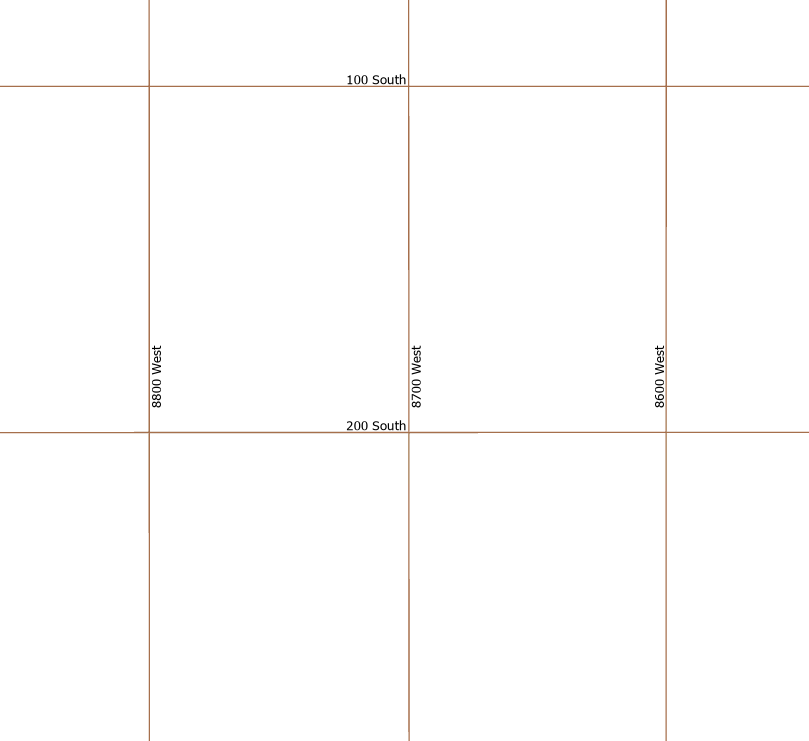
At the intersection of 200 South and 8700 West, I would like two points, one with the coordinates of 200 South , 8700 West the other with the coordinates of 8700 West, 200 South. How does one go about doing this?
I looked at Point at every intersection which refers you to Feature builder reference but I don't see the point at every intersection icon there.
Suggestions?
- Mark as New
- Bookmark
- Subscribe
- Mute
- Subscribe to RSS Feed
- Permalink
Slow night... some election coverage going on
As a Canadian, do you ever feel like you are living upstairs from a meth lab apartment?


- Mark as New
- Bookmark
- Subscribe
- Mute
- Subscribe to RSS Feed
- Permalink

... sort of retired...
- Mark as New
- Bookmark
- Subscribe
- Mute
- Subscribe to RSS Feed
- Permalink
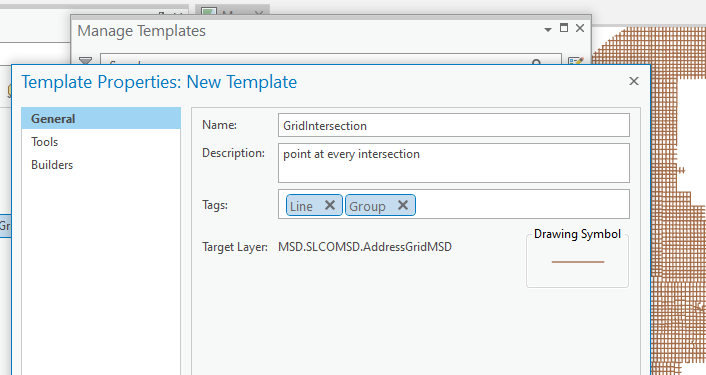
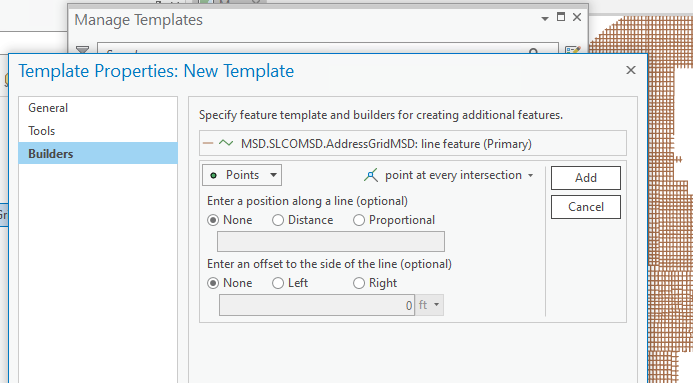
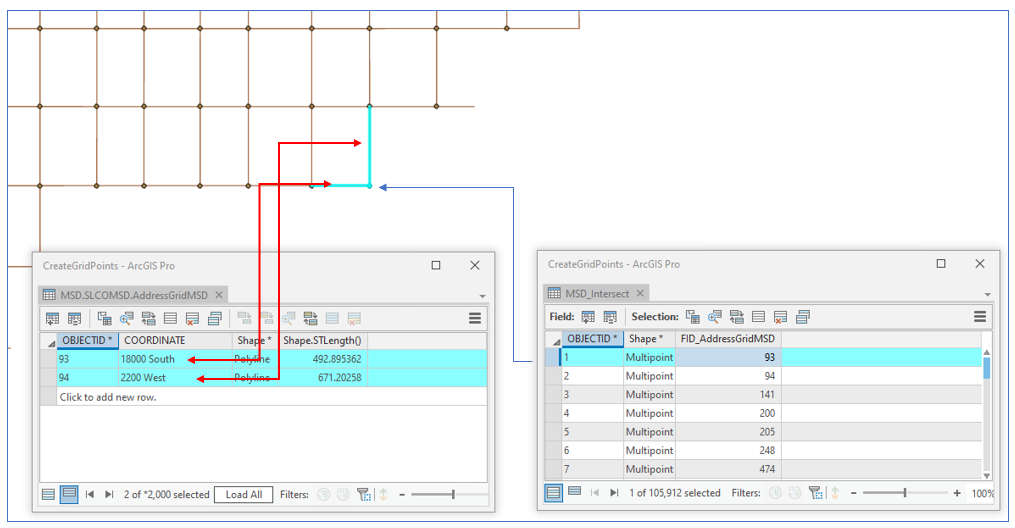
Scott Harris- after a good night's sleep, I've been able to create the group template. What's the next step? Surely I'm not going to drop a point at every intersection; When I run the Intersect gp tool, I get 105,000 points. I'd like to somehow use those points:


- Mark as New
- Bookmark
- Subscribe
- Mute
- Subscribe to RSS Feed
- Permalink
Hi Joe,
Glad you got some rest... I know I didn't.
I guess I made an assumption about what you needed. Since, in your original questions you were looking at feature templates, I didn't consider that you wanted an automated solution and not a manual editing solution. By the way, the builder reference doc will be fixed for the next release.
If the goal is getting those "coordinate" attributes on those points, perhaps a join using FID_AddressGridMDG of the points and OID of the lines will get you part way there and then perhaps a spatial join with a bit more data massaging. Sorry I don't have a full solution since it's not my area of expertise  . Hopefully, someone else can chime in.
Thanks,
Scott
- Mark as New
- Bookmark
- Subscribe
- Mute
- Subscribe to RSS Feed
- Permalink
Glad you got some rest... I know I didn't. I trust you weren't worried about a solution for me! 
I've been messing around a bit with a spatial join. Thanks Scott!
- Mark as New
- Bookmark
- Subscribe
- Mute
- Subscribe to RSS Feed
- Permalink
If anyone is interested here is what I did to get what I wanted:
- Intersect the fishnet lines with themselves to get a set of intersection points.
- Spatially join those points back with the fishnet. That produces 'stacks' of up to 16 points each with one of the field values (coordinates like 1200 South or 6600 West) from the lines.
- Dissolve the stacks of points on the coordinates field, which reduces the stack to just 2 points: one has 1200 South, the other 6600 West (or what ever).
- Finally, perform a spatial join with the one to one option on those points and you end up with a single point with both values at the intersection location.
Ugly? Yes. But it did the trick.

- « Previous
-
- 1
- 2
- Next »
- « Previous
-
- 1
- 2
- Next »