- Home
- :
- All Communities
- :
- Developers
- :
- JavaScript Maps SDK
- :
- JavaScript Maps SDK Questions
- :
- LayerList API 4.3 obtain Id of the sublayer on tog...
- Subscribe to RSS Feed
- Mark Topic as New
- Mark Topic as Read
- Float this Topic for Current User
- Bookmark
- Subscribe
- Mute
- Printer Friendly Page
LayerList API 4.3 obtain Id of the sublayer on toggle

- Mark as New
- Bookmark
- Subscribe
- Mute
- Subscribe to RSS Feed
- Permalink
Hi All,
I'm kind of new on the API 4.3 and I've bean searching everywhere but cant find the answer.
What I basically want to do is that when that all of my sublayers are not visible as default. When the user clicks a sublayer for viewing I would like to get the ID of the sublayer the user clicked so that I can refresh the search widget son that the user can search on the visible sublayer.
i read that with the ListItem you can grab it but i don't know how to invoque that parameter on click
Hope someone can help me.
Here is a snippet of how I'm loading the #LayerList
layer = new MapImageLayer({
url: URL
});
var view = new MapView({
map: map,
container: "viewDiv",
extent: extent
});
var layerList = new LayerList({
view: view
});
view.ui.add(layerList, "top-right");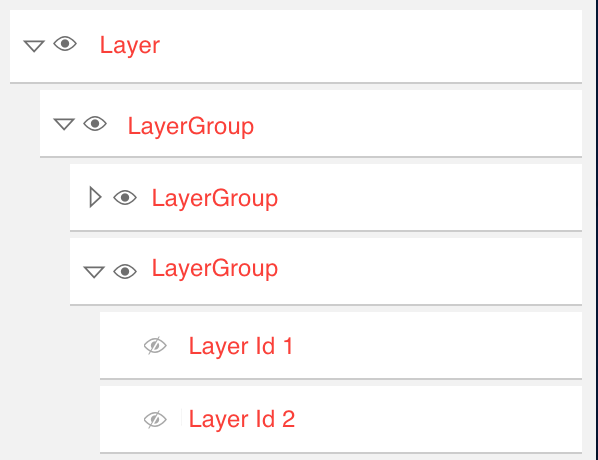
Solved! Go to Solution.
Accepted Solutions


- Mark as New
- Bookmark
- Subscribe
- Mute
- Subscribe to RSS Feed
- Permalink
You would need to watch the visible property of the ListItem, then grab the ID of the sublayer when the value is true:
if (item.layer.declaredClass === "esri.layers.support.Sublayer") { watchUtils.whenTrue(item, "visible", function(newVal) { console.log("sub layer id of visible layer: ", item.layer.id); }); }
Here's a live app based on the SDK sample: https://codepen.io/kekenes/pen/zdxJpX?editors=1001
- Mark as New
- Bookmark
- Subscribe
- Mute
- Subscribe to RSS Feed
- Permalink
You would need to watch the visible property of the ListItem, then grab the ID of the sublayer when the value is true:
if (item.layer.declaredClass === "esri.layers.support.Sublayer") { watchUtils.whenTrue(item, "visible", function(newVal) { console.log("sub layer id of visible layer: ", item.layer.id); }); }
Here's a live app based on the SDK sample: https://codepen.io/kekenes/pen/zdxJpX?editors=1001
