Turn on suggestions
Auto-suggest helps you quickly narrow down your search results by suggesting possible matches as you type.
Cancel
- Home
- :
- All Communities
- :
- Products
- :
- Geoprocessing
- :
- Geoprocessing Questions
- :
- Re: Point Layer to KML - Google Placemarks Blank
Options
- Subscribe to RSS Feed
- Mark Topic as New
- Mark Topic as Read
- Float this Topic for Current User
- Bookmark
- Printer Friendly Page
Point Layer to KML - Google Placemarks Blank
10524
15
03-14-2012 07:04 AM

03-14-2012
07:04 AM
- Mark as New
- Bookmark
- Subscribe to RSS Feed
- Permalink
Hi everyone,
I am having issues with converting a point shapefile into a KML layer. Once converted and uploaded to Google Maps/Earth the placemarks are missing. Only the shadows of the placemarks are displayed, and I have to select the point on the side legend/menu to see the pop-up table. All the attribute table information is there, and the labeling is converted correctly, it is just the physical point iteself which is missing. Looking through the ArcGIS 10 Desktop Help I followed the examples of converting points to no avail. I have tried other shapefiles and feature classes and they all have the same result.
I have tried:
- using different symbols
- changing layer projections
- trying it as a shapefile and feature class
- uploadeing from different computers
- using different browsers to display google maps
I am working with ArcGIS 10, Editor licence (also have spatial analyst enabled).
Any suggestions would be much appreciated!
Thank-you
Natasha
I am having issues with converting a point shapefile into a KML layer. Once converted and uploaded to Google Maps/Earth the placemarks are missing. Only the shadows of the placemarks are displayed, and I have to select the point on the side legend/menu to see the pop-up table. All the attribute table information is there, and the labeling is converted correctly, it is just the physical point iteself which is missing. Looking through the ArcGIS 10 Desktop Help I followed the examples of converting points to no avail. I have tried other shapefiles and feature classes and they all have the same result.
I have tried:
- using different symbols
- changing layer projections
- trying it as a shapefile and feature class
- uploadeing from different computers
- using different browsers to display google maps
I am working with ArcGIS 10, Editor licence (also have spatial analyst enabled).
Any suggestions would be much appreciated!
Thank-you
Natasha
15 Replies

03-14-2012
07:14 AM
- Mark as New
- Bookmark
- Subscribe to RSS Feed
- Permalink
Natasha:
Have you looked at the altitude properties of the KML file in the Google Earth TOC?
Right-click the layer and choose Properties.
Click on the Altitude tab and see if the "Clamped to Ground" option is chosen.
Have you looked at the altitude properties of the KML file in the Google Earth TOC?
Right-click the layer and choose Properties.
Click on the Altitude tab and see if the "Clamped to Ground" option is chosen.
03-14-2012
07:26 AM
- Mark as New
- Bookmark
- Subscribe to RSS Feed
- Permalink
I just tried it in Google Earth and it worked.
Is tehre a similar option in Google Maps?
Natasha
Is tehre a similar option in Google Maps?
Natasha


03-14-2012
10:58 AM
- Mark as New
- Bookmark
- Subscribe to RSS Feed
- Permalink
As Joe figured out, it sounds like you have data with Z values of either 0 or below the surface of the earth.
At the 10.1 release we're added a parameter to the tool to "clamp features to the ground" - basically it will override your Zvalues.
For now, you could try:
Run the Create Feature Class tool (make sure to keep the Has Z setting DISABLED)
Run Copy Features tool with your original feature class and insert into the new feature class.
Run Layer to KML on the new featureclass and see how that behaves inside your KML client.
At the 10.1 release we're added a parameter to the tool to "clamp features to the ground" - basically it will override your Zvalues.
For now, you could try:
Run the Create Feature Class tool (make sure to keep the Has Z setting DISABLED)
Run Copy Features tool with your original feature class and insert into the new feature class.
Run Layer to KML on the new featureclass and see how that behaves inside your KML client.
03-14-2012
11:40 AM
- Mark as New
- Bookmark
- Subscribe to RSS Feed
- Permalink
As Joe figured out, it sounds like you have data with Z values of either 0 or below the surface of the earth.
At the 10.1 release we're added a parameter to the tool to "clamp features to the ground" - basically it will override your Zvalues.
For now, you could try:
Run the Create Feature Class tool (make sure to keep the Has Z setting DISABLED)
Run Copy Features tool with your original feature class and insert into the new feature class.
Run Layer to KML on the new featureclass and see how that behaves inside your KML client.
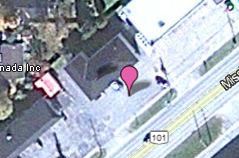
I just tried it and it didn't do the trick. It all seems to work fine in Google Earth now though. But in Google Maps it's like the point symbology doesn't transfer. In google maps the little icon box is empty, and when I set a google balloon it's like it creates a whole new point, with a shadow, so there are two shadows for the point icon. I attached a screenshot to try and explain this better.
Maybe this is a good time to experiment with embedded arcgis.com maps!! 🙂
Thanks for all your help!
Natasha
03-14-2012
12:41 PM
- Mark as New
- Bookmark
- Subscribe to RSS Feed
- Permalink
I'm sure someone will jump in here and correct me if I'm wrong - but it might be that Google maps cannot support icons inside a KMZ. Its a simple web client, where Google earth and ArcGIS Explorer are full clients.
From what I've read, Google Maps supports Icons inside of KML. (all the doc I read on Maps explains KML, not KMZ specifically). https://developers.google.com/kml/documentation/kmlelementsinmaps
KML icon tags point to files on the internet. (http://.../myIcon.png). With a KMZ file the icons and images get embedded inside. I haven't read one way or the other if Maps can or cannot use icons or files inside a KMZ.
Sorry, I realize this doesn't give you an answer. Until I can read something or see a KMZ with an icon that Maps can use, Im not sure its possible.
From what I've read, Google Maps supports Icons inside of KML. (all the doc I read on Maps explains KML, not KMZ specifically). https://developers.google.com/kml/documentation/kmlelementsinmaps
KML icon tags point to files on the internet. (http://.../myIcon.png). With a KMZ file the icons and images get embedded inside. I haven't read one way or the other if Maps can or cannot use icons or files inside a KMZ.
Sorry, I realize this doesn't give you an answer. Until I can read something or see a KMZ with an icon that Maps can use, Im not sure its possible.
03-15-2012
04:37 AM
- Mark as New
- Bookmark
- Subscribe to RSS Feed
- Permalink
I'm sure someone will jump in here and correct me if I'm wrong - but it might be that Google maps cannot support icons inside a KMZ. Its a simple web client, where Google earth and ArcGIS Explorer are full clients.
From what I've read, Google Maps supports Icons inside of KML. (all the doc I read on Maps explains KML, not KMZ specifically). https://developers.google.com/kml/documentation/kmlelementsinmaps
KML icon tags point to files on the internet. (http://.../myIcon.png). With a KMZ file the icons and images get embedded inside. I haven't read one way or the other if Maps can or cannot use icons or files inside a KMZ.
Sorry, I realize this doesn't give you an answer. Until I can read something or see a KMZ with an icon that Maps can use, Im not sure its possible.
No this is at least a starting place to start looking. Before I was really lost on where to look to solve the issue. I am just surprised that no one else has had this issue.
Thanks for looking into it and taking the time!
Cheers,
Natasha

01-15-2013
05:10 AM
- Mark as New
- Bookmark
- Subscribe to RSS Feed
- Permalink
No this is at least a starting place to start looking. Before I was really lost on where to look to solve the issue. I am just surprised that no one else has had this issue.
Thanks for looking into it and taking the time!
Cheers,
Natasha
I just found this thread, as I am having the same problem and can not find a solution. I ran the layer to KML tool in arcgis, imported the .kmz file into google maps and only the shadows of the points showed up, symbology shows up fine in google earth, and the funny thing is that the purple point symbology shows up perfect when I load "my maps" in google maps via my smart phone. Anyone know why the symbology for the imported .kmz does not show up on google maps on my PC?
I read the help above, but to no avail.
Thanks
-Mike

03-25-2013
09:39 AM
- Mark as New
- Bookmark
- Subscribe to RSS Feed
- Permalink
I'm having the same problem. Symbology loads 'ArcMap > Earth' fine and then 'Earth > Maps' fine if the symbology is changed, but 'ArcMap > Maps' produces only shadows. I'm surprised that I can't find more about this problem. If you have found a solution please post it!


05-15-2013
01:13 PM
- Mark as New
- Bookmark
- Subscribe to RSS Feed
- Permalink
Hoping to bump this. Anyone with new news?
I am student and new to KML. Basically have 132 points in a points.shp and used Layer to KML giving me a KMZ. As soon as I import it into my places it displays just the shadows rather than the symbology. Is there a work around the zipping (KMZ) at all and just have 132 individual KLM's? Thanks in advance.
I am student and new to KML. Basically have 132 points in a points.shp and used Layer to KML giving me a KMZ. As soon as I import it into my places it displays just the shadows rather than the symbology. Is there a work around the zipping (KMZ) at all and just have 132 individual KLM's? Thanks in advance.
