- Home
- :
- All Communities
- :
- Products
- :
- ArcGIS Survey123
- :
- ArcGIS Survey123 Questions
- :
- Re: Problem with dependent question and multiple c...
- Subscribe to RSS Feed
- Mark Topic as New
- Mark Topic as Read
- Float this Topic for Current User
- Bookmark
- Subscribe
- Mute
- Printer Friendly Page
Problem with dependent question and multiple choice select

- Mark as New
- Bookmark
- Subscribe
- Mute
- Subscribe to RSS Feed
- Permalink
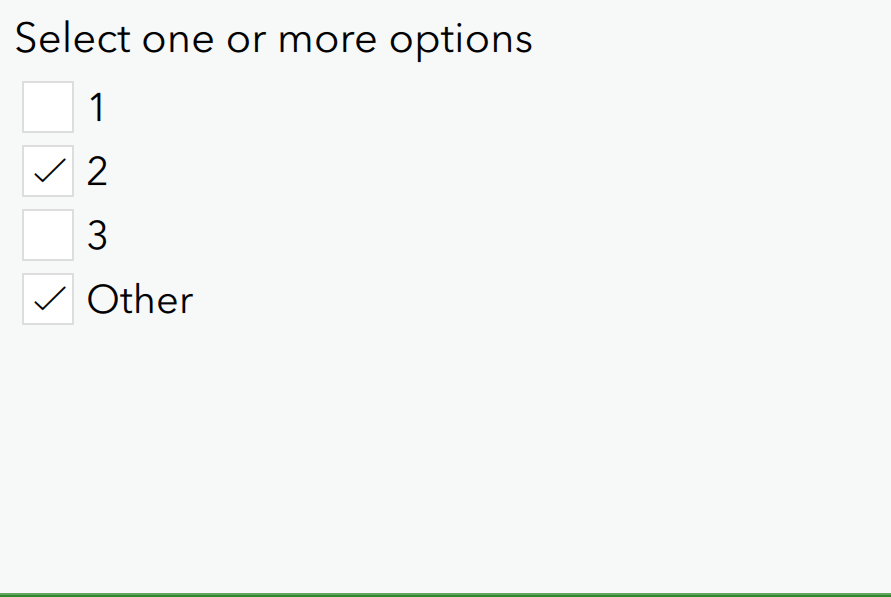
I am creating a survey where participants are required to select a few multiple choice options. I have 'Other' as an answer option for the multiple choice select and created a question that is prompting the participant to 'specify other' in a text box - this question dependent upon the participant selecting 'other' in the multiple choice answer options. I noticed that the dependent text box only pops up if you select 'other' first, and if you select a few other multiple choice options and then select 'other', the text box won't pop up. Is there a workaround for this so that even if you select 'other' last, the dependent text box still pops up? Thanks 🙂
Solved! Go to Solution.
Accepted Solutions


- Mark as New
- Bookmark
- Subscribe
- Mute
- Subscribe to RSS Feed
- Permalink
Try using contains() or selected() instead of =.
Multi-select go in as a delimited list (either commas or semicolons idr) so as soon as there's more than one value, it's no longer equal to any one of the choices you have.


- Mark as New
- Bookmark
- Subscribe
- Mute
- Subscribe to RSS Feed
- Permalink
Try this instead of your current relevancy
selected(${options_select},'Other')
So a select multiple forms a comma delimited list. the selected function acts differently as it triggers if that answer is in the list. Where as the '=' I think takes either the whole list or just looks at the first selection. The selected() function is especially useful when using select multiples.
- Mark as New
- Bookmark
- Subscribe
- Mute
- Subscribe to RSS Feed
- Permalink
Try using contains() or selected() instead of =.
Multi-select go in as a delimited list (either commas or semicolons idr) so as soon as there's more than one value, it's no longer equal to any one of the choices you have.
- Mark as New
- Bookmark
- Subscribe
- Mute
- Subscribe to RSS Feed
- Permalink
I am creating a survey where participants are required to select a few multiple choice options. I have 'Other' as an answer option for the multiple choice select and created a question that is prompting the participant to 'specify other' in a text box - this question dependent upon the participant selecting 'other' in the multiple choice answer options. I noticed that the dependent text box only pops up if you select 'other' first, and if you select a few other multiple choice options and then select 'other', the text box won't pop up. Is there a workaround for this so that even if you select 'other' last, the dependent text box still pops up? Thanks



- Mark as New
- Bookmark
- Subscribe
- Mute
- Subscribe to RSS Feed
- Permalink
Try this instead of your current relevancy
selected(${options_select},'Other')
So a select multiple forms a comma delimited list. the selected function acts differently as it triggers if that answer is in the list. Where as the '=' I think takes either the whole list or just looks at the first selection. The selected() function is especially useful when using select multiples.
- Mark as New
- Bookmark
- Subscribe
- Mute
- Subscribe to RSS Feed
- Permalink
Thank you so much! This worked for me.
