- Home
- :
- All Communities
- :
- Products
- :
- ArcGIS Pro
- :
- ArcGIS Pro Questions
- :
- Extensions for ArcGIS Pro under personal use licen...
- Subscribe to RSS Feed
- Mark Topic as New
- Mark Topic as Read
- Float this Topic for Current User
- Bookmark
- Printer Friendly Page

- Mark as New
- Bookmark
- Subscribe to RSS Feed
- Permalink
Hi I'm trying to run ESRI's ProPat performance testing benchmark tools using a personal license of ArcGIS Pro. My interpretation of the marketing page was that extensions are included with the license:

However when I authorize Pro using my personal use account extensions are not available
Can someone clarify if this is supposed to be a thing?
Solved! Go to Solution.
Accepted Solutions

- Mark as New
- Bookmark
- Subscribe to RSS Feed
- Permalink
When you sign in to ArcGIS Online - you should click Organization > Manage Members and see if you have applied the extensions to your username Manage licenses—ArcGIS Online Help | Documentation


- Mark as New
- Bookmark
- Subscribe to RSS Feed
- Permalink
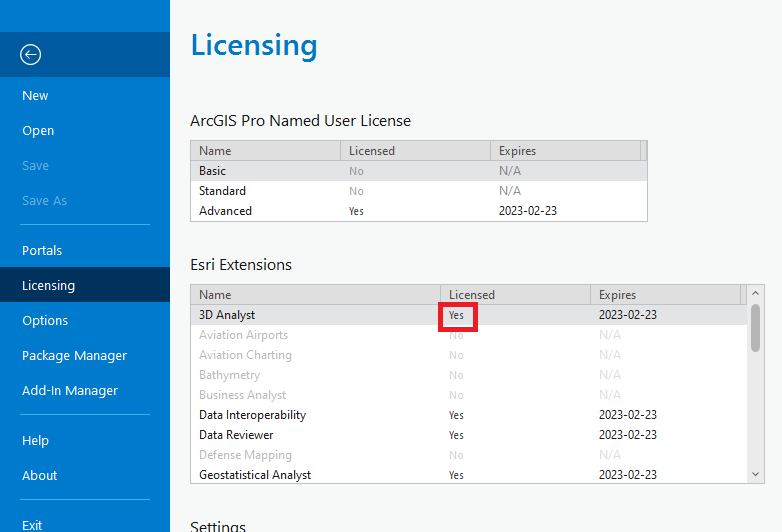
check the project backstage under licensing'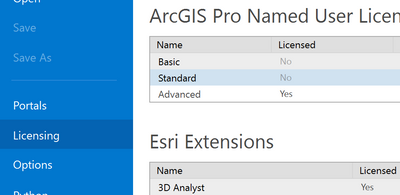
you should see a full list of those installed and licensed (after 3D Analyst of course)
... sort of retired...
- Mark as New
- Bookmark
- Subscribe to RSS Feed
- Permalink
When you sign in to ArcGIS Online - you should click Organization > Manage Members and see if you have applied the extensions to your username Manage licenses—ArcGIS Online Help | Documentation
- Mark as New
- Bookmark
- Subscribe to RSS Feed
- Permalink
That was it - thanks!

- Mark as New
- Bookmark
- Subscribe to RSS Feed
- Permalink
Here's what I did:
Go to ArcGIS Online >> Licenses tab:
https:// <your user name> .maps.arcgis.com/home/organization.html?#licenses
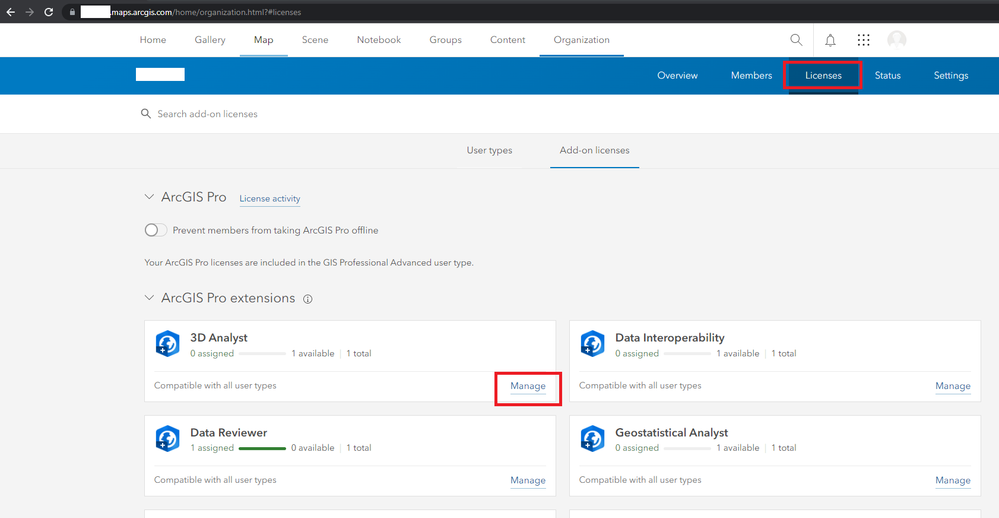
Click Manage in the extension you want to enable.
Click the toggle in the extension popup to enable that extension:
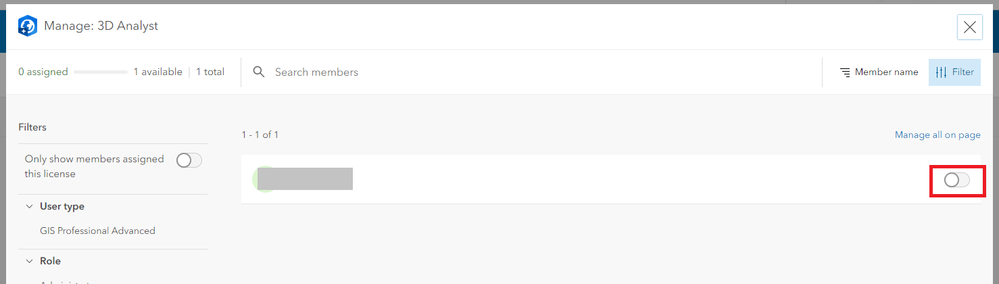
Choose yes or no to the email question:

Close and reopen ArcGIS Pro.
Now, the extension is enabled in ArcGIS Pro for Personal Use (3.0.2).