- Home
- :
- All Communities
- :
- Developers
- :
- Native Maps SDKs
- :
- Native SDKs Blog
- :
- Data Collection for .NET
Data Collection for .NET

- Subscribe to RSS Feed
- Mark as New
- Mark as Read
- Bookmark
- Subscribe
- Printer Friendly Page
Data is at the heart of every business. Collecting and storing data is done in a variety of ways, from paper forms to custom-built applications. You, our customers, have asked us to help with the transition from paper to digital by providing you with a collection app that is configurable and customizable to work with your own data and specific workflows.
We are proud to deliver an open source app that hopefully fits many of your organization's data collection needs. Because we are releasing the app open source and under an Apache license, you are welcome to take it, modify it to match your needs, and use it as you see fit.
Data Collection for .NET is a WPF application built using the ArcGIS Runtime SDK for .NET and it features common functionality encountered when collecting data.
Identify map data
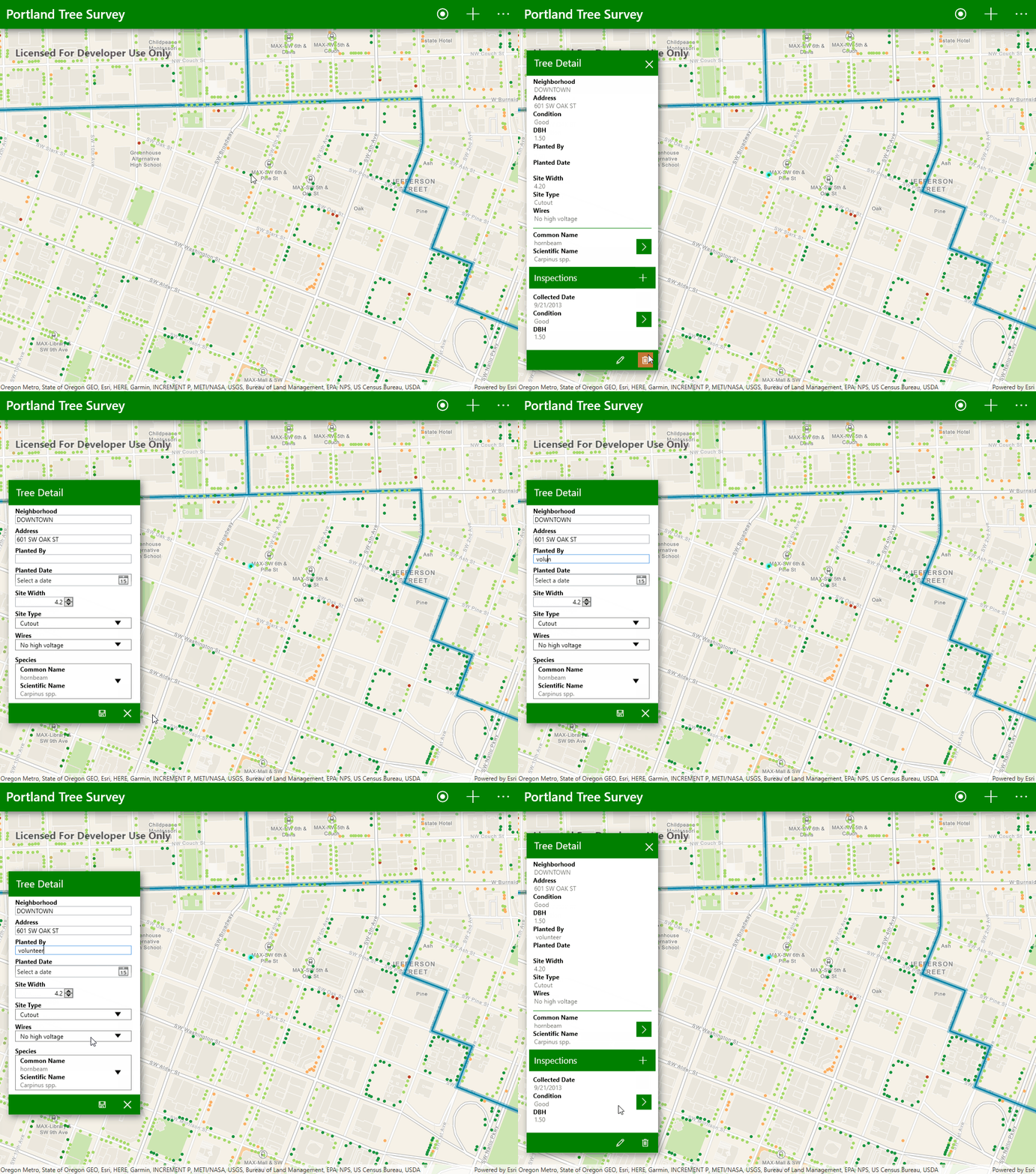
Collecting data means also knowing what is around you. Click on one of the data points on the map to bring up information about it. If you need to edit it, clicking on the pencil icon will start an edit session. It's as simple as that!
Collect new data point
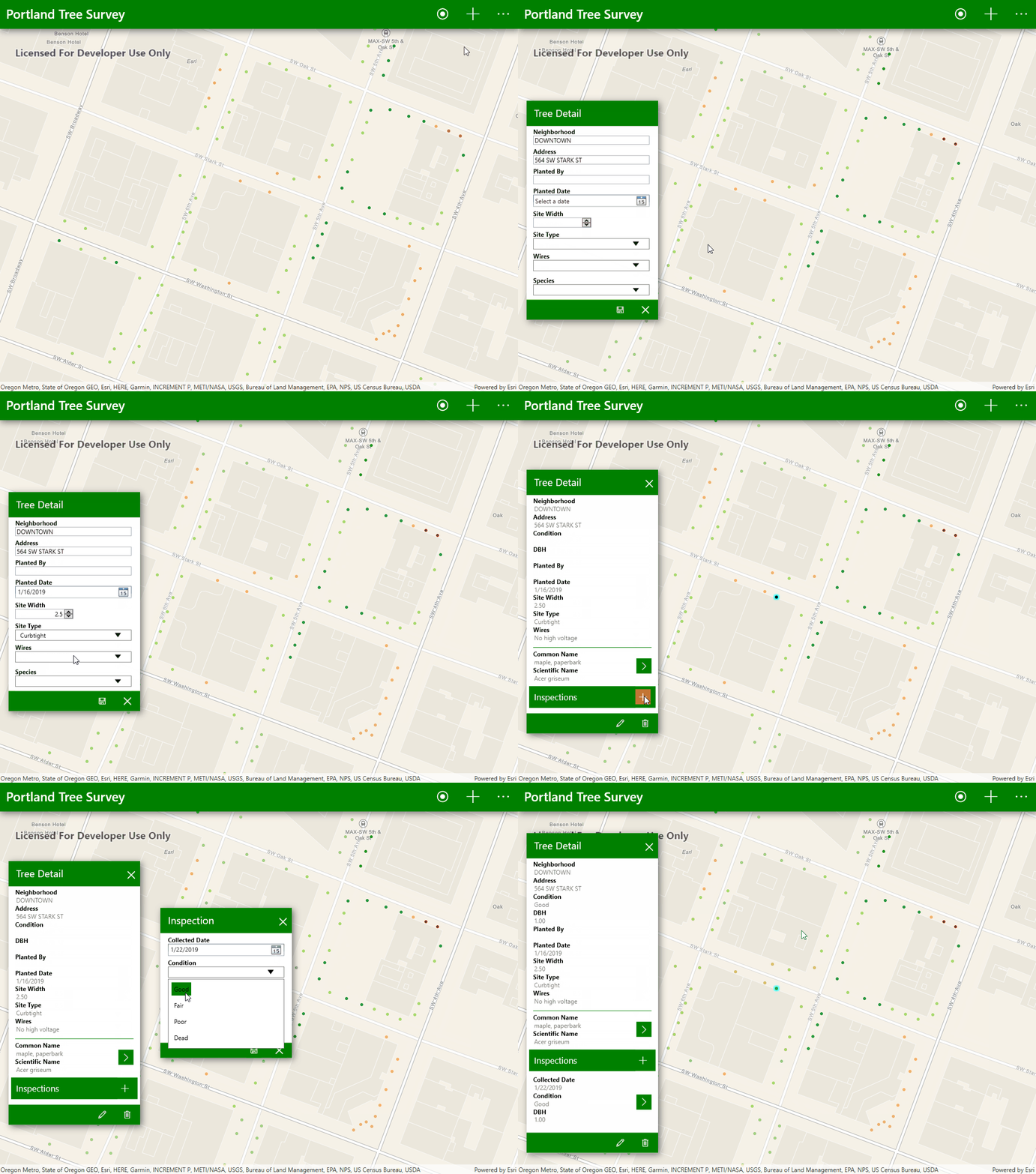
When you're ready to add a new data point, click the plus button to begin. You'll be prompted to select a location for your new data point and add some information about it.
Work offline
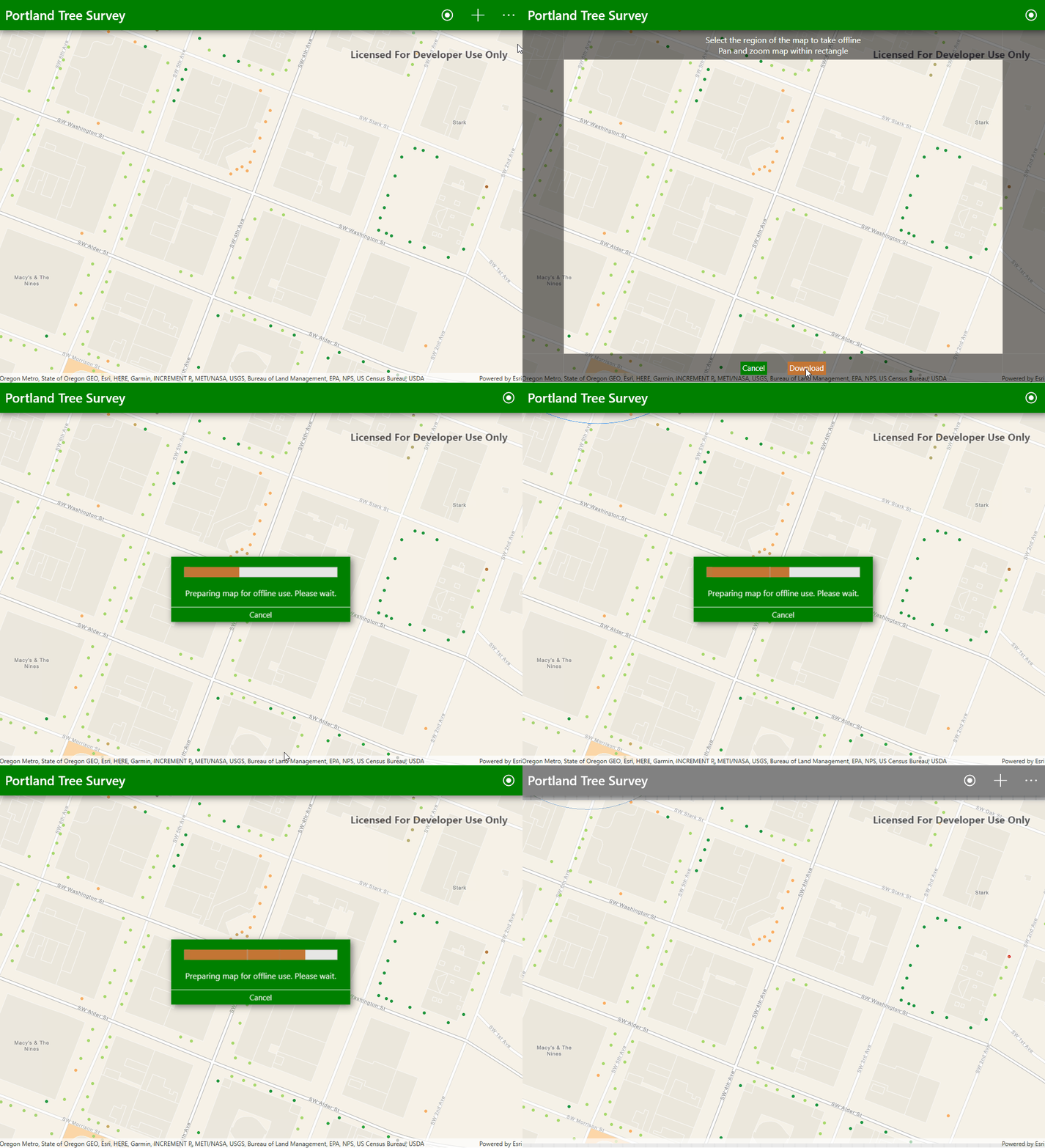
To support remote collection in areas without network access, we added the ability to work offline. Simply navigate the map to your desired work area and select "Work Offline" from the menu. The app will download the map along with its data and will allow you to collect data points when you are disconnected from the network. When you're back in the office or able to connect to a network, select "Sync Map" from the menu to have your changes merged with the online version of your map.
Do you think this is something you could use? Take a look at the full documentation and get the source code to the app from GitHub!
Happy collecting!
You must be a registered user to add a comment. If you've already registered, sign in. Otherwise, register and sign in.