- Home
- :
- All Communities
- :
- Products
- :
- ArcGIS Experience Builder
- :
- ArcGIS Experience Builder Questions
- :
- Re: Issue with collapsable sidebar making content ...
- Subscribe to RSS Feed
- Mark Topic as New
- Mark Topic as Read
- Float this Topic for Current User
- Bookmark
- Printer Friendly Page
Issue with collapsable sidebar making content underneath unusable

- Mark as New
- Bookmark
- Subscribe to RSS Feed
- Permalink
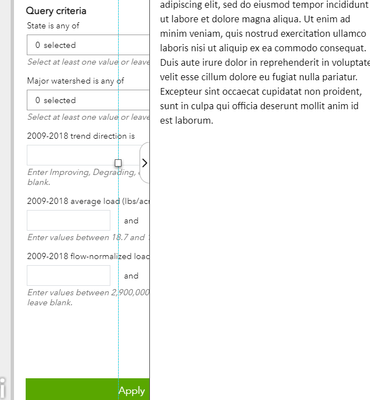
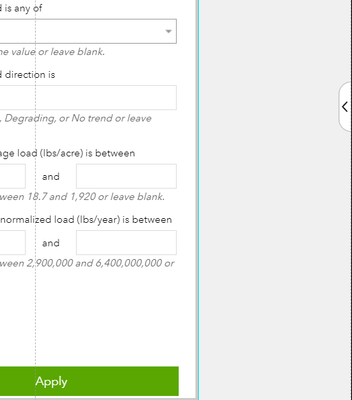
Using Experience Builder for developers (v 1.2), I want to use a side bar that covers part of the main stage content but can be collapsed to maximize page real estate. However, the content "underneath" the sidebar is unusable even when the sidebar is collapsed and the content is visible. Below, the buttons and drop-downs on the embedded dashboard under the sidebar outline do not work on the live application. I have to minimize the embedded content so that it is not underneath the side bar when the side bar is extended for it to work.
I'm wondering if this is a bug that will be fixed in future versions or if there is a workaround anyone would suggest. I like the pop-out bar for people who want to free up space for smaller screens, but it limits the functionality of even a basic web map if any of the map buttons are in one of the affected corners.
Solved! Go to Solution.


- Mark as New
- Bookmark
- Subscribe to RSS Feed
- Permalink
Your current design will be difficult for your users. I would recommend one of two redesign options:
- Change your Timeline Sidebar to Top opening.
- Place the Timeline and Table within the same Sidebar and use a Grid or Section Widget to make a tabbed presentation for switching between the functions.
City of Arlington, Texas

- Mark as New
- Bookmark
- Subscribe to RSS Feed
- Permalink
In the bottom section of the Sidebar, I used a section with two views. Each view includes a fixed panel and a table, with a timeline also included in the second view. It's working great, I think. It only took me a good minute, about 6 hours to figure it out.

- « Previous
- Next »
- « Previous
- Next »