- Home
- :
- All Communities
- :
- User Groups
- :
- Web AppBuilder Custom Widgets
- :
- Documents
- :
- Enhanced Search Widget Version 2.23.1 - 11/22/22
- Subscribe to RSS Feed
- Mark as New
- Mark as Read
- Bookmark
- Subscribe
- Printer Friendly Page
Enhanced Search Widget Version 2.23.1 - 11/22/22
Enhanced Search Widget Version 2.23.1 - 11/22/22
Web AppBuilder for ArcGIS | Help - Enhanced Search widget
List of the latest enhancements and changes:
- Fixed issue with Spatial Relationship settings
Older enhancements or changes
Check the "Older enhancements or changes.txt" in the download for a complete list.
Older Versions


Thanks Robert, yes if I am understanding this correctly:
if a layer has field(s) visibility configured as 'false' in the AT AND that layer participates in the eSearch, the eSearch will override any 'false' setting and make those fields visible by default when a user displays the layers' attributes in the AT. When the eSearch opens the AT with a result, the visible fields are those configured as true in the eSearch.
It's ok, I just could not figure out why no matter how I set AT fields visibility, all fields would continue to display for layers that also participate in eSearch. And of course now I can compensate when needed-
Thanks!


David,
Just to be sure. Are you saying that you have a layer added to your web map and have configured it in the AT widget by hiding some fields and you also use this layer in the eSearch and the AT widget is not maintaining the field visibility for the non-eSearch version (eSearch search results creates it own layer to add to the map and the AT Widget) of this layer?

Robert,
In your result of the eSearch, you show the field name as font style italic, how you do that? Where did you set up the style in the css file?
Thanks
Zhujing
Zhujing,
That is controlled by the result format GUI in the widgets settings dialog.

Hi Robert,
Thanks a million for releasing Identify 2.0.1.1 and Enhanced Search 2.0.1.1
Your CSS fix now includes all the Style Colors in the new Plateau Theme.

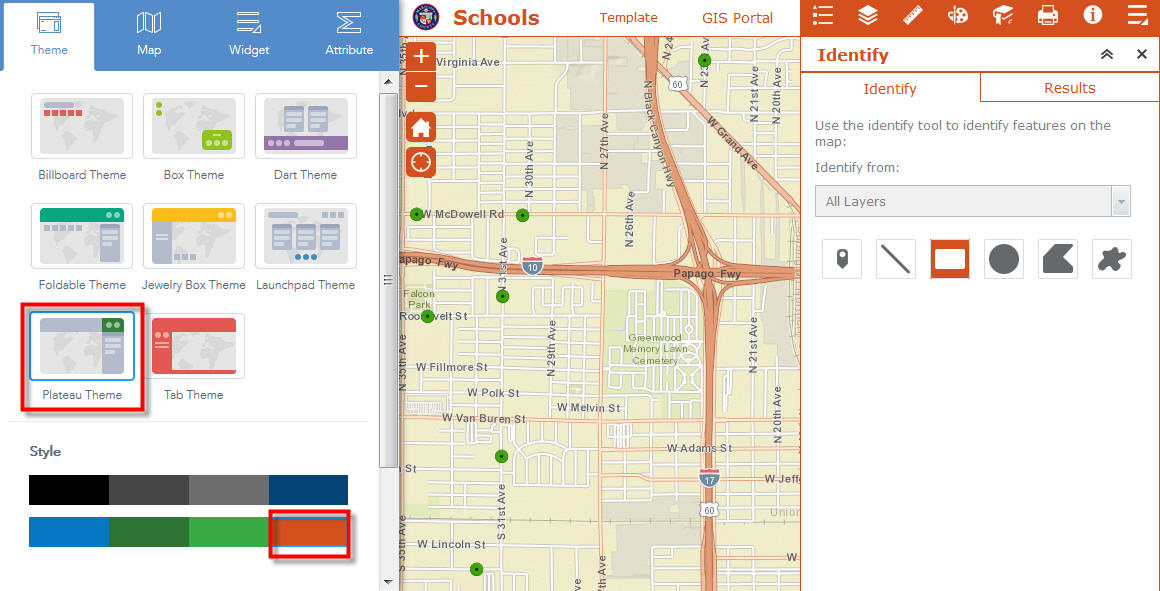
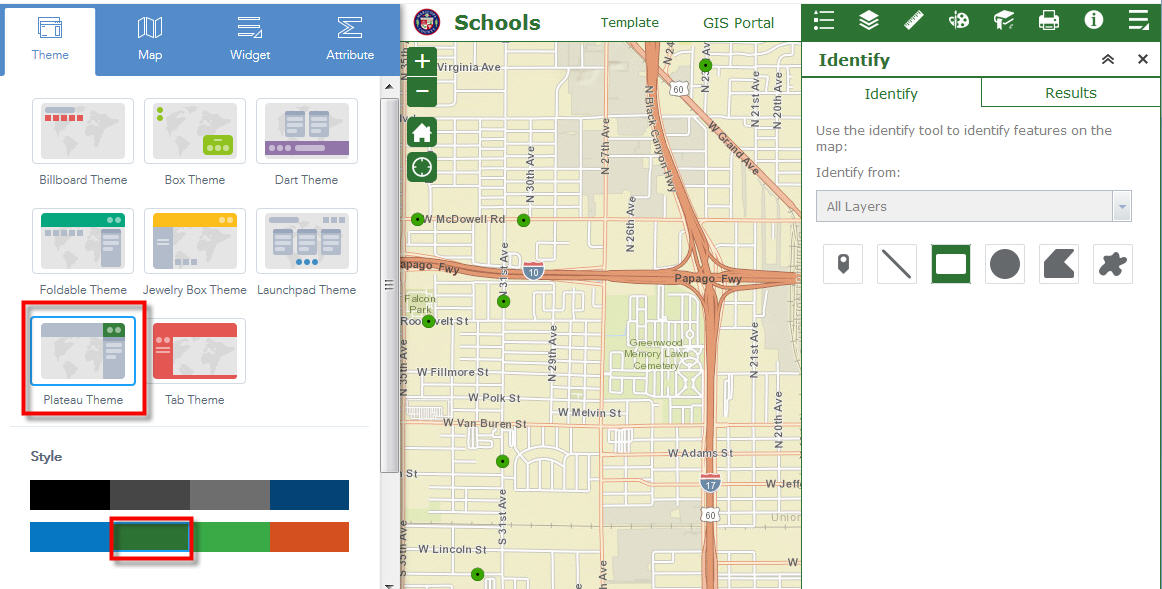
I like the option to Wrap the results text.
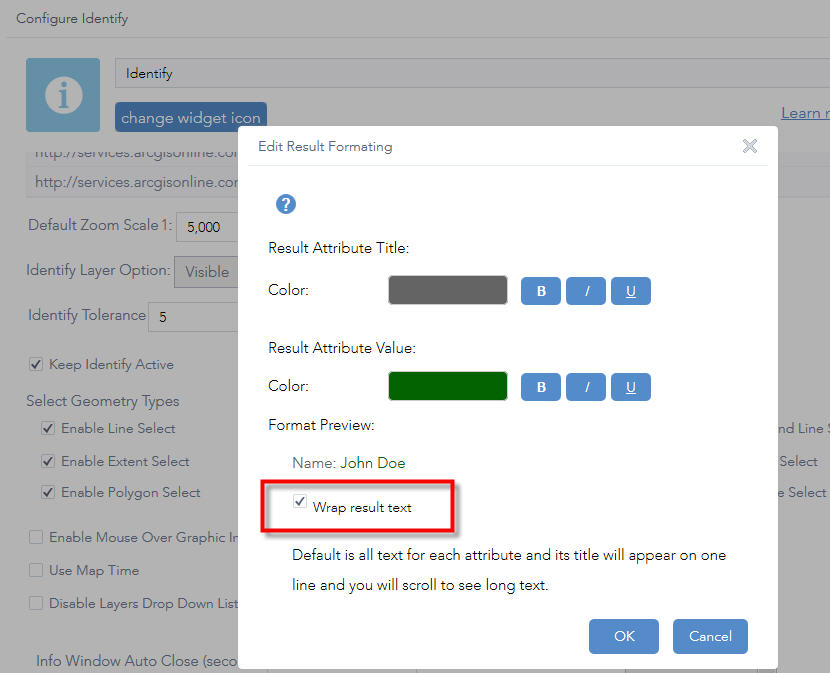
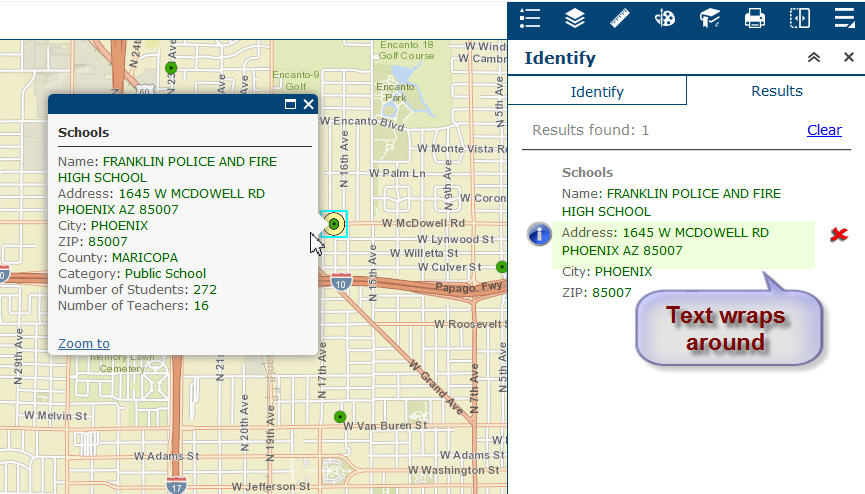
Just like your Identify Widget, the Enhanced Search Widget controls now honors the Style Colors.
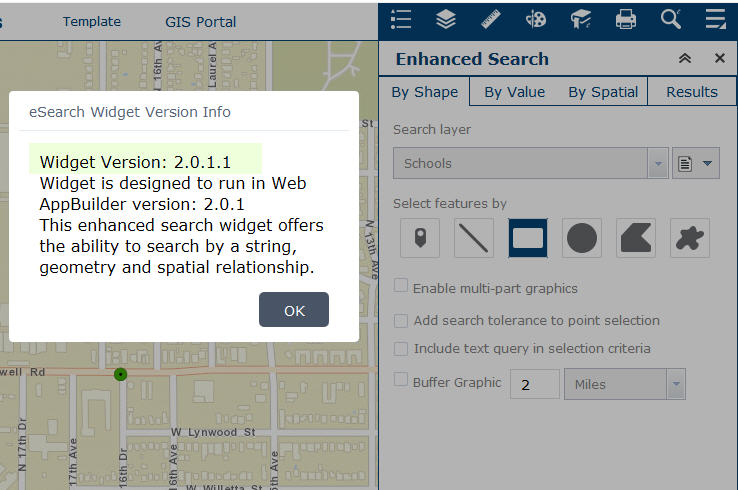
I checked the option to Wrap the Results Text.
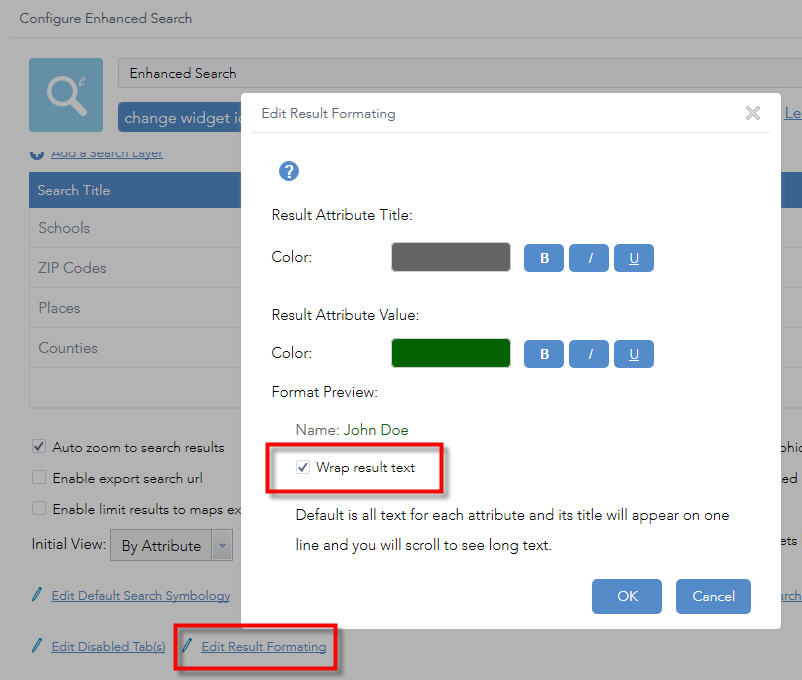
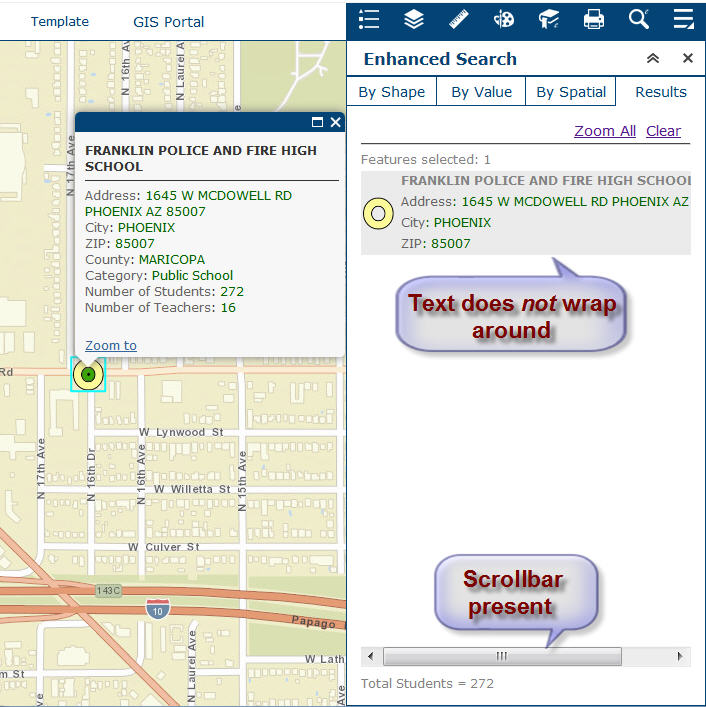
However, the text in the results pane did not wrap around.
I still see the scroll bar at the bottom of the results pane.
Here is the config_Enhanced Search.json file:


Robert Scheitlin, GISP, I am wondering if there is anyway to set the default for the calendar part of the widget when searching against dates?
I have a department that wants the start date, on specific layers to be pre-set. So when I select the layer titled (Current Month Crimes) the calendar should be pre-set to default to that months 1st. Is this an option?
Brian,
There is nothing in the code that would allow for this but you can modify the code to handle this specific need of yours:
In the SingleParameter.js find the following (the last 5 lines is the change).
_buildDate: function(fieldInfo, value){/*jshint unused: false*/
html.setStyle(this.stringTextBoxContainer, 'display', 'none');
html.setStyle(this.numberTextBoxContainer, 'display', 'none');
html.setStyle(this.dateTextBoxContainer, 'display', 'block');
var fieldObj = value.fieldObj;//name,shortType
var valueObj = value.valueObj;//value,value1,value2
var operator = value.operation;
var isRange = operator === this.nls.dateOperatorIsBetween || operator === this.nls.dateOperatorIsNotBetween;
// console.info(operator + " : " + this.nls.dateOperatorIsBetween);
if(isRange){
this._type = 2;
html.setStyle(this.dateRangeTable,'display','table');
this._hideDijit(this.dateTextBox);
if(valueObj.value1 !== '[value]' && valueObj.value2 !== '[value]'){
this.dateTextBox1.set('value', new Date(valueObj.value1));
this.dateTextBox2.set('value', new Date(valueObj.value2));
}
if(this.layerDetails.name === "Search Results: Traffic Cameras"){
var today = new Date();
today.setDate(1);
this.dateTextBox1.set('value', today);
}
Uncaught TypeError: Cannot read property 'toString' of undefined
I'm getting this on the 'Export Search URL' and was wondering if this is Widget-wide or just my system?
I'm running it from LAUNCH in the WAB.
How difficult would it be to add in a variable 'Default Calendar to Today's Date' and then check against it in SingleParameter.js and set to TODAY if yes and leave as it if no?
Are you against me checking out your GIT and pushing an update like that through?
Brain,
in the help doc is this note:
The Export Search URL link will not work if you have not deployed your WAB App to a web server yet and are still using a url like http://machinename:3344/webappbuilder/apps/[App#]. It needs a deployed URL like http://gis.calhouncounty.org/WAB/V1.3/widgets/eSearch/.
Hi Robert,
Thanks for releasing Enhanced Search Widget 2.0.1.2 today!
I made 8 Web Apps using the latest versions of your Custom Widgets as of 5/11/2016
Enhanced Search Widget 2.0.1.2, Version 53 5/11/2016
https://community.esri.com/docs/DOC-1731
Enhanced Basemap Gallery Widget 2.0.1, Version 10 4/20/2016
https://community.esri.com/docs/DOC-2888
Google Street View Widget 2.0.1, Version 8 4/21/2016
https://community.esri.com/docs/DOC-2991
Share Widget 2.0.1, Version 12 4/20/2016
https://community.esri.com/docs/DOC-3247
Identify Widget 2.0.1.1, Version 23 4/27/2016
https://community.esri.com/docs/DOC-3250
Elevation Profile Widget 2.0.1, Version 9 4/26/2016
https://community.esri.com/docs/DOC-3342
Map Progress Indicator Widget 2.0.1, Version 6 4/26/2016
https://community.esri.com/docs/DOC-6416
Enhanced Bookmark Widget 1.3, Version 4 12/15/2015
https://community.esri.com/docs/DOC-6889
Enhanced Locate Widget 2.0.1, Version 8 4/26/2016
https://community.esri.com/docs/DOC-7046
Popup Panel Widget 2.0.1, Version 7 4/20/2016
https://community.esri.com/docs/DOC-7355
Other Custom Widgets:
Add Service Widget 1.2, Version 8 11/17/2015
https://community.esri.com/docs/DOC-6263
Add Shapefile Widget, Version 2 9/18/2015
https://community.esri.com/docs/DOC-6907
Zoom Previous Next Widget 1.1.1, Version 3 5/13/2015
https://community.esri.com/docs/DOC-6111
Foldable Theme
http://www.tapasdas.com/Maps/Phones/app177
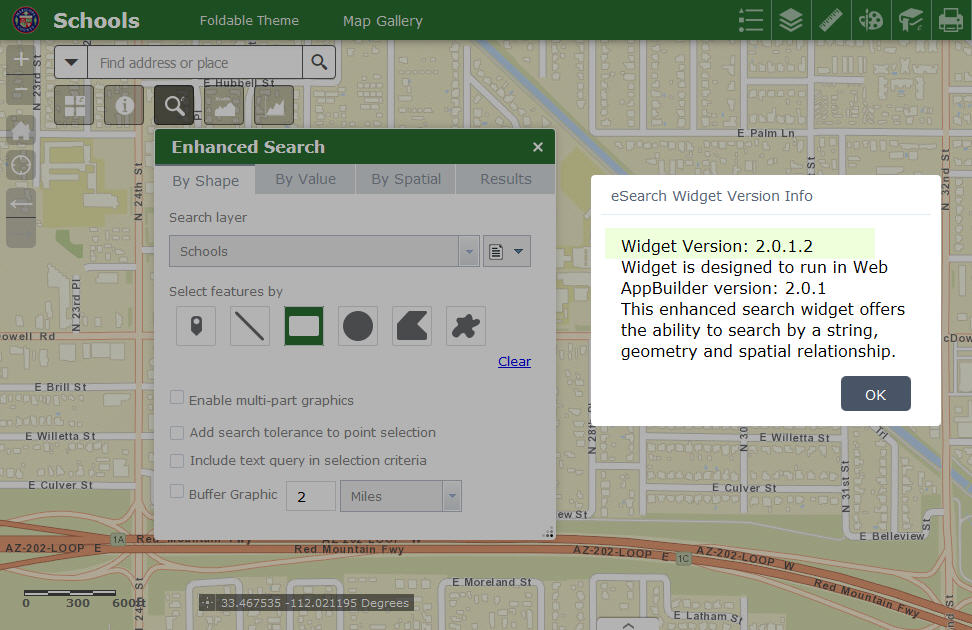
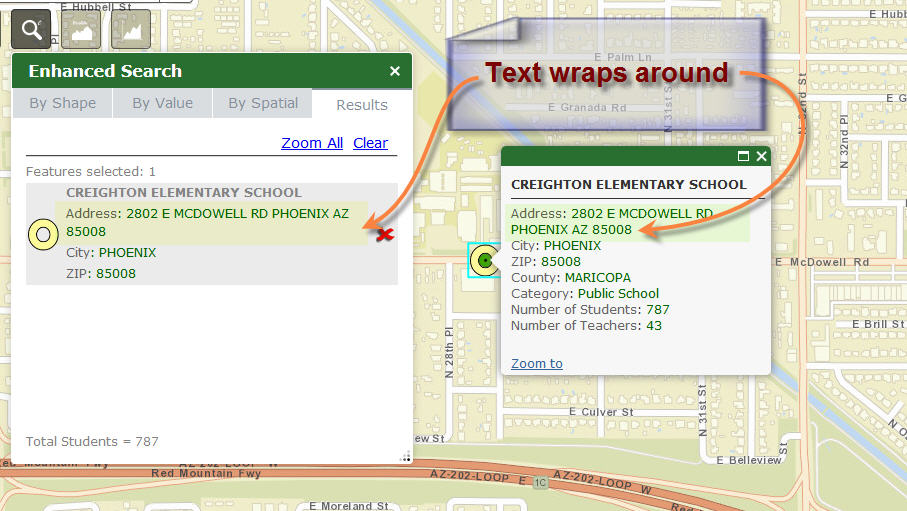
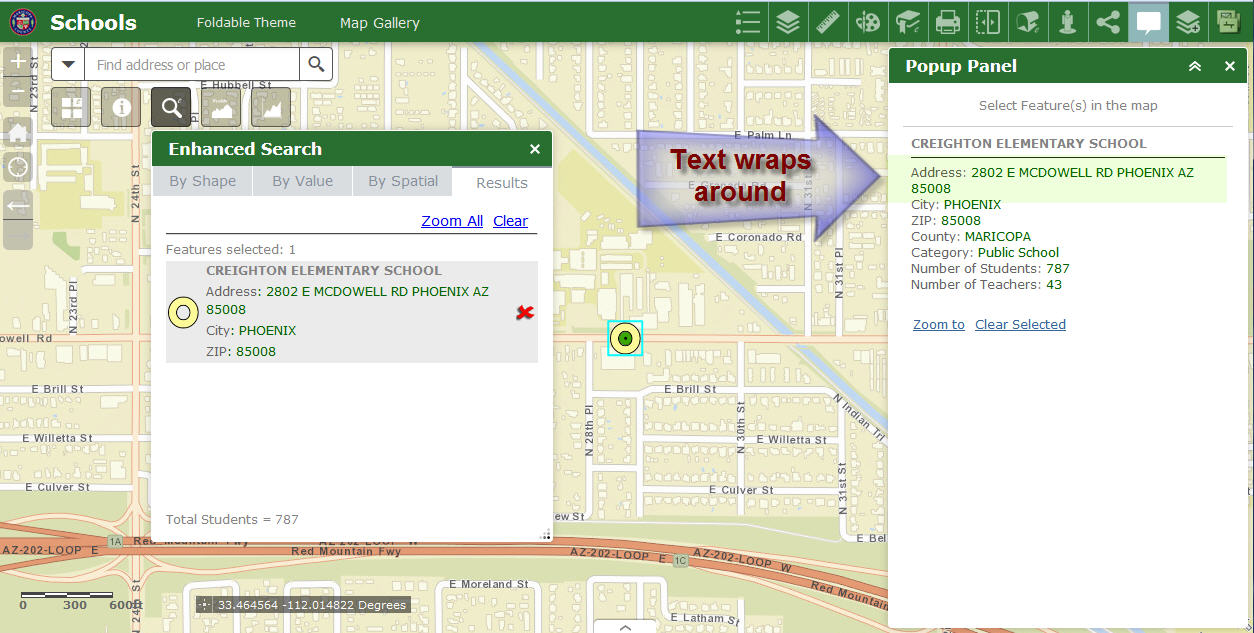
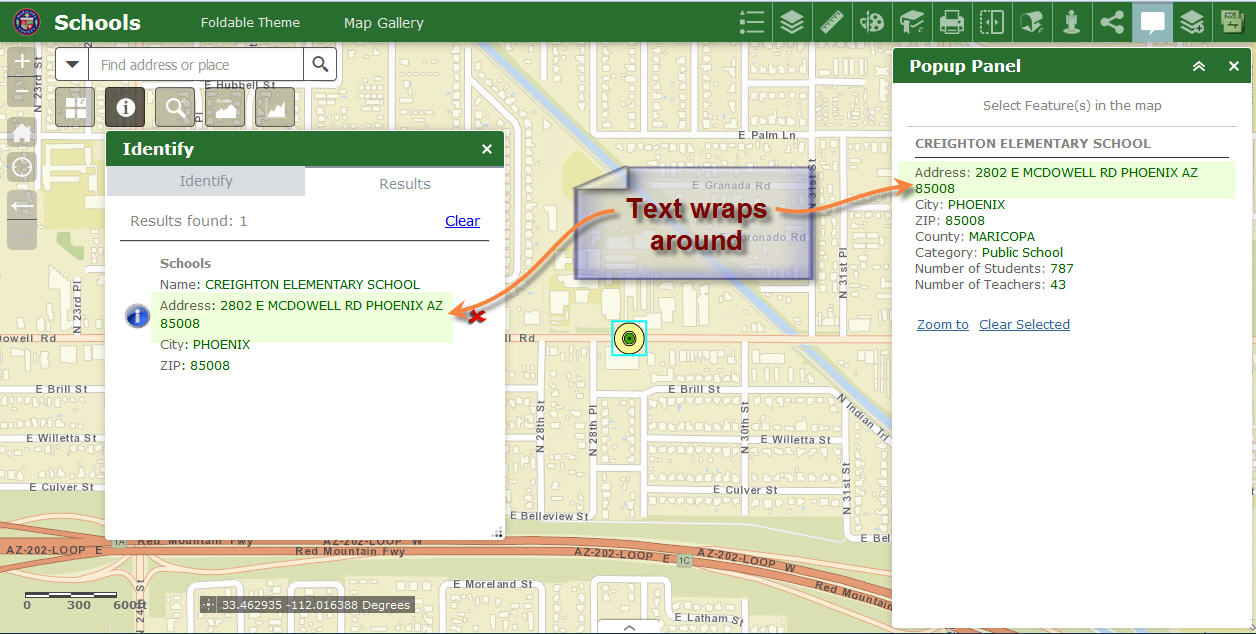
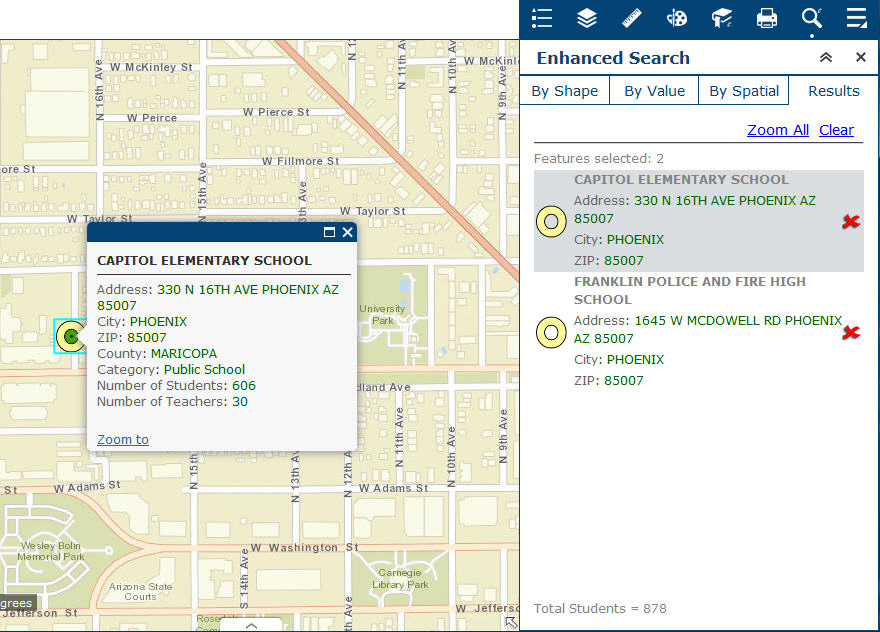
The text in the result pane now wraps around correctly.
You have fixed this issue.
Launchpad Theme
http://www.tapasdas.com/Maps/Phones/app178
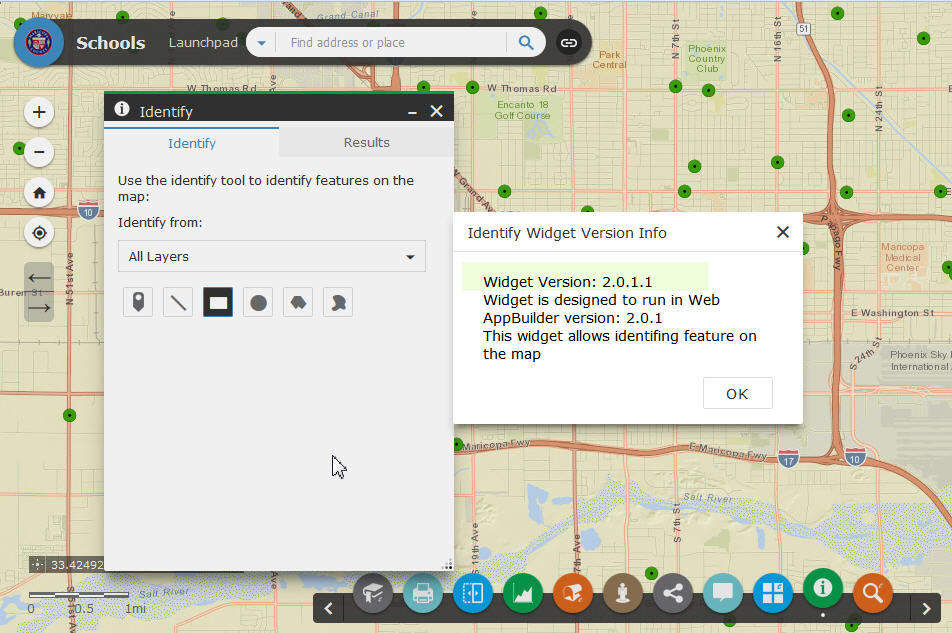
With the Identify Widget, the Layer Name is very hard to read.
This is peculiar to the Launchpad Theme only.
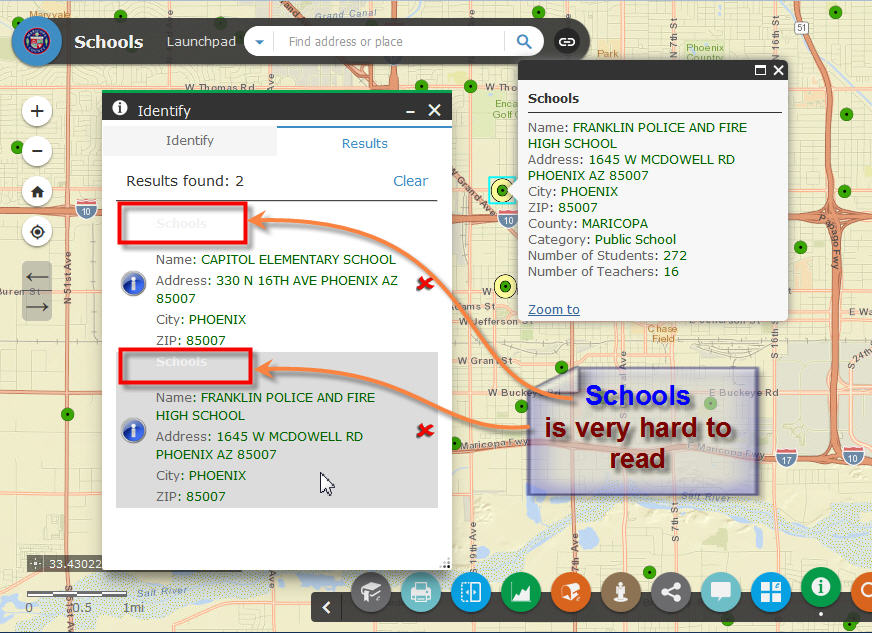
The same issue comes up with the Enhanced Search Widget.
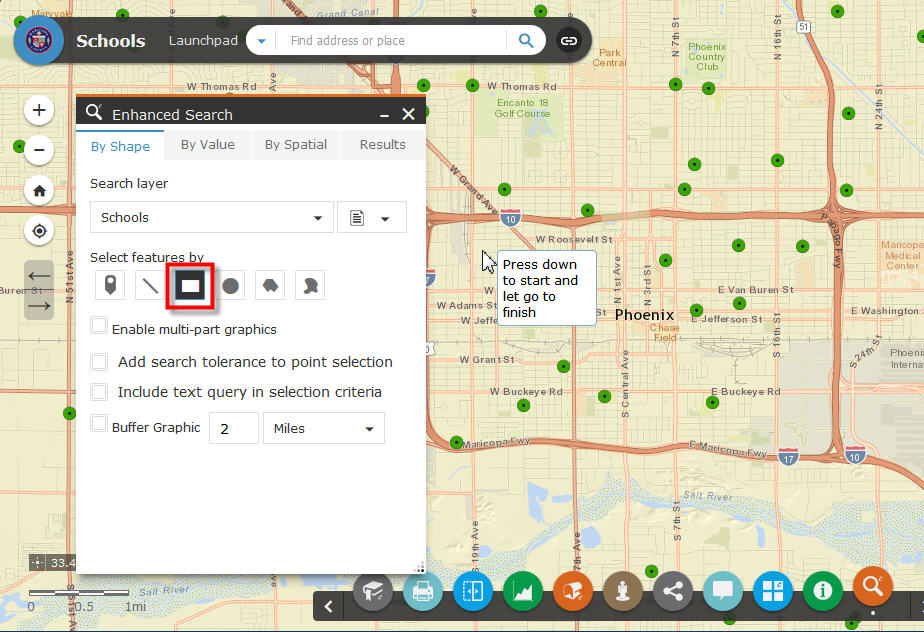
The Title Text is hard to read.

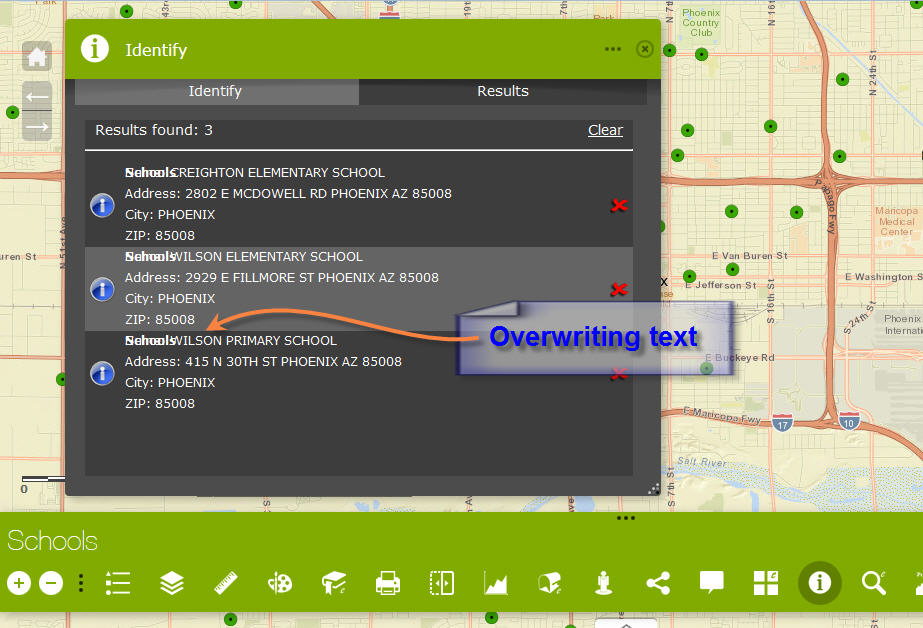
Dart Theme
http://www.tapasdas.com/Maps/Phones/app179
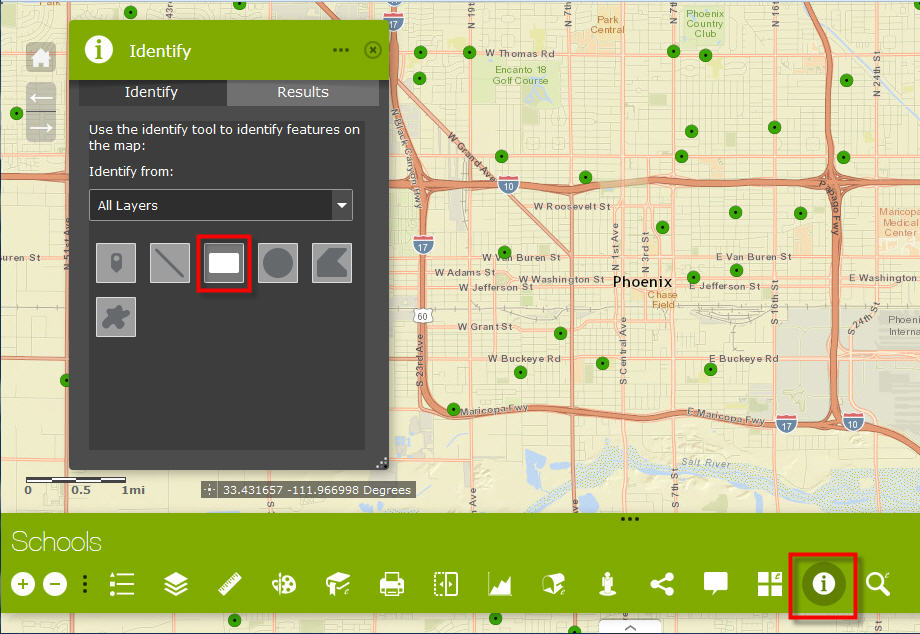
I see some overwriting text with the Identify Widget
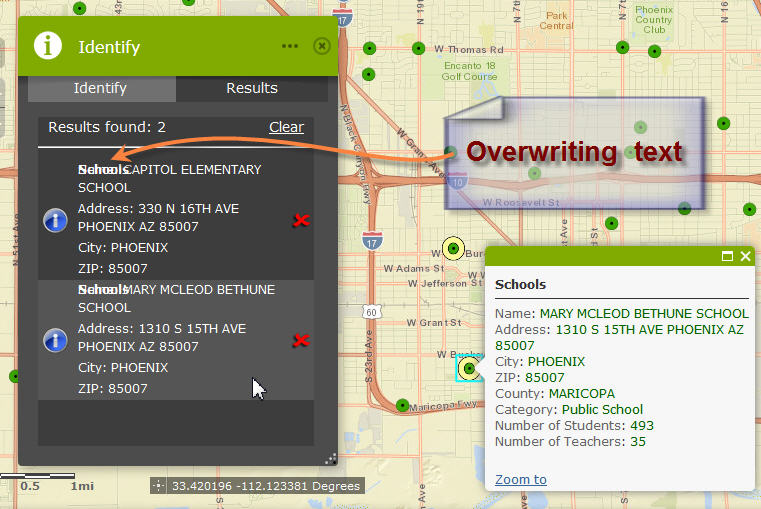
Even when I resize the widget, the issue remains
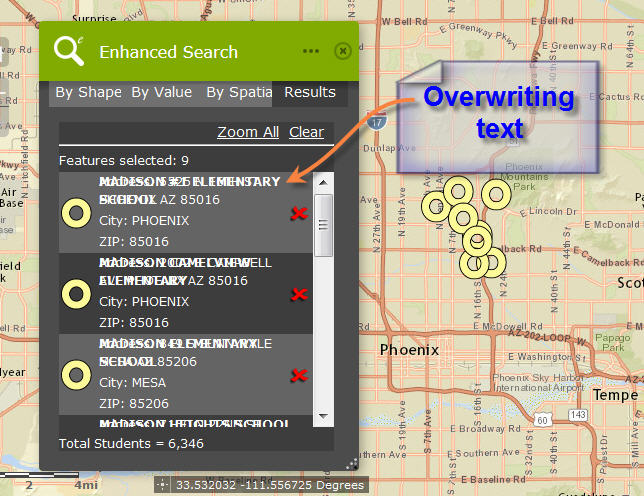
The Enhanced Search Widget also shows the same problem with overwriting text.

Tab Theme
http://www.tapasdas.com/Maps/Phones/app180
Identify works perfectly.
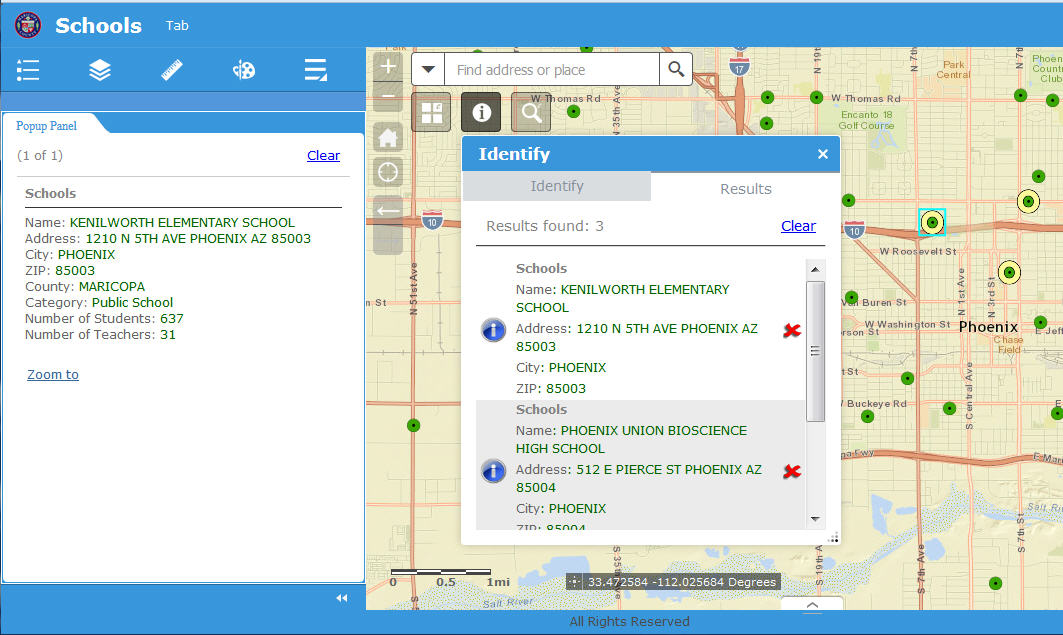
Enhanced Search works perfectly.
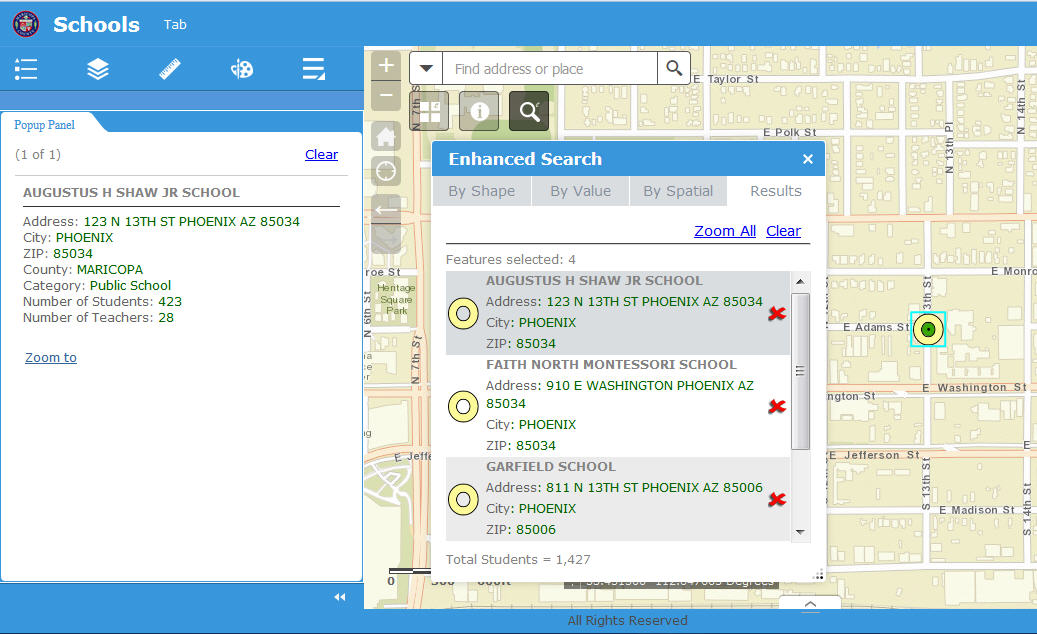
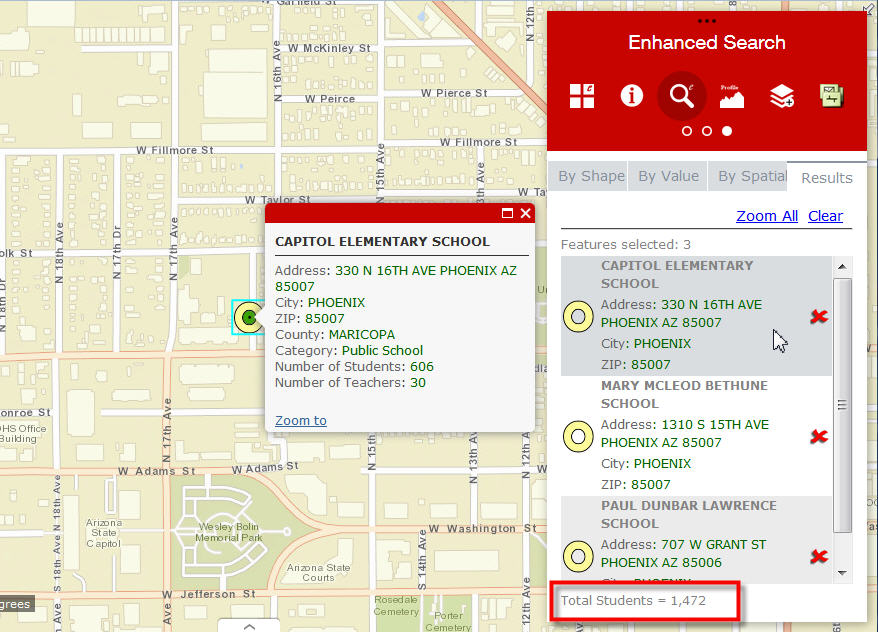
Box Theme
http://www.tapasdas.com/Maps/Phones/app181
Identify works perfectly.
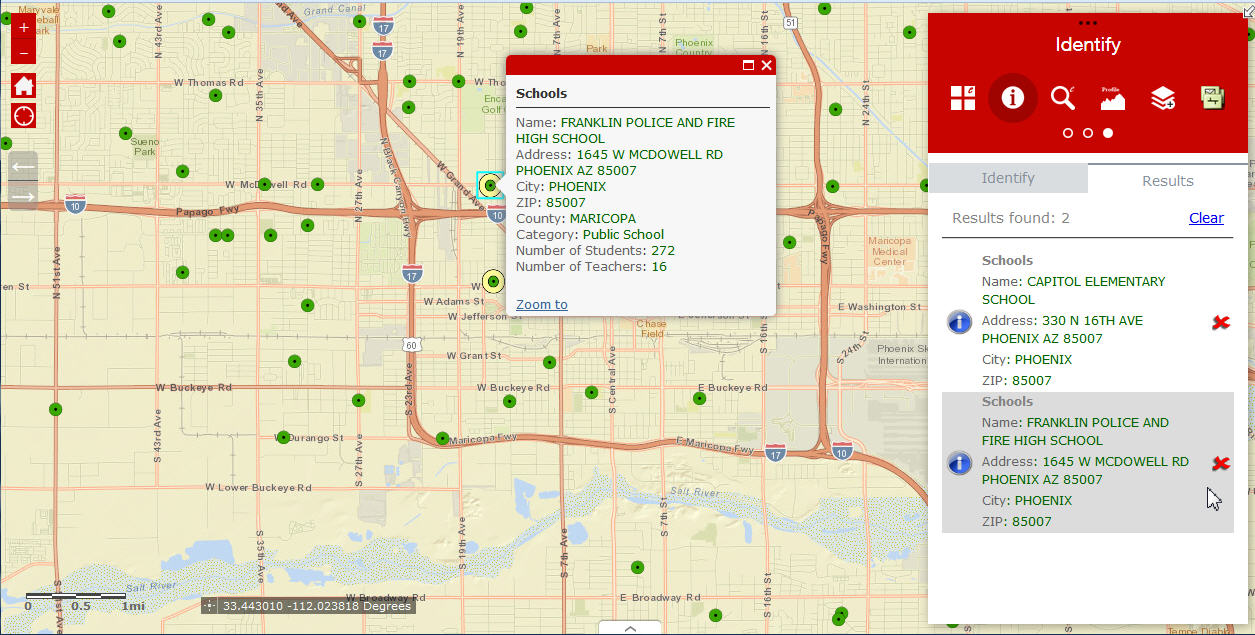
Enhanced search works perfectly.
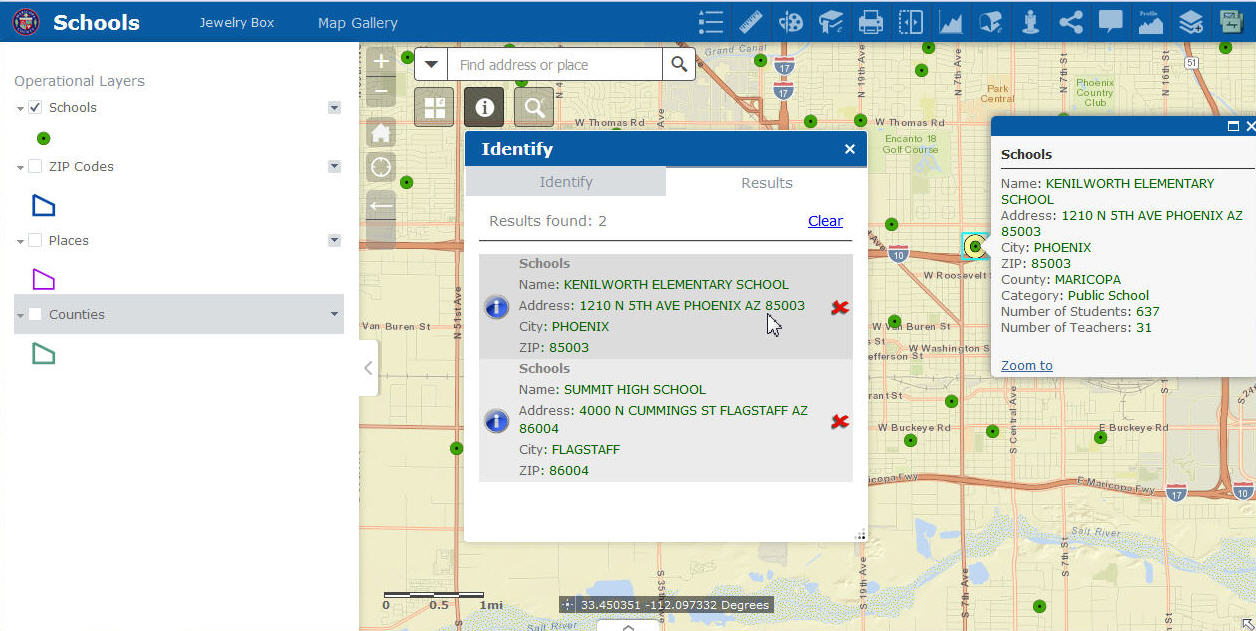
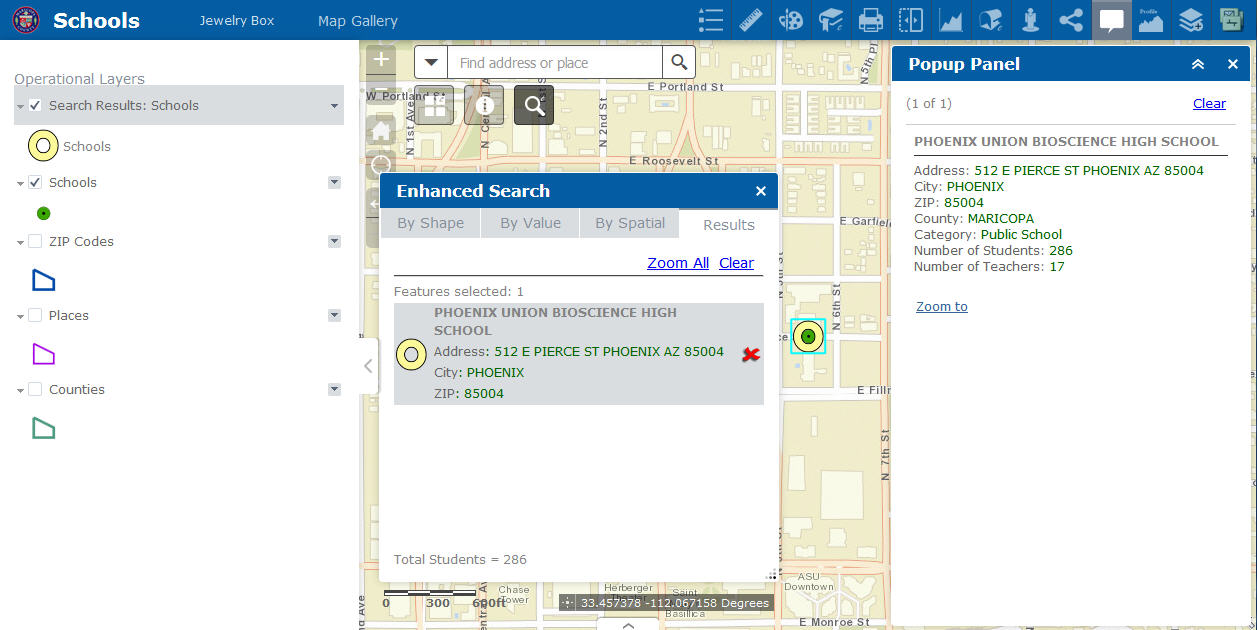
Jewelry Box Theme
http://www.tapasdas.com/Maps/Phones/app182
Identify works perfectly.
Enhanced Search works perfectly.
Billboard Theme
http://www.tapasdas.com/Maps/Phones/app183
No issues with Identify or Enhanced Search

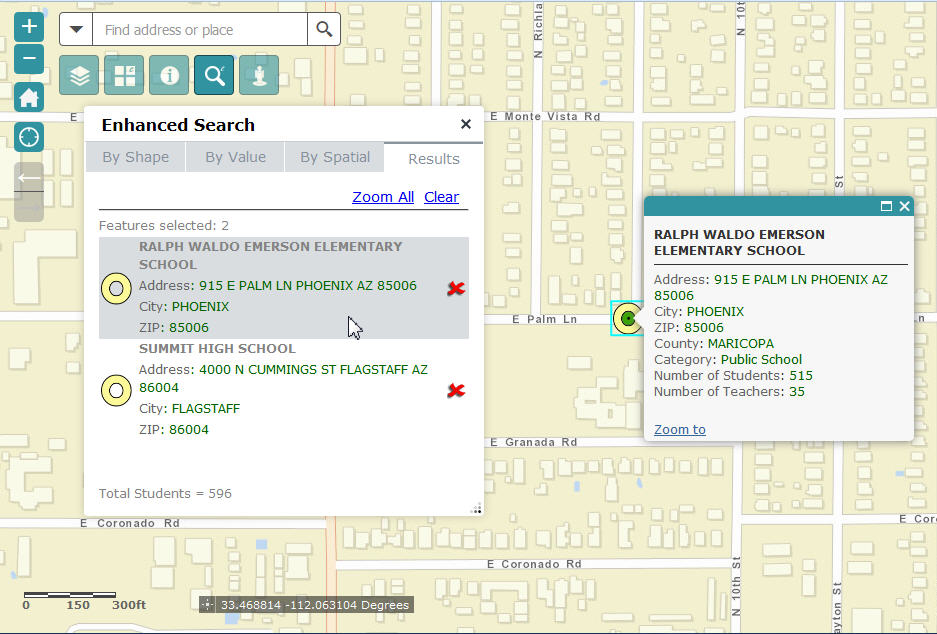
Plateau Theme
http://www.tapasdas.com/Maps/Phones/app183
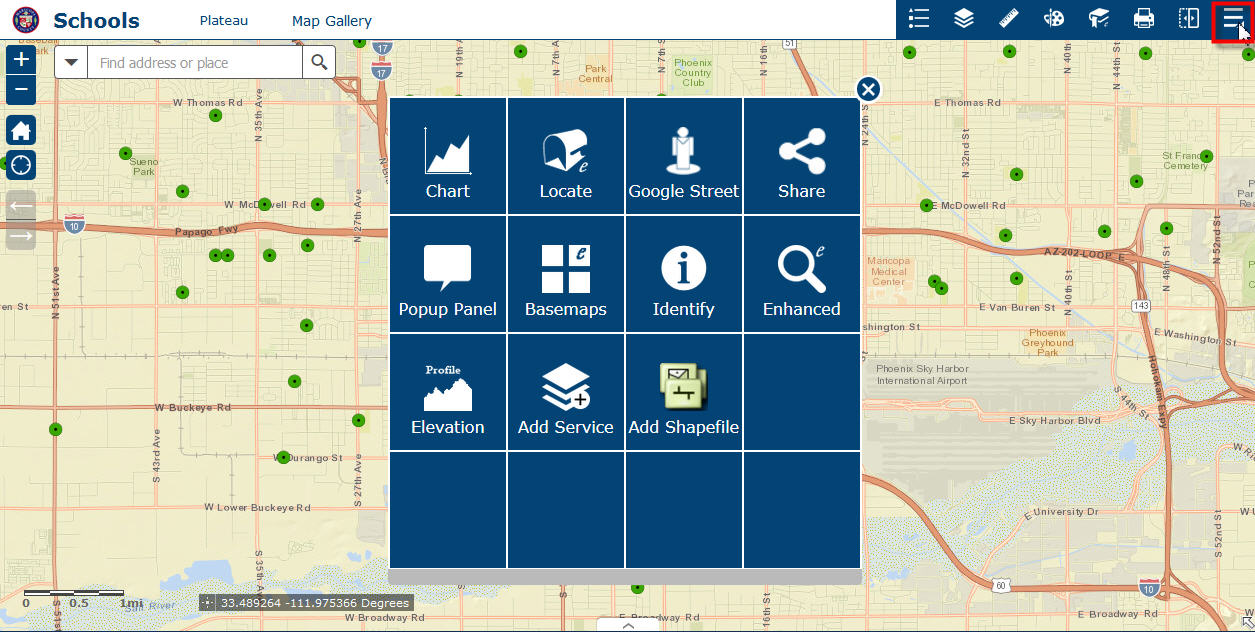
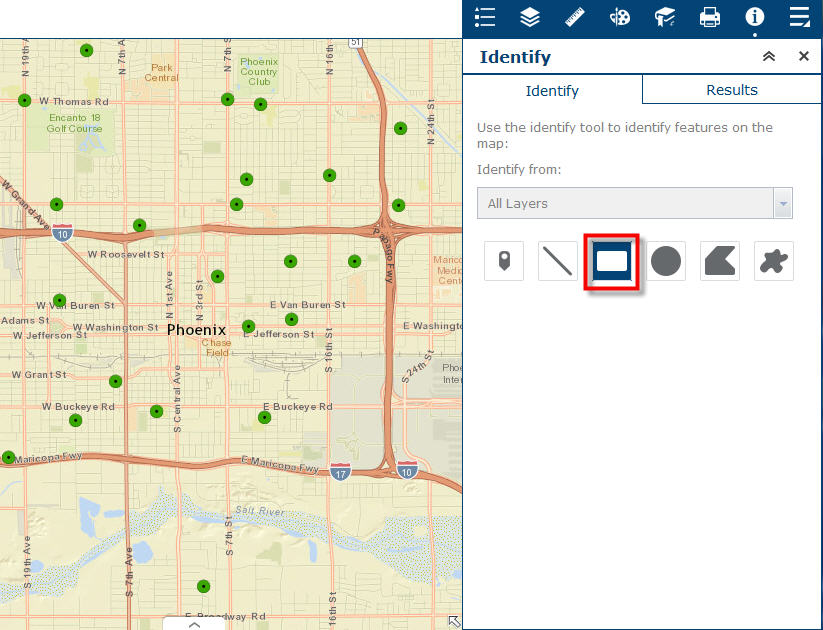
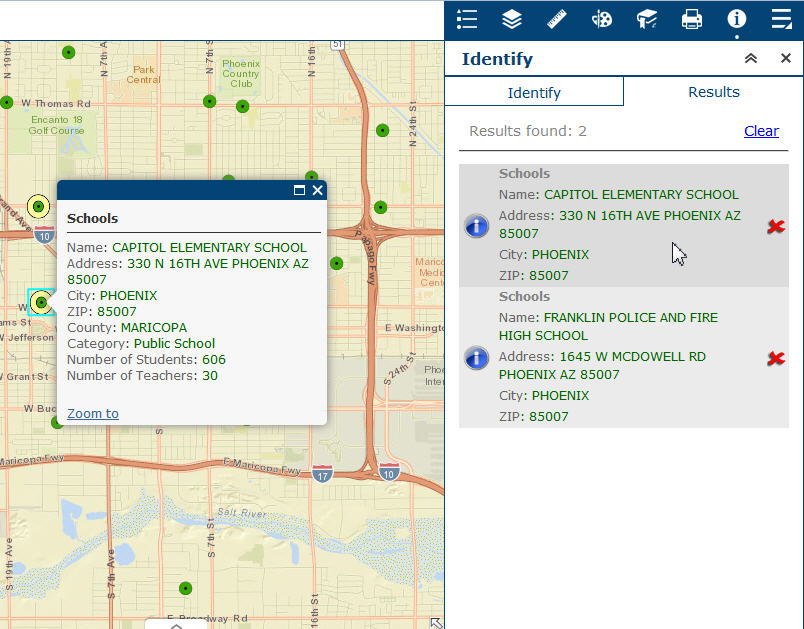
Identify works fine.
Enhanced Search works fine.
Sometimes I have been experiencing an intermittent problem with the Google Street View Widget.
The window does not open after dragging the Google Pegman Tool.
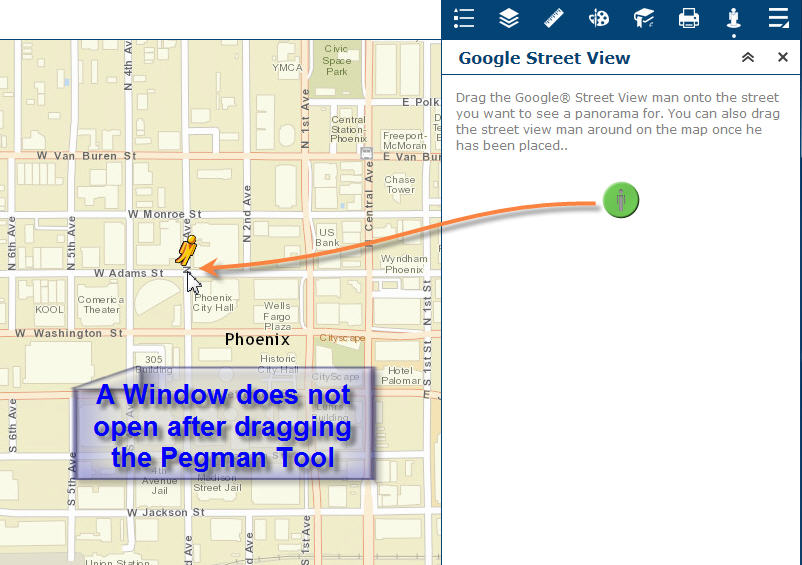
There is no way to escape out of it. The Google Pegman Tool is permanently latched to my mouse cursor.
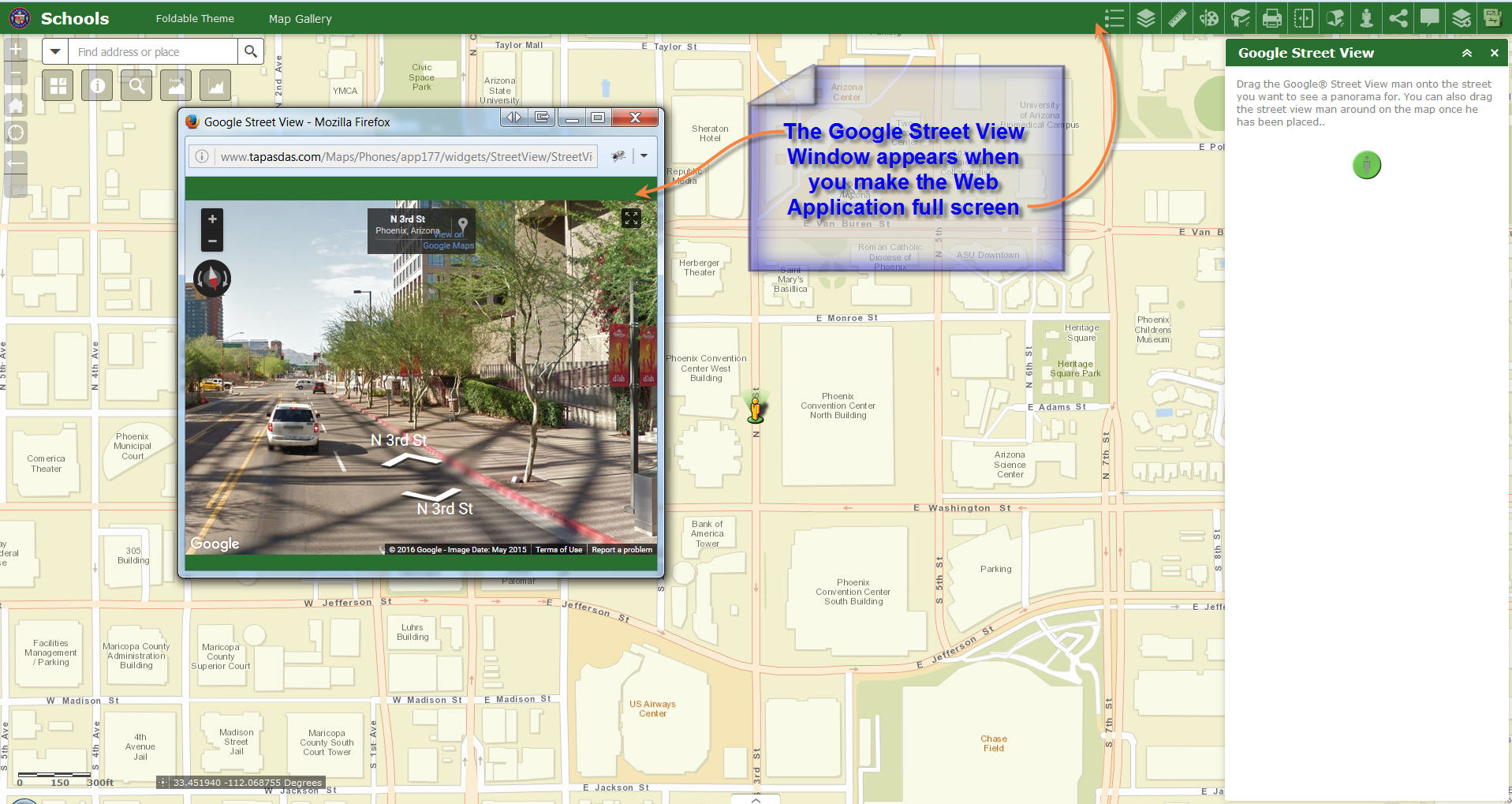
I found this workaround.
If you make your Application Window Full Screen, then the Google Street View window appears like so.
All your other Custom Widgets are working perfectly in every Theme.
Thanks a million Robert for all your amazing contribution and 24/7 support to our Web AppBuilder Community.

Robert,
Something in the eSearch Widget has changed from version 1.3.0.2 to 2.0.1.2 in the way an outside URL search opens the
Map viewer.
version 1.3.0.2 works fine.
version 2.0.1.2 does not open the URL search and does not populate the eSearch box with a value.
Do I need to change the statement of the URL?
http://localhost:63342/MAHGIS/index.html?eSearch=50-041-0-024.00-0&slayer=0
See errors codes below...
widget [widgets/eSearch/Widget] created.
TypeError: Cannot read property 'values' of undefined
at .<anonymous> (http://localhost:63342/MAHGIS/widgets/eSearch/Widget.js:960:121)
at http://js.arcgis.com/3.16/init.js:167:296
at k (http://js.arcgis.com/3.16/init.js:189:431)
at q (http://js.arcgis.com/3.16/init.js:189:357)
at resolve (http://js.arcgis.com/3.16/init.js:191:441)
at http://js.arcgis.com/3.16/init.js:949:56
at k (http://js.arcgis.com/3.16/init.js:189:431)
at q (http://js.arcgis.com/3.16/init.js:189:357)
at resolve (http://js.arcgis.com/3.16/init.js:191:441)
at k (http://js.arcgis.com/3.16/init.js:189:431) TypeError: Cannot read property 'values' of undefined
at .<anonymous> (http://localhost:63342/MAHGIS/widgets/eSearch/Widget.js:960:121)
at http://js.arcgis.com/3.16/init.js:167:296
at k (http://js.arcgis.com/3.16/init.js:189:431)
at q (http://js.arcgis.com/3.16/init.js:189:357)
at resolve (http://js.arcgis.com/3.16/init.js:191:441)
at http://js.arcgis.com/3.16/init.js:949:56
at k (http://js.arcgis.com/3.16/init.js:189:431)
at q (http://js.arcgis.com/3.16/init.js:189:357)
at resolve (http://js.arcgis.com/3.16/init.js:191:441)
at k (http://js.arcgis.com/3.16/init.js:189:431)
----------------------------------------
rejected at a (http://js.arcgis.com/3.16/init.js:190:337)
at k (http://js.arcgis.com/3.16/init.js:190:89)
at q (http://js.arcgis.com/3.16/init.js:189:357)
at resolve (http://js.arcgis.com/3.16/init.js:191:441)
at http://js.arcgis.com/3.16/init.js:949:56
at k (http://js.arcgis.com/3.16/init.js:189:431)
at q (http://js.arcgis.com/3.16/init.js:189:357)
at resolve (http://js.arcgis.com/3.16/init.js:191:441)
at k (http://js.arcgis.com/3.16/init.js:189:431)
at q (http://js.arcgis.com/3.16/init.js:189:357)
----------------------------------------
Error
at then.b.then (http://js.arcgis.com/3.16/init.js:192:253)
at declare._initLayerSelect (http://localhost:63342/MAHGIS/widgets/eSearch/Widget.js:894:21)
at declare.postCreate (http://localhost:63342/MAHGIS/widgets/eSearch/Widget.js:156:14)
at h.create (http://js.arcgis.com/3.16/init.js:1281:207)
at h.postscript (http://js.arcgis.com/3.16/init.js:1279:464)
at new <anonymous> (http://js.arcgis.com/3.16/init.js:98:192)
at declare.createWidget (http://localhost:63342/MAHGIS/jimu.js/WidgetManager.js:294:20)
at .<anonymous> (http://localhost:63342/MAHGIS/jimu.js/WidgetManager.js:113:39)
at http://js.arcgis.com/3.16/init.js:167:296
at k (http://js.arcgis.com/3.16/init.js:189:431)
Thanks again for the great widget.
Richard
Richard,
Yep it looks like the current version requires the exprnum parameters also. I am not sure why this changed but I will make it optional in the next release.
So your usrl needs to be:
http: //localhost:63342/MAHGIS/index.html?eSearch=50-041-0-024.00-0&slayer=0&exprnum=0
Tapas,
Thanks for the feedback. I will work on those CSS issues for the next release. This fix will address the white title in launchpad theme for both Identify and eSearch:
The fix is add this css rule to the Identify widgets style.css file:
.claro .jimu-launchpad-panel .identify-list-item .title {
color: black;
}
eSearch:
.claro .jimu-launchpad-panel .search-list-item .title {
color: black;
}
Brain,
No problem.
Hi Robert - I'm sure I've overlooked something simple, but since I added this update the results info window popup is not displaying results - i.e. its blank. I just updated eSearch in my stemapp, saved my configs, removed and added the new build to my apps and replaced the configs. Am I missing something?
Thanks
David
Maybe a bug? I checked to add the results as an operational layer and the results popup info window now populates, but does not populate when I do not add the result as an operational layer . . .
David,
Nope you did not miss anything it is on my end  . I will get this fixed ASAP.
Hi Robert,
Thanks for your super fast fix with the new version of Enhanced Search Widget 2.0.1.3 today.
I have updated the 8 Themes with Version 54 of your Enhanced Search Widget, and they are working like a champ.
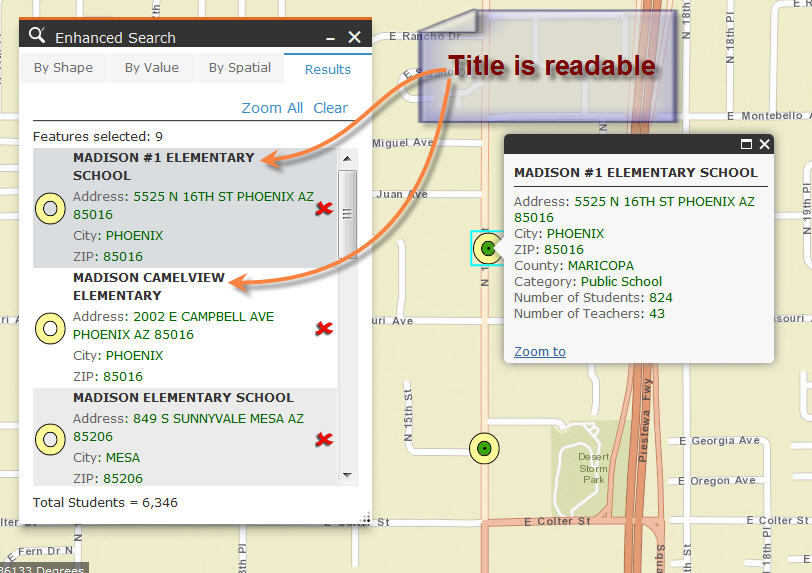
Launchpad Theme
http://www.tapasdas.com/Maps/Phones/app178/
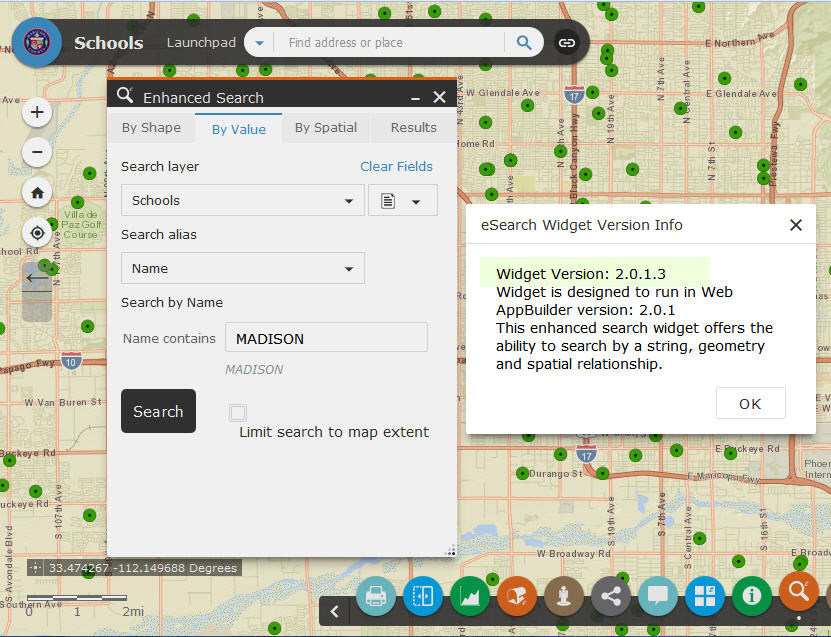
The Title is now easy to read in solid black.
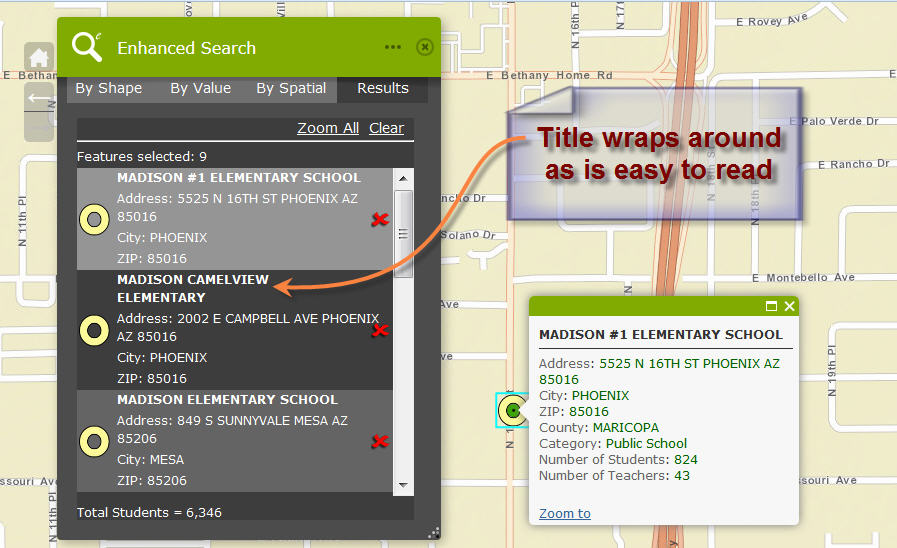
Dart Theme
http://www.tapasdas.com/Maps/Phones/app179/

The Title wraps around and is easy to read.
Robert,
Thank you for the quick URL parse fix. I noticed another issue.
1.) In the result InfoWindow popup the Fieldname is also "Wrapping" to the next line along with the record information.
2.) How do you remove a field from displaying in the attribute table but still display that field in the Popup window?
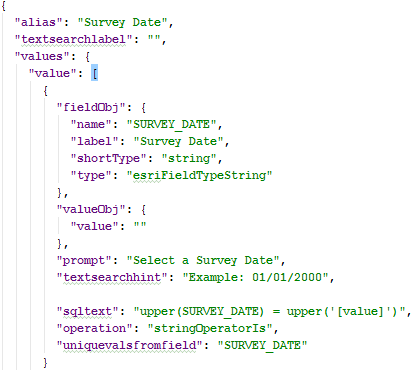
2.) What is the proper configuration to select a unique value from a date field? I get a string of numbers in results, no date.
Thanks
Richard
Richard,
1.) In the result InfoWindow popup the Fieldname is also "Wrapping" to the next line along with the record information.
If you do not want this then turn off "Wrap result text"
2.) How do you remove a field from displaying in the attribute table but still display that field in the Popup window?
That is not possible
3.) What is the proper configuration to select a unique value from a date field? I get a string of numbers in results, no date.
That is not an option. It looks like your date field is not an actual date field type, but a string. If you use the widgets settings UI you will see that things that are not allowed in the widget are disabled so there is no need to work with the json directly because if the settings UI does not allow it then the widget does not support it.
Robert,
Me again but I think I may have found another issue with the eSearch 2.0.1.3.
Selecting point features by shape or text, results in fatal error. It can not find the ID of the layer to select and thus no records are found.
Nothing has changed from 1.3.0.2 on my side and it works fine in version 1.3.0.2
Richard B.
Richard,
Can you check your browsers web console and post a screenshot of any error there?
Richard,
I don't see anything on your last reply.


That's really a great widget! Thanks Robert!
I am only wondering why my search results are not highlighted in the color I specified (red). In the help document it says "if the map service to not return this information" so I wonder if that could be the case. But where would that be specified then?
Thanks in advance!
Nicole,
The widget has three symbology options. It sounds like you have your set to something other than "from layer" (assuming you specified the red by clicking the "Add\Edit Layer Specific Symbology" link). If you set the symbology defaults to red then you need to choose "from default"
Web AppBuilder for ArcGIS | Help - Enhanced Search widget | Symbology
Yes, that's it! Thank you!
Robert Scheitlin, GISP if you select the eSearch widget to open automatically, is there a way (through config) to set position and size?
Brain,
In some themes (not Launchpad) you can manually edit the main config.json and add height widget, left and right.
Figures. I'm on Launchpad.
Thanks Robert Scheitlin, GISP
Dear Robert,
Can I somehow use the customized popup from my web map to be shown with the search results? I have seen in another discussion that there are problems with using the web map defined popups with search results. I was hoping that eSearch would solve this. But it seems like I can only say no popup to show from the results list or I get the popup as defined by the widget.
Alternatively: Can I change the result popup somehow the way I did in my web map? For example using a tabulator between Attribute name and value to make the attributes easier to read? Or to define to show the data in a table? In which file would I define this?
Added: I don't want the link that I defined for the popup to show in the results list! In which file is that configured, please?
Thanks in advance!
And another question: Where could I possibly tell the widget to clear the selection when closing the eSearch Widget? I found the function clearSelection in List.js but I don't know how I can "attach" it to the closing X.
Sorry for this flood of questions...
I was wondering if (and where) I could add or change the options for the selection: Instead off adding to previous selection I would like to limit the new search to previous search results.
Nicole,
Can I somehow use the customized popup from my web map to be shown with the search results?
Sure this ability was added in version 2.0.1.2.
I don't want the link that I defined for the popup to show in the results list! In which file is that configured
If you are using the popup from the webmap then you just do not include that field in the eSearch results when you configure which fields to display.
Where could I possibly tell the widget to clear the selection when closing the eSearch Widget?
If you un-check "Add Result as Operational Layer" then the search results will be hidden when you close the widget. If you have "Add Result as Operational Layer" then it is assumed that you want the results to stay unless explicitly cleared.
Instead off adding to previous selection I would like to limit the new search to previous search results.
There is no option for "select from current selection".
hmmmm,
- Regarding my web map popups: Only when I "Disable search results popup" I get the web map popup when clicking in my feature. But then I loose the nice functionality to get the popup straight from the results list. Is there a way to combine both?
- Link: I tried to make the popup to look about the same as from the web map because of the above mentioned functionality. In my web map popup I have a customized text that shows most of the attributes and on top a link for sending an email. When I add a link in eSearch I cannot specify that it should only show in the popup. Do I?
- Selection: I realized that there is no option "select from current selection" but I thought it can't be too difficult to add. Isn't that mainly a matter of SQL definition? Could you maybe point me to the coding lines where the available options are defined? Then I could see how it looks like.
Thanks Robert!
Nichole,
Regarding my web map popups: Only when I "Disable search results popup" I get the web map popup when clicking in my feature. But then I loose the nice functionality to get the popup straight from the results list. Is there a way to combine both?
I find it strange that you are not seeing the webmaps defined popup. Can you check that you are actually using the latest version of the eSearch in your app? To do this hold the Alt key and click anywhere in the widget body and a message will display showing the widgets version number.
Link: I tried to make the popup to look about the same as from the web map because of the above mentioned functionality. In my web map popup I have a customized text that shows most of the attributes and on top a link for sending an email. When I add a link in eSearch I cannot specify that it should only show in the popup. Do I?
You can check the popup only column in the fields list.
Selection: I realized that there is no option "select from current selection" but I thought it can't be too difficult to add. Isn't that mainly a matter of SQL definition? Could you maybe point me to the coding lines where the available options are defined? Then I could see how it looks like.
Not trying to be sarcastic, but if it were that easy I would have already added it. You can look at the buildWhereClause function but there is a lot more going on with adding or removing of Features from the currentFeatures array.

I downloaded the latest search widget 2.0.1.3. I had to copy the "LayerFieldChooser.js" file from WAB ver 1.2 to ver 2.0 developer edition. It works great!!
I want to customize the results of the buffer/spatial selection to return sum of number attributes (e.g. sum of parcel acres) for all selected/returned parcels. is there an easy way to do it? can i add the returned results feature attributes in widget.html? Can someone guide me here?
Rupali,
I am not sure why you would have needed to copy the LayerFieldChooser.js file from 1.2 as I just checked the zip file and it contains this file. You can setup a filed to sum in the eSearch just see the help doc:
Web AppBuilder for ArcGIS | Help - Enhanced Search widget | Sum
Robert,
When I ran the widget it gave me an error that its looking for that file in …….\WebAppBuilderForArcGIS\client\stemapp\jimu.js\dijit. But the file was actually located under …..WebAppBuilderForArcGIS\client\stemapp\widgets\eSearch\setting. I copied it and it worked!
I do not have the “sum field values” under edit field format even for number fields….Is that under a different version of the widget?
Thanks,
Rupali
Rupali,
Based on the fact you are not seeing the sum ability and the issue you had with the LayerFieldChooser.jsI would say that you are not getting the latest version of the eSearch in your chosen app. Are you just copying the eSearch folder to the client/stemapp/widgets folder? If you have an app that already has the widget added then you have to copy the eSearch folder to that specific apps widgets folder as well. I.e. copy eSearch folder to [install dir]\server\apps\[app #]\widgets
I copied the widget to client/stemapp/widgets and then added it to my app. It was not an existing widget.
The number fields are all double type, maybe if I change them to integer , that will help?
-Rupali
Rupali,
No, I get the sum field format option when using this field
- SALEAMNT (Type: esriFieldTypeDouble, Alias: Sale Amount)
Using this service: http://sampleserver1.arcgisonline.com/ArcGIS/rest/services/TaxParcel/AssessorsLiveLayers/MapServer/1
Can you hold you Alt key on your keyboard and click in the body of the widget (not the widgets settings page, but the actual widget) and it will show a dialog with the current version of the widget you are using?
Also are you copying the whole eSearch folder from the zip into the client/stemapp/widgets folder?

Easy question here. If I have an existing app and I want to upgrade from 1.3 to 2.0, is there a simple way of doing this without breaking anything? I'm a little hesitant to just copy over the files in the app and the builder because I don't know if that's going to cause me an issue later on. And there seems to be no handy upgrade widget button like in the flex view
I also see that I imported an app from an old version of WABde (I had to wipe out everything and start over). Importing an app with a widget in it seemed to import that widget into the program generally as well. That's interesting.
The version I am using is:
"name": "eSearch",
"label": "Enhanced Search",
"platform": "HTML",
"version": "2.0.1.3",
"wabVersion": "2.0.1",
"author": "Robert Scheitlin & Esri R&D Center Beijing",
"description": "This enhanced search widget offers the ability to search by a string, geometry and spatial relationship.",
"copyright": "2016",
"license": "http://www.apache.org/licenses/LICENSE-2.0",
"properties": {
"hasVersionManager": true
-Rupali