- Home
- :
- All Communities
- :
- Industries
- :
- Public Safety
- :
- Public Safety Questions
- :
- Topology AddIn Guinea Pig wanted
- Subscribe to RSS Feed
- Mark Topic as New
- Mark Topic as Read
- Float this Topic for Current User
- Bookmark
- Subscribe
- Mute
- Printer Friendly Page
Topology AddIn Guinea Pig wanted


- Mark as New
- Bookmark
- Subscribe
- Mute
- Subscribe to RSS Feed
- Permalink
Hey everybody,
On a monthly basis I create a bunch of topologys to make sure that my polygon layers don't overlap or have gaps (ESN). I also run a topology on my street layer to find street segments that aren't snapped. This process consists mostly of models.
Since I always try to help my Public safety brethren, I figured I compile my process in a Python AddIn, that "should be easy to use". I started a day ago and have the skeleton of the AddIn finished and now I am looking for a Guinea Pig (I am looking at you Chris Donohue, GISP & Joe Borgione ) to use it!
Latest Update:
- Created an official document: Topology Check Python AddIn (6/30/17)
- Added Error message when the wrong feature is chosen for certain Checks (i.e. polygon feature is chosen for dangle check)
- Now works with ArcGIS Desktop Standard
- Latest test version that includes a polygon break check. This check make sure that your line features are broken when they intersect with a polygon feature. Just select the line feature and polygon feature in the TOC and run the check.
Dropbox - TopoAddIn.esriaddin 10.3.1 + version
Here is what you need:
ArcGIS Desktop Standard 10.3.1 or later versions
Here is how it works:
1. You would download the add in HERE. (10.1 version HERE )
2. Double click it and install it.
3. Open an MXD and add a polygon layer and a street layer.
4.The toolbar should be there but if it is not click on Customize -> Toolbars -> TopoCheck
5. Follow the steps in the screenshot!

As I said it is still a work in progress, especially the street dangle check.
Let me know what you think!
Tim


- Mark as New
- Bookmark
- Subscribe
- Mute
- Subscribe to RSS Feed
- Permalink
Tim Witt I have not downloaded or tested your addin yet (although it looks really helpful), but before I start down the "validate topology in <multiple> extent" scripting road, I thought I'd ask if you already have one. I'm testing the use of a two-way replica to a SQL Express personal SDE (also tried checkout to fgdb), but it (both) cause the entire area to be dirty, which takes 2+ hours to validate...then ~3k errors need to be marked as exceptions. Doin the entire state/dirty-area at once, with the personal SDE, crashed after 2 hr 10 min yesterday, but breaking it up worked (my guess it hit a limit somewhere).
I should be able to figure out the code to change extent, validate, repeat...but thought I'd ask if you have that already in your workflow.
Modify the wheel vs reinventing. 
edit: BTW - I have downloaded now and installed now.
- Mark as New
- Bookmark
- Subscribe
- Mute
- Subscribe to RSS Feed
- Permalink
Rebecca,
at the moment it uses the whole street network and it is very memory heavy on street networks 50k+. I am still trying to figure out how I could use the extend instead of the while feature.
Tim
- Mark as New
- Bookmark
- Subscribe
- Mute
- Subscribe to RSS Feed
- Permalink
Thanks Tim. If I get something thrown together for my purposes, I'll share with you then.

- Mark as New
- Bookmark
- Subscribe
- Mute
- Subscribe to RSS Feed
- Permalink
Rebecca- I'm curious as to the use of the topology in your personal SDE and/or check out replica in a FGDB.
Do you have a topology that involves various feature classes like 'polygon boundaries must be covered by street centerlines'? Or are you simply checking for overlaps and dangles of single feature classes [as I do]? If the latter, as best I can tell Tim's add-in is the ticket as it allows you to check simple topologies (single feature class to itself) in an enterprise gdb without the typical overhead. I've run it several times in the past few days on my SQL enterprise geodatabase, made the appropriate edits and then synced to my numerous FGDBs successfully. I only do one-way from EGDB to FGDB, and I suspect your workflow may be considerably more complex than mine.
Tim- I haven't really noticed any performance hit with my centerlines (57K +- records).
- Mark as New
- Bookmark
- Subscribe
- Mute
- Subscribe to RSS Feed
- Permalink
Joe Borgione The topology is part of our master enterprise SDE. It contains is statewide (Alaska) data with three polygons FC, lots of overlap (even within a FC), gaps (i.e. islands) etc.that are exceptions. We use 8 topology rules to mimic and maintain the topology integrity we had back in the coverage days. So when creating a checkout or replica, the topology and 3 FCs all are part of it (by design and needed).
Our current workflow is to edit a version of Default, with SQL 2008 being on a "local" (i.e. fast network) so editing/reconcile/post works great. IT is wanting to setup/move the new SQL 2014 server to a "remote" site (i.e. slow connection) where editing like tracing, splitting, moving vertices, etc., will not work with the current workflow. So I am testing check-out and two-way replications to a local drive so edits go faster. But as mentioned, the full extent of the replica will always be dirty when created. With the two-way replica we could sync multiple times, i.e. not have to validate with every post (as a checkout would be). We've discussed taking portions of the extent, but with our typical editing workflow, that wouldn't help us. I also would want to get everything back to Default, no versions, etc. at least once a month (I like state 0), and then start it all again.
I'm not sure that Tim's tool will work or help in our process any, but never hurts to take a look. Anything that makes the process easy get an A+ in my book.
- Mark as New
- Bookmark
- Subscribe
- Mute
- Subscribe to RSS Feed
- Permalink
After some testing with jborgion i realized that an Advanced license is needed for the Dangle tool. I will see if I can figure out how to do it with a lower level license.
- Mark as New
- Bookmark
- Subscribe
- Mute
- Subscribe to RSS Feed
- Permalink
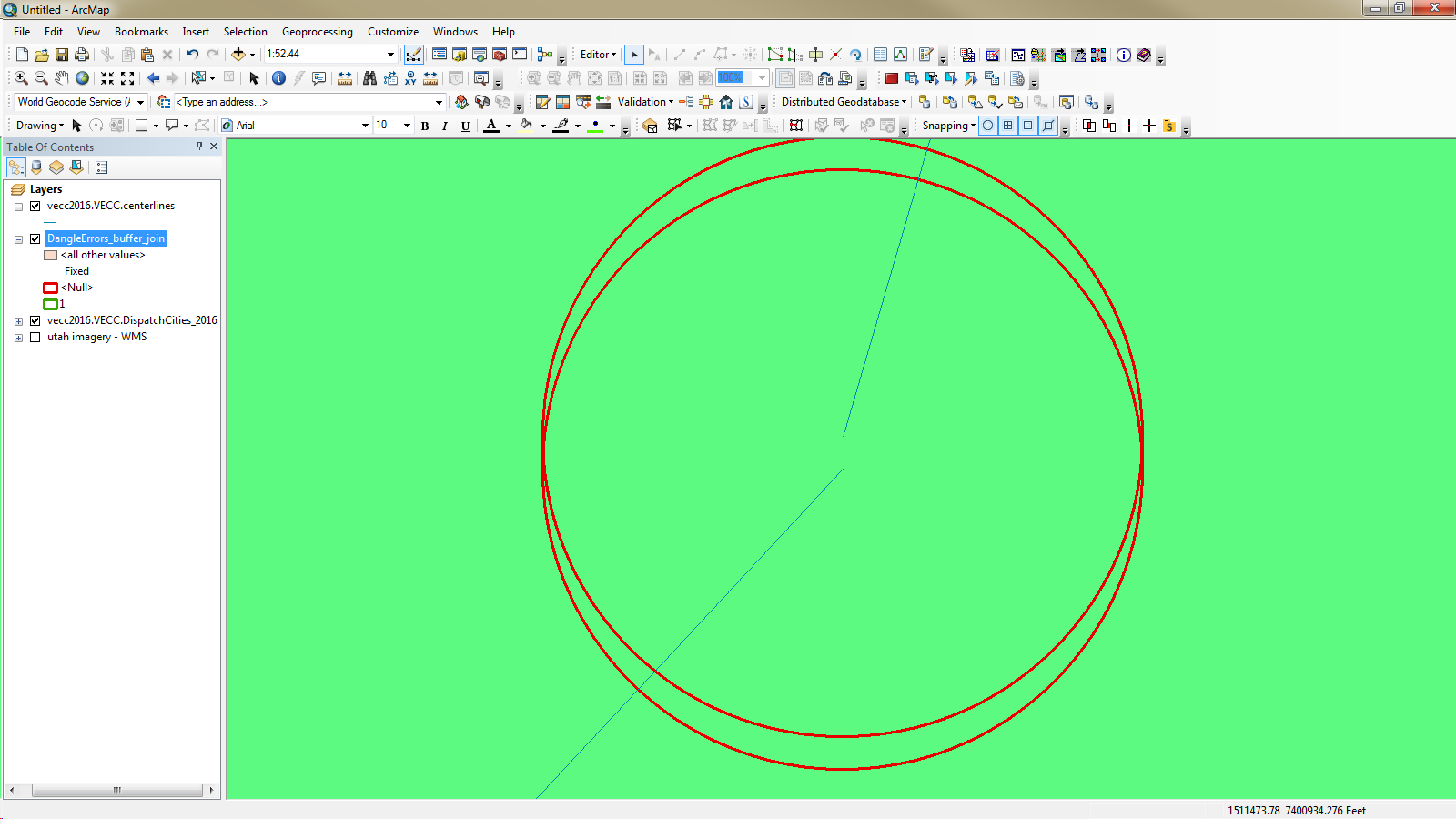
Even if you can't Tim, it's not a show stopper for me. It all goes back to the fact that the tool does create various feature classes that are very useful, even with a standard license. Basically the tool considers dangles where there is 15' or less gap between street segments. It creates a buffer feature class which is available to the standard license. (See below) The attribute table of those buffers include all the data from the streets it intersects. In my case I found 321 buffers, which translates to 321 legitimate (= > 15') dangles. (Not too bad with a 57,000 record feature class of roads...)
The way I'm going about fixing them is city by city: First select a city polygon and then do spatial selection to find those buffers that intersect that selected city. And just start zooming to the selected features. I added a field called FIXED inthe buffer attribute, and when I fix the dangle error, I calc FIXED = 1 and move on....

- Mark as New
- Bookmark
- Subscribe
- Mute
- Subscribe to RSS Feed
- Permalink
Hi Tim! This tool look great so far. So easy to use. Will the link in your initial posting go to the latest version of the addin? If not where shall I go to download it? Thanks!
- Mark as New
- Bookmark
- Subscribe
- Mute
- Subscribe to RSS Feed
- Permalink
Yes the link goes to the latest version.
