Esri Community Member Spotlight: Jeffrey Thompson


- Subscribe to RSS Feed
- Mark as New
- Mark as Read
- Bookmark
- Subscribe
- Printer Friendly Page
This series of member spotlights features you and your peers here in Esri Community—the people playing a role in finding solutions, sharing ideas, and collaborating to solve problems with GIS. We’re doing this to recognize amazing user contributions, to model how Esri Community’s purpose is being brought to life, and to bring depth to this group of incredible people who may never meet in person, but who benefit from each other’s generous expertise.

Watch Jeffrey's video interview in Kaltura
Community Engagement Drives City Success in Arlington
Somewhere between thirty minutes and an hour at the start of every workday, Jeffrey Thompson (@JeffreyThompson2) logs into Esri Community to hunt down questions that need answers. He’s a GIS Applications Developer for the City of Arlington, Texas, and a heavy participant on Esri’s free online platform for connecting users from around the world.
Jeffrey likes getting to the office early, where it’s common to have the space to himself during his morning routine. He shares, “I use Esri Community partly as a warm-up to my day by answering a few questions. That gets my brain started and helps me get on to my real work.”
By real work, Jeffrey means tasks like developing custom widgets, scripting for geoprocessing applications, and migrating things that the City of Arlington had in ArcGIS Web AppBuilder over to ArcGIS Experience Builder.
But even after he’s turned to the day-to-day needs of his role, Jeffrey keeps tabs on Esri Community by periodically returning to check on conversations or by reviewing email notifications for new activity on posts he’s following. Since he began using Esri Community in 2023, he’s answered hundreds of other users’ questions and received more than twelve hundred kudos across his posts.
Jeffrey’s employer is supportive of the time he spends in Esri Community, having seen his involvement as an investment that has translated into efficiency gains and saved resources for the city.
“There’s been a number of times,” Jeffrey reflects, “where I’ve solved problems before they came up because I’d been out reading things that other people had posted. Seeing the answers to those questions and knowing what problems could arise has been hugely beneficial in getting me past issues before they even show up.”
Despite the growing profoundness of his presence in Esri Community, Jeffrey doesn’t think of himself as a typical GIS person, having manifested this relatively new career trajectory out of a geology background. It was only after a manager pointed him towards Esri Community as a helpful resource for his then-new role that he began using the platform and contributing value at a pace rarely seen among new members. By the close of that first calendar year of membership, Jeffrey was invited into the Esri Community MVP program—a select group made up of the Community’s elite superusers.
As an Esri Community MVP, Jeffrey’s influence has continued to flourish and helped him establish credibility and connections with Esri staff. One result of that raised status, Jeffrey concludes, has been more direct interaction with Esri team members. He also credits it with helping some of his suggestions become implemented in Esri products.
That involvement and the benefits back to the City of Arlington have garnered appreciation from Jeffrey’s higher-ups, some of whom have commended the respect he’s developed within the GIS community and how that reflects well on the city.
Expanding Peer Support Through User Groups
Of Jeffrey’s many touchpoints in the Esri Community, his co-leadership in the Experience Builder Tips and Tricks User Group and having picked up the mantle of ownership for the Experience Builder Custom Widgets Group (begun by MVP Emeritus, Robert Scheitlin) are among his most prominent. Between both open User Groups, visitors can find helpful guidance, workarounds, and custom widgets specific to ArcGIS Experience Builder, a product in which Jeffrey has carved out a special niche for himself over the course of his migration duties.
Building on the legacy of work Robert had contributed before his retirement was important to Jeffrey when he took on the responsibility for overseeing the Experience Builder Custom Widgets group. But Jeffrey soon saw the need to expand the scope of knowledge to include more than user-made widgets. After finding that he was regularly repeating answers to some of the same questions from different Community members, he was inspired to create the Experience Builder Tips and Tricks group to serve as a dedicated location for information coming from the customer side of product use. This, he determined, could help other users find already-existing answers to their questions more easily. He also viewed it as an opportunity to constructively draw Esri staff attention to feature requests and improvements he wished to champion.
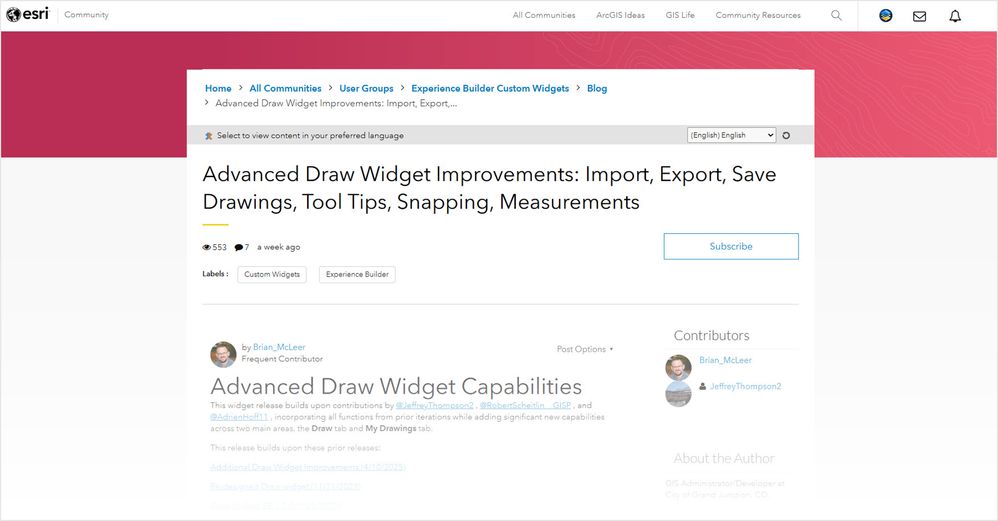
Image: Advanced Draw Widget Improvements is a blog article that announces the latest version of the ArcGIS Experience Builder Draw Widget, iteratively built by Robert Scheitlin (@RobertScheitlin__GISP), Jeffrey Thompson (@JeffreyThompson2), Brian McLeer (@Brian_McLeer), and Adrien Hoff (@AdrienHoff11).
To date in 2025, Experience Builder Tips and Tricks has become the second most frequented User Group in Esri Community with over twenty-two thousand visits and more than thirteen thousand unique visitors. Messages of thanks from other users are common, which lets Jeffrey and other contributors know that their efforts are making a meaningful difference. Seeing those responses makes him smile.
When asked what he envisions as the future for the Experience Builder Tips & Tricks, Jeffrey responds that he’s always wanted the group to be a collaborative space and that he’d love to see more contributions from other contributors, especially when it comes to adding new content to the blog.
REST Endpoint Integration Enhances City’s Virtual Map
Beyond his investment in the two User Groups and the hundreds of questions he’s personally answered, there’s one Community-related achievement that Jeffrey considers a point of pride in a league of its own.
“I'm really proud of figuring out how to take things from a REST endpoint and turn them in runtime into an ArcGIS Experience Builder data source,” Jeffrey says. “That's something that I think I might have been the first person to figure out how to do. It’s opened up a lot of doors for us in Experience Builder.”
Having unearthed a way to register data from a REST endpoint as an ArcGIS Experience Builder data source, Jeffrey was able to overcome limitations he’d run up against when using the typical method of adding data to maps in Experience Builder via the JavaScript SDK. Data added through his alternate method, he established, is fully compatible with all of the features in Experience Builder.
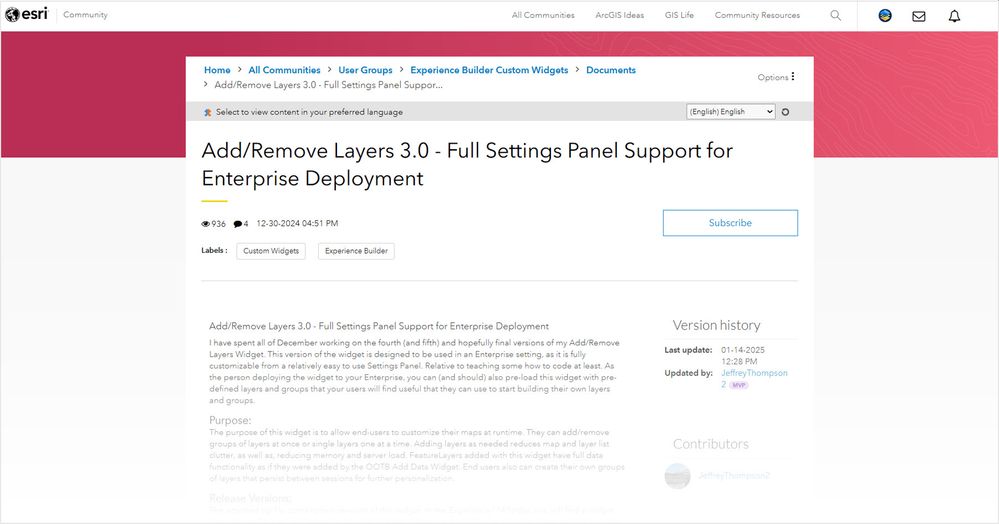
Image: In Add/Remove Layers 3.0, Jeffrey Thompson publicly shares his process for getting ArcGIS Experience Builder to use a REST endpoint as a data source.
The City of Arlington uses Jeffrey’s code to load data into Virtual Map, an internal application designed to be a central data repository for its GIS database. Virtual Map is available to all of the city’s roughly three thousand employees, and about two hundred of them use it every day.
Jeffrey estimates the availability of Virtual Map saves the citizens of Arlington approximately $2 million dollars a year while improving the customer service experience.
He notes that having an application like Virtual Map relieves pressure on the city by reducing the need for additional resources, including more staff and added training costs. Jeffrey explains that Virtual Map supports many different city functions, with its heaviest users relying on it for providing answers to questions from the public. And because most users of the application have no formal GIS training, simplicity of use is a must.
“Esri Community was vital to figuring out how to do this.” Jeffrey confirms, referencing his solution for using a REST endpoint as data for Virtual Map. “I knew it must be technically possible because the Add Data Widget can do it, but the functions were buried deep in the Experience Builder code, and I could not find them on my own.”
“I asked this as a question on the boards and got a vital piece of code from the developers. I know at least three members of the Build team personally looked at and contributed to the answer.”
Reflecting on his experience, Jeffrey recommends new Esri Community members make subscribing to Question Boards a starting point.
“You’ll get so much information just by reading those questions and the answers. You’ll solve problems before you even come across them yourself.”

Jeffrey Thompson is a GIS Applications Developer for the City of Arlington, TX, where most of his time is focused on developing custom widgets, developing scripts for geoprocessing applications, and migrating city-owned applications from ArcGIS Web AppBuilder to ArcGIS Experience Builder. He’s also an Esri Community MVP and owner of two User Groups: Experience Builder Tips and Tricks and Experience Builder Custom Widgets.
You must be a registered user to add a comment. If you've already registered, sign in. Otherwise, register and sign in.
