ArcGIS Tutorials Blog - Page 7

cancel
Showing results for 
Show  only  | Search instead for 
Did you mean: 

Latest Activity

(97 Posts)
Nerrissa
Esri Contributor

Endangered Species Day


Today marks Endangered Species Day. Join us in bringing awareness to solutions to protect endangered species around the world.

What are endangered species? Any animal or organism that is threatened by extinction. Species can become endangered for many reasons including the loss of habitat, poaching, climate change, and invasive species.

Check out the following Learn ArcGIS lessons that use location analysis to study endangered species:

Nerrissa_2-1653069077577.png

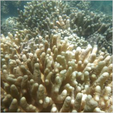
Predict coral bleaching events

In this Learn lesson, you will determine which reefs are in danger of coral bleaching due to increased water temperatures.


Nerrissa_1-1653068584408.png

Build a model to connect mountain lion habitat

In this Learn lesson, you will determine where to build bridges over highways to decrease the risk of injury to mountain lions who need to cross these busy roads.


Enjoy these Learn ArcGIS lessons, and let us know any workflows you have for protecting endangered species by contacting us at  LearnArcGISSupport@esri.com


more
0 0 381
AdenaSchutzberg1
Esri Regular Contributor

New Learn Lessons
 
A Learn Lesson is a step-by-step tutorial that uses a real-world scenario to introduce key ArcGIS tools and workflows. Here's a roundup of new lessons in the Learn ArcGIS Gallery that have appeared in the last month.
 
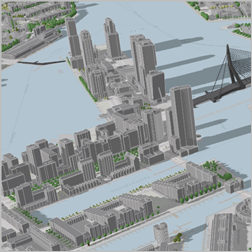
Create a web scene to support construction planning (ArcGIS Pro, ArcGIS Online)
create_scene.png

In this lesson, as the GIS data manager for the city of Rotterdam, Netherlands, you will build a 3D scene representing the Rotterdam city center. First, you'll create an empty local scene in the Netherlands national coordinate system in ArcGIS Pro. Then, you'll add a basemap, elevation information, and features, such as buildings, bridges, trees, and street lamps. Finally, you'll publish the scene to ArcGIS Online. By the end of the lesson, the scene will be ready to use as a web-browser accessible backdrop to visualize any newly planned construction project.


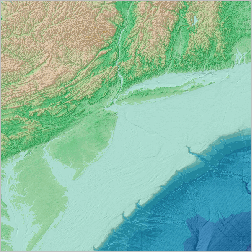
Find ocean bathymetry data (ArcGIS Pro, ArcGIS Online)
find_ocean.png

In this lesson you are a student at the beginning stages of a research project studying the ocean floor off the East Coast of the United States. Before you can begin your analysis, you need to compile data. You'll visit a variety of online data portals to find different bathymetric datasets. You'll add this data to an ArcGIS Pro project both as services and as downloaded files.

When you're done you'll have an ArcGIS Pro project set up with useful datasets for the rest of your research. Along the way, you'll learn where and how to acquire bathymetry data, different data types used in oceanography, and how to add them to maps in ArcGIS Pro.

 
Get started with notebooks in ArcGIS Pro (ArcGIS Pro)
python_agpro.png

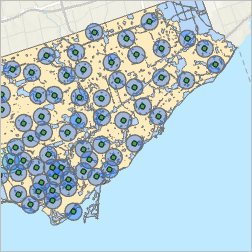
Python scripting can be used to automate workflows in ArcGIS Pro. Notebooks, included with ArcGIS Pro, are a good environment for writing Python code. In this lesson, you will write code to find areas with low access to fire department services. You will learn some of the basics of Python syntax. Code written in a notebook can be exported to a Python script, which be opened, modified, and run outside of ArcGIS Pro.


Visualize an ocean canyon in 2D and 3D (ArcGIS Pro)
visualize_canyon.pngBeing able to map, measure, and visualize bathymetric data is vital to managing resources in the ocean and coastal environment, where myriad activities occur with potential for conflict, including offshore energy (fossil fuels as well as harnessing sustainable wind, tide, and wave energy resources), seabed mining, national security, maritime transportation and fishing activities. In this lesson, you'll gain skills creating maps and making measurements of bathymetric terrain in both 2D and 3D. You'll also create and export a short animation of the canyon.


Build an interactive dashboard (ArcGIS Online, ArcGIS Dashboards)
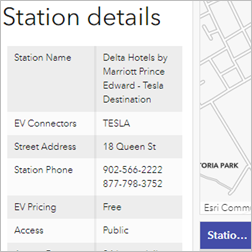
build_dashboard.pngIn this lesson, you'll build an interactive dashboard that allows users to find charging stations for electric vehicles in Canada. As electric vehicles become more popular, knowing where charging stations are is important. Having sufficient access to stations can help make the decision to shift to an electric vehicle easier. It's also important to know that you can rely on access to stations when traveling. When it comes to finding charging stations, you don't need to see every location, only the ones that are relevant to your location and your vehicle. You'll configure the dashboard so users can filter the data to the province, city, and connector type that they need.


New Learn Paths

A Learn Path is sequenced set of resources for learning about a particular topic. Here's a roundup of some new paths in the Learn ArcGIS Gallery that have appeared in the last month. 

 
Try ArcGIS Image for ArcGIS Online (ArcGIS Online, ArcGIS Image for ArcGIS Online)
imagery_agol.pngUse ArcGIS Image for ArcGIS Online to host, analyze, and stream imagery and raster collections in the cloud.


more
2 0 982
Nerrissa
Esri Contributor

Happy World Aquatic Animal Day!


This Sunday, April 3rd, join us to celebrate World Aquatic Animal Day. Let’s spread awareness among the people around us on how critical aquatic animals are for society and ecosystems.

What are aquatic animals? Any animal that lives in water for most of or all its life is an aquatic animal—for example, fish, amphibians, reptiles, and coral. In recent years, the need to protect these valuable animals has generated important changes, including formulating new policies, planning outreach programs, and finding solutions for preserving aquatic animals.

Here is a list of Learn ArcGIS lessons that focus on aquatic animals. These lessons show you how to use GIS to assist in spatial planning efforts and aid in the overall preservation of aquatic animals:

Please enjoy these Learn ArcGIS lessons and let us know how you plan to celebrate World Aquatic Animal Day!

more
0 0 735
HeatherSmith
Esri Alum

Are you a professor or instructor in a university or college?

We want to learn more about how Learn ArcGIS lessons are currently used in higher education, and how they can be improved to better meet your needs as educators. You can help us by taking a few minutes to answer some of our questions and provide some feedback.

Learn ArcGIS lessons are hands-on tutorials ranging from 20 minutes to 4 hours in length. They teach GIS skills using real-world scenarios. All data is provided and lessons are kept up-to-date with current software. Lessons are published by Esri under a Creative Commons license. Reuse and adaptation for educational purposes is permitted.

You can find the survey here: https://survey123.arcgis.com/share/3413a9258bb44587975a1dd3beb92a67 

more
0 0 485
AdenaSchutzberg1
Esri Regular Contributor

New Learn Lessons
 
A Learn Lesson is a step-by-step tutorial that uses a real-world scenario to introduce key ArcGIS tools and workflows. Here's a roundup of new lessons in the Learn ArcGIS Gallery that have appeared in the last month.
 
Inspect assets with oriented images (ArcGIS Online, ArcGIS Experience Builder, ArcGIS Quick Capture, smartphone or tablet)
inspect.png

When performing any kind of property or infrastructure inspection, photos are necessary for data capture and decision making, while GIS is integral for mapping and analysis. However, it can be difficult to incorporate photos taken from many different angles into GIS. Oriented Imagery, a widget compatible with multiple ArcGIS products, solves this problem by allowing you to manage and visualize imagery taken from any angle or vantage point. Oriented Imagery can also be used in damage assessments, environmental studies, asset inventories, or any GIS workflow that uses photo imagery.

In this lesson, you'll perform a photographic site inspection using GIS. First, you'll create a feature layer to contain images collected in the field. Then, you'll make an ArcGIS QuickCapture project and enable Oriented Imagery so field workers can take photos of your site using their mobile devices. After capturing a few photos, you'll display them in an ArcGIS Experience Builder web app so you can explore the results from your computer.


Get started with Map Viewer Classic (ArcGIS Online)
volcano.pngMap Viewer Classic allows you to create and interact with online maps. First, you'll explore an existing web map that shows Hawaii's volcanoes, volcano shelters, and volcano hazard zones. Next, you will reconstruct the web map you explored by searching for and adding layers to an empty web map. Once you add the necessary layers, you will modify symbology and customize other map properties, such as the organization of attributes that display when you click a feature on the map. Last, you'll share your map as a professional-looking web app so other users can explore it.


Get started with ArcGIS Experience Builder (ArcGIS Online, ArcGIS Experience Builder)
exp_build.png

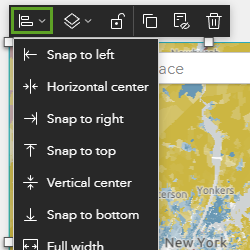
You'll use ArcGIS Experience Builder, which allows you to build custom web layouts without writing any code. Your goal is to build a layout that meets the following criteria:

  • The map should be the main focus of the app.
  • The app should allow users to search for their own address or areas of interest.
  • The app should include dynamic text and charts to allow users to explore and interact with the data.
  • The map should be paired with a journalistic story.
  • The app should work on a mobile device as well as a desktop computer screen.


Identify infrastructure at risk of landslides (ArcGIS Online, ArcGIS Image for ArcGIS Online)
infra_ident.pngParts of the island of Grenada are susceptible to landslides due to high levels of rainfall, steeper slopes, and various soil types. Having recently acquired high-resolution aerial imagery and elevation data, the country wants to update its GIS buildings dataset and identify infrastructure in areas that are susceptible to landslides. To support this effort, you will upload aerial imagery for a portion of Grenada and use deep learning analysis in ArcGIS Image for ArcGIS Online to extract building footprints from the imagery. Then, you will use raster analysis tools in ArcGIS Image for ArcGIS Online to classify the island according to landslide susceptibility and identify at-risk buildings.


more
1 0 1,065
AngelaDuran
Esri Contributor

Learn ArcGIS provides story-driven exercises and activities to solve real-world problems using ArcGIS. From early adopters to university students and faculty, GIS professionals to data scientists, government workers to individuals contributing to their local communities.

Since last Fall 2021, the Learn ArcGIS team released 29 new lessons, updated over 160 existing lessons, and released 1 new curriculum package (Health information Systems Modernization).

Health_information_system.png


These new lessons cover a range of topics, such as How did COVID-19 impact traffic safety?, Investigate and share election results, Examine racial disparities in police stops, and Predict coral bleaching events in ArcGIS Online. For additional lessons, check out the Learn ArcGIS content library.

New Features!

  1. A request to add a new timestamp indicating the date each lesson was last reviewed and updated is now available.
  2. For all educational purposes, you are free to use, share, and adapt the Learn ArcGIS content with our creative commons. Please refer to our Terms of Use.

Coming Soon!

  1. The Learn ArcGIS team is in the process of working on the level of difficulty for lessons.
  2. Teach with GIS is undergoing a refresher as we work on building the content library.

To view our monthly Learn ArcGIS lesson releases, subscribe to our Learn ArcGIS Community.

If you have additional ideas for the Learn ArcGIS team, please share them in the Learn ArcGIS Community.

more
2 0 508
AdenaSchutzberg1
Esri Regular Contributor

New Learn Lessons
 
A Learn Lesson is a step-by-step tutorial that uses a real-world scenario to introduce key ArcGIS tools and workflows. Here's a roundup of new lessons in the Learn ArcGIS Gallery that have appeared in the last month.
 
Conduct a pre-enumeration survey (ArcGIS Online, Survey123 Connect)
conduct_pre.pngIn this lesson, you'll create and conduct a pre-enumeration survey for a national housing and population census in Zambia. First, you'll create a web map of current enumeration areas for use in the field. Then, you'll create a pre-enumeration survey form in ArcGIS Survey123 Connect and link the survey to your map. Using a mobile app, you'll test the survey by creating an enumeration area. Finally, you'll review your changes online to track the results.


Use geodatabase topology for ecomobility (ArcGIS Pro)
topology_eco.pngAs a GIS analyst working at Sydney, Australia's Metro Department, you've been assigned to support a sustainable transportation initiative for bikes and parking throughout the city. After learning about the project's requirements and reviewing your existing GIS data, you'll build geodatabase topology rules to ensure that your data meets these needs. These rules will help you find, review, and resolve errors to ensure data integrity for your project.


Investigate and share election results (ArcGIS Online)
inv_share_elec.png

In this lesson, you are a news reporter covering election results and have been tasked with producing maps in the run-up to the United States 2022 midterm election cycle. Your task is to objectively analyze relevant election history for the whole country, including the 2018 midterms and 2020 presidential election results.

You'll also analyze data for a single state and consider how the midterm and presidential election results might inform the redistricting process. Then, you'll use ArcGIS Instant Apps to create an interactive story to share the results of your findings as part of your news article.


How did COVID-19 impact traffic safety? (ArcGIS Insights, ArcGIS Online)
traffic_covid.pngThe COVID-19 pandemic has had a big impact on the world in many ways, such as stress on hospitals, the economy, and lifestyles, and it has also affected our traffic patterns. Intensity, modality, and frequency of transportation have all changed during the pandemic, especially in March of 2020, when COVID-19 spread quickly throughout the world. Fewer people were driving to work, and in general, but they may have been walking or riding bikes more often to get outside. Regardless of the transportation modality, the pandemic has affected how people get around. This lesson is useful for health and transportation professionals who are interested in the impact of COVID-19 lockdown measures on traffic safety to provide them with the necessary skills to explore and analyze data to determine trends and locate patterns.
 
 
Configure apps for hikers (ArcGIS Online, ArcGIS AppStudio, ArcGIS AppStudio Player)
config_app.png

In this lesson, you're a GIS professional working for the United States National Park Service and want to design apps for hikers visiting the Santa Monica Mountains near Los Angeles. These apps will help hikers plan their trips before they arrive and provide them with useful information even when they're exploring the trail, away from internet connectivity.

You'll first create an online web app using ArcGIS Instant Apps. This app is intended to be displayed on the park website and will enable visitors to search for nearby trails, see their elevation changes, and figure out how to reach the trailhead. Then, you'll use ArcGIS AppStudio to configure and create custom code for a native app, which visitors can install on their smartphone and use offline. This app will display the same information as the web app, but also make use of smartphone hardware capabilities to include text-to-speech functionality.


New Learn Paths

A Learn Path is sequenced set of resources for learning about a particular topic. Here's a roundup of some new paths in the Learn ArcGIS Gallery that have appeared in the last month. 

 
Using raster data and imagery in ArcGIS Pro (ArcGIS Pro)
raster_pro.pngDiscover ArcGIS Pro's capabilities for visualizing and analyzing raster data and satellite imagery.


Data management and editing in ArcGIS Pro (ArcGIS Pro)
DM_Pro.png

Organize, build, and edit data to facilitate project management in ArcGIS Pro.


more
2 0 663
AdenaSchutzberg1
Esri Regular Contributor

New Learn Lessons
 
A Learn Lesson is a step-by-step tutorial that uses a real-world scenario to introduce key ArcGIS tools and workflows. Here's a roundup of new lessons in the Learn ArcGIS Gallery that have appeared in the last month.
 
Analyzing interannual precipitation using ArcGIS Notebooks (ArcGIS Notebook Lesson)
interannual_notebook.pngIn this lesson, you will use ArcGIS Notebooks to create a mean annual precipitation map and configure its pop-up. You will learn how to extract precipitation data at different locations and how to export a raster from the WorldClim image service using the ArcGIS API for Python.


Extract precipitation data and create an annual precipitation map using ArcGIS Notebooks (ArcGIS Notebook Lesson)
extract_precip_notebook.pngIn this lesson, you will learn how to extract precipitation data from a CSV file and create an annual precipitation map using Python and ArcGIS Notebooks.


Determine the most dangerous roads for drivers (ArcGIS Pro)
dangerous_roads.png

In the United States, car crashes kill more than 100 people every day and cause an additional 12,000 injuries (Association for Safe International Road Travel, 2021). Beyond the tragic loss of life, the monetary costs of highway crashes are estimated to be more than $871 billion a year. Most of these accidents are preventable.

In this lesson, you'll use ArcGIS Pro to determine when and where car crashes are most likely to occur in Brevard County, Florida. You'll also find where fatalities are concentrated and which intersections are persistent areas for traffic collisions over time. By understanding the spatial and temporal trends of crashes, the county can make informed policy decisions to make its roads safer.


Predict coral bleaching events (ArcGIS Pro and Image Analyst / ArcGIS Online and ArcGIS Image)
coral_bleaching.pngCoral reefs serve as a significant repository of marine biodiversity and are home to about 25 percent of marine species. The health and long-term success of these reefs are critical in maintaining our marine ecosystems. Unfortunately, reefs worldwide face many risks, primarily due to climate change: these risks include ocean temperatures that are too warm for extended periods of time, which endanger coral species and may result in coral bleaching.
 
In the ArcGIS Pro lesson, you'll use ArcGIS Pro and several years of daily sea surface temperature data to create a model that employs time-series forecasting capabilities to explore the impact of sea surface temperature on coral bleaching. In the ArcGIS Online lesson, your'll create a tiled imagery layer from a NetCDF file containing multidimensional sea surface temperature data for several decades and use analytical tools to locate anomalies in sea surface temperature to help identify areas where coral bleaching may occur. 
 
Examine racial disparities in police stops (ArcGIS Pro, ArcGIS Online)
police_stops.pngVarious studies have confirmed that racial disparities exist in the practice of police stops. These disparities could be due to many factors, such as institutional racism, individual racial bias, or enforcement of discriminatory policies. In this lesson, you'll learn how to analyze racial disparities in police stop data using data from four different cities. Completing this lesson equips you with techniques that you can apply to police stop data for other locations. GIS has long been used to help police departments understand crime patterns; you will now use these same techniques to examine patterns in policing.


New Learn Paths

A Learn Path is sequenced set of resources for learning about a particular topic. Here's a roundup of some new paths in the Learn ArcGIS Gallery that have appeared in the last month. 

 
Learn about your community using Census ACS layers in Living Atlas (ArcGIS Online)
census_acs.pngMap valuable demographic information such as housing, population, income, and more with Census American Community Survey (ACS) content from Living Atlas.


Build an ArcGIS Hub (ArcGIS Hub)
bertha_hub.pngWatch this 10 episode short series featuring Learn Education Contributor and Consultant, Jonathan Fletcher, for understanding why and how to build an ArcGIS Hub.

more
0 0 881
AdenaSchutzberg1
Esri Regular Contributor

New Learn Lessons
A Learn Lesson is a step-by-step tutorial that uses a real-world scenario to introduce key ArcGIS tools and workflows. Here's a roundup of new lessons in the Learn ArcGIS Gallery that have appeared in the last month.
 
Assess hail damage in cornfields with satellite imagery (ArcGIS Online, ArcGIS Image for ArcGIS Online)
assess_hail.pngThe region of Taber and Barnwell, in Alberta, Canada, has a large production of corn and other crops. In early August 2019, the upcoming harvest was severely impacted when a major hailstorm ripped through the region. Hailstones driven by winds that reached more than 140 kilometers per hour (or 87 miles per hour) tore through the area. In this lesson, as an imagery analyst for a local farmer organization, you will perform a first damage assessment based on satellite multispectral imagery captured before and after the hailstorm. Using ArcGIS Image for ArcGIS Online, you will create online tiled imagery layers, add them to a web map, and explore them visually. Then, you'll perform change analysis, applying a vegetation index to both images, computing the difference between the two, and extracting the average loss of healthy vegetation per field. Finally, you'll learn how to build a raster function template to automate this analysis.


Automate fire damage assessment with deep learning (ArcGIS Pro, ArcGIS Image Analyst)
automate_fire.pngThe Woolsey Fire of 2018 was a wildfire that burned nearly 97,000 acres of land in Los Angeles and Ventura Counties in Southern California. Surveying the scale of damage was essential to helping those impacted by the disaster recover. In the past, this process required hours of analysts poring over aerial images to manually classify each building as damaged or undamaged. With the introduction of deep learning, this process can be automated, and you'll learn how to train a model that can detect whether buildings were impacted by wildfires or not.


First, you'll work with aerial imagery and a training dataset of buildings to classify structures as damaged or undamaged. This data will train a deep learning model. Then, you'll apply your model to buildings that have not been classified to rapidly mark them as damaged or undamaged and observe your model's accuracy.


Classify mangroves using deep learning (ArcGIS Pro, ArcGIS Image Analyst, Deep Learning Libraries for ArcGIS Pro)
classify_mangroves.pngMangroves are critical to the maintenance and conservation of healthy coastal ecosystems. They're extremely rich in biodiversity, are home to a diverse range of plant and animal species, and protect inland coastal areas from erosion and storm surge impacts. Due to various climatic phenomena and human development, mangrove forests are rapidly shrinking. This warrants active monitoring and conservation efforts for existing mangroves.


In this lesson, you'll prepare and train a deep learning model to identify these forests using Landsat 8 imagery from 2016. Then, you'll deploy the model on imagery from 2021 for the same study area to see how the extent of mangrove forest has changed over time. These results help conservation mangers to better understand how forests are impacted by natural and built environments.


Survey customers to gain marketing insight (ArcGIS Survey123/Web designer)

survey_cust.pngBusinesses use customer surveys to assess policies, develop marketing strategies, and better understand their audience. Traditionally, surveys were done on paper or over the phone; compiling results could be difficult and time-consuming. Businesses are now turning to digital surveys, which are hosted online, accessible via mobile device, and more efficiently shared and analyzed.

In this lesson, Super Tech Now, a technology store franchise, has hired you to develop a customer sentiment survey using ArcGIS Survey123. With Survey123, you can create digital surveys that collect data in real time across an organization. You'll create a survey, test it, and assess the results online.


Design a map with ArcGIS Pro and Adobe Illustrator (ArcGIS Pro, ArcGIS Maps for Adobe Creative Cloud, ArcGIS Online, Adobe Illustrator CC)

adobe.pngIn this lesson, you're the GIS technician at a multinational real estate company, and you've been asked to help the graphic design team by creating a map showing the locations of all of your company's offices. The map will be featured as a prominent graphic on your website. The colors and fonts need to match your company's branding.

You'll begin the map in ArcGIS Pro, where you have access to data management and analysis tools. But you'll finish the map in Adobe Illustrator, where you can access some graphic design tools, as well as convert the map into a format that your design team is familiar with.


Expand a small business (ArcGIS Pro/Business Analyst Web App)

expand.pngAs a small business owner of laundry and dry-cleaning facilities, you are interested in expanding into new markets. Expansion can be risky, so you'll first analyze your most successful stores to establish what factors contribute to a successful laundry and dry-cleaning store. Then, you'll use those factors in a suitability analysis to determine a new market area for expansion.


Model coastal inundation impact (ArcGIS Pro, ArcGIS Spatial Analyst extension)
model_coastal.pngA storm can generate a rise of sea levels called storm surge. In this lesson, as a climate resilience analyst in Denmark, you want to assess the vulnerability of Hvidovre, a coastal municipality close to Copenhagen, to inundations caused by storm surges. You will perform this analysis in ArcGIS Pro, using models developed in ModelBuilder. First, you will determine the potential impact of storm surges of 16 different sea levels varying between 1 and 4 meters. Next, you will identify weak points that might allow the water to flow through, and might benefit from the construction of one or more new protective dikes. Finally, you will verify that the addition of such new dikes would avoid potential catastrophic inundations in the future.
 

This type of analysis, called inundation screening, is all the more crucial in the context of climate change, sea-level rise, and increased frequency of storm surge occurrences. In the last part of this lesson, you will learn how to replicate this analysis in your own area of interest.

New Learn Paths

A Learn Path is sequenced set of resources for learning about a particular topic. Here's a roundup of some new paths in the Learn ArcGIS Gallery that have appeared in the last month. 

 
Getting started with 3D Basemaps (3D Basemap solution)
3D_basemap_sol.pngLearn how governments, utilities, and other organizations can use the 3D Basemaps solution and their lidar, building footprint, and utility data to create and maintain a 3D basemap.

more
1 0 805
AdenaSchutzberg1
Esri Regular Contributor

New Learn Lessons
A Learn Lesson is a step-by-step tutorial that uses a real-world scenario to introduce key ArcGIS tools and workflows. Here's a roundup of new lessons in the Learn ArcGIS Gallery that have appeared in the last month.
 
Analyze and visualize property valuations (ArcGIS Online, ArcGIS Insights desktop)
ana_viz.png

As a property assessor for Bloomfield Township in Michigan, you need to analyze and ground-truth home values to ensure that property taxes are distributed fairly. You'll use ArcGIS Insights instead, so you can visualize and analyze your data interactively.

In this lesson you'll build a workbook that visualizes your data with a map, charts, indicator values, filters, and a table. You'll use the workbook to investigate sales ratios and outliers in the data to help determine if properties in Bloomfield are assessed correctly. You'll share your results with the other assessors in your office both as an interactive visualization tool, and as a model that they can reuse with other datasets.

 
Apply Exploratory 3D Analysis tools (ArcGIS Pro)
appl_3D.png

This lesson contains a mix of small-, medium-, and large-scale urban environments. The interactive analysis tools use graphic effects rendered in the scene to highlight spatial properties, such as visibility and proximity. These effects are temporary and based on which layers are currently visible. You can export images and animation videos that show the interactive analysis objects in place. With animations, you can even have the analysis object—such as the slice, line of sight, or viewshed—move and resize itself over the course of the video.

In this lesson, you will use the Exploratory 3D Analysis tools View Dome, Slice, and Viewshed in ArcGIS Pro.


Build a 3D cityscape by themes (ArcGIS Pro)
3D_cityscape.png

In this exercise, you will be working with simple GIS data for a city–building multipatches, parcel footprints, water main lines, city-managed tree points, and regularly spaced wind sample points to create a thematic representation of different aspects of the city. In this lesson, you will use color to represent 3D objects as a theme, match thematic representation across multiple layers, and use thematic extrusion, size, shape, and orientation on 3D layers.


Create realistic 3D urban scenes (ArcGIS Pro)
create_realistic.png

As an urban planner, you have been tasked with creating multipatch features and performing texture editing for an urban area. As part of the workflow, you will extrude, edit, and symbolize the building footprints. After converting building footprints to multipatch features, you will apply textures to the buildings to make them as realistic as possible.

In this lesson, you will extrude, edit, and symbolize building footprints; add and configure preset trees; set a constant elevation; configure a 3D grid to create a new 3D feature; create a multipatch feature; and perform textured editing.


Model a 3D city block (ArcGIS Pro)
model_block.pngIn this lesson, you will be working with GIS data for the city of Naperville, Illinois. This includes building footprints, city-managed street trees, furniture, and points of interest that will be used to create a 3D view. You will also consider how your intended audience will use the scene. You will extrude building footprints as simple 3D symbology, use procedural symbols for advanced 3D symbology, add a preset trees layer by height, add 3D street furniture with consideration to furniture rotation, and create bookmarks to help your audience navigate the scene.


Model how land subsidence affects flooding (ArcGIS Pro/ArcGIS Spatial Analyst extension)
model_sub_flood.png
Flooding causes catastrophic damage around the world each year. When combined with land subsidence, flood inundation becomes more severe. The Netherlands is no stranger to these phenomena, partly due to its low-lying location.

In this lesson, you'll take on the role of an Amsterdam municipal employee investigating how land subsidence can change the spatial and financial impacts of a flood. First, you'll use spatial analyst tools to preprocess the provided raster dataset. Then, you'll determine flood extents and estimated damage. Finally, you'll compare damage that would take place today and in 2050 based on projected land subsidence estimates.


Classify power lines using deep learning (ArcGIS Online/ArcGIS Pro/ArcGIS 3D Analyst/Deep Learning Libraries/Excel)
classify_power.png
In this lesson, as a GIS analyst for an insurance company, you will use a deep learning model to conduct a risk assessment analysis of power lines using lidar (light detection and ranging) data. You will analyze an area in Northern California that has potential fire risk due to trees in close proximity to power lines.

You will use ArcGIS Pro to create and train a deep learning model to identify the power lines from a lidar point cloud. Deep learning allows you to train a model using a sample dataset and apply the model to other similar areas. You will assess which model resulted in the most accurate results and use it to classify the lidar points that are power lines.
 
Improve campsite data quality using a relationship class (ArcGIS Online/ArcGIS Pro)
improve_campsite.png

Park visitors using a site have reported inconsistencies between posted campsite information for two of the most popular national parks in the country, Yellowstone, and Grand Teton National Park. 

In this lesson a regional GIS Specialist is tasked with helping improve campsite data quality in Wyoming. The specialist will initially address the loss of data at the park level by creating joins and relates to incorporate associated records, and will then inspect and create a relationship class between campsites and campgrounds. Finally, the specialist will publish the curated data as a web map that can be shared on a website and in a app by park authorities.

 
Design custom symbols to map wildfires (ArcGIS Online)
custom_symbols.png
How do you design effective symbols for web maps? In this lesson, you'll re-create the custom symbology of the USA Current Wildfires layer from ArcGIS Living Atlas of the World.

You'll learn about the design criteria that contributed to the symbol, and how to build the Arcade expressions that allow the symbol to work on changing backgrounds, with changing data, and at changing scales. By re-creating the symbology of the wildfire layer, you'll learn skills that you can apply to your own data to build effective and cartographic web maps.


Track vehicle behavior to apprehend a suspect (ArcGIS Pro Intelligence)
track_vehicle.png
Classifying movement events is an analytical technique that identifies how people and things move through an environment. Determining where individuals make turns or change speed provides insights into movement patterns that can be used for actionable responses.

In this lesson, you're a law enforcement officer planning a raid on a suspected criminal while they move from one area to another in a vehicle. To ensure the raid is successful, you'll analyze vehicle movement behavior to determine when the suspect's vehicle is most likely to slow down or stop. You'll perform the analysis in ArcGIS Pro Intelligence, a customized version of ArcGIS Pro tailored for intelligence workflows.


New Learn Paths

A Learn Path is sequenced set of resources for learning about a particular topic. Here's a roundup of some new paths in the Learn ArcGIS Gallery that have appeared in the last month. 

 
Try ArcGIS Business Analyst Mobile App (ArcGIS Business Analyst Mobile App)
biz_an_mob.pngGet started creating and comparing sites, running infographics, and customizing facts in ArcGIS Business Analyst Mobile App.


more
0 0 1,221
142 Subscribers