Hi All,
It's truly not intuitive for our end users to know that they need to remove the current "autocomplete" wording to see all the dropdown options again from the dropdown. However, if you load your choices from a feature layer, Survey123 (using with Portal) will not allow you to disable "Autocomplete".
 rsun_TQB_0-1705447830334.png
For less technical users, they would not know that they need to clear the autocomplete especially, Survey123 will show the "dropdown" icon still on the right hand side.
If the user don't remove the current wording, they are not going to see other options.
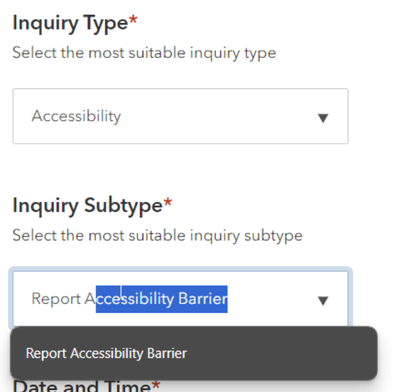 rsun_TQB_2-1705447988913.png
It's intuitive to me as an IT and GIS person, but not to non-techy users.
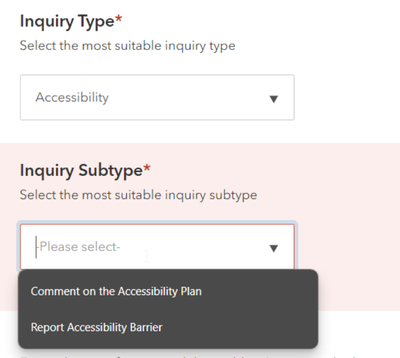 rsun_TQB_3-1705448038218.png
Please have a fix for this soon 🙏
