- Home
- :
- All Communities
- :
- Developers
- :
- ArcGIS Pro SDK
- :
- ArcGIS Pro SDK Questions
- :
- Re: Referencing an image in Splash Screen
- Subscribe to RSS Feed
- Mark Topic as New
- Mark Topic as Read
- Float this Topic for Current User
- Bookmark
- Printer Friendly Page
Referencing an image in Splash Screen

- Mark as New
- Bookmark
- Subscribe to RSS Feed
- Permalink
I am creating a custom splash screen with an image being referenced in the pane. Currently I have
<Image Source="Images/trekk.jpg" />Trekk.jpg is in the Images folder of the project. When I save and build the project.... and start debugging... The splash screen displays with all my changes except for the Image being shown.
Is there something further I need to do?

- Mark as New
- Bookmark
- Subscribe to RSS Feed
- Permalink
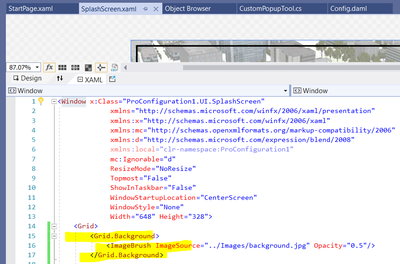
Did you try setting Grid.Background to an ImageBrush?
This works for me ...
- Mark as New
- Bookmark
- Subscribe to RSS Feed
- Permalink
Kirk,
Thanks for the response back. I dont want the logo to be a background since I already have a desired background in place. I have attached a screenshot of my current product in the designer and snippet of the relevant code.

- Mark as New
- Bookmark
- Subscribe to RSS Feed
- Permalink
What are your build action, and copy to output settings set to?
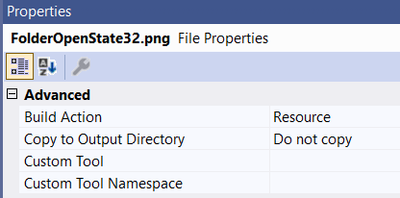
- Mark as New
- Bookmark
- Subscribe to RSS Feed
- Permalink
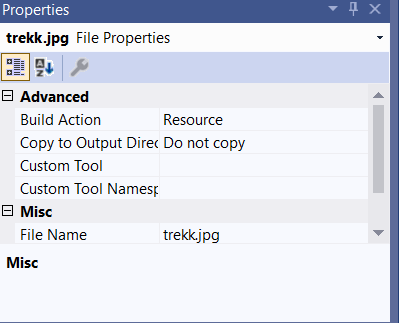
Kirk, Attached is the setting for that photo. Is there any other setting I need to look at when building the solution?


- Mark as New
- Bookmark
- Subscribe to RSS Feed
- Permalink
Hi,
Have you tried like this:
<Image Source="/your_config_name;component/Images/trekk.png"/>
- Mark as New
- Bookmark
- Subscribe to RSS Feed
- Permalink
The original question has
<Image Source="Images/trekk.jpg" />
But the follow-up post has

Esri's default when creating a splash via New>Project .... Pro Managed Configuration results in a project with a UI and Images folders.
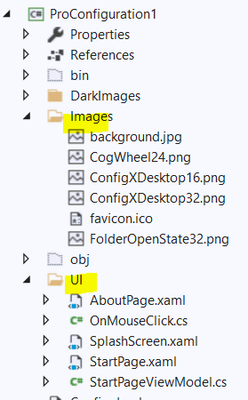
Notice how the Source path in the xaml in the UI folder has a relative path to the images in the Images folder:
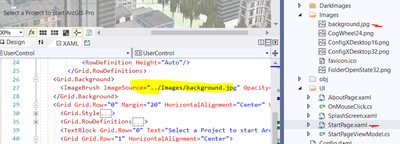
So, if your xaml is in a (UI) folder that is a sibling to the Images folder, perhaps try using a ".." for the relative path in the Source.
