- Home
- :
- All Communities
- :
- Products
- :
- ArcGIS Pro
- :
- ArcGIS Pro Ideas
- :
- Conditional formatting for table frames in ArcGIS ...
- Subscribe to RSS Feed
- Mark as New
- Mark as Read
- Bookmark
- Follow this Idea
- Printer Friendly Page

- Mark as New
- Bookmark
- Subscribe
- Mute
- Subscribe to RSS Feed
- Permalink
The ability to use dynamic table frames with a map series is a great feature of ArcGIS Pro. It would be very useful then if the table fields, rows and columns could be formatted based on the content of the table.
For example, I have a layout containing tables listing the results of a planting maintenance survey. The final column in these tables is a status column, which indicates whether the maintenance is ongoing or complete. It would therefore be useful if, when the status is complete, the whole row could be coloured green as a visual cue to the reader of what is complete.
As well as the ability to control background colour, text formatting in this way would also be very useful so important text could be made bold depending on the content for example.
- « Previous
-
- 1
- 2
- Next »

Say I want to make a table frame a bit more special, something like changing row backgrounds based on what category that row belongs to, or maybe even changing font color for specific rows based on a field called "Important". Well, I could be able to do that by having it choose colors from a string field with hex values in the same manner as symbol property connections for layer symbology works.
Is such a thing possible? Instead of the current setup of background 1 and background 2, there could be a checkbox that disables that property and turns on the more dynamic approach.
Otherwise, I have to create rectangles and individually color them after placing them below the table or create them in some other manner of editing outside of ArcPro.

YES, I have the same issue. Although, I'd be happy if there were an option to add more than background 1 & 2. I have a map that has table information that corresponds to features with unique symbology. This would be helpful.

Yes! You could do this with Production Mapping on desktop, it's very hard to make the switch to Pro for several figures for this reason. Use the symbology from a layer on the map, then it's consistent with what's on the map. Such a cool feature I need in Pro!
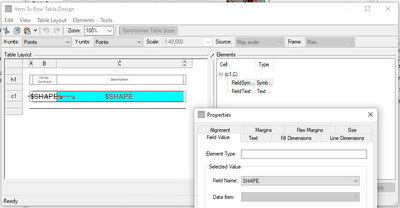

Same here. I have several parcels, some renovated in 2021 and some slated for 2022. Field has requested shading separation for 2021 vs. 2022. Easy to do symbols but can't fix in the table.


I would really like to drive my table frames' colors based on a HEX field, as I am able to do with the symbology. Currently the workaround is to manually set the color of each table frame's backgrounds and borders individually.


@wayfaringrob different than what is requested here? https://community.esri.com/t5/arcgis-pro-ideas/let-table-frame-symbology-make-use-of-symbol/idi-p/93...
is there a way to bump this? I see I added a comment a couple years ago. I still really could use this feature!

You must be a registered user to add a comment. If you've already registered, sign in. Otherwise, register and sign in.