- Home
- :
- All Communities
- :
- Products
- :
- ArcGIS Pro
- :
- ArcGIS Pro Ideas
- :
- ArcGIS Pro Contents does not have Collapse or Expa...
- Subscribe to RSS Feed
- Mark as New
- Mark as Read
- Bookmark
- Printer Friendly Page
ArcGIS Pro Contents does not have Collapse or Expand in the Context menu right click properties !

- Mark as New
- Bookmark
- Subscribe to RSS Feed
- Permalink
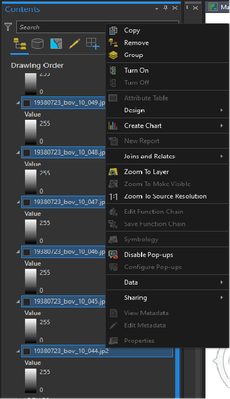
So when I am working on many orthophotos to add to my ArcGIS Pro to review, and what I find is there none to make it easier to do.
So when you create a Group Layer to add many images. When you highlight (blue ones) and then right click to open the context menu, there is no collapse or expand groups to turn it on. The only thing I see is the feature is the "Turn On". This is only when you tell ArcGIS Pro to turn on all the images.
Please can you add them ?
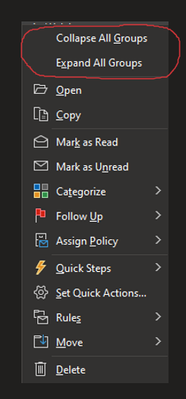
Here is an example from Microsoft Outlook, It has these features and it is a life-saver when you have so many emails.

I would like to see the "Expand All Layers" and "Collapse All Layers" functionality when you right-click a Group Layer such as you get in the TOC when you right click the "Layers" group heading (Layers for the active data frame).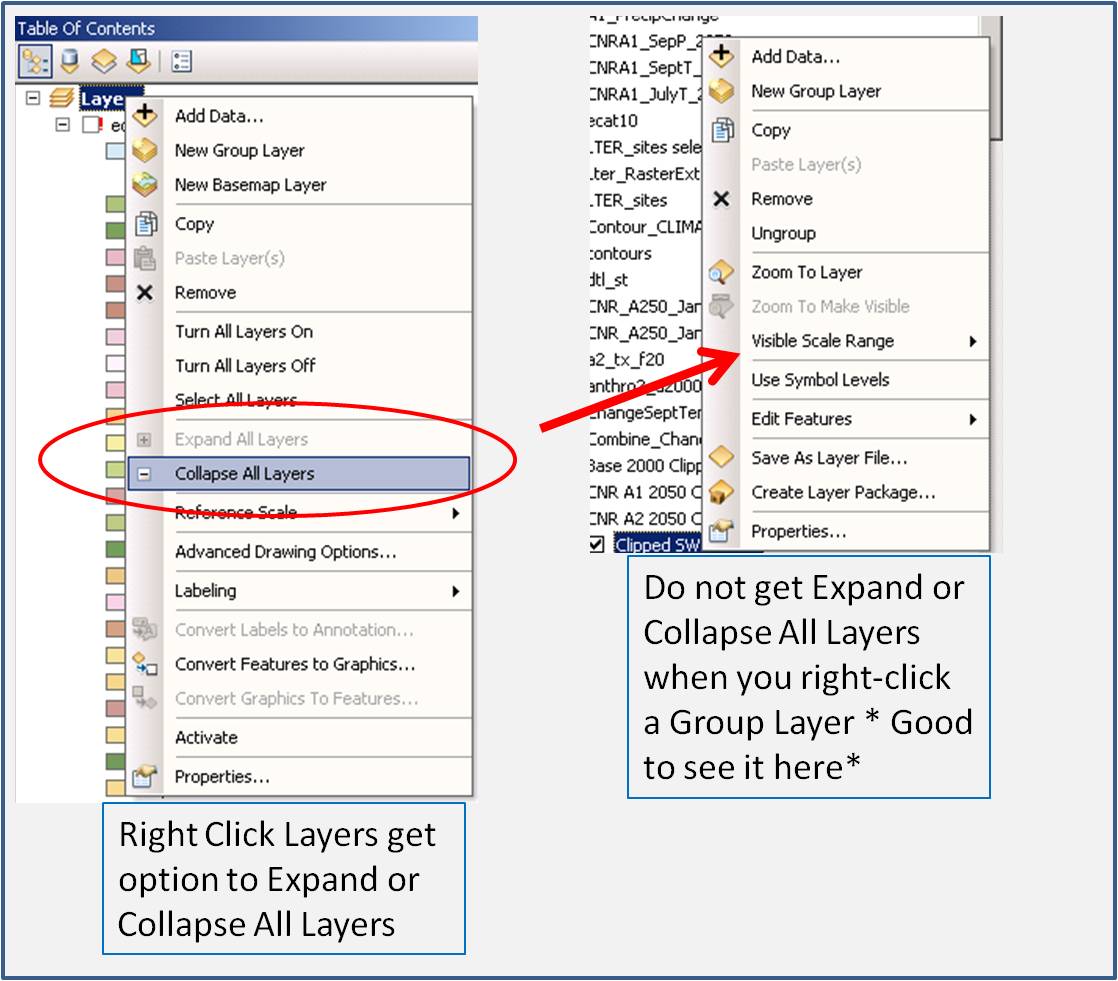

Likewise for turning layers on and off within a group. Hold Ctrl key while turning one layer on or off and all layers in that group will do the same.

But why not to have it as decent as it used to be in ArcMap?

bump
please bring this feature back


Control-click expands and collapses all groups in a hierarchy.

@chrischappell2 I know you posted this forever ago but you're a hero for showing me this. Thanks man.

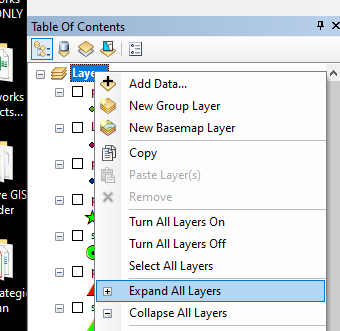
I will also 2nd this idea. It was a handy tool in ArcMap (as I show in the screenshot below). Thanks for posting it.


just an FYI. As a workaround for now, you can add a button to the context menu on the Contents pane. Please see the help here: https://github.com/Esri/arcgis-pro-sdk/wiki/ProSnippets-DAML#menu-insert-a-new-button-to-the-map-con... for how to customize the map context menu
here is the code that needs to be in the code behind.
private void ExpandedEverything(Map map, bool expand)
{
  var layers = map?.GetLayersAsFlattenedList() ?? new List<Layer>();
  foreach (var layer in layers)  layer.SetExpanded(true);
}

QueuedTask.Run(()=> ExpandEverything(MapView.Active.Map, true));//expand

//QueuedTask.Run(()=> ExpandEverything(MapView.Active.Map, false));//collapse
You must be a registered user to add a comment. If you've already registered, sign in. Otherwise, register and sign in.