- Home
- :
- All Communities
- :
- Products
- :
- ArcGIS Hub
- :
- ArcGIS Hub Questions
- :
- Web map visualization in Sites/Hub Enterprise 10.9...
- Subscribe to RSS Feed
- Mark Topic as New
- Mark Topic as Read
- Float this Topic for Current User
- Bookmark
- Printer Friendly Page

- Mark as New
- Bookmark
- Subscribe to RSS Feed
- Permalink
Hi!
We have a Sites/Hub in Enterprise 10.91 and it seems to have changed the web map view from the Gallery element where we link Portal groups.
I have the web map below which is public.

Below it is displayed in the Site Gallery.
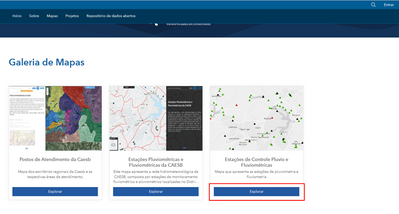
When I click on "Explore" i'm taken to a preview page and I don't have the option of visualization the web map from the map viewer.
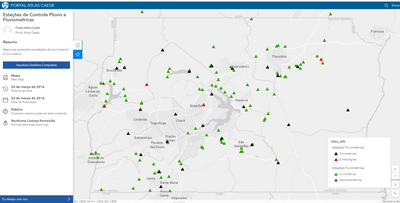
In version Enterprise 10.9, clicking on "Explore" takes me to the Map Viewer Classic view and I can see the layers of the web map.
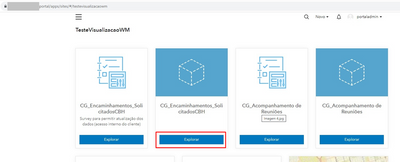
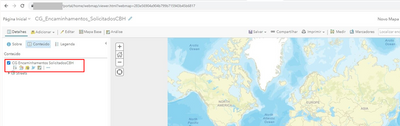
Does anyone know how to adjust this so that the user can view the web map in the map viewer interface when accessing it via Sites/Hub?
Solved! Go to Solution.
Accepted Solutions


- Mark as New
- Bookmark
- Subscribe to RSS Feed
- Permalink
Hello @arc_ticodex ,
Enterprise Sites 10.9.1 is when we upgraded to the redesigned content pages. There is more information about that transition here: https://www.esri.com/arcgis-blog/products/arcgis-hub/announcements/announcing-new-and-improved-arcgi...
For the item you posted a screenshot of above, click "I want to use this" and then "Create a map". There, you'll see an option to open the item in Map Viewer. Hope that helps!
Best wishes,
Emily
- Mark as New
- Bookmark
- Subscribe to RSS Feed
- Permalink
Hello @arc_ticodex ,
Enterprise Sites 10.9.1 is when we upgraded to the redesigned content pages. There is more information about that transition here: https://www.esri.com/arcgis-blog/products/arcgis-hub/announcements/announcing-new-and-improved-arcgi...
For the item you posted a screenshot of above, click "I want to use this" and then "Create a map". There, you'll see an option to open the item in Map Viewer. Hope that helps!
Best wishes,
Emily
- Mark as New
- Bookmark
- Subscribe to RSS Feed
- Permalink
Thanks for your help 😄
