Select to view content in your preferred language

Guid not generating in Field Maps?

755
2
05-30-2024 09:44 AM
AaronSchuck1
Emerging Contributor

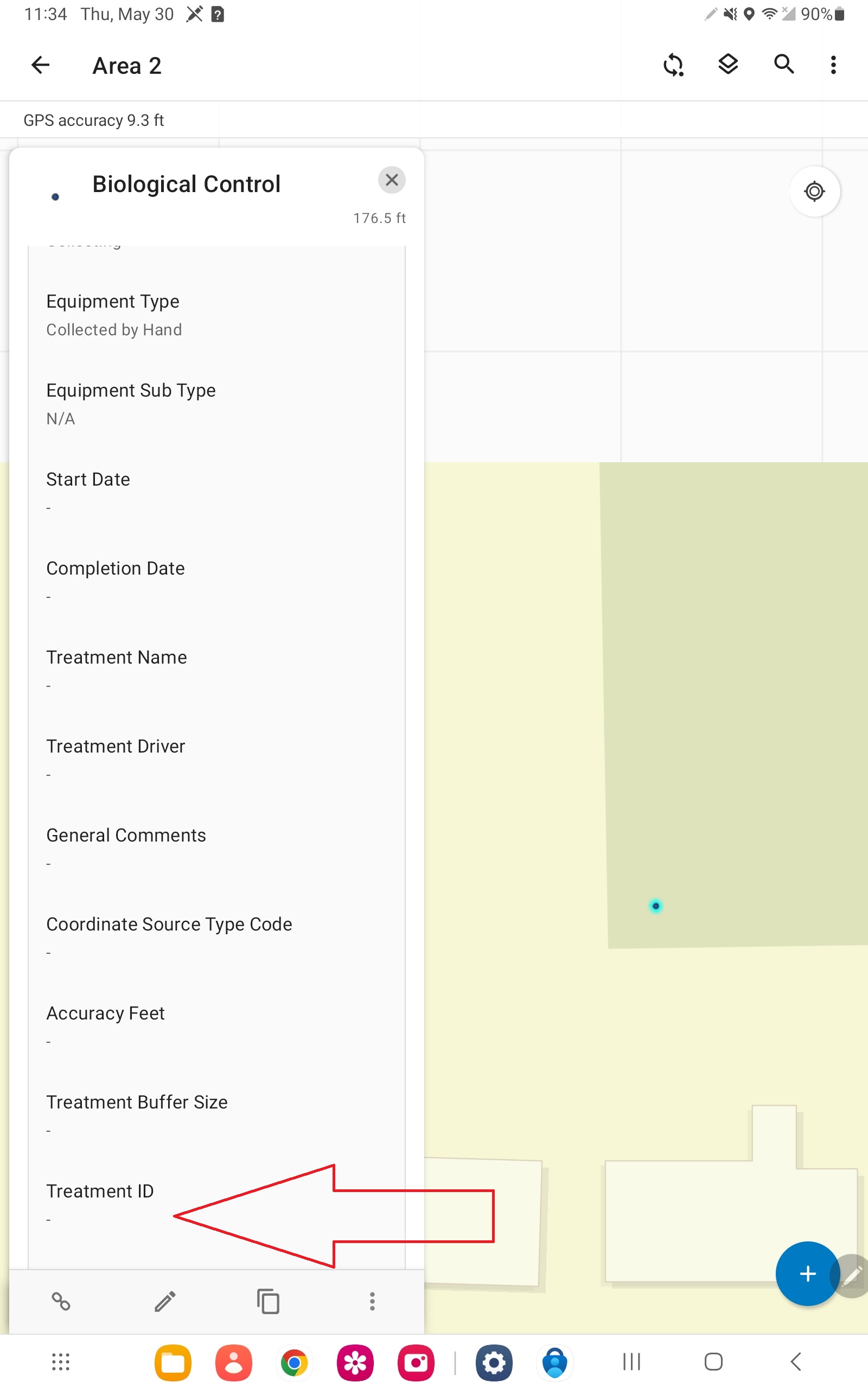
I have a feature class related to a table through the TRT_GUID field.  The arcade expression below is entered into the field form, but the guid will not populate.

It's odd because the expression returns a field when tested, but nothing happens within field maps.


var ftrId = $feature.TRT_GUID;
if (IsEmpty(ftrId) == True || ftrId == '{00000000-0000-0000-0000-000000000000}'){
  ftrId = Guid();
  return ftrId
}
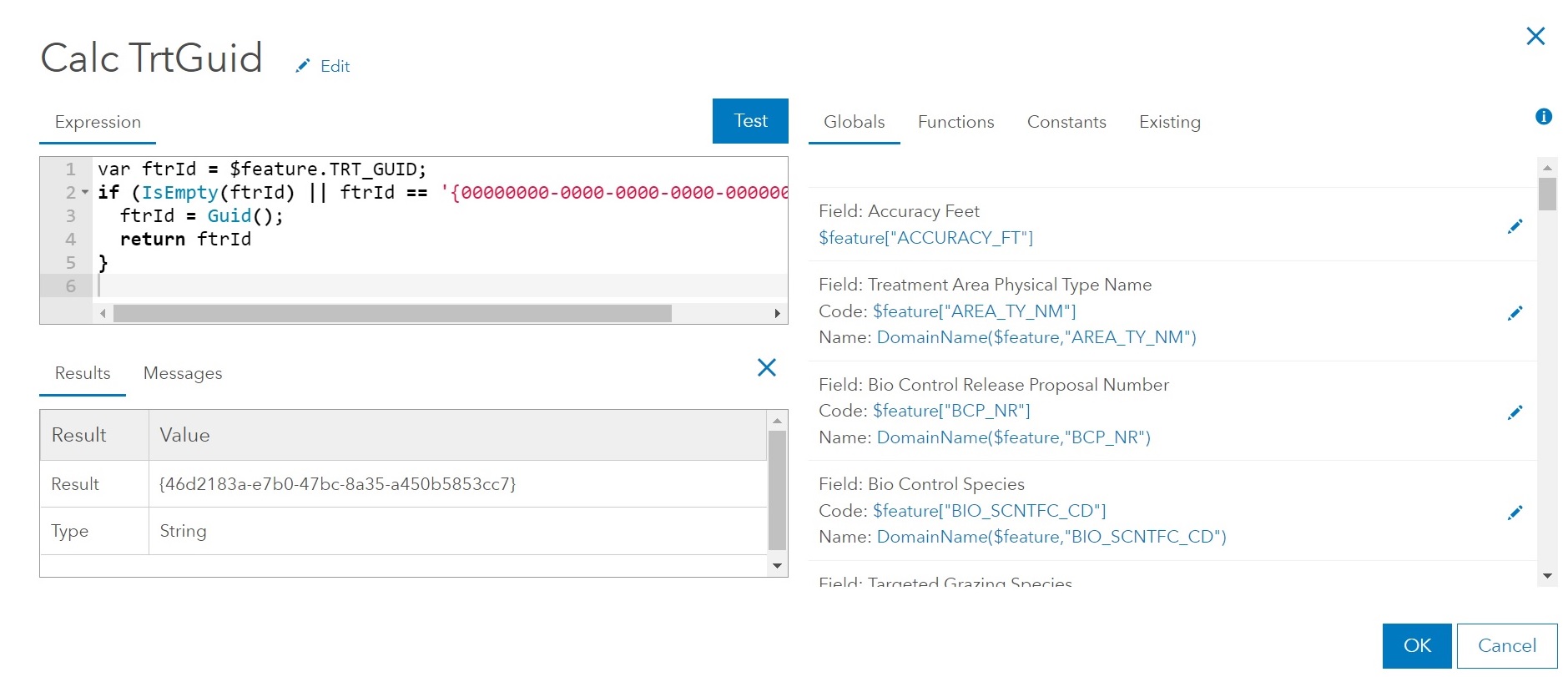


AAFieldMaps.jpg


Screenshot_20240530_113413_Field Maps.jpg


Tags (2)
0 Kudos
2 Replies
AsimAhmad1
Emerging Contributor

I am also facing the same issue. Are you able to find a solution for this?

0 Kudos
CameronLacelle
Frequent Contributor

@AaronSchuck1 @AsimAhmad1 Hello, not sure if either of you found a solution to this but it sounds similar to a problem I ran into today where I built a pp-up for a feature layer in ArcGIS Pro to call on the GlobalID to build a URL to show more info for a feature stored on my organization's intranet. The GlobalID string would never appear in the pop-up. Turns out ArcGIS Enterprise/Online doesn't seem to like the squiggly brackets ({}) that encompass the GUID. I threw in a "Replace()" function in the Arcade script to get rid of the brackets in my return statement and then it appeared as expected. So you could possibly use the following function:

var global_id = Replace(Replace($feature.GlobalID, '}', ''), '{', '')
 
If you do need the brackets in there, perhaps you could add them back in as some sort of concatenate? I haven't tested that though.
0 Kudos