- Home
- :
- All Communities
- :
- Products
- :
- ArcGIS Experience Builder
- :
- ArcGIS Experience Builder Questions
- :
- Shared Theme doesn't use Organization Settings col...
- Subscribe to RSS Feed
- Mark Topic as New
- Mark Topic as Read
- Float this Topic for Current User
- Bookmark
- Subscribe
- Mute
- Printer Friendly Page
Shared Theme doesn't use Organization Settings colors?

- Mark as New
- Bookmark
- Subscribe
- Mute
- Subscribe to RSS Feed
- Permalink
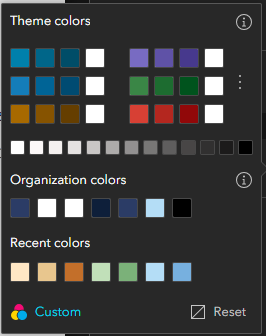
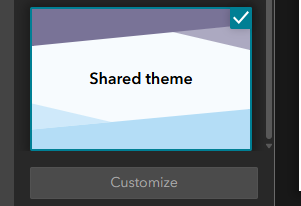
I feel like there's something I'm missing here. I've set up our ArcGIS Online shared theme colors in our Org settings (see attached). But when I select the Shared Theme in Experience Builder, the theme colors are not that (see attached). This results in Widgets in the Widget Controller coming out all weird when they're opened (see attached). How do I create a Shared Theme where the theme colors actually align with the Org colors? Or do I have to customize another non-Shared theme every time?
I feel like I'm taking crazy pills, please help!🙃



- Mark as New
- Bookmark
- Subscribe
- Mute
- Subscribe to RSS Feed
- Permalink
Hi LDreyfuss,
I am running into the same issue - my Shared Theme in Experience Builder does not seem to match the colours in my organisation's shared theme. The following Esri Community post may be useful in understanding why - https://community.esri.com/t5/arcgis-experience-builder-questions/experience-builder-organization-th....
If you want the colours to match exactly, I would recommend customising a non-Shared theme; however, it would also be worth raising this with your local distributor to look into it to confirm whether this is expected behaviour.
All the best,
Clio
