- Home
- :
- All Communities
- :
- Products
- :
- ArcGIS Experience Builder
- :
- ArcGIS Experience Builder Questions
- :
- Re: Print widget error - fails to print
- Subscribe to RSS Feed
- Mark Topic as New
- Mark Topic as Read
- Float this Topic for Current User
- Bookmark
- Printer Friendly Page
Print widget error - fails to print

- Mark as New
- Bookmark
- Subscribe to RSS Feed
- Permalink
I am using ExB with Enterprise 11.1. I set up the print widget, but printing fails every time. In the print result box, I get a red X that just says "Error" if I hover over. Can anyone point me in the right direction to figuring out what's going on? I tried turning off all the layers, specific layers, different options for the layouts, etc.
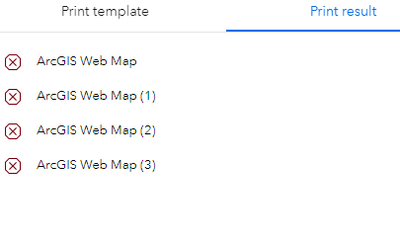
Edit: Some updates after additional testing... I tried using the same data and adding the print widget in WAB and got an error that roughly said: convert WebMapToArcgisProject() takes 1 to 4 positional arguments but 5 were given. I tried the print widget in AGOL ExB and it appeared to work okay. Seems like this may be an issue with Enterprise. Anyone have any other suggestions for how to resolve this?

- Mark as New
- Bookmark
- Subscribe to RSS Feed
- Permalink
has this issue been resolved?

- Mark as New
- Bookmark
- Subscribe to RSS Feed
- Permalink
It does seem like this was patched. Works properly for me now.
- Mark as New
- Bookmark
- Subscribe to RSS Feed
- Permalink
Would love to see a fix for this....

- Mark as New
- Bookmark
- Subscribe to RSS Feed
- Permalink
Any fix with this? We are on Enterprise 11.3 and using the AGOL ExB but still getting red X error when trying to use the print widget.
- Mark as New
- Bookmark
- Subscribe to RSS Feed
- Permalink
Update: Our issues was due to the following bug related to a VMWare component that we were running. We followed the recommended solutions in the following documentation and it has fixed our printing service running on Enterprise 11.3

- Mark as New
- Bookmark
- Subscribe to RSS Feed
- Permalink
I am experiencing this as well. The print widget no longer produces a PDF map in an app I created several years ago using WAB. I have rebuilt the app using ExB but I am still getting an error. Has there been any progress to fix this issue? I am using ArcGIS's default print service URL. Thanks

- Mark as New
- Bookmark
- Subscribe to RSS Feed
- Permalink
Two of my users are experiencing this issue, and we also use the default print service. However, we don't have Enterprise, so is our issue unrelated, or is this all the same issue?

- Mark as New
- Bookmark
- Subscribe to RSS Feed
- Permalink
Please Fix this issue soon. Has anybody tried creating a custom printing utility for the print widget? Is it worth trying out?


- Mark as New
- Bookmark
- Subscribe to RSS Feed
- Permalink
I had a similar problem with the Print widget in Experience Builder.
In my case, the issue seemed to be related to web maps created with Map Viewer Classic. After recreating the same map in the new Map Viewer, using the same layers and icons, the Print widget started working correctly.
This happened to me in ArcGIS Online, but the behavior may be similar in Enterprise. It might be worth recreating the web map in the new Map Viewer and testing the Print widget again.
Rick
VisionGIS

- Mark as New
- Bookmark
- Subscribe to RSS Feed
- Permalink
This happens to my map about 20% of the time. One day it works fine, the next day none of my coworkers can print.
The map is regularly updated using Pro/Save Web Map. We use OSM as basemap. AGOL and Experience Builder. Using print widget, it will spin for a bit and then red X.
Sometimes, clearing the cache or switching browser helps. Occasionally, deselecting layers or changing basemap helps. This seems to be a bit of a glitch or something catching. I wish there was more documentation or a way to clearly fix this without completely republishing and still potentially facing that issue on the next republish. Currently, struggling to find a fix that doesn't include modifying map.
Looked at Dev Tools and found an error when print widget was trying to execute, potentially due to map load but it was working fine yesterday so not sure how anything could have changed.
