- Home
- :
- All Communities
- :
- Developers
- :
- Python
- :
- Python Questions
- :
- Re: Count cars script not working, KeyError: 'laye...
- Subscribe to RSS Feed
- Mark Topic as New
- Mark Topic as Read
- Float this Topic for Current User
- Bookmark
- Printer Friendly Page
Count cars script not working, KeyError: 'layers'

- Mark as New
- Bookmark
- Subscribe to RSS Feed
- Permalink
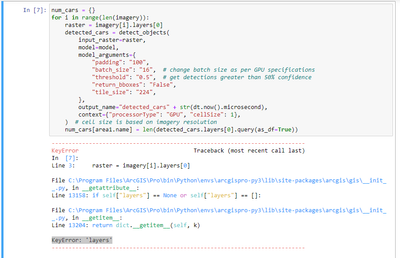
I'm running this count cars in aerial imagery script and everything seems to be working until I run the detection block. It says KeyError: 'layers'. How to fix this?


- Mark as New
- Bookmark
- Subscribe to RSS Feed
- Permalink
We are missing important steps in your script, can you post the entire code before you get the error?
In the example you are following, the imagery variable is a list containing four Image Layer item objects. Your script is assuming that imagery[i] (one of these Image Layer objects) has a property called layers. Make sure your imagery list is indeed a list of Imagery Layers.
If you print(imagery), is a list of Imagery Layer Item objects returned?
- Mark as New
- Bookmark
- Subscribe to RSS Feed
- Permalink
Hi @Clubdebambos I'm running exactly the same code that is provided in the link, with no changes. I also published my layers as imagery layers.
Here's what
imagery = gis.content.search("aerial*")
print(imagery)
returns (I loaded 4 layers and 4 these layers are displayed):
[<Item title:"aerial3" type:Image owner:MICGis>, <Item title:"aerial1" type:Image owner:MICGis>, <Item title:"aerial4" type:Image owner:MICGis>, <Item title:"aerial2" type:Image owner:MICGis>]
- Mark as New
- Bookmark
- Subscribe to RSS Feed
- Permalink
Hi @DavideBoazzi ,
Your Item type says Image, not Imagery Layer like in the example.
Do your items in ArcGIS Online say Imagery Layer like below?

This type of Image content item will not work.

There is a difference between an Image
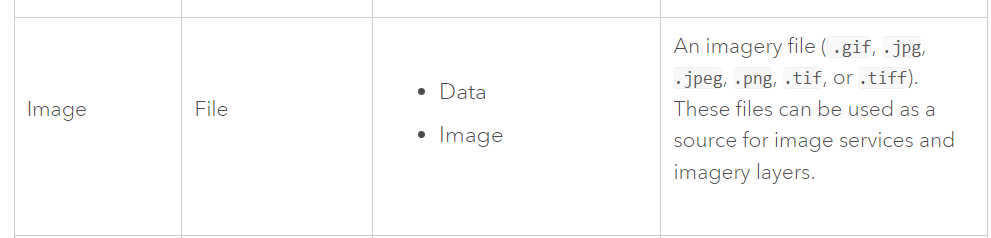
and an Imagery Layer which is an Image Service
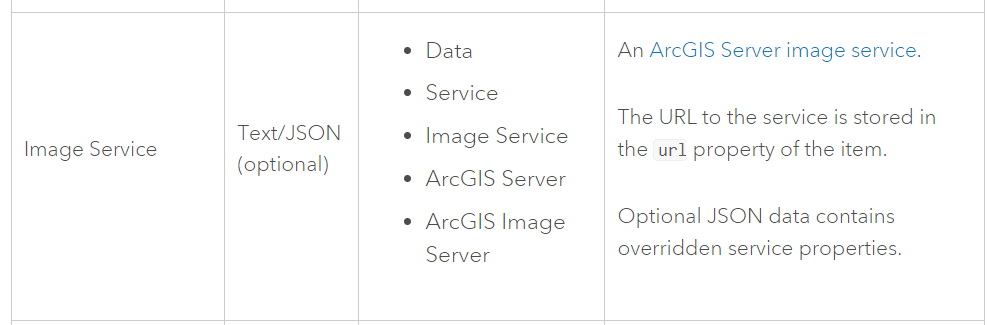
Source: https://developers.arcgis.com/rest/users-groups-and-items/items-and-item-types.htm
