- Home
- :
- All Communities
- :
- Developers
- :
- Python
- :
- Python Questions
- :
- CADToGeodatabase caching issue in Python Toolbox (...
- Subscribe to RSS Feed
- Mark Topic as New
- Mark Topic as Read
- Float this Topic for Current User
- Bookmark
- Subscribe
- Mute
- Printer Friendly Page
CADToGeodatabase caching issue in Python Toolbox (DXF annotations persisting between runs)

- Mark as New
- Bookmark
- Subscribe
- Mute
- Subscribe to RSS Feed
- Permalink
Hi all,
I am troubleshooting a persistent caching issue with CAD (DXF) exports in a Python Toolbox (.pyt) running in ArcGIS Pro.
The Workflow:
1. Join an active selection of parcels to an SDE table.
2. Generate a temporary DXF file (e.g., anno.dxf) using an external library.
3. Use arcpy.conversion.CADToGeodatabase to import it back.
The Issue:
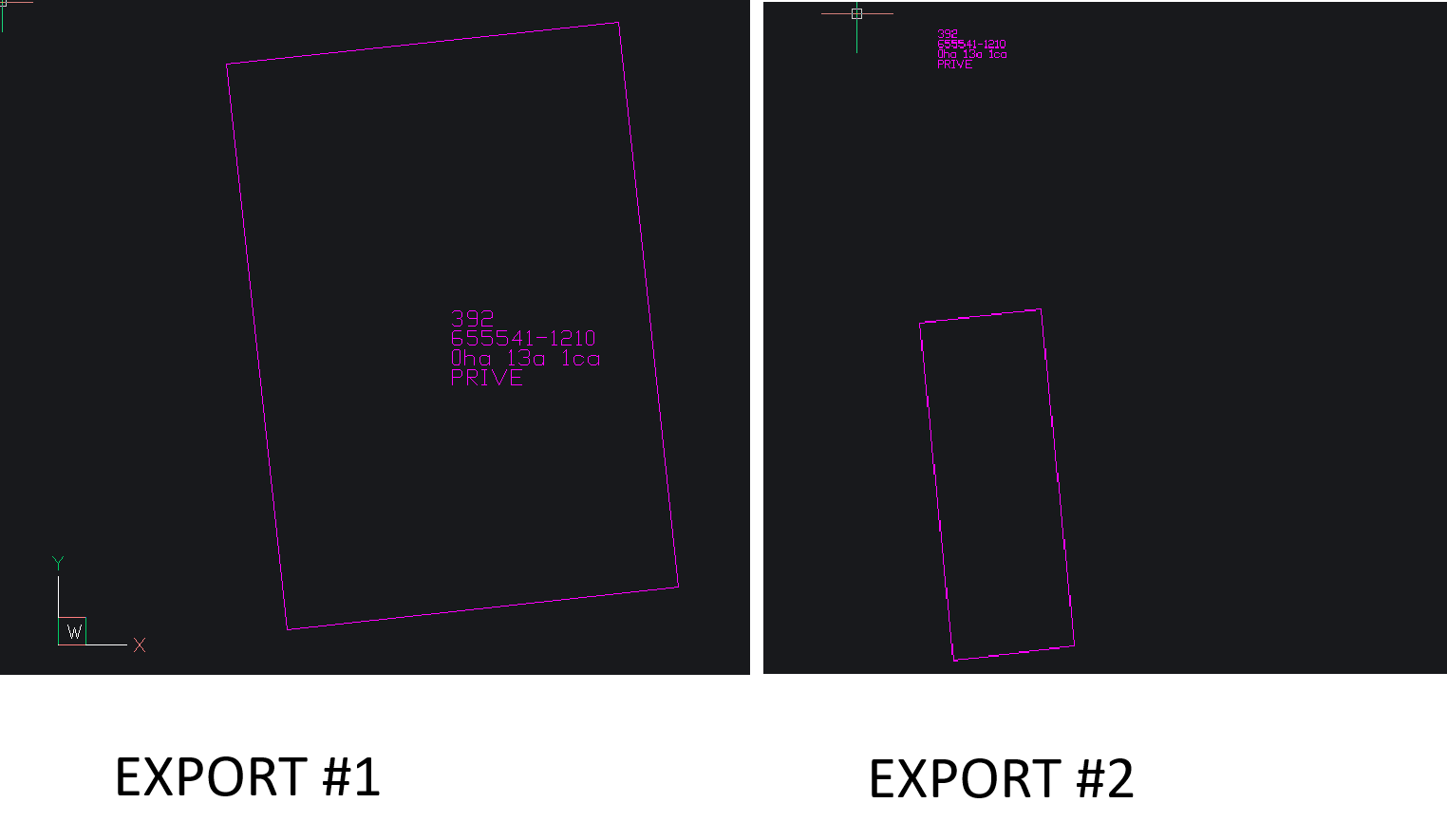
When running the tool twice in a row, the annotations from the first execution stubbornly appear in the second export. This happens even though the anno.dxf file is physically deleted from the disk and strictly recreated with new data before the second conversion.
My Analysis:
I suspect this is related to how IWorkspaceFactory.OpenFromFile handles COM objects in memory. Because the file path (anno.dxf) remains the same, the application reuses the cached CAD dataset instead of parsing the newly created file on disk.
I tried arcpy.ClearWorkspaceCache_management(), but it had no effect (it seems designed to release GDB schema locks, not to flush CAD display/data caches).
The Workaround:
The only robust solution I found was to append a UUID to the temporary DXF filename (anno_abc123.dxf), forcing ArcGIS to treat it as a completely new workspace.
Has anyone else encountered this specific CAD caching behavior? Is there a cleaner ArcPy method to explicitly flush a CAD dataset from memory without relying on dynamic filenames?
Thanks!


- Mark as New
- Bookmark
- Subscribe
- Mute
- Subscribe to RSS Feed
- Permalink
How are you deleting the file? operating system or
Delete (Data Management)—ArcGIS Pro | Documentation
... sort of retired...
- Mark as New
- Bookmark
- Subscribe
- Mute
- Subscribe to RSS Feed
- Permalink
Hi Dan,
Thanks for the suggestion! I actually gave arcpy.management.Delete a try to see if it would handle the cleanup better than a simple os.remove.
Unfortunately, the result was the same: even though the file is properly deleted from the disk, ArcGIS Pro seems to keep the CAD entities in its internal memory cache. When the script runs again and recreates the DXF at the same location, it still "remembers" the annotations from the previous run.
