- Home
- :
- All Communities
- :
- Products
- :
- Mapping
- :
- Mapping Questions
- :
- Layer does not match imagery by 400 meters..
- Subscribe to RSS Feed
- Mark Topic as New
- Mark Topic as Read
- Float this Topic for Current User
- Bookmark
- Subscribe
- Mute
- Printer Friendly Page

- Mark as New
- Bookmark
- Subscribe
- Mute
- Subscribe to RSS Feed
- Permalink
Hello all,
I have been looking for answers, from coordinate systems issues to projection issues but have not found a solution to this sticky one yet. As you can see below, my river SHP does not match the river on the satellite imagery... only by... 400 meters. Coordinate systems and projections are the same (I projected the river shapefile (was WGS84UTMzone47N) to the projection of the imagery. Would anyone have a clue what the problem is?
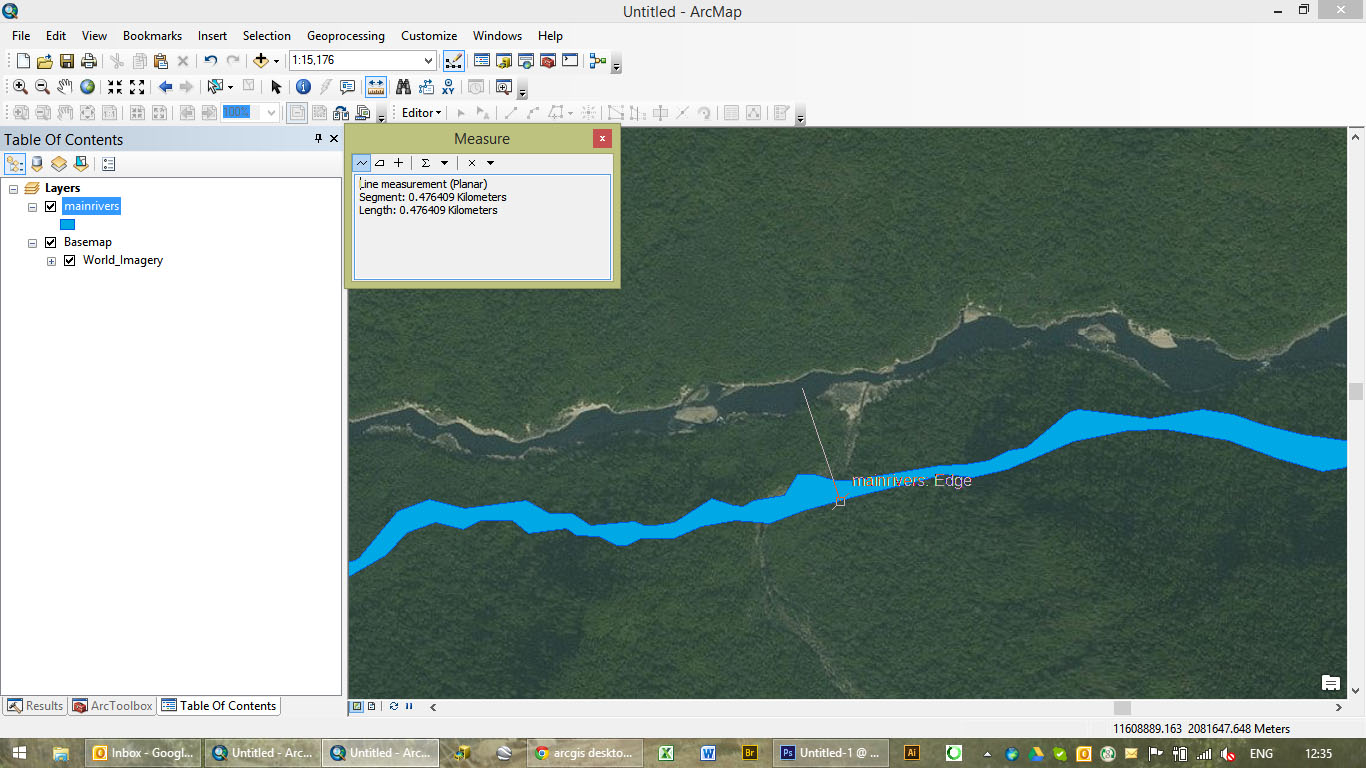
Thanks!
GGN406
Solved! Go to Solution.


- Mark as New
- Bookmark
- Subscribe
- Mute
- Subscribe to RSS Feed
- Permalink
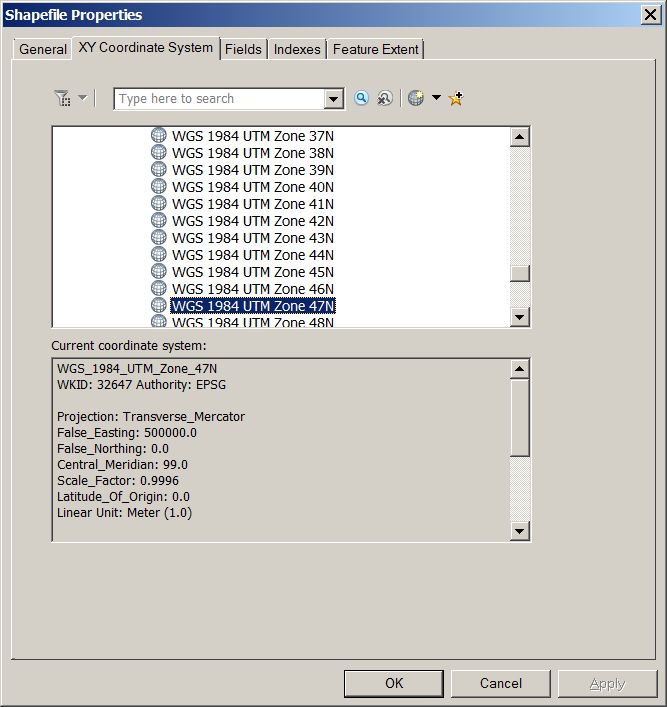
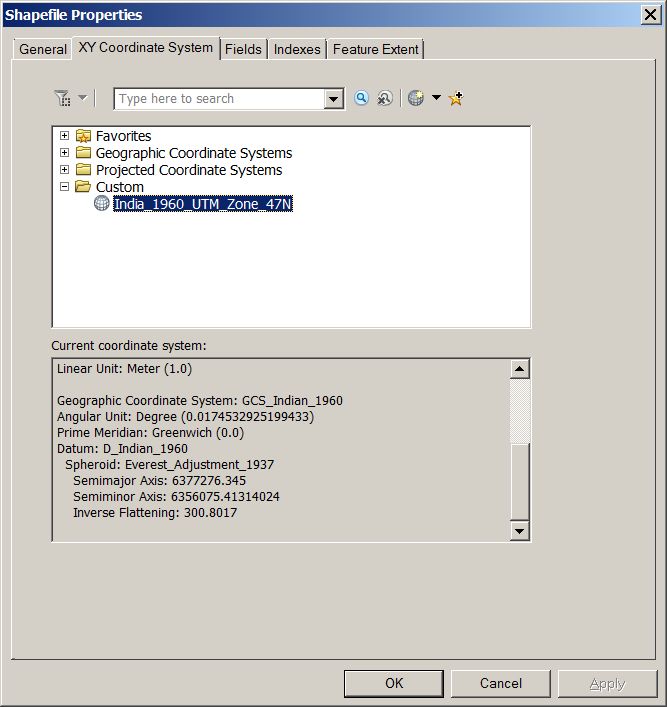
Copy and paster the original. Rename it.
Open up the properties page in Catalog.
Go to the Coord sys tab.
Right click on the coordinate system. 3 option is to copy and modify.
Give the your new coord sys a new name.
Change the GCS at the bottom.
Easy.

- Mark as New
- Bookmark
- Subscribe
- Mute
- Subscribe to RSS Feed
- Permalink
Thanks so much again - this is now working 

- Mark as New
- Bookmark
- Subscribe
- Mute
- Subscribe to RSS Feed
- Permalink
What I would do is copy and paste and then rename the shapefile and try to reproject to Geographic Coordinate system and then rerpoject to the correct project of that locate projected system

- « Previous
-
- 1
- 2
- Next »
- « Previous
-
- 1
- 2
- Next »