Esri Tutorials Blog - Page 9

cancel
Showing results for 
Show  only  | Search instead for 
Did you mean: 

Latest Activity

(101 Posts)
AdenaSchutzberg1
Esri Regular Contributor

New Learn Lessons
 

A Learn Lesson is a step-by-step tutorial that uses a real-world scenario to introduce key ArcGIS tools and workflows. Here's a roundup of new lessons in the Learn ArcGIS Gallery that have appeared in the last month.

Assess hail damage in cornfields with satellite imagery (ArcGIS Pro, ArcGIS Spatial Analyst extension)

hail.png

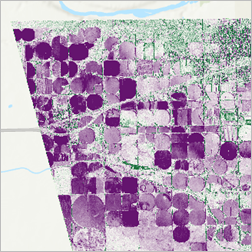
The region of Taber and Barnwell, in Alberta, Canada has a large production of corn and other crops. In early August 2019, the upcoming harvest was severely impacted when a major hailstorm ripped through the region. Hailstones driven by winds that reached more than 140 kilometers per hour (or 87 miles per hour) tore through the area. As an imagery analyst for a local farmer organization, you'll perform a first damage assessment. You'll explore multispectral imagery captured before and after the hailstorm. You'll then apply a vegetation index on both images, compute the difference, and extract the average loss of healthy vegetation in each field


Develop your own ArcGIS Hub template (ArcGIS Hub Premium)

Hub.png

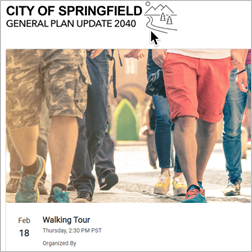
The City of Springfield's general plan is being updated to help create a sustainable future for the city by 2040. As a planner for Springfield, your task is to create a digital version of the update.

In this lesson, you'll transform the city's general plan update into an interactive, collaborative website using ArcGIS Hub. Your site will present the update's purpose in a user-friendly way and provide surveys and events to drive community engagement. You'll also create a template based on your site so other departments can make similar sites for their own initiatives.


Expand a business network with demographics (ArcGIS Business Analyst Web App)

expand.png

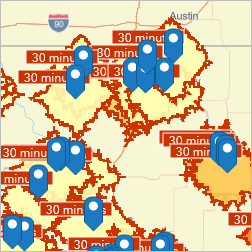
A railway company operates both rail lines and intermodal facilities—locations where cargo is switched from one mode of transport to another—in Iowa. The railway's GIS manager wants to find businesses throughout the state that are likely to need and use intermodal facilities for freight shipping. Understanding businesses proximate to intermodal facilities will help the railway expand its network of customers.

The GIS manager will map intermodal facilities in Iowa, add parameters to determine each nearby business's suitability, then interpret and share the results of the suitability analysis.


Visualize and explore coral reef habitats with voxels (ArcGIS Pro)

voxels.png

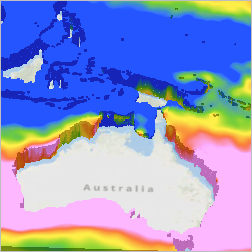
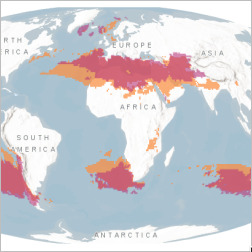
You can explore the ecological range that corals live in with a voxel layer displaying Ecological Marine Unit (EMU) data. EMU data consists of 3D renderings of observations about ocean characteristics based on 50-year averages; the visual analysis done in this lesson might therefore not be indicative of the present-day scenario.

Typically, NOAA estimates that optimal water temperatures for coral reefs are between 73° and 84° Fahrenheit (23°-–29°Celsius). The salinity for most reef-building corals ranges from 32 to 42 parts per thousand. You will use voxels to determine areas where the salinity and temperature create an environment that is more conducive to coral bleaching.


Perform obstacle analysis with ArcGIS Aviation Airports (ArcGIS Pro Standard or ArcGIS Pro Advanced,  ArcGIS Aviation Airports extension)

aviation.png

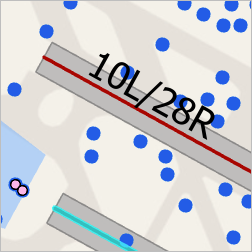
This lesson provides an introduction to ArcGIS Aviation Airports, describing how to load, analyze, and visualize potential aviation obstructions. In the lesson, you'll take the role of a GIS analyst for the San Francisco International Airport (SFO). The SFO airport manager is planning on doing construction on a rental car service building near the end of runway 10R. You must analyze the proposed locations of a construction crane and determine if it presents a danger to aircraft operating in the area.


Design symbology for a thematic map in ArcGIS Pro (ArcGIS Pro, ArcGIS Online)

indonesia.png

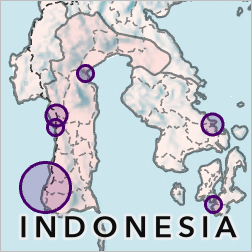
In this lesson, you'll build a simple, clear, and attractive map of population in Indonesia. You'll symbolize province polygons, city points, and road lines. Along the way, you'll learn about common design decisions that will help you create effective symbology for your own thematic maps.


Design symbology for a thematic map in ArcGIS Online (ArcGIS Online)

jakrata.png

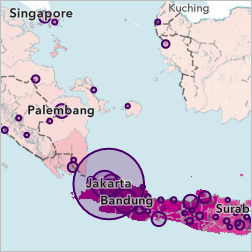
In this lesson, you'll build a simple, clear, and attractive map of population in Indonesia. You'll symbolize province polygons, city points, and road lines. Along the way, you'll learn about common design decisions that will help you create effective symbology for your own thematic maps.


Explore future climate projections (ArcGIS Pro)

climate.png

Although climate change has become a major political topic, most people have never explored climate data or models of possible future climates. The data is often stored in scientific file formats that require specialized software and can seem unintelligible to those unfamiliar with climate terms and concepts. In this lesson, you'll map historical and projected climate data in ArcGIS Pro. You'll learn about climate at both local and global levels, as well as how climate might change in the future. Overall, you'll gain understanding of major climate concepts and familiarity with real climate data.


Identify crime patterns with intelligence-led policing (ArcGIS Insights, ArcGIS Online)

identify.png

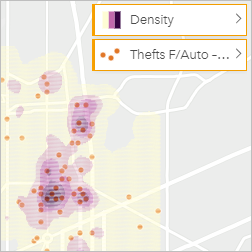
You are a crime analyst with the city's Intelligence-Led Policing (ILP) unit, responsible for analyzing data and providing actionable direction for law enforcement activities. You have been tasked by your captain to look at the most common crime types (for example, auto theft) and determine where and when these crimes most often occur in the city. You will use ArcGIS Insights to prepare, visualize, analyze, and ultimately share your results to help make informed police resource decisions regarding auto thefts in a city.

You can use ArcGIS Insights, ArcGIS Insights desktop, or ArcGIS Insights in ArcGIS Enterprise to complete this lesson. The lesson is written for ArcGIS Insights desktop but works the same in the other apps. You can choose the app that is appropriate to your organization.


New Learn Paths

A Learn Path is sequenced set of resources for learning about a particular topic. Here's a roundup of new paths in the Learn ArcGIS Gallery that have appeared in the last month. 
Create reports in ArcGIS Insights (ArcGIS Insights)

reports.png

Design and share compelling reports using ArcGIS Insights.


Analyze track data captured in Field Maps (ArcGIS Pro, ArcGIS Field Maps, ArcGIS Tracker)

track.png

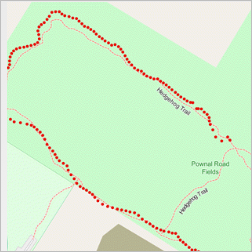
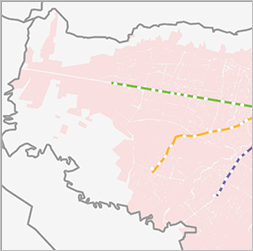
Analyze the patterns of mobile workers and visualize where they've been using ArcGIS Pro.

more
0 0 911
AdenaSchutzberg1
Esri Regular Contributor

New Learn Lessons
 

A Learn Lesson is a step-by-step tutorial that uses a real-world scenario to introduce key ArcGIS tools and workflows. Here's a roundup of new lessons in the Learn ArcGIS Gallery that have appeared in the last month.

Automate updates to web feature layers without scripting (ArcGIS Pro, ArcGIS Dashboards)

automate.png

This lesson illustrates using an ArcGIS ModelBuilder model to automatically schedule updates to a web feature layer using the ArcGIS Pro geoprocessing scheduling functionality. All steps in this lesson can be executed using basic ArcGIS out-of-the-box functionality in which no scripting or additional extensions are required.


Get started with multidimensional multispectral imagery (ArcGIS Pro)

multi.png

In this lesson, you'll learn how to generate a multidimensional mosaic dataset that contains Landsat multispectral imagery, showing the copper mine at different points in time. You'll convert the dataset to Esri's native Cloud Raster Format (CRF) and run a quick analysis for visualizing how this copper mine has changed over time.


Edit features to create enumeration areas (ArcGIS Pro)

enumeration.png

In this lesson, you'll use ArcGIS Pro to create and modify enumeration areas and other census-related geographic data in Zambia. In the process, you'll learn the basics of feature editing in ArcGIS.


Evaluate COVID-19 financial vulnerability (ArcGIS Pro, ArcGIS Business Analyst)

financial.png

This lesson outlines a proposed data-driven approach for mapping the level of financial vulnerability across a region. Financial vulnerability occurs when income and liquid financial assets are insufficient to cover debt payments and basic living costs. Just as you can't measure physical health by only looking at blood pressure, you can't measure financial health by only looking at a single variable. For this lesson, you'll model financial vulnerability as a function of income, expenditures, and external factors that can negatively impact income.


Explore and animate geological data with voxels (ArcGIS Pro)

voxel.png

This lesson introduces the voxel layer's visual analytics capabilities, specifically for discrete data. By using the Netherlands' geological categories visualized with voxel layer functionality, you will create section diagrams, areas of interest, and export your visual analysis results as animations for effective storytelling.

You'll visualize the geological characteristics of this landscape with the voxel layer. The voxel layer is based on geological data from The Geological Survey of the Netherlands. The data that you will use is a detailed three-dimensional model of the shallow subsurface up to a depth of 50 meters below NAP (Amsterdam Ordnance Datum).

 
Fill gaps in your data with areal interpolation (ArcGIS Pro/ArcGIS Statistical Analyst)

gaps.png

In this lesson, you'll use the second method—geostatistics—to map the spatial variation of data across the entire study area. Predicted values are then pulled from the resulting map to fill the gaps in your data. Geostatistics allows you to predict values in locations that have not been measured, using data from measurements elsewhere in your study area. Typically geostatistics uses point data, but it can also interpolate from data stored in polygons, as you'll use in this lesson.


New Learn Paths

A Learn Path is sequenced set of resources for learning about a particular topic. Here's a roundup of new paths in the Learn ArcGIS Gallery that have appeared in the last month. 

Perform analysis in ArcGIS Insights (ArcGIS Insights)

insights_path.png

Use Insights to perform analysis using spatial and nonspatial techniques.

more
0 0 1,312
AdenaSchutzberg1
Esri Regular Contributor

New Learn Lessons

A Learn Lesson is a step-by-step tutorial that uses a real-world scenario to introduce key ArcGIS tools and workflows. Here's a roundup of new lessons in the Learn ArcGIS Gallery that have appeared in the last month.

Build a 3D globe app with the ArcGIS API for JavaScript (ArcGIS API for JavaScript)

build3dglobe.png

This lesson provides an introduction toArcGIS API for JavaScript, describing how to create the Half-Earth Project globe as well as a data uploader to visualize shapefiles on it. For analysis of this data, the resolution has to be adequate. Learn more about analyzing biodiversity data in this lesson.


Examine racial inequities in unsolved murder cases (ArcGIS Pro)

examine_racial.png

In this lesson, you'll use statistical analysis in ArcGIS Pro to identify American cities where unsolved homicides are most prevalent. Then, you'll assess which segments of the population are most impacted and determine whether there is any racial or demographic inequity in regards to unsolved homicides. This workflow doesn't address why homicides remain unsolved; the reasons are complex and varied. But as you work through the lesson, you'll have opportunities to think about possible causes and implications.


Interpolate values (ArcGIS Online)

interpolate_values.png

In this lesson, you'll use interpolation to predict the elevation pattern across the state of Oaxaca, Mexico, and predict the air quality pattern across India.


Share raster data as an analytical image service (ArcGIS Pro)

share_raster.png

Imagery is an integral component to creating visually appealing maps that can provide a more realistic perspective of your data for mapping and visualization. While imagery is great for mapping and visualization, you can also use it for analytical purposes. You will combine several image layers for each island in Hawaii into a mosaic dataset. Once you combine the images into a mosaic dataset, you will include it in a land cover classification story produced by NOAA's Office for Coastal Management. The story is a map tour of the land cover classes in NOAA's Coastal Change and Analysis Program (CCAP), but it currently does not include Hawaii. Your goal is to create a map layer for Hawaii to complete the story and publish it to ArcGIS Image Server for others to use. When complete, the image layer will show land cover types in various maps, but it may also be used directly in ArcGIS Pro for analysis to count the area of the different types of land cover.
 
Use infographics to understand total addressable market (Business Analyst Web App)

use_info.png

A railway company operates rail lines throughout Iowa. The railway company wants to understand the consumer and business market near its intermodal and grain facilities to better serve the Iowa farming community, as well as a set of target industries whose products are less costly to transport by rail. The marketing manager for the railway wants to find businesses in specific industries, located at various distances from the lines, to understand the total addressable market (TAM). The manager wants to present this information to railway executives to launch a campaign targeted to businesses nearby.

First, you'll map rail lines in Iowa in ArcGIS Online. You will add data about active rail lines in Iowa. Then, you will add buffers around these routes and import this layer to ArcGIS Business Analyst Web App. Finally, you will create an infographic to show market prospects within 1, 3, and 5 miles of the rail lines.

Evaluate Ethiopia’s changing landscape (ArcGIS Pro/ArcGIS Image Analyst)

evalute_ethiopia.png

Ethiopia is currently experiencing the largest infestation of desert locusts to hit Eastern Africa in decades. The United Nations' Food and Agricultural Organization is calling the locust invasion "an unprecedented threat to food security and livelihoods" as a result of a decline in vegetation coverage and crop productivity throughout the country. In the past few decades, Ethiopia has also changed due to population growth, resulting in expanding urban areas and agriculture, to the detriment of forest and other natural vegetation, in populated regions of the country.

To analyze these different types of land cover change in Ethiopia, you will use the Change Detection Wizard in ArcGIS Pro. First, you'll analyze long-term land cover changes from 1992 to 2018 using a land cover dataset. Then, you'll identify areas where there has been vegetation loss due to locust infestations in 2020, using imagery data.


New Learn Paths

A Learn Path is sequenced set of resources for learning about a particular topic. Here's a roundup of new paths in the Learn ArcGIS Gallery that have appeared in the last month. 

Enter data faster and more accurately in Survey123 (Survey123)

enterdata.png

Explore the different ways you can improve the quality and speed of data collection with Survey123.


Getting started with Police Transparency (Police Transparency solution)

police_transparency.png

Learn how law enforcement agencies can use the Police Transparency solution to share authoritative information and communicate engagement efforts that build trust with the general public and community stakeholders.


Learn Python with ArcGIS Notebooks (ArcGIS Online Notebooks)
notebook.pngLearn how to use Python in ArcGIS Notebooks. This path contains a set of ArcGIS Online Notebooks that you can use to learn how to create Python code for data visualization, analysis, and management on any platform, via ArcGIS Online.


Try data collection in ArcGIS Field Maps (ArcGIS Field Maps)
fieldmaps.pngCreate a map for data collection and use Field Maps to configure the map and capture data in the field.

more
1 1 6,684
AdenaSchutzberg1
Esri Regular Contributor

New Learn Lessons

A Learn Lesson is a step-by-step tutorial that uses a real-world scenario to introduce key ArcGIS tools and workflows. Here's a roundup of new lessons in the Learn ArcGIS Gallery that have appeared in the last month.

Climateproof a Neighborhood with ArcGIS Urban (ArcGIS Urban)

climate-proof.png

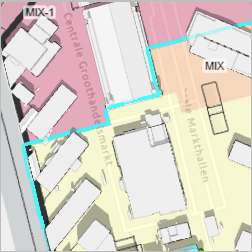
You will learn how to integrate ArcGIS Urban and climate-proof planning, by focusing on the redevelopment of a neighborhood in Amsterdam. The Marktkwartier neighborhood used to host a large food market and it is now in the process of being redeveloped to become a residential district to include around 1,700 housing units. The goal of the development plan is to maintain the historical monuments, such as the central market hall, while developing a livable, sustainable area around it.


Track virus spread with ArcGIS Insights (ArcGIS Insights)

track_virus.png

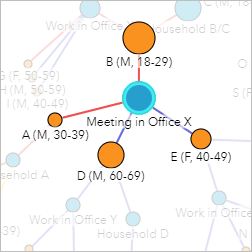
A community is experiencing an outbreak of an infectious disease. As a contact tracer for the local public health office, you must use the case data to determine where the disease spread, who requires testing, and which cases require further investigation. You will use ArcGIS Insights to create charts and apply nonspatial analytical techniques to track the spread of the virus.


Analyze demand for hospital capacity and highlight areas of risk (ArcGIS Insights)

hospital_capacity.png

Typically, hospitals and other health-care facilities in the United States have between 25 percent and 75 percent bed occupancy at any given time. As an epidemic grows, the demand for hospital beds may outpace the supply. In this lesson, you will use ArcGIS Insights to analyze the supply of health-care beds in the United States. You will also use early projections of the coronavirus disease 2019 (COVID-19) pandemic to estimate how many more beds each state might need to meet the demand. You will work with local spreadsheet data and data from ArcGIS Living Atlas of the World. You will use the mapping and charting capabilities of ArcGIS Insights to get a clear picture of the hospital bed availability issue and locate high-risk areas for bed shortages during the pandemic.

 
Plan for urban change in Cancún (ArcGIS Urban)

cancun.png

Parque de la Equidad is a current urban planning project in Cancún, Mexico. Existing open space will be converted into a 16-kilometer public park running through the city. Stakeholders want to increase access to green spaces and reduce urban segregation and social inequality. In this lesson, you'll use ArcGIS Urban to design changes along one segment of the new park and visualize their effects. You'll focus on one small area, but you'll use a workflow that can be repeated to design more scenarios, and to plan for other strategic areas along the park.


Visualize ecological marine units with voxels (ArcGIS Pro)

voxels.png

The Ecological Marine Units (EMU) are a clustering of the 3D volumetric regions of the world's oceans that help us better understand and, by association, conserve marine environments. In this lesson, you'll transform a subset of the global EMU point feature class dataset into a multidimensional NetCDF file. You'll use this NetCDF file to visualize the EMU variables such as seawater temperature, salinity, or dissolved oxygen as a multidimensional voxel layer in ArcGIS Pro. The EMU voxel layer allows you to visualize the complexities of the world's oceans in their distinctive 3D nature.


New Learn Paths

A Learn Path is sequenced set of resources for learning about a particular topic. Here's a roundup of new paths in the Learn ArcGIS Gallery that have appeared in the last month. 

Try ArcGIS Business Analyst Web App (Business Analyst Web App)

BAWA_path.png

Learn how to create site selection maps, demographic reports, and infographics using Business Analyst Web App.


Visualize COVID-19 impact (Business Analyst Web App, ArcGIS Hub)
 
Learn how to use ArcGIS Business Analyst Web App to create and share customized infographics that present COVID-19 impact.
viz_covid_path.png

more
0 0 721
AdenaSchutzberg1
Esri Regular Contributor

New Learn Paths

A Learn Path is sequenced set of resources for learning about a particular topic. Here's a roundup of new paths in the Learn ArcGIS Gallery that have appeared in the last month. 

Beyond Point Data in Survey123 (Survey123)

beyondpoints.pngExplore the different types of data you can collect with Survey123.


  •  


Access Survey Results from Survey123 (Survey123)

Explore the different ways you access and use survey results collected with Survey123.accessdata.png


Try ArcGIS Experience Builder (Experience Builder)

Learn how to build immersive web experiences.expbuilder.png


New Learn Lessons

A Learn Lesson is a step-by-step tutorial that uses a real-world scenario to introduce key ArcGIS tools and workflows. Here's a roundup of new lessons in the Learn ArcGIS Gallery that have appeared in the last month.

Explore community trends for a comprehensive plan (ArcGIS Business Analyst Web App)

Explore_comm.png

Every 15 to 30 years, a city is tasked with updating their comprehensive plan. The comprehensive plan is responsible for providing a framework, vision, and goal for the city for the upcoming years. An integral part of a city's comprehensive plan update is to understand current trends in the city. In this lesson, you'll analyze demographic and housing trends as they relate to a comprehensive plan update. Your results will provide insight and context for the general framework of the plan.


Make a web map without Web Mercator (ArcGIS Pro)

Make web maps with projections other than Web Mercator. Build and publish vector tiles from ArcGIS Pro to make a basemap in a chosen projected coordinate system.

not_mercator.png


more
0 0 728
AdenaSchutzberg1
Esri Regular Contributor

New Learn Paths

A Learn Path is sequenced set of resources for learning about a particular topic. Here's a roundup of new paths in the Learn ArcGIS Gallery that have appeared in the last month. 

GIS for computer science CTE programs (JavaScript)

cte_javacript.pngSee the role of GIS in computer science Career and Technical Education (CTE). Use the spatial lens of GIS to help students in the career cluster for information technology understand data processing, display customization, and website development. Explore GIS through JavaScript.


  •  


Try ArcGIS Field Maps (ArcGIS Field Maps)

Get started with common field activities like finding assets, capturing data, and tracking your mobile workforce.

arcgis_fmpng.png


New Learn Lessons

A Learn Lesson is a step-by-step tutorial that uses a real-world scenario to introduce key ArcGIS tools and workflows. Here's a roundup of new lessons in the Learn ArcGIS Gallery that have appeared in the last month.

Get started with ArcGIS Mission (ArcGIS Mission)

mission.pngIn this lesson, you'll use ArcGIS Mission to create and participate in a mission focused around downed powerlines due to a recent storm in Arlington, Virginia. A power company in Arlington is trying to get these powerlines back up as fast as possible to restore power to people's homes.


more
0 0 570
AdenaSchutzberg1
Esri Regular Contributor

New Learn Paths

A Learn Path is sequenced set of resources for learning about a particular topic. Here's a roundup of new paths in the Learn ArcGIS Gallery that have appeared in the last month. 

Exploring Location Analytics in Business Education
Chick-fil-A logo

Explore why and how to use Location Analytics in Business Education with this set of readings, case studies, and hands-on activities.

GIS for computer science CTE programs (Python)

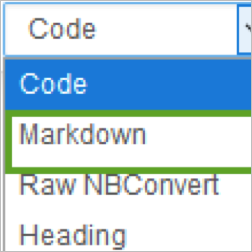
Markdown option

See the role of GIS in computer science CTE. Use the spatial lens of GIS to help students in the career cluster for information technology understand data processing, scripting, and automation. Explore GIS through Python and Jupyter Notebooks.

New Learn Lessons

A Learn Lesson is a step-by-step tutorial that uses a real-world scenario to introduce key ArcGIS tools and workflows. Here's a roundup of new lessons in the Learn ArcGIS Gallery that have appeared in the last month.

Visualize global COVID-19 trends in ArcGIS Insights (ArcGIS Insights)

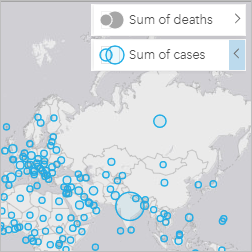
COVID-19 case/deaths map

The coronavirus disease 2019 (COVID-19) pandemic has impacted the world at an unprecedented scale. Combatting the pandemic will require worldwide data collection and sharing. The European Centre for Disease Prevention and Control (ECDC) provides the latest available public data on COVID-19, which can be used to gain critical insights about the disease's spatial and temporal spread.

In this lesson, you'll create an overview of global COVID-19 cases in ArcGIS Insights. You'll map data from the ECDC and create charts to show how cases are changing over time. Your result will be a shareable workbook that displays and describes the pandemic from multiple angles and makes key information understandable and accessible.

Visualize social distancing across California (ArcGIS Pro)

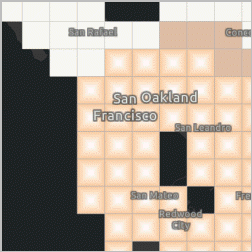
Diminishing hot spots

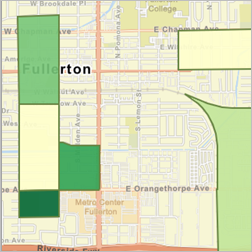
Nothing has changed our collective spatial behavior quite like the coronavirus disease 2019 (COVID-19) pandemic. Esri partner SafeGraph allowed ArcGIS users to track changes in social distancing behavior with timely statistics. SafeGraph creates this data from mobile apps that collect location data, and they’ve developed algorithms to quantify behavior patterns into simple, understandable metrics. In this exercise, you’ll explore a prepared set of block group-level SafeGraph social distancing metrics from May 1, 2020, to June 14, 2020, with charts and animations. You’ll also use space-time pattern mining tools to assess patterns and visualize the data as a multidimensional voxel layer.

Site a new hospital (ArcGIS Online)

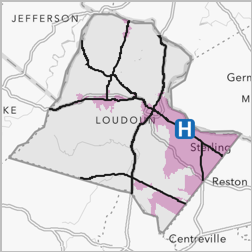
Loundoun County, VA

The Loudoun County Board of Supervisors seeks a location for a second hospital in the county. The site must meet the following criteria:

  • Be within two miles of urban areas.
  • Be more than a 20-minute car ride from the current main hospital.
  • Be within one mile of main roads.

In this lesson, you'll use proximity tools to create data layers to address these criteria. Then, you'll use data management tools to combine the layers to find possible locations.


more
2 0 1,210
AdenaSchutzberg1
Esri Regular Contributor

New Pages

graphic of woman with tabletWe've got a new home page aimed at getting visitors to the appropriate content quickly via experiences and capabilities. Check it out!

will.i.am videoWe've got a new page for K-12 educators just starting with GIS. Check it out!

New Learn Paths

A Learn Path is sequenced set of resources for learning about a particular topic. Here's a roundup of new paths in the Learn ArcGIS Gallery that have appeared in the last month. 

smoke mapMake a map in a minute

Learn how to make a map in a minute (or less) using ArcGIS Online and ArcGIS Living Atlas of the World.

 
lake drying up satellite imageGIS for population and development studies: Data analysis and visualization

Learn advanced spatial analysis and cartographic techniques.


New Learn Lessons

A Learn Lesson is a step-by-step tutorial that uses a real-world scenario to introduce key ArcGIS tools and workflows. Here's a roundup of new lessons in the Learn ArcGIS Gallery that have appeared in the last month.

utility mapValidate edits in the utility network with attribute rules (ArcGIS Pro)

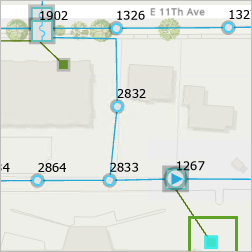
In this project, your role is as a GIS Analyst who has started working with an organisations electric utility network in ArcGIS Pro. Over the past few months, you've noticed certain irregularities with edits made to the peak load attributes of services in the network while performing regular QA/QC processes. After discussing the problem with your colleagues, you've decided to implement new attribute rules to prevent certain types of edits and to create a log that can be shared for monitoring and analysis of the edits made to the features.


map with image in pop-upMap the highest mountains

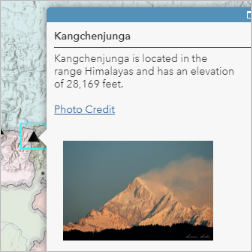
A web map can include descriptive information about features in a pop-up. The information that appears when a feature is clicked can include text, images, and links to web pages. As a map maker, you decide what information to include and how to present it. In this lesson, you'll create a .csv file with data about five of the highest mountains in the world. You'll use the file to create a layer on a map. Then, you'll customize the layer's pop-ups so that when you click a mountain feature, you will see key information and a photo of the mountain.

This lesson, adapted from one developed for middle and high school students, is making its debut in the Learn Gallery. You can find it and others like it by searching the tag "teachgis" in the Gallery search bar.

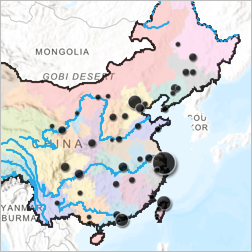
part of a map of China
Make a map of China

In this lesson, you'll make a map of China. Along the way, you'll copy and save a map; navigate around a map; and arrange, filter, and style layers.

This lesson, adapted from one developed for middle and high school students, is making its debut in the Learn Gallery. You can find it and others like it by searching the tag "teachgis" in the Gallery search bar.

Updated Lessons

The Learn ArcGIS Team updates lessons for the latest version of software products. Here's a round up of lessons that were updated to new software versions.

more
0 0 2,964
AdenaSchutzberg1
Esri Regular Contributor

New Learn Paths

A Learn Path is sequenced set of resources for learning about a particular topic. Here's a roundup of new paths in the Learn ArcGIS Gallery that have appeared in the last month. 

Editing rasters in ArcGIS Pro with Pixel Editor tools

Editing raster dataGet a jump start on editing raster datasets with the Pixel Editor tools in ArcGIS Pro.
 
Try the new Map Viewer

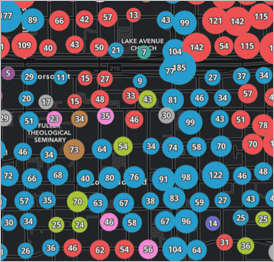
Clustering using the new Map ViewerExplore how responsive smart mapping in the new Map Viewer can show you a different view of your data and help you make better decisions more quickly.


New Learn Lessons

A Learn Lesson is a step-by-step tutorial that uses a real-world scenario to introduce key ArcGIS tools and workflows. Here's a roundup of new lessons in the Learn ArcGIS Gallery that have appeared in the last month.

Use ArcGIS AppStudio to build a 311 mobile app (AppStudio)
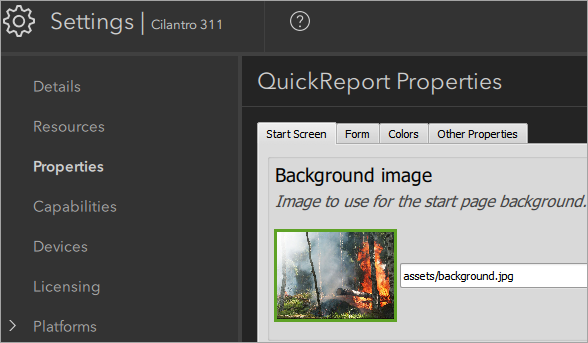
Configuring appArcGIS AppStudio provides ready-to-use configurable templates to help you create and deploy mobile apps that run on multiple platforms and don't require you to write any code. In this lesson, you'll configure and test a mobile app for citizens to submit nonemergency community 311 requests, such as graffiti removal, streetlight repair, and tree maintenance, to the City of Cilantro.

Create a report in ArcGIS Insights (ArcGIS Insights)
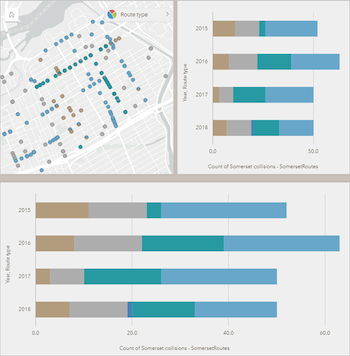
 

Cards in ArcGIS InsightsThe number of fatal cycling accidents in Ottawa, Canada, increased between 2015 and 2018. Cycling advocates have called for the city to adopt a Vision Zero policy to eliminate traffic fatalities and increase public safety. You have completed your analysis of cycling safety, and now you must share your results with stakeholders.

You want to have a professional-looking report that clearly and effectively communicates your findings. In this lesson, you'll apply cartographic principles and custom design choices to an existing Insights workbook before you share the report.

Updated Lessons

The Learn ArcGIS Team updates lessons for the latest version of software products. Here's a round up of lessons that were updated to new software versions.

Map Breast Cancer Differences by Ethnicity (ArcGIS Insights 2020.2)
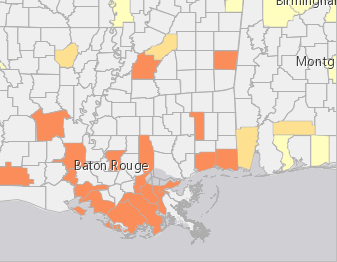

Breast Cancer hot spots In a 2017 report, the American Cancer Society estimated that, in the United States, American women incurred 252,710 new cases of breast cancer and that 40,610 women had died from the disease. ACS statistics also reveal significant disparities between white and black women. Although the survival rate between those two ethnic groups is narrowing, significant disparities remain. In this lesson, you'll take a deep dive into those reasons by mapping mortality rates and risk factors.


Get started with ArcGIS Insights (ArcGIS Insights 2020.2)
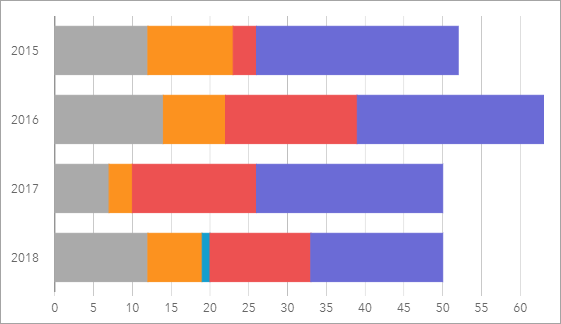
Based on the length of the bars, the total number of collisions involving cyclists was highest in 2016.

The number of fatal cycling accidents in Ottawa, Canada, increased between 2015 and 2018. Cycling advocates have called for the city to adopt a Vision Zero policy to eliminate traffic fatalities and increase public safety.

In this lesson, you'll create a workbook in ArcGIS Insights to analyze which city wards have the most accidents and which route types are safest (or most dangerous) for cyclists. By combining charts and maps, you'll determine what steps the city can take to make cycling safer.

Update Real-Time Data with Python (ArcGIS Pro 2.6)  

National Oceanic and Atmospheric Administration (NOAA) Coral Reef Watch frequently updates data on coral bleaching. If you map this data, it'll likely become outdated within a few weeks. How do you automate updates so that your GIS layers use the latest data as soon as it becomes available?

One way is to use a feed routine. A feed routine is a workflow where data is queried from a live feed repository and the information is passed to a map. In this lesson, you'll use Python to create two feed routines, one that automatically updates feature classes in ArcGIS Pro and one that automatically updates feature services on ArcGIS Online or ArcGIS Enterprise.

This lesson will introduce you to both basic and advanced Python topics.
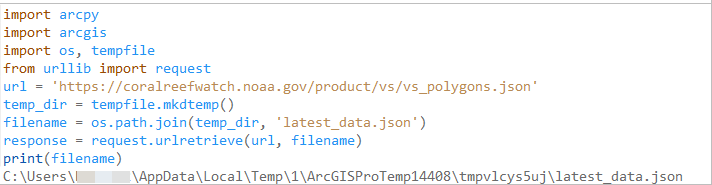
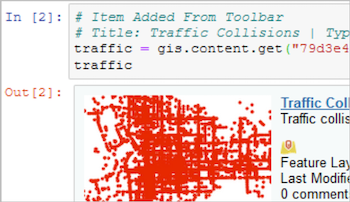
Python code

Analyze fire preparedness with the ArcGIS GeoEnrichment Service (ArcGIS Pro 2.6)
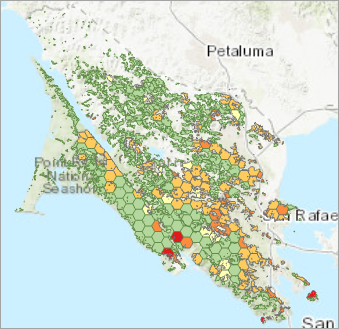
Most hexagons either have no residents or 50.1 to 75.0 percent smoke detector ownership. Marin County, California, is known for its heavily forested areas and has many homes in areas with a high risk of fire. County supervisors plan to partner with the American Red Cross to educate the community about fire prevention, preparation, and response as part of its Home Fire Campaign.

In this lesson, you'll perform regional analysis of Marin County's forested areas. In particular, you'll determine the percentage of homes that have a smoke detector. This information will help officials target their campaign geographically.

Get started with ArcGIS Online (ArcGIS Online June 2020)
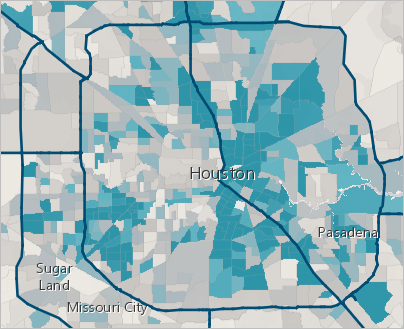
In this map of Houston, census tracts with a higher-than-average percentage of households without a vehicle stand out in blue. Hurricanes can result in tremendous damage and loss of life. With online maps, you can help plan evacuation strategies and share your findings with the people who make decisions. You'll create a map of Houston, Texas, based on publicly shared data. By analyzing vehicle ownership across the city, you'll pinpoint areas that may have difficulty evacuating in time. Then, you'll present your results as a professional-looking web app for others to explore.

Manage data in ArcGIS Online (ArcGIS Online June 2020)

Manage data in ArcGIS Enterprise (ArcGIS Enterprise)
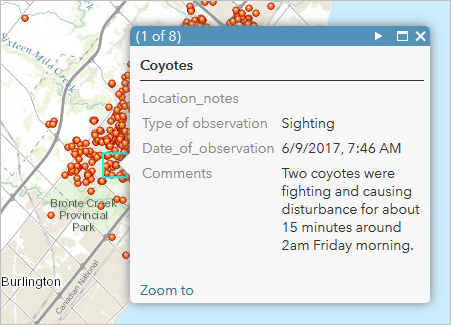
A coyote sighting report in Oakville

Human-wildlife interactions are becoming more prevalent, and many communities have inevitably found that some of their neighbors are coyotes. To inform the community where they may have a higher risk of encountering coyotes, you'll publish a data layer for people to report and view coyote activity. There are three different audiences for this data, each with unique requirements as follows:

  • Public—Adding observations to a map
  • Public—Viewing only reported coyote activity that has been reviewed for quality
  • City staff—Adding observations to a map and viewing and modifying all recently reported coyote activity

You'll create hosted feature layer views from your published layer to give each intended audience a focused experience when working with the coyote activity layer. Hosted feature layer views provide a unique set of capabilities that allow you to meet the needs of each audience. Using views helps to simplify your work, reduce unintended edits, and avoid duplicating the source data. Finally, you’ll add the views to a map so you can compare the different user experiences. You'll add and delete features to confirm your views are ready for use in your organization and the community.

Policy mapping - Improve newborn health (ArcGIS Online June 2020)
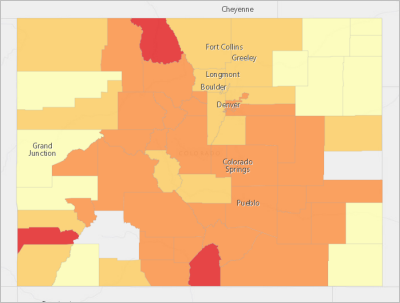
This map indicates three counties in the greatest need of intervention, as well as clear categories of other counties where intervention may be advised.

The Centers for Disease Control and Prevention recently set a goal: By 2020, no more than 7.8 percent of newborns in the United States should have a birth weight under 5.5 pounds. You want to suggest policy actions to your state government to improve newborn health and help reach this goal.

To do so, you'll create a policy map that identifies two groups of counties: those closest to meeting the goal and the major outliers impacting the state's average. You'll ensure your map visually communicates clear policy goals, and then share it as a web app.

This lesson is targeted toward government employees or any civic-minded individual who wants to make a difference in their community.

more
1 0 1,524
AdenaSchutzberg1
Esri Regular Contributor

Teach with GIS Beta Website

StudentsThe Learn ArcGIS Team unveiled a beta website, Teach with GIS, at the User Conference. The site is aimed at K-12 educators who want to include GIS in their teaching. The site includes videos of educators sharing why they include GIS technology in social studies and STEM lessons. There are also a dozen ready-to-use hands-on apps and stories that students can explore in the classroom or at-home.

New Learn Paths

A Learn Path is sequenced set of resources for learning about a particular topic. Here's a roundup of new paths in the Learn ArcGIS Gallery that have appeared in the last month. 

Teach with ArcGIS Notebooks

Code in an ArcGIS Notebook

Use ArcGIS Notebooks as a teaching tool, from delivering class assignments to presenting analysis as a slideshow. This path is aimed at educators who want to include ArcGIS Notebooks in their teaching. 

New Learn Lessons

A Learn Lesson is a step-by-step tutorial that uses a real-world scenario to introduce key ArcGIS tools and workflows. Here's a roundup of new lessons in the Learn ArcGIS Gallery that have appeared in the last month.


Find, inspect, and replace guardrail end treatments in ArcGIS Online

Find, inspect, and replace guardrail end treatments in ArcGIS Enterprise

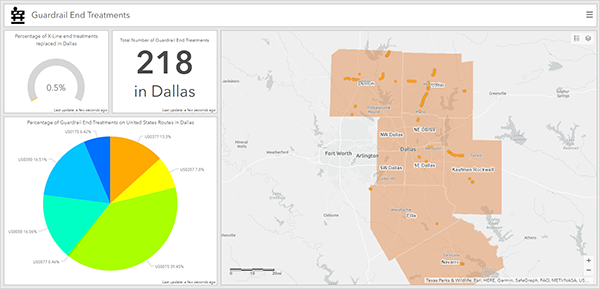
 An ArcGIS Dashboard of replaced guardrails and treatments

The Texas Department of Transportation (TxDOT) recently published information about a statewide operation to replace a certain type of guardrail end treatment that has caused multiple deaths. In this lesson, you'll manage multiple stages of this operation, including data collection, guardrail inspections, and recording the replacements.


First, you'll create a feature layer in ArcGIS Online to contain the data. Then, you'll use ArcGIS QuickCapture, Collector for ArcGIS, and Survey123 for ArcGIS to complete the operation. Last, you'll display the results in ArcGIS Dashboards.


Identify retail gaps with void analysis


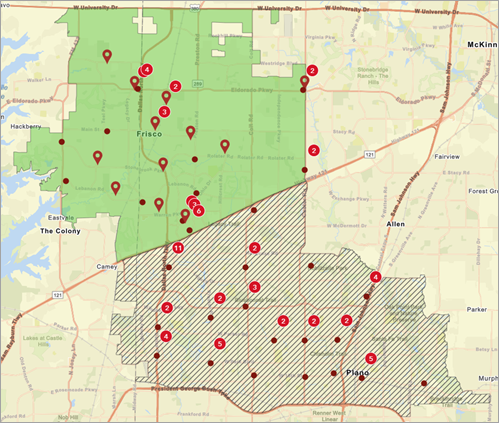
Map of competitor locationsAs demand for healthy foods and beverages grows, power juices and smoothies increase in popularity. A successful juice bar chain in Frisco, Texas, wants to expand to neighboring cities in Collin County. But does the area already have similar businesses that may reduce demand, or is there a gap that the juice bar can fill? To answer these questions, you'll perform void analysis in ArcGIS Business Analyst Web App.
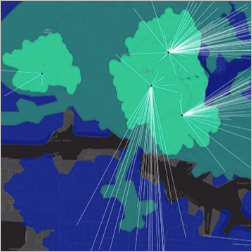
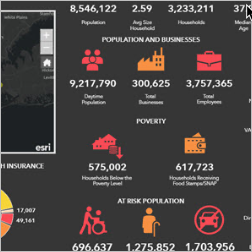
 

Void analysis identifies gaps in specific businesses and services in one area compared to a similar area. You'll use it to compare Frisco to a neighboring city and find out if that city has a gap in juice bar businesses that the chain can fill by opening a new location. While this workflow uses void analysis for retail, void analysis can also be used for services, real estate, and business networks.


Use species distribution patterns to assess protected areas (ArcGIS Online)


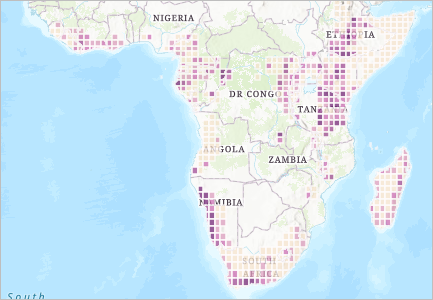
Map of species rarity in Southern AfricaSpecies diversity is the foundation of a healthy planet. The leading cause of species extinction is habitat loss. Protecting species requires protecting enough suitable habitat for species to live, thrive, and fulfill their ecological function.


The Half-Earth Project is working to conserve half the Earth's land and sea in order to protect enough habitat for 85% or more of Earth's species. The Half-Earth Project is mapping the location of species, protected areas, and human activities, and using this information to identify the best places to protect the most species. GIS is at the core of determining which half of the Earth to protect. This Learn Lesson introduces some of the mapping methods the Half-Earth Project team deploys, and how these methods lead to identifying conservation priorities.

The two fundamental considerations for examining biodiversity in any area are:


  • Species Richness - the total numbers of species in that area
  • Species Rarity - based on the number of species found only in that area

In this learn lesson, you will focus on protected areas and species information on the rarity of birds to understand and map how countries are protecting bird species with the highest rarity. This lesson focuses on the continent of Africa, though the analysis can be replicated for other locations.

 

Use multidimensional data to predict coral-bleaching events (ArcGIS Pro and ArcGIS Image Analyst extension for ArcGIS Pro)


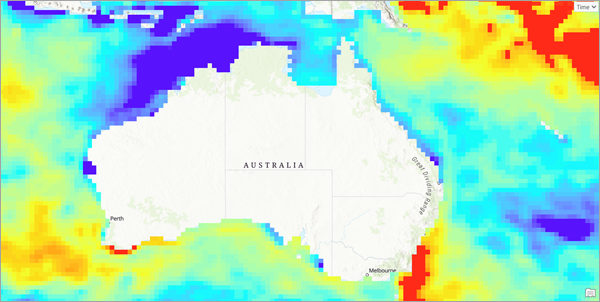
Map of water bodies surrounding Australia highlighting where water temperatures suggest areas are more likely to experience bleaching events in which the coral reefs die.Coral reefs serve as a significant repository of marine biodiversity and are home to about 25 percent of marine species. Thus, the health and long-term success of these reefs are critical in maintaining our marine ecosystems. Unfortunately, reefs worldwide face many risks, primarily due to climate change. These include ocean temperatures that are too warm for coral survival, which may result in coral bleaching. In this lesson, you will use several years of daily sea surface temperature data to create a model that employs time-series forecasting capabilities to explore the impact of sea surface temperature on coral bleaching. Using model results, you will predict and identify locations showing anomalously high water temperatures. This will allow you to predict areas that are likely to be vulnerable to coral bleaching.


Explore Paris with ArcGIS Online


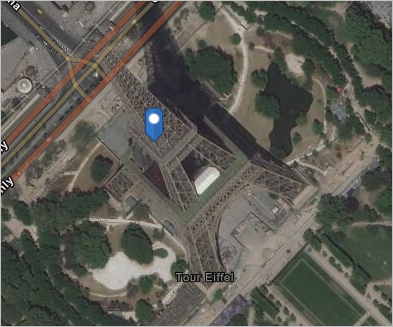
Eiffel Tower imageIn this lesson, you'll create a map of Paris, France, to learn the basics of working with maps in ArcGIS Online. Learn how to navigate, create, and save a map. Search for and mark locations, change the basemap, and add new layers.

more
0 0 911
149 Subscribers