- Home
- :
- All Communities
- :
- Products
- :
- ArcGIS Web AppBuilder
- :
- ArcGIS Web AppBuilder Questions
- :
- Re: WAB menu disabled
- Subscribe to RSS Feed
- Mark Topic as New
- Mark Topic as Read
- Float this Topic for Current User
- Bookmark
- Printer Friendly Page

- Mark as New
- Bookmark
- Subscribe to RSS Feed
- Permalink
Hi,
I am trying to make a new web app using web appbuilder but this is what I see when I go to Create app -> Web App Builder from my contents page:

The left side is completely locked and I cannot change the theme/layout, add a map or configure widgets. There is no content in the web app since I started it from scratch so I don't know what item it is referring to.
This same thing happened to me some years ago and it turned out that the problem was that I had configured a shared theme for my organization. This has not happened this time, the shared theme is the agol default.
If I try to make a web app via the share window in map viewer classic it looks okay for a little bit until a site refresh makes it look like this:
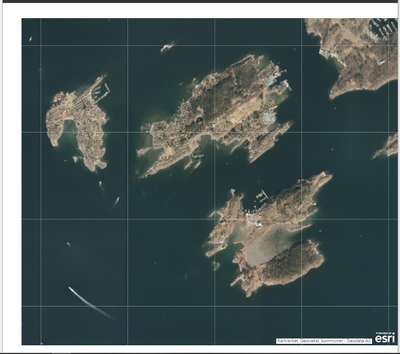
All the widgets are hidden and the frame is just white.
If I open any of my web apps in edit mode the menu on the left is locked (like in the first screenshot) and I cannot edit anything.
I have tried clearing my browser cache, using a different browser, using another computer and restarting the computer.
Thanks in advance for any tips or pointers.
Solved! Go to Solution.
Accepted Solutions
- Mark as New
- Bookmark
- Subscribe to RSS Feed
- Permalink
I think the cause was changed settings in my company's safety settings and I have fewer problems now.


- Mark as New
- Bookmark
- Subscribe to RSS Feed
- Permalink
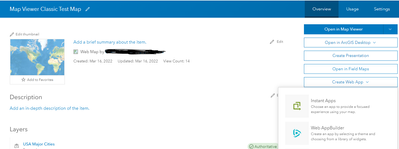
just curious, have you tried launching web app builder from the item details page of the web map?
- Mark as New
- Bookmark
- Subscribe to RSS Feed
- Permalink
Yes, the same thing happened then too, but thanks for the checkup. (I think I found the solution and have updated the case.)
- Mark as New
- Bookmark
- Subscribe to RSS Feed
- Permalink
I think the cause was changed settings in my company's safety settings and I have fewer problems now.
