- Home
- :
- All Communities
- :
- Products
- :
- ArcGIS Vector Tile Style Editor
- :
- ArcGIS Vector Tile Style Editor Questions
- :
- Re: Adding data for gaps in label availability?
- Subscribe to RSS Feed
- Mark Topic as New
- Mark Topic as Read
- Float this Topic for Current User
- Bookmark
- Printer Friendly Page
Adding data for gaps in label availability?

- Mark as New
- Bookmark
- Subscribe to RSS Feed
- Permalink
Hey community,
I'm trying to custom-fit a rendition of the Hybrid Reference Layer used in the Imagery Hybrid basemap. I'm working on a copy of that tile layer. The "Continent" layer ("Boundaries"->"Continent") seems to only be visible at Visible Zoom Range = 1 - I've tried adjusting this option (see pics below). I know that the note below mentions that not all data is available at all zoom levels.
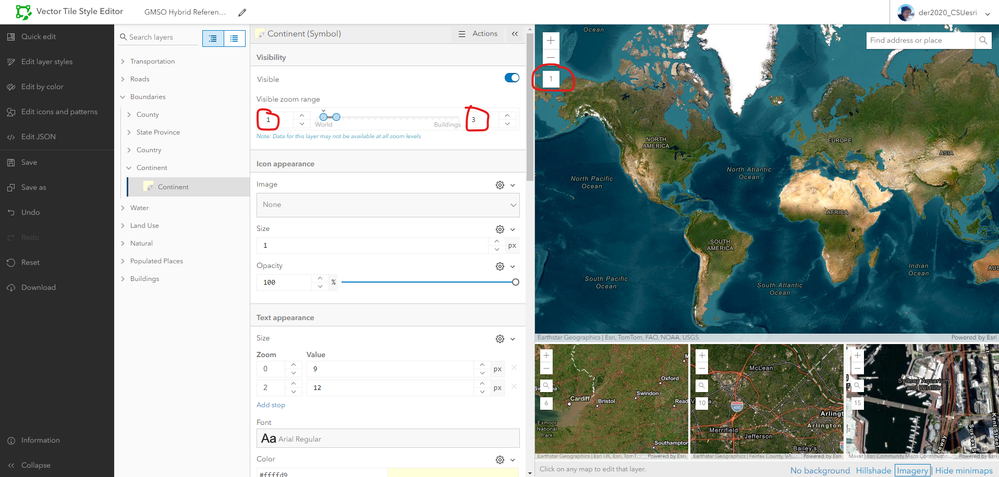
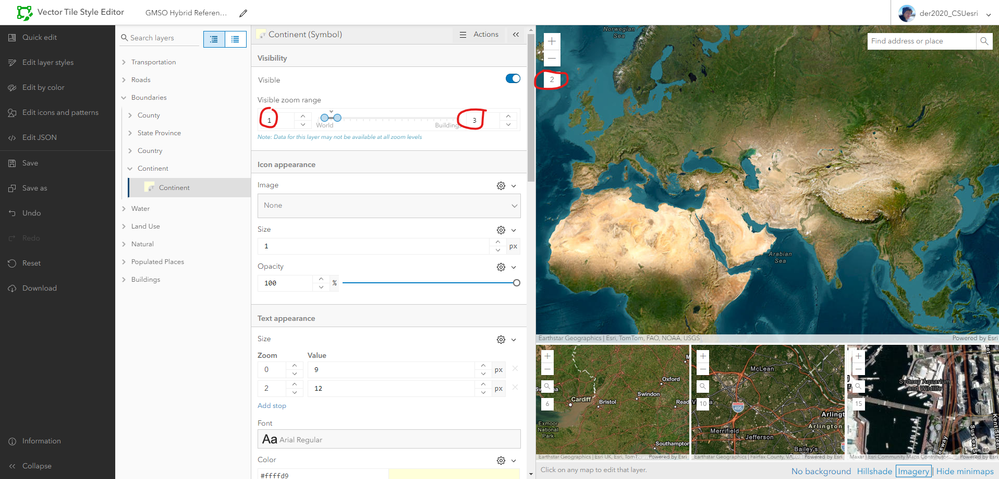
Is there a way to overcome this? I am thinking that it would be easy to develop a new layer for continent labels which might patch the data availability issue, but I'm new to the Vector Tile Style Editor and do not know if it is even possible to add data to an extant (copy) of another tile layer. Any insight would be incredible!


- Mark as New
- Bookmark
- Subscribe to RSS Feed
- Permalink
@der2020 you've asked a couple questions or stated a few things here, so to address them specifically:
The "Continent" layer ("Boundaries"->"Continent") seems to only be visible at Visible Zoom Range = 1
The "Continent" layer / labels are visible at two Levels of Detail (LOD), 0 and 1. That's the limit of their settings in the tile set. You cannot extend the max zoom level of these continent labels, as is.
The continent labels were designed to be small scale features to fill the map, when areas of most countries wouldn't support individual country labels. At larger scales, those labels fill the map.
Is there a way to overcome this?
You can build your own file (VTPK -> Hosted Tile Layer) and set the parameters of the features and scales as you want. Two or more hosted tile layers can be sources in a single vector tile style json. The Esri Basemap Topographic (Vector) includes a tile layer that points to three hosted sources.
For more details, see the links for building vector tile packages. For combining the two styles, see this blog series on Customizing Esri's Vector Basemaps, particularly part 6, Adding Data.
