- Home
- :
- All Communities
- :
- Products
- :
- ArcGIS Survey123
- :
- ArcGIS Survey123 Questions
- :
- Re: Survey123- Map Question- Bug- SSO enterprise d...
- Subscribe to RSS Feed
- Mark Topic as New
- Mark Topic as Read
- Float this Topic for Current User
- Bookmark
- Subscribe
- Mute
- Printer Friendly Page
Survey123- Map Question- Bug- SSO enterprise data prompting for named credentials


- Mark as New
- Bookmark
- Subscribe
- Mute
- Subscribe to RSS Feed
- Permalink
Hello S123 Team,
It appears we may have found a bug. When adding a map to our survey we get a prompt for Named Credentials.
Our organization uses SSO authentication and the layer has been shared to the organization so there should not be any permission issues.
This is the screen we should be seeing-
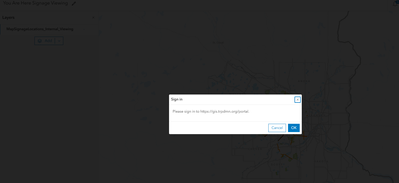
Could someone please let us know if this is a known bug?
Thanks,
Amanda Huber
- Mark as New
- Bookmark
- Subscribe
- Mute
- Subscribe to RSS Feed
- Permalink
Hi @ToddW_stl ,
The interesting thing is that when that same map is opened in Map Viewer (versus S123) it prompts for SSO login (regardless of the order in the Admin Settings). This was also reproduced in our ArcGIS Dashboard for this map as well.
Nonetheless I ran your test and switched the order to be consistent, tested in a new/different S123 form and was still able to reproduce the issue:
This seems to be possibly buggy behavior for how S123 handles the token authentication vs other web apps/maps in AGOL.
Thanks,
Amanda Huber


- Mark as New
- Bookmark
- Subscribe
- Mute
- Subscribe to RSS Feed
- Permalink
Is there a reason you did not store credentials with the service item? I found this Tech Support How To article: Integrate Survey123 for Enterprise forms with ArcGIS Online hosted feature layers.
Also, have you tried any of the beta builds of the next generation of Survey123? Here's a link to the Early Adopter page, and release candidates were made available last night.
Other than that, I'm unfortunately out of ideas and I think a case with tech support is the next step (and report back to us with an update)!

- « Previous
-
- 1
- 2
- Next »
- « Previous
-
- 1
- 2
- Next »