- Home
- :
- All Communities
- :
- Products
- :
- ArcGIS Pro
- :
- ArcGIS Pro Questions
- :
- Re: WFS connection loads as Standalone Table inste...
- Subscribe to RSS Feed
- Mark Topic as New
- Mark Topic as Read
- Float this Topic for Current User
- Bookmark
- Printer Friendly Page
WFS connection loads as Standalone Table instead of Map layer

- Mark as New
- Bookmark
- Subscribe to RSS Feed
- Permalink
I'm trying to load a certain WFS layer into ArcGIS Pro (2.7.3), but when try to add it to the map (right click --> Add To Current Map) it doesn't get added as a Map layer, but as a Standalone Table. This is unintended behaviour, in QGIS is loads as expected without modifying anything.
I tried different settings in the WFS connection and in the Map properties, but no matter what I do it still gets imported as a Standalone table. The same thing happens with all layers from that WFS server (https://kartta.hel.fi/ws/geoserver/avoindata/wfs?request=getCapabilities).
I attached a few screenshots and a ZIP with the ArcGIS Pro project file below, if anyone else is needed please ask. If anyone could help me out, that would be awesome!
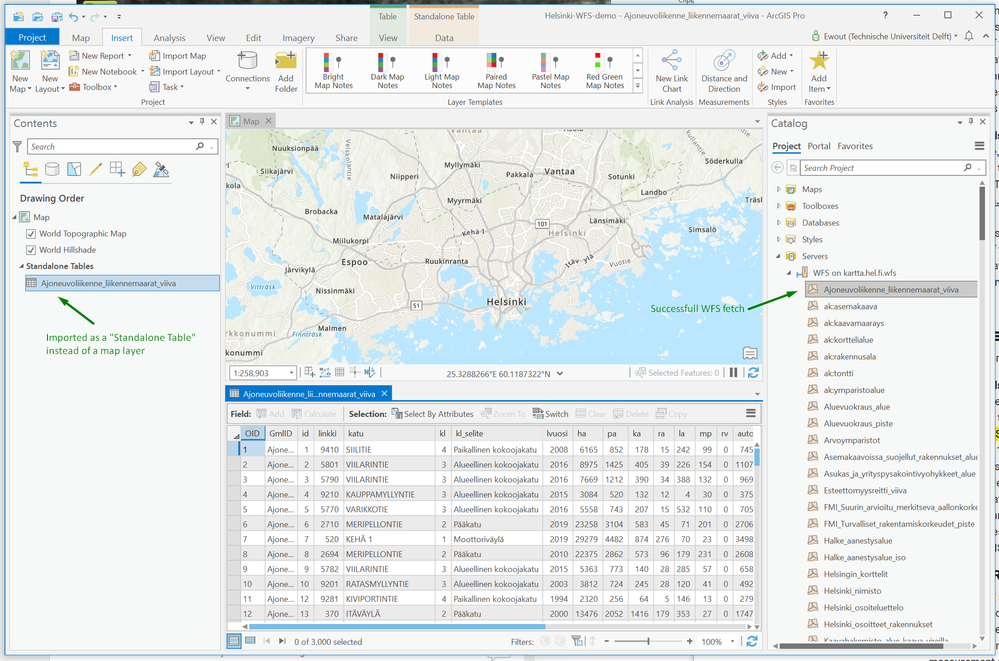
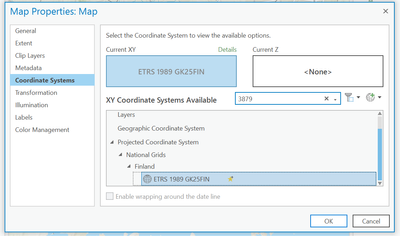
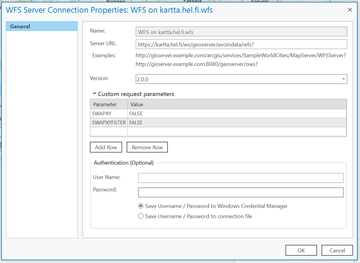
Screenshots of the Map Properties and WFS Server Connection.
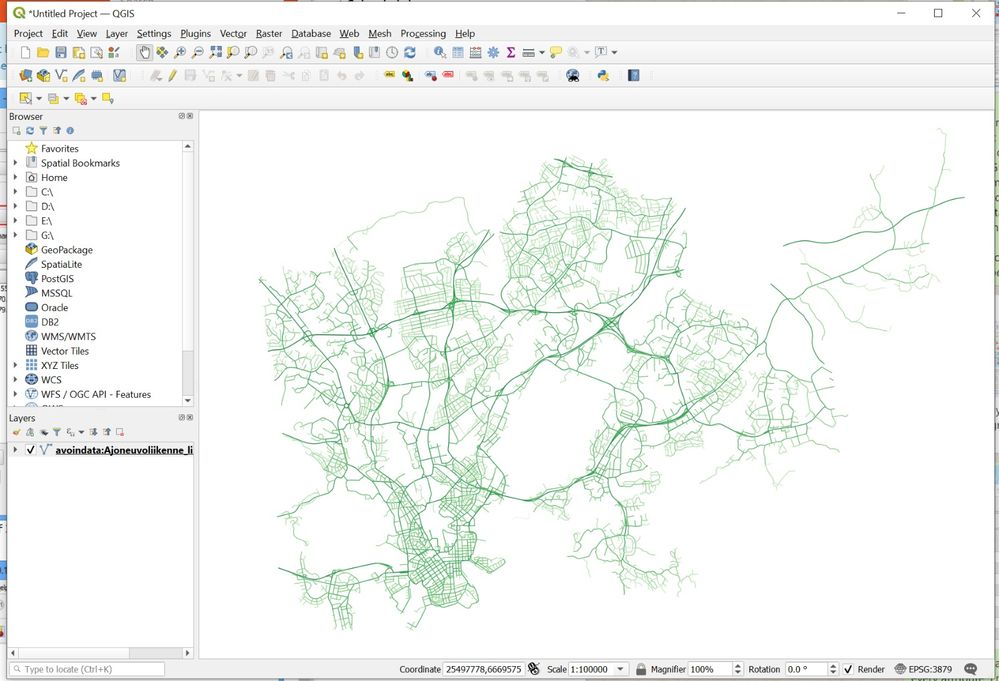
In QGIS the WFS layer loads as expected


- Mark as New
- Bookmark
- Subscribe to RSS Feed
- Permalink
I saw that you posted over on here in relation to this defect and the release of ArcGIS Pro 2.8: https://community.esri.com/t5/arcgis-pro-questions/wfs-without-geometry/m-p/1052143
https://support.esri.com/en/bugs/nimbus/QlVHLTAwMDEzNjUzNg==
