- Home
- :
- All Communities
- :
- Products
- :
- ArcGIS Pro
- :
- ArcGIS Pro Questions
- :
- Re: Version Changes differences view not showing c...
- Subscribe to RSS Feed
- Mark Topic as New
- Mark Topic as Read
- Float this Topic for Current User
- Bookmark
- Printer Friendly Page
Version Changes differences view not showing changes after upgrade to ArcGIS Pro 3.2.0

- Mark as New
- Bookmark
- Subscribe to RSS Feed
- Permalink
Since upgrading to ArcGIS Pro 3.2.0 the Version Changes / differences view is no longer showing data changes in the "Show conflicts" view. From the documentation here, this is what I should see:
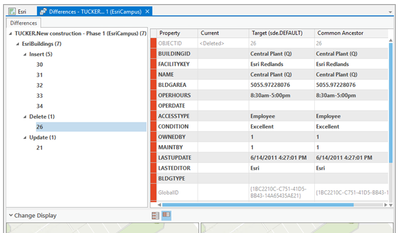
However this is what I see:
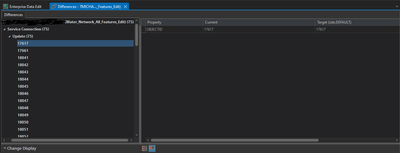
If I switch to the Show All view I can see where new information has been added to the attribute table, but cannot identify attribute values that have changed.
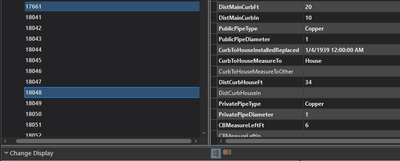
My ArcGIS Enterprise environment is version 11.1.0 and uses SQL Server 2019 in AWS RDS. We are using branch versioning.


- Mark as New
- Bookmark
- Subscribe to RSS Feed
- Permalink
This is not expected behavior certainly. What I would try first is a "soft reset" where you rename the ESRI folder in your C:\users\user_profile\appdata\local and C:\users\user_profile\appdata\roaming to ESRI_OLD. Then retry your workflow. Do you see the same view or the expected view of the Version Changes UI?
- Mark as New
- Bookmark
- Subscribe to RSS Feed
- Permalink
@Robert_LeClairThank you for the suggestion, I appreciate it. I renamed the folders as you suggested and the behavior was the same. I also tried creating a new ArcGIS Pro project and signing out / back in to ArcGIS Enterprise and those didn't make a difference either.
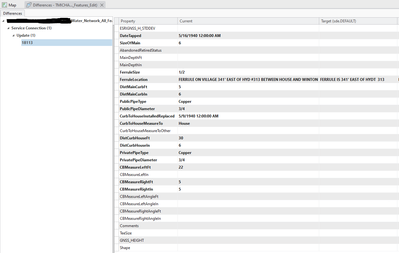
Show Conflicts view:
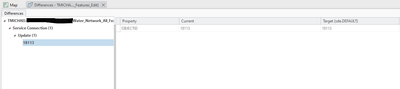
Show All view (updated attribute values visible):
- Mark as New
- Bookmark
- Subscribe to RSS Feed
- Permalink
@Robert_LeClair I have done a bit more testing on my end:
- Deleted the geodatabase version I was working with and tried the same workflow in a new version; same result.
- Uninstalled ArcGIS Pro 3.2, deleted the directories that you suggested I rename above, re-installed ArcGIS Pro 3.2; same result.
- Uninstalled ArcGIS Pro 3.2 and installed ArcGIS Pro 3.1 and Patch 4 - and in this version the versioning changes window is working correctly again:
tmichael_wpjwa_0-1702496635030.png
tmichael_wpjwa_2-1702496724862.png
Do you have any other thoughts / suggestions on what could be causing the issue in 3.2, or should I submit a support case?
- Mark as New
- Bookmark
- Subscribe to RSS Feed
- Permalink
For anyone who finds this, I received an email from support today that this has been confirmed as a bug in ArcGIS Pro 3.2:
- Bug number: BUG-000164049
- Synopsis: The Version Changes window no longer displays update differences with red highlights.
- Status: In Review

- Mark as New
- Bookmark
- Subscribe to RSS Feed
- Permalink
BUG-000164049 is fixed for the upcoming ArcGIS Pro 3.3 release.
