- Home
- :
- All Communities
- :
- Products
- :
- ArcGIS Pro
- :
- ArcGIS Pro Questions
- :
- Re: Problem with unique or stretch symbology raste...
- Subscribe to RSS Feed
- Mark Topic as New
- Mark Topic as Read
- Float this Topic for Current User
- Bookmark
- Printer Friendly Page
Problem with unique or stretch symbology raster in MMPK file

- Mark as New
- Bookmark
- Subscribe to RSS Feed
- Permalink
Hi. I have a problem when I creating MMPK files with rasters, with unique or stretch symbology. In a my Mobile the raster with unique or stretch smbology appears as a black surface so that the bottom layer is not visible in fact the whole raster is black. I also tried to put the background layer of the raster as "no color" but I get the same result. MMPK are attached. Please help.
Solved! Go to Solution.
Accepted Solutions


- Mark as New
- Bookmark
- Subscribe to RSS Feed
- Permalink
Here is what I did.
1. Extracted the original MMPK.
2. Added the rasters to ArcGIS Pro Map View.
3. Reclassified values from 0 and 1 to 1 and 2 respectively. [Edit: Keep the background value (1) as NODATA]
4. Created Mobile Map Package again.
The Raster symbology doesn't reflect in the MMPK though. Not sure what the problem is.
In ArcGIS Pro (Raster layers)
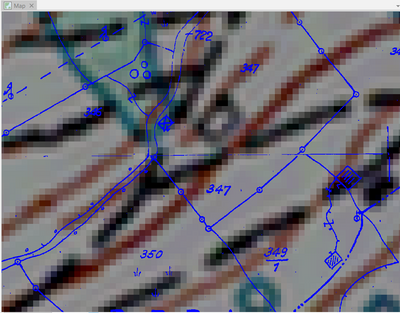
In ArcGIS Explorer (Revised MMPK)
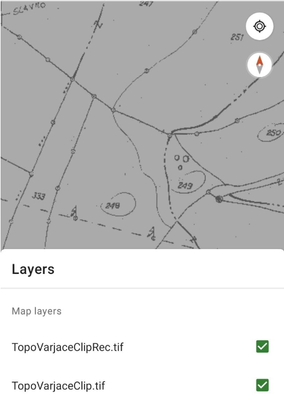
If Background Value reclassified to NODATA at Step 3.

Think Location


- Mark as New
- Bookmark
- Subscribe to RSS Feed
- Permalink
Solved: Invert color scheme for stretched rasters in ArcGI... - Esri Community mentions stretched color scheme, don't know if it is the same issue
... sort of retired...
- Mark as New
- Bookmark
- Subscribe to RSS Feed
- Permalink
Here is what I did.
1. Extracted the original MMPK.
2. Added the rasters to ArcGIS Pro Map View.
3. Reclassified values from 0 and 1 to 1 and 2 respectively. [Edit: Keep the background value (1) as NODATA]
4. Created Mobile Map Package again.
The Raster symbology doesn't reflect in the MMPK though. Not sure what the problem is.
In ArcGIS Pro (Raster layers)
In ArcGIS Explorer (Revised MMPK)
If Background Value reclassified to NODATA at Step 3.
Think Location
