- Home
- :
- All Communities
- :
- Products
- :
- ArcGIS Pro
- :
- ArcGIS Pro Questions
- :
- Formatting Reports in ArcGIS Pro dysfunctional
- Subscribe to RSS Feed
- Mark Topic as New
- Mark Topic as Read
- Float this Topic for Current User
- Bookmark
- Printer Friendly Page
Formatting Reports in ArcGIS Pro dysfunctional

- Mark as New
- Bookmark
- Subscribe to RSS Feed
- Permalink
Hi. I am having a bear formatting Reports in ArcGIS Pro. Specifically with Attachments (photos in a grid in this case). Not sure it's particular to attachments, but basically I am having two main issues that prevent me from basic formatting.
1) One item per page. When a report is created withOUT grouping, I am unable to list JUST one row of attributes (Details1, Details2, etc.) along with one photo grid of attachments per page without clunky solution.
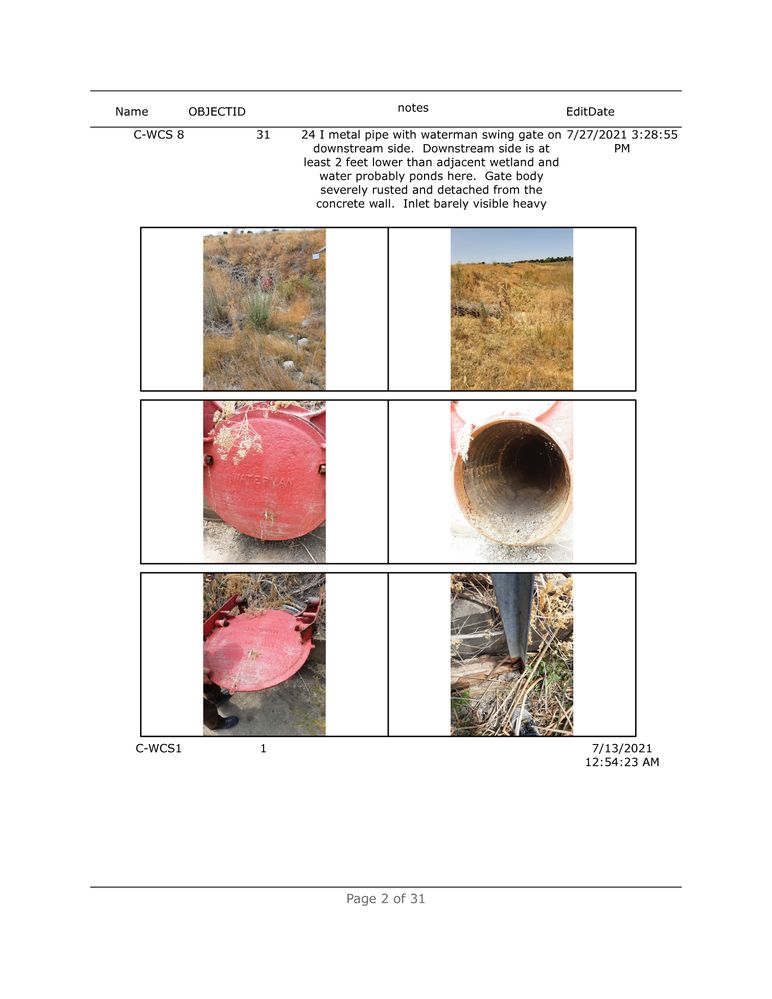
Notice that two rows of attributes sandwich the attachment grid - which is confusing because the next page will begin directly with a photo grid but it's row of attributes is on this page - C-WCS1. My solution was to place the attachment grid above the row. Solves it, BUT another issue arises to this clunky solution -- See ALL the white space at bottom?
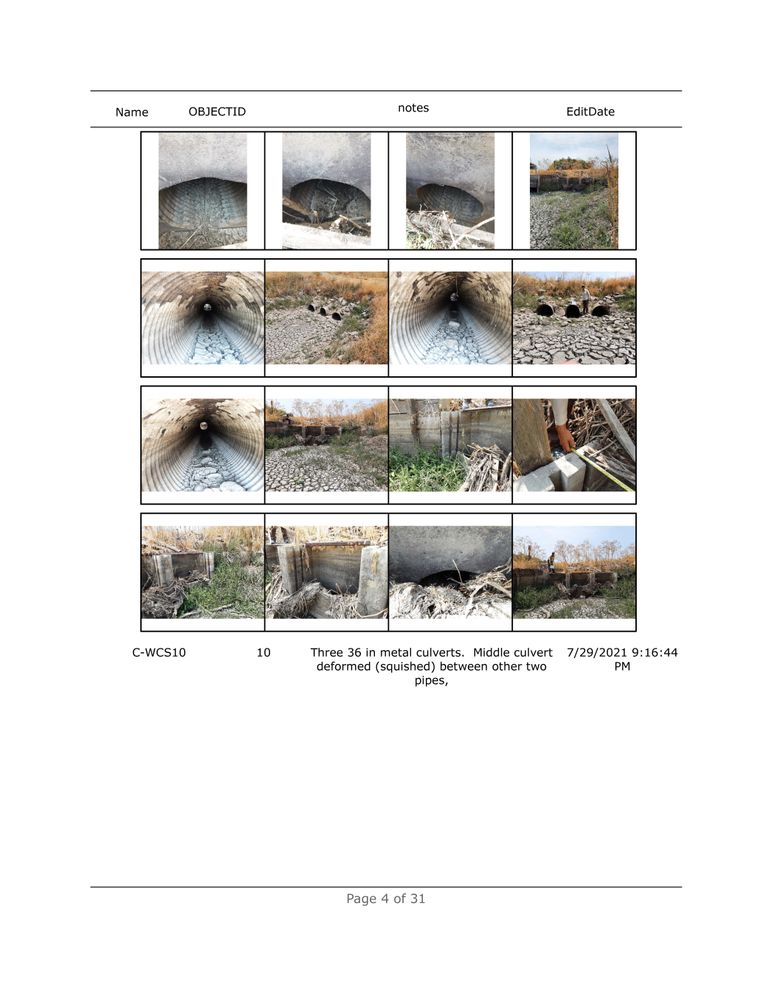
2) In this instance I changed Y values to place Attachment Frame above all Detail Field[s]. This solves the one row, but it seems clunky. So I'll try to uncheck the header and expand the Details (photo grid and rows) into that vacuous abandoned space. But I cannot move any content items into the space vacated by the Report Header - even if I unselect it. So every page I am basically limted to 7.5 inches of report space because the top 3.5 (8.5 x 11 inch portrait) is restricted on EVERY page. Which is strange because it's only used on the first page.
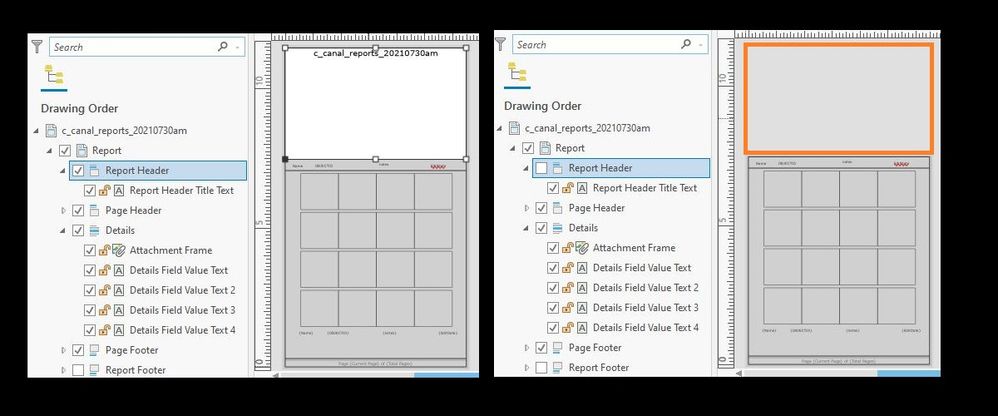
So my questions are:
1) Is there a less clunky solution to the one row per page without grouping?
2) how can I reclaim use the whole page? I cannot do this by manually changing formatting or by dragging the extent boxes of the items in the Report.
Thanks and here's to one day learning to implement brevity!
Zach
