- Home
- :
- All Communities
- :
- Products
- :
- ArcGIS Pro
- :
- ArcGIS Pro Questions
- :
- Digitizing hand-drawn map
- Subscribe to RSS Feed
- Mark Topic as New
- Mark Topic as Read
- Float this Topic for Current User
- Bookmark
- Subscribe
- Mute
- Printer Friendly Page
Digitizing hand-drawn map

- Mark as New
- Bookmark
- Subscribe
- Mute
- Subscribe to RSS Feed
- Permalink
Hello, I am going to digitize a hand-drawn map in ArcGIS Pro and where wondering if any of you had some tips for where I should start, and are there som good tutorials I can watch or read?


- Mark as New
- Bookmark
- Subscribe
- Mute
- Subscribe to RSS Feed
- Permalink
The first thing you would need to do is georeference the hand-drawn map so it's of use in ArcGIS Pro. The workflow is listed here - Georeferencing tools—ArcGIS Pro | Documentation There's a tutorial here that will assist you - Georeference historical imagery in ArcGIS Pro | Documentation
Non-Esri resources also show how to georeference images - Georeferencing and Digitizing Map Images in ArcGIS Pro
Once the hand drawn map is georeferenced then you can digitize the points, lines, and/or polygons using the georeferenced image as a guide. If you're new to editing, this Learn lesson will help - Edit features to create enumeration areas | Documentation
With AI, things can get even more interesting - Digitizing scanned maps using AI in ArcGIS Pro
Good luck on your project!


- Mark as New
- Bookmark
- Subscribe
- Mute
- Subscribe to RSS Feed
- Permalink
If you think you will be digitizing several maps (e.g., a map series) that have the same symbology you should consider creating an editing template before you start. This will allow you to set default values for point, line, polygon data types which will simplify adding attributes to your digital data down the road. In addition, if you don't have access to a traditional digitizing table (that were ubiquitous in 1990-2010) consider scanning the document then use heads-up digitizing.
see: Introduction to editing templates—ArcGIS Pro | Documentation

- Mark as New
- Bookmark
- Subscribe
- Mute
- Subscribe to RSS Feed
- Permalink
Will the data from the hand drawn map have any accuracy requirements? If so, and have the necessary data on the map consider rebuilding from cogo/data entry techniques vs just digitization. If you have multiple adjacent maps, this will keep you out of trouble when edges don't line up.

- Mark as New
- Bookmark
- Subscribe
- Mute
- Subscribe to RSS Feed
- Permalink
Hello there!
I'm a bit confused. Is "ShareUser" being used by multiple people, or are you one person asking and then answering your own question?
- Mark as New
- Bookmark
- Subscribe
- Mute
- Subscribe to RSS Feed
- Permalink
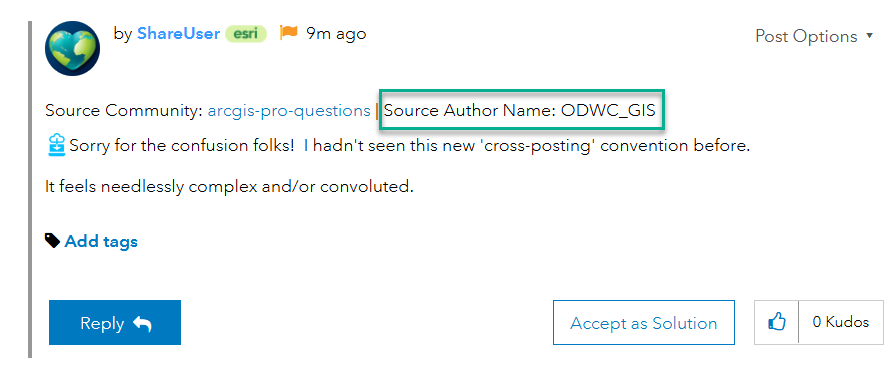
The original post is in the ArcGIS Pro question board and is cross posted to GIS Life (can't recall if that is something intentional by the OG poster or done afterwards by an Esri user). Share User shows the replies made in the other location automatically reposted here as well for completeness. You will see it states the Source Community and the Source Author Name in each "ShareUser" post.
- Mark as New
- Bookmark
- Subscribe
- Mute
- Subscribe to RSS Feed
- Permalink
This is the second strangest change AGOL has implemented in the last 3 months. I see that in the Original Posting Location Thread, you and I (who are interacting with the thread in the GIS Life Board) are listed as @ShareUser
Won't replies to Participants get horribly mangled?

- Mark as New
- Bookmark
- Subscribe
- Mute
- Subscribe to RSS Feed
- Permalink
Sorry for the confusion folks! I hadn't seen this new 'cross-posting' convention before.
It feels needlessly complex and/or convoluted.
- Mark as New
- Bookmark
- Subscribe
- Mute
- Subscribe to RSS Feed
- Permalink
Hi all, the way the Share Tool works requires that a shared account be the source that manages copies of posts and comments. To help clear up confusion and aid everyone in recognizing differences between different users, you can still see the original author of a post or comment shown near the username. We recognize there is room for improvement with the feature, but I hope this helps!