- Home
- :
- All Communities
- :
- Products
- :
- ArcGIS Pro
- :
- ArcGIS Pro Questions
- :
- Re: ArcGIS Pro - Map's Layer is not drawing correc...
- Subscribe to RSS Feed
- Mark Topic as New
- Mark Topic as Read
- Float this Topic for Current User
- Bookmark
- Subscribe
- Mute
- Printer Friendly Page
ArcGIS Pro - Map's Layer is not drawing correctly (Random lines on the layer)

- Mark as New
- Bookmark
- Subscribe
- Mute
- Subscribe to RSS Feed
- Permalink
Hi,
I'm currently importing the shape files from MSSQL and the layer is drawing incorrectly with straight lines on top (see the below img).
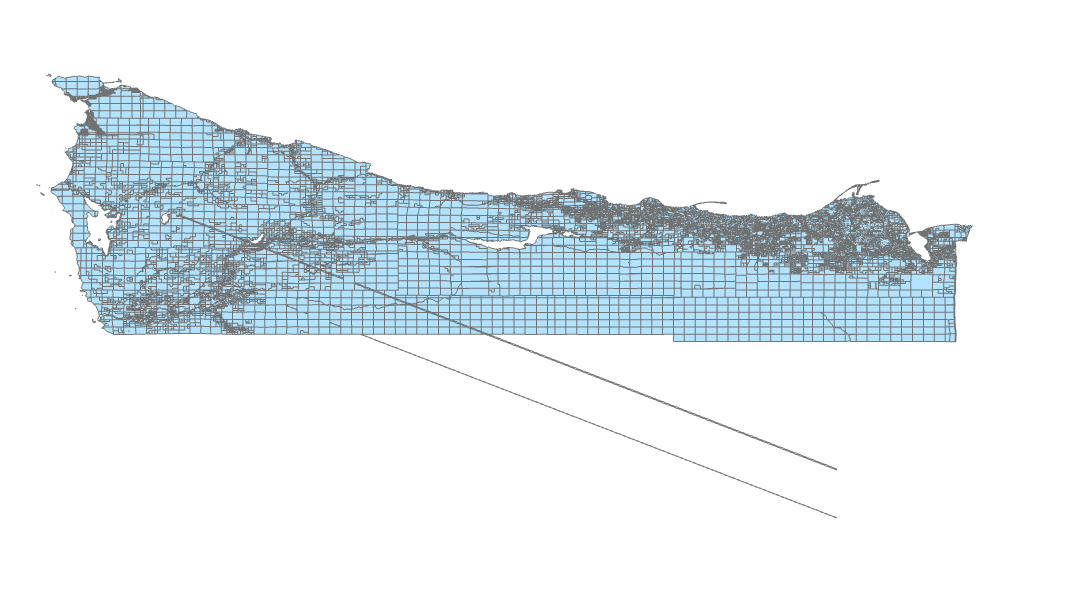
These random lines do not appear when I import the shape files from the local drive, only occurs if the data is coming from the database
I have tried:
• Repair the original shape file using arcgis pro's repair geometry then re-imported to MSSQL
• Repair using SQLLITE's .MakeValid() and checked for validation using STIsValid(). All data returned valid.
I used:
• Ogr2ogr for importing shape files to MSSQL server 2019
• ArcGIS pro 2.5.0
**Side note: These lines do not appear if I'm on QGIS, which makes me think this is not a data issue...
Your help would be much appreciated!


- Mark as New
- Bookmark
- Subscribe
- Mute
- Subscribe to RSS Feed
- Permalink
Have you tried rebuilding the index?
It looks like one of the polygons may self intersect.
- Mark as New
- Bookmark
- Subscribe
- Mute
- Subscribe to RSS Feed
- Permalink
Thanks for the reply George.
I tried rebuilding the index in ArcMap and that didn't work for me...
However, the layer was drawing correctly on ArcMap without the random lines.
