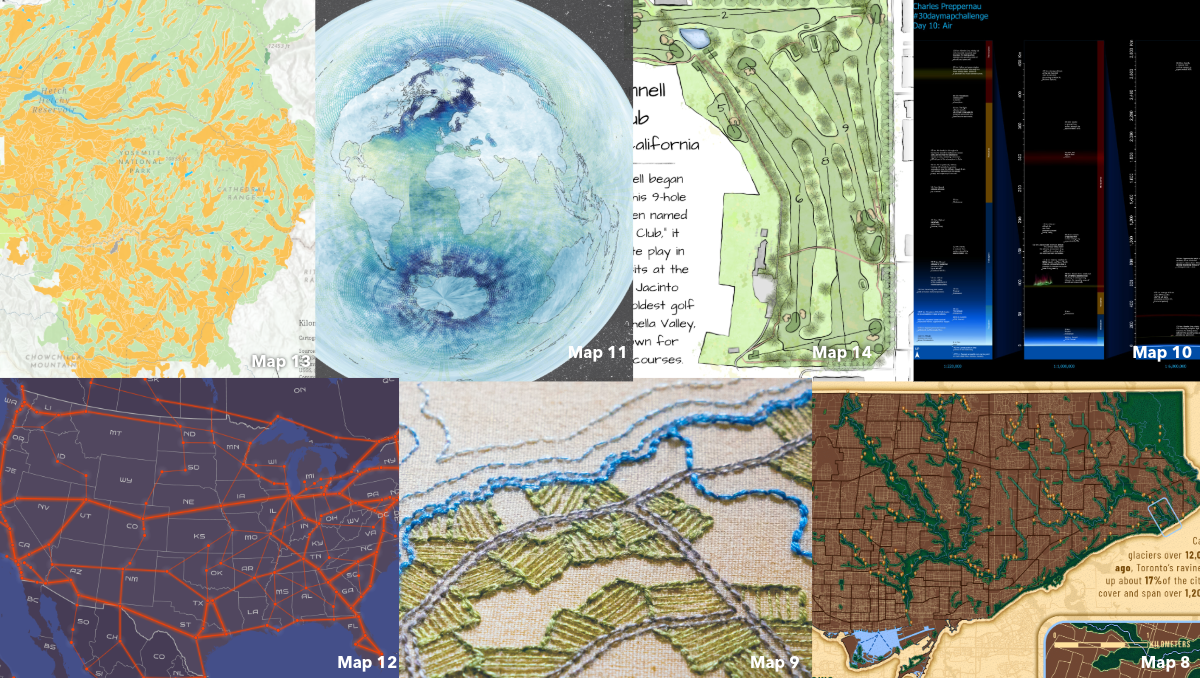
Day 8: Urban “The World’s Largest Urban Ravine System”
Using ArcGIS Pro, Caitlyn North mapped the urban sanctuary that many Torontonians use to escape the hustle and bustle of the city. ArcGIS Living Atlas data and custom symbology brought Toronto’s 1,200 km ravine system to life.
Day 9: Analog “Montreal 1815”
Inspired by 19th-century cartography, Edie Punt swapped out engraved hachures symbology for a beautiful, Montreal embroider map.
Day 10: Air “A ‘Map’ of the Known Atmosphere”
Where does the atmosphere end and space begin? Charles Preppernau explored this question for the “Air” themed day of the Challenge. Using ArcGIS Pro, he mapped the entire measurable extent of our atmosphere.
Day 11: Minimal “Oxygen in the Ocean”
Minimal aesthetic, compelling visuals! Nick Bauch’s map showcases oxygen levels 5m below the ocean’s surface in ArcGIS Pro using data from NOAA’s World Ocean Atlas, Azimuthal Equidistant projection, and Adobe Paper Texture.
Day 12: 2125 “NortAm Rail”
The “2125” theme is about dreaming of the future. Jesse Wickizer wanted to imagine what a high-speed rail network might look like in 100 years. Using ArcGIS Pro, he proposed a cool new way to connect North Americans.
Day 13: 10 Minute Map “Soil Types of Yosemite National Park”
Grace Anderson mapped Yosemite National Park’s soil types in under 10 minutes using ArcGIS Pro and ArcGIS Living Atlas data. New tools like Spatial Definition Query and Search for Colors made for quicker mapping. Come back for day 23 to see the process!
Day 14: OpenStreetData “The O’Donnell Golf Club”
A “Draft Sketch” of a map?! Craig Williams edits a golf course map on “OpenStreetMap”, inspired by working at a course during his teenage years. For this Challenge, he mapped The O’Donnell Golf Club in Palm Springs using ArcGIS Pro.
To see the full maps and get extra behind-the-scene insights from the map creators, explore the 30-Day Map Challenge gallery.
