- Home
- :
- All Communities
- :
- Products
- :
- ArcGIS Parcel Fabric
- :
- ArcGIS Parcel Fabric Ideas
- :
- Guiding the CogoReader -- Helping it identify when...
- Subscribe to RSS Feed
- Mark as New
- Mark as Read
- Bookmark
- Printer Friendly Page
Guiding the CogoReader -- Helping it identify when the reader misses bearing and distance from a section corner.

- Mark as New
- Bookmark
- Subscribe to RSS Feed
- Permalink
Having a method or methods of helping the system identify parts of a description that it missed would be helpful. Namely in my document shown, the system missed the bearing and distance that is described from a section corner. Ordinarily I would put this information in the Connection Lines; and in this case the bearing needs to be inverted to assign the starting point at the section corner.
- « Previous
-
- 1
- 2
- Next »


@ScottSweet2 Mahalo for sharing a deed from Hawaii.
There are a few things that prevent COGO Reader from succeeding:
- Scan quality - the document is poorly scanned and there are many text extraction issues (OCR).
- Use of north azimuth - is this common in Hawaii? AFAIK all other states use quadrant bearings.
- The word 'Thence' is not used
Once those 3 issues were addressed, and assuming I haven't made a mistake, the misclose was 0.5'

Greetings,
The reader seems to miss common arc description patterns:

This is the way it kind of read it down, (I made some text corrections to help it read better):

This is what I corrected it to:

and it closes within 0.01 feet.

@AmirBar-Maor , Yes almost all our metes and bounds descriptions are written this way in Hawaii County. Reference is x,y distance from a trig point and then directions are described from "true south". Do you recommend scanning in higher resolution than 300dpi? How can I improve scan quality? These are original documents from the 1970's and earlier, typed on very thin archive paper.
So you had to convert all the coordinate formats to quadrants and insert the word "thence" for each line, or was there an easy way to convert these coordinates and text automatically, like with an Arcade expression? If I have to convert coordinates and write "thence" on each line, it may not save me that much time. Will you include this type of description in a later release? I know we are a small subset of your overall customers, but this would be really helpful for us.
@AmirBar-Maor , It also looks like the curved portion of the description was not picked up? The image you attached did not pick up the curve. The third description should have been a 20 foot radius curve to the right. The scan quality doesn't look much different than the other examples in this thread.

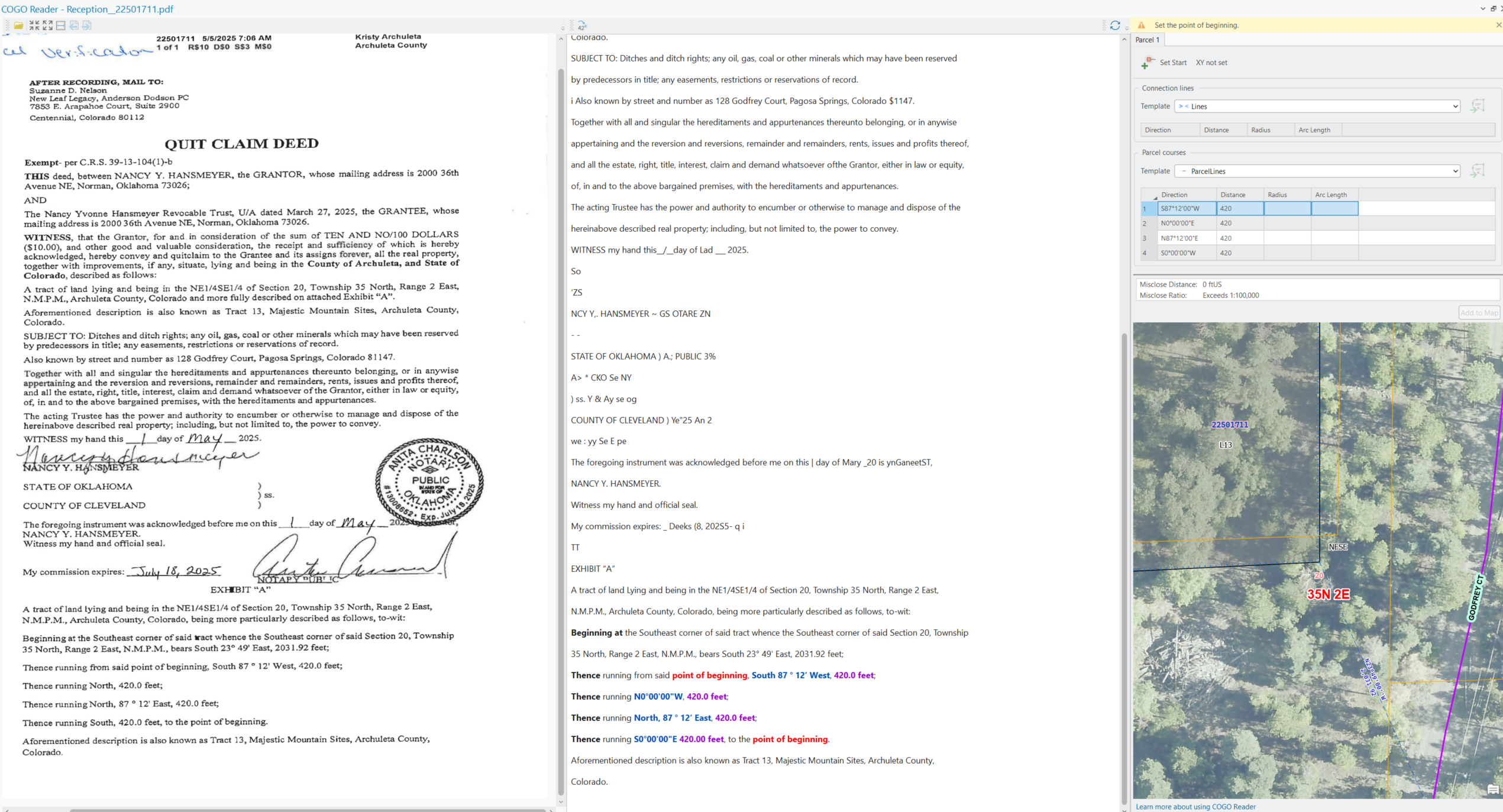
@AmirBar-Maor Georgia, US here. I am also having issues getting the reader to recognize curves - the only bearing listed for curves in the surveys I am processing comes from the Chord Bearing, which the reader consistently treats as a separate dimension from the Arc info. I can't reorder or rewrite the text in any way that makes a difference. I know theoretically the chord measurements are optional as long as the previous bearing, arc direction, length, and radius are included, but when the reader uses the previous bearing it comes out wrong.
TLDR it might need to be trained on survey language from GA - specifically regarding curves.
I would love to provide a screenshot but don't have permission for some reason, sorry I am new here
@JamesMoy - welcome to the community.
The best would be to contact esri technical support and provide the failing deeds with the chord bearing.
We are already fixing a few issues that have to do with curve extraction and that will help us make sure we covered Georgia.
COGO Reader is for the US only
@SamMontoia1 @JamesMoy @ScottSweet2 @HeatherWidlund
This "idea" became a technical support bug case 🙂
If the OCR works well but COGO Reader fails, please contact technical support and supply:
- The deed
- Where it failed
- Any tips, if you have any, on how you made it to work
The goal is, of course, for COGO Reader to succeed without spending time modifying the extracted text. After all, the whole point is to save time.
Ideas are for software enhancements: improvement of the current capabilities or new capabilities.
Our goal is to support all the common permutations of deeds, in all US states. We do not discriminate easements or administrative boundaries. They are all 'parcels' for us.
Courses with partial dimensions will be displayed in the grid without COGO values.
This will be an indication that COGO extraction failed.
You must be a registered user to add a comment. If you've already registered, sign in. Otherwise, register and sign in.