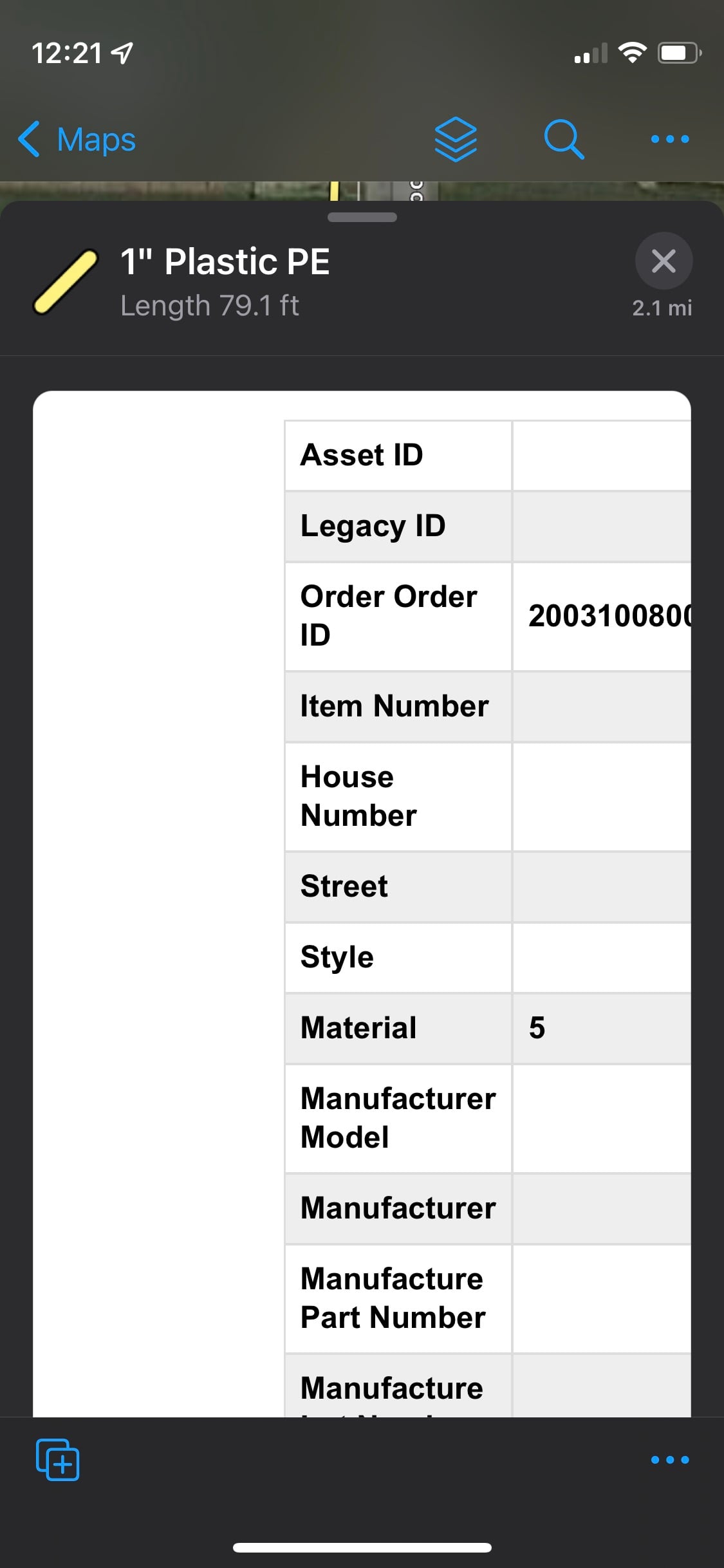
Why does a custom html table offset in field maps but looks perfectly centered on the Map Viewer? It seems that the offset and wrap doesn't work.
<figure>
    <figure>
        <figure class="table" style="width:80%;">
            <table style="border-collapse:collapse;font-family:arial, sans-serif;margin-left:0px;text-align:left;">
                <tbody>

				<tr>
                        <th style="border:1px solid #ddd;padding:8px;">
                            <strong>School District</strong>
                        </th>
                        <th style="border:1px solid #ddd;padding:8px;">
                            {SCHOOLDIST}
                        </th>
                    </tr>

				 <tr style="background-color:#eee;">
                        <th style="border:1px solid #ddd;padding:8px;">
                            <strong>Notes</strong>
                        </th>
                        <th style="border:1px solid #ddd;padding:8px;">
                            {COMMENTS}
                        </th>
					</tr>
                </tbody>
            </table>
        </figure>
    </figure>
</figure>