User Types
Esri evolved named user levels into User Types to provide additional flexibility when licensing ArcGIS Online. There are five User Types: Creator (formerly Level 2), Viewer (formerly Level 1), Field Worker, Editor, and GIS Professional.
Explore User Types
Enhanced Arcade Expressions in Pop-ups
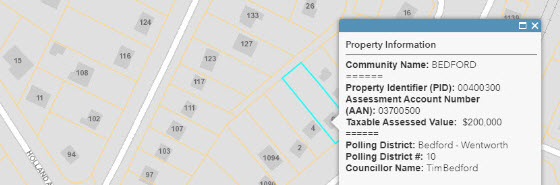
Perform calculations and bring information from overlapping layers into one pop-up using Arcade. Create cohesive pop-ups that display information about fields that have intersecting locations rather than having your users toggle through multiple pop ups in a single location.
Learn to Configure
3D Slice Tool
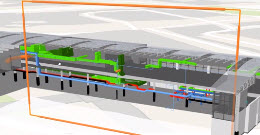
Reveal hidden data in building interiors or underground using the new Slice tool. This tool lets you inspect features in a building or display geological data that is under the earth's surface.
Vector Basemaps: New Languages
In addition to Chinese (traditional), English, French, German, Japanese, Russian, and Spanish, the Esri Vector Basemaps are now available in Arabic, Chinese (simplified), Italian, Korean, Polish, and Portuguese (Brazilian).
New Configurable App
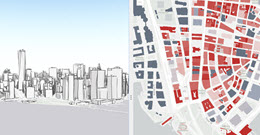
Use Compare, the newest configurable app, to compare your maps or scenes. The two views can be linked to synchronize their extents, legends, and pop-ups.
Reduced Price: Simple Routing
The cost of simple routing was reduced to 0.005 credits per route. For example, generating 10,000 routes only costs 50 credits.
All the Details
This is only an introduction to what’s new in ArcGIS Online. Explore all the new features in our What’s New blog.