- Home
- :
- All Communities
- :
- Products
- :
- ArcGIS Field Maps
- :
- ArcGIS Field Maps Questions
- :
- Re: Field Maps coded value domains/choice lists fr...
- Subscribe to RSS Feed
- Mark Topic as New
- Mark Topic as Read
- Float this Topic for Current User
- Bookmark
- Printer Friendly Page
Field Maps coded value domains/choice lists from hosted CSV?

- Mark as New
- Bookmark
- Subscribe to RSS Feed
- Permalink

- Mark as New
- Bookmark
- Subscribe to RSS Feed
- Permalink
Hi @EvanR, not as far as I know, but I would love this feature! Perhaps someone else may have some insight.
What I end up doing is have a master list in google sheets that I keep updated. Every time I have new updates to the list I download it as a .csv. Then in field maps I click the combo boxes that need updating > click on "edit list" > then drag and drop the .csv into the list editing pop-up window.
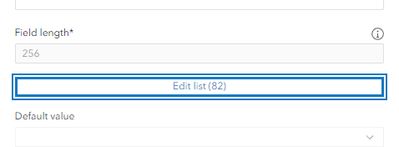
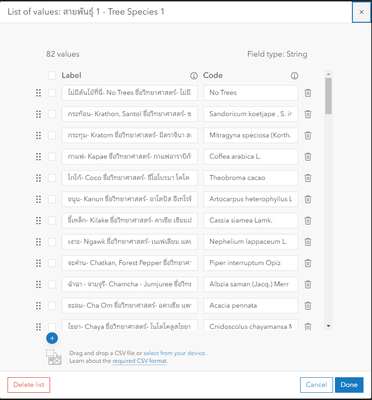
But I need to repeat this step 20+ times since I have multiple combo boxes that use the same dropdown list.
- Mark as New
- Bookmark
- Subscribe to RSS Feed
- Permalink
Thanks for the suggestion - that's an improvement on our existing workflow. Does the csv just need "code" and "label" fields in order for the tool to recognize it?
I think pulling from a hosted csv should be submitted as an "Idea" for a feature request, as I haven't found any way to do that (including asking an ESRI rep). I will work on that when I have a chance, or would be happy for someone else to submit the request and I will support it. @LayerItOn, sounds like you have an even stronger use case for this feature than I do.
- Mark as New
- Bookmark
- Subscribe to RSS Feed
- Permalink
Woo! Glad to help 🙂
So technically: label is what the data collector sees and then code is what gets recorded in the attribute table. However, even though I set it up this way, my attribute table still records the label value and not the code. I am assuming this is a bug- Documentation about form configuration and list of values 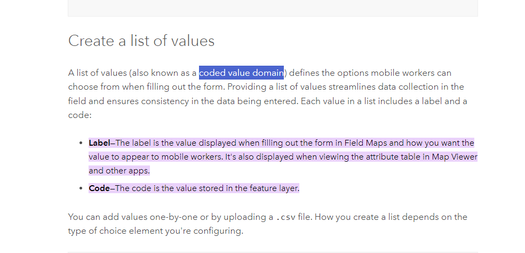
Anyways- the .csv needs to be formatted a specific way for the drag & drop option to work. More info about it here.
Ultimately what I do is create a two column list in Google Sheets. Do not include headers (it will turn into a list option). Even if you want the label and the code to be the same value, you still need two columns for field maps to read it correctly.
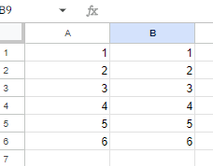
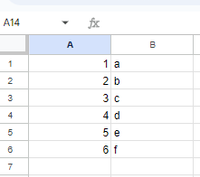
Make sure to organize the list A-Z (or however you need to organize it) prior to dropping it into field maps so it is easier for your field data collectors.
Then in google sheets I go to file> download > .csv.
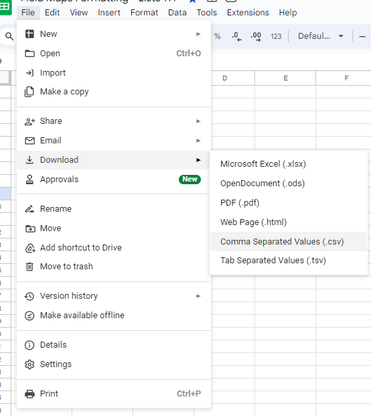
Then I drag and drop that badboy into the field map's "edit list" pop-up window.
Hmmm, it may have already been requested as an idea for Field maps (I think I have seen it before but not sure), but I would totally support it too!
- Mark as New
- Bookmark
- Subscribe to RSS Feed
- Permalink
@EvanR It doesn't look like it has been a suggested idea yet for Field Maps. Added it- https://community.esri.com/t5/arcgis-field-maps-ideas/hosted-csv-choice-list-for-field-maps/idi-p/13...
