- Home
- :
- All Communities
- :
- Products
- :
- ArcGIS Experience Builder
- :
- ArcGIS Experience Builder Questions
- :
- Print Widget in Experience Builder Does Not Honor ...
- Subscribe to RSS Feed
- Mark Topic as New
- Mark Topic as Read
- Float this Topic for Current User
- Bookmark
- Printer Friendly Page
Print Widget in Experience Builder Does Not Honor “Display Features by Value Order”

- Mark as New
- Bookmark
- Subscribe to RSS Feed
- Permalink
We received a dataset from a vendor that contains multiple features stacked on top of one another in certain locations. To manage this, we are using the "Display features by value order" setting in both the web map and ArcGIS Pro to control the drawing order. This works as expected when viewing the application.
However, when using the print widget in EB, the output does not honor the value based drawing order, and the features render incorrectly in the printed map.
Has anyone encountered this before or found a workaround? Any help would be greatly appreciated.

- Mark as New
- Bookmark
- Subscribe to RSS Feed
- Permalink
I'm pretty sure I had this same issue before. The print widget by default will zoom out one or two scale/zoom levels when you print.
Two solutions:
- Make sure the layer that is disappearing on your printed map has it's drawing extent set to draw at least 1 or 2 scale levels out from what you're printing at.
- Trying setting the printer widget setting to Current Map Scale for it's printing map extent section. This may just clear up your problem completely.
Hope this helps!
If this was helpful or solved your issue, please consider a kudos and solution for this reply
Jon
If this response helps or is the solution to your post, please consider marking it as a solution
- Mark as New
- Bookmark
- Subscribe to RSS Feed
- Permalink
Thank you, Jon.
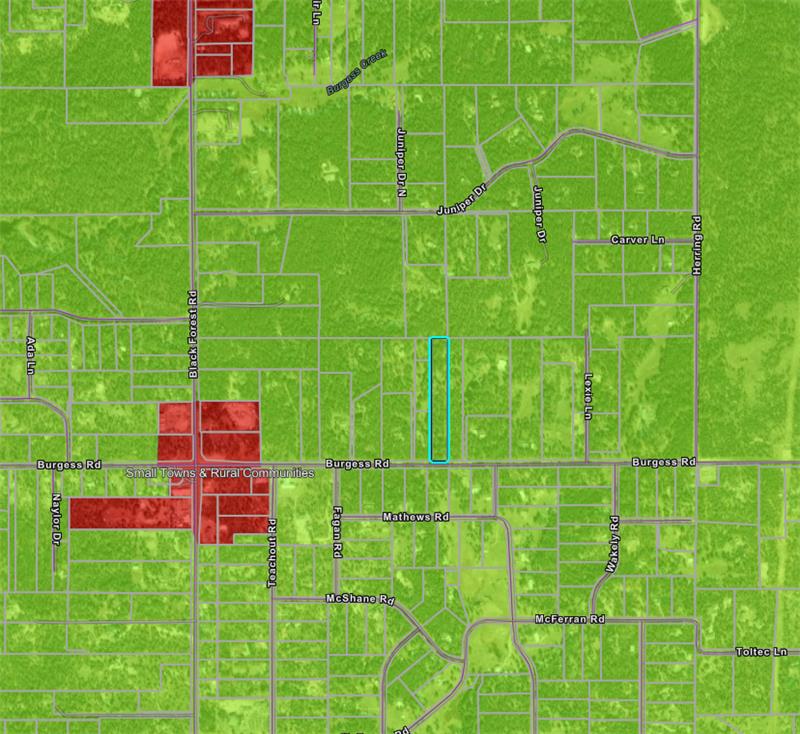
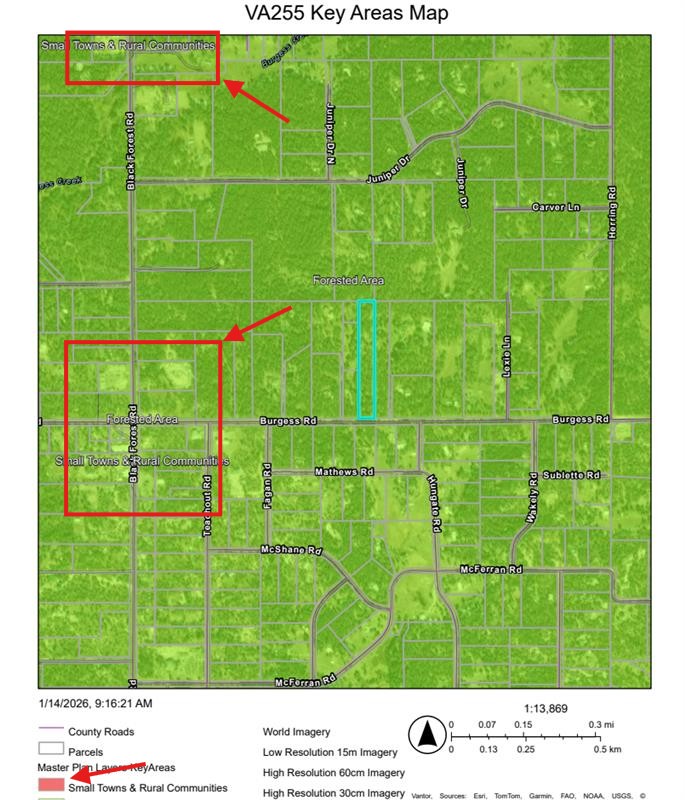
The issue does not appear to be related to scale or layer visibilty, as the layer is present in the printed output but does not render as it should. In the screenshots, the green and red symbology in the first image belong to the same layer. The difference in color represents two overlapping features, which is why we are using the "display features by value order" setting.
It works correctly in the web map and within Experience Builder when viewing, but when printed, the vallue based drawing order is not honored, and only one of the symbology values from that layer is displayed in the printout.
I did, however, test your suggestion in case it fixed the issue, but the behavior was the same.
Thank you!



- Mark as New
- Bookmark
- Subscribe to RSS Feed
- Permalink
I just tried and it worked for me. I also tested it from both AGOL and Enterprise server. If you still have some issues, it'd be very helpful if you could share something with us to try, or reach out to Esri Support. Thank you!
ExB app

Print output:

- Mark as New
- Bookmark
- Subscribe to RSS Feed
- Permalink
Thank you @TanuHoque
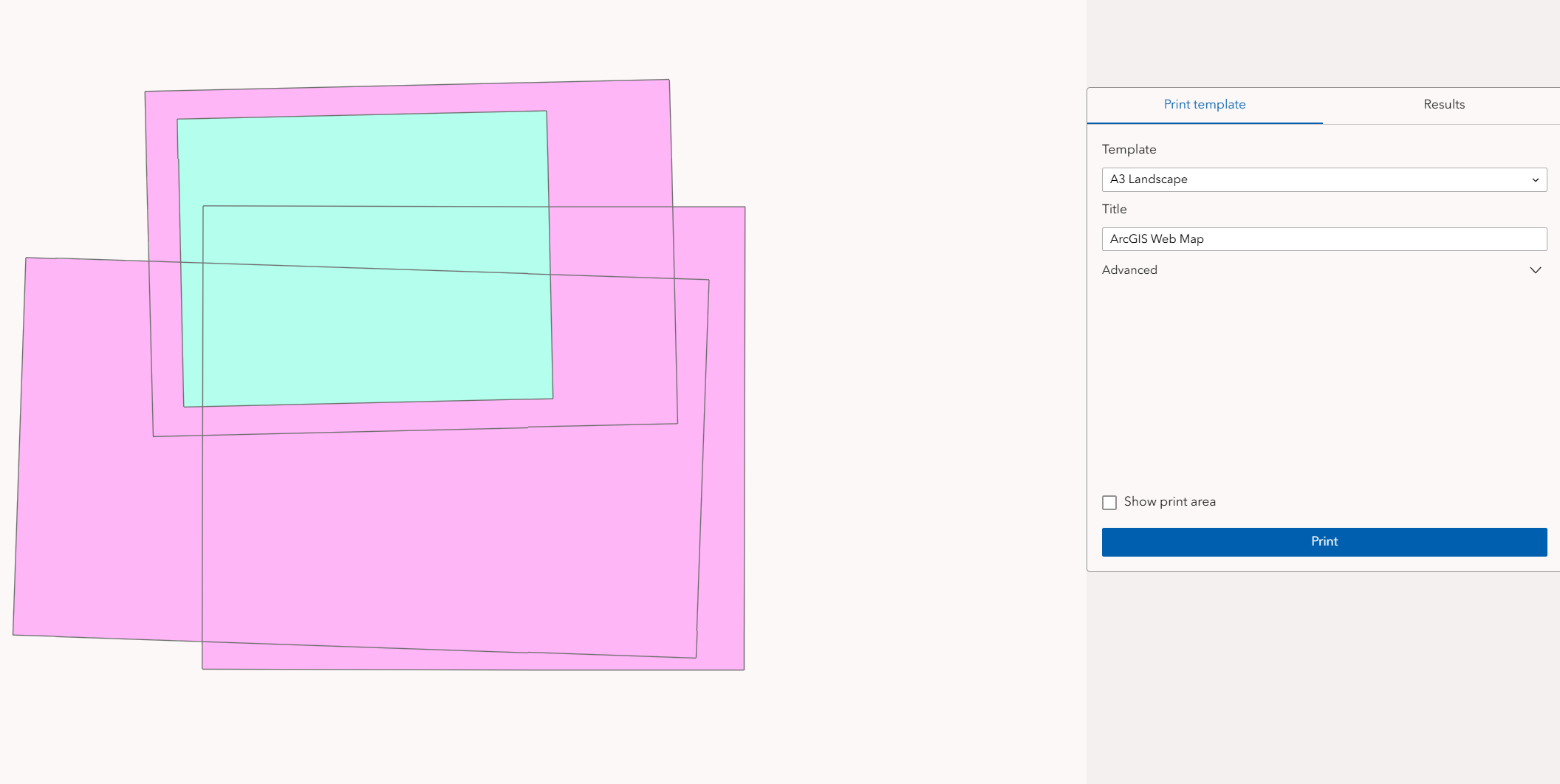
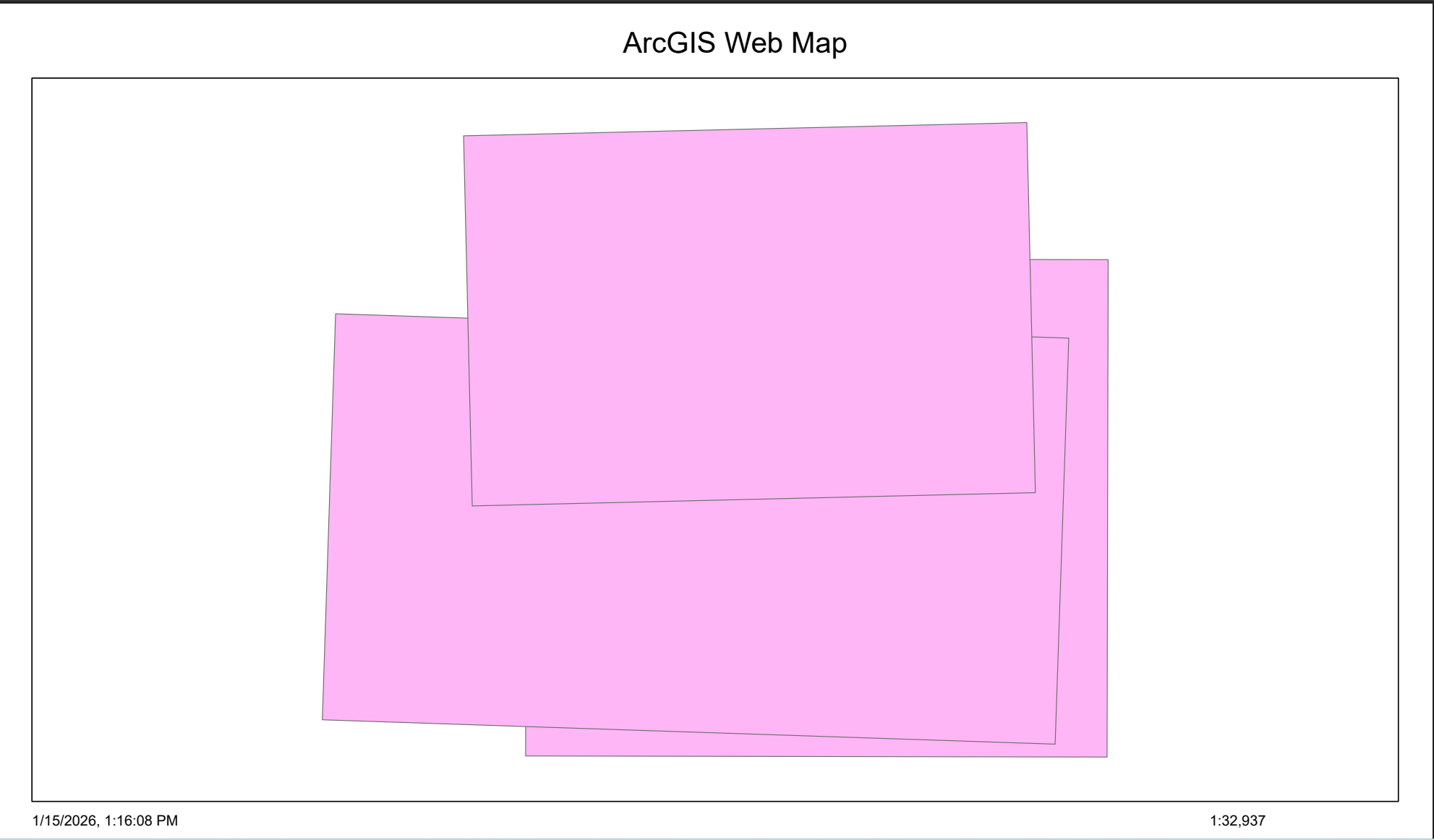
I'd be curious to know whether assigning a unique attribute to those overlapping polygons so that one polygon beneath the other is symbolized with a different color, and then using "Display features by value order" in the web map would result in the same printing behavior. I put together a quick example for screenshots. Hopefully it helps clarify.
Screenshots:
- Web Map drawing order setting - enabling the "display features by value order" option controls the drawing order, allowing the teal colored feature to display above, despite the feature being beneath the others.
- Web Map Drawing order setting enabled
- Experience Builder Map View - The map renders properly in Experience Builder, with the value drawing order enabled and the teal feature displaying as it should.
- Experience Builder Print output - when exporting the map using the Print widget, the value based drawing order is not respected, and the teal feature does not appear on the printout.
Thanks