- Home
- :
- All Communities
- :
- Products
- :
- ArcGIS Experience Builder
- :
- ArcGIS Experience Builder Ideas
- :
- Spatial Filters in ArcGIS Experience Builder
- Subscribe to RSS Feed
- Mark as New
- Mark as Read
- Bookmark
- Printer Friendly Page

- Mark as New
- Bookmark
- Subscribe to RSS Feed
- Permalink
It would be wonderful if we could apply spatial filters in ArcGIS Experience Builder, similar to the ability of the spatial filters on ArcGIS Dashboards. The spatial filter is used to find overlapping values between features and display or hide features according to the user's selection. The spatial filter is helpful when analyzing a map corresponding to features within the same map. For These reasons, users can create more interactive and informative visualizations that empower users to explore and analyze data in greater depth.
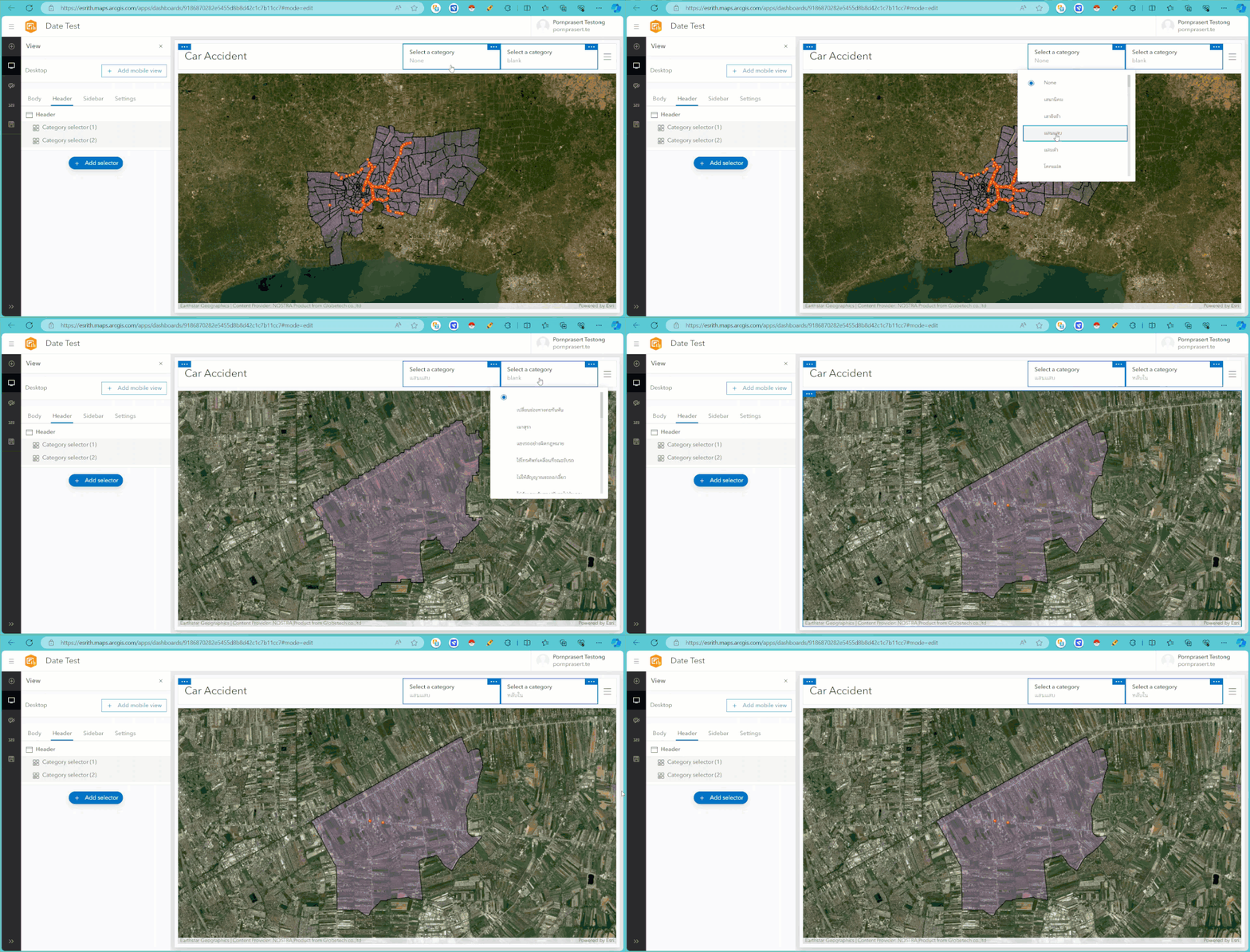
Spatial Filters in ArcGIS Dashboards
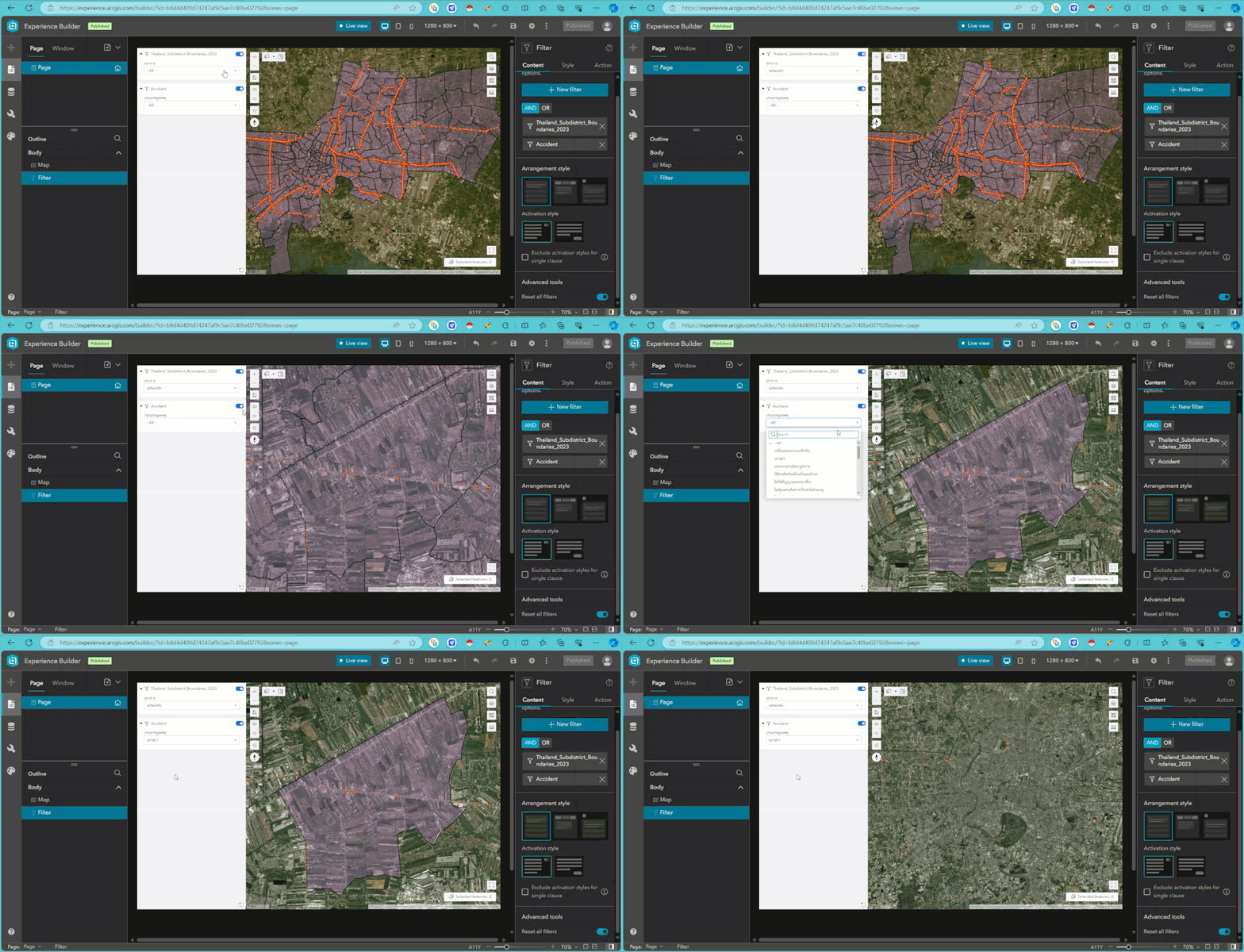
Filter Function in ArcGIS Experience Builder

I agree. Please add spatial filter functionality to Experience Builder ESRI!

Also agree and people have been asking for this since Experience Builder was launched. ESRI - please add a simple spatial filter so when the user clicks a polygon the other elements filter automatically for those features within the polygon.
The Select widget was perhaps an effort to provide this. However, like the query widget, it is overly complex and trying to do too many things at once.
In Dashboards, the spatial filter requires 1 click on the polygon to filter related elements.
To do the same thing, the Select Widget requires:
- An extra widget taking up space on the screen.
- The user has to know to select 'Select by Data' from the small dropdown in the top left - the average user would not know this without training. This step is necessary because the widget settings force you to have 'Select by drawing' as the default method even if you don't want it.
- The user has to know to click the 'Select by Data' button again to activate it.
- If there are multiple selecting/selectable layers and query types, the user has to figure out how to navigate them.
- Only then does the user click the polygon; at which point the message about how many features are included in the selecting layer is confusing. The average, nonGIS user shouldn't be burdened with technical messaging about the selectable and selecting layers unless the app builder sees a purpose for it.
- And finally, the user has to press 'Apply'.
- For the selected results to show in another element, like a list or table, the list/table Data Source must be set to 'Selected Features', which means the element is sitting there empty until the user makes a selection. This is a waste of space because in most cases, as the app builder, I want all the features to be shown in the list/table until they are filtered. It is also another potential point of confusion for the user.
In coursework about user interface design, a fundamental principle is to provide only the options and information the user needs to accomplish the task. Unfortunately, the Query and Select widgets suffer from trying to provide too much flexibility and too many options. It would be fine for the application builder to set all these parameters behind the scenes, but the front end user experience should be clean and simple.
The existing Filter widget does a great job. It's simple to set up and simple to use. It just needs the ability to filter spatially when dealing with polygon selecting layers.
You must be a registered user to add a comment. If you've already registered, sign in. Otherwise, register and sign in.