- Home
- :
- All Communities
- :
- Products
- :
- ArcGIS Enterprise
- :
- ArcGIS Enterprise Questions
- :
- Re: Failed to get administrator token from the ser...
- Subscribe to RSS Feed
- Mark Topic as New
- Mark Topic as Read
- Float this Topic for Current User
- Bookmark
- Printer Friendly Page
Failed to get administrator token from the server. Please verify that the specified server can be successfully accessed.

- Mark as New
- Bookmark
- Subscribe to RSS Feed
- Permalink
Hi people!
I am trying to configure the server Web Adaptor but I get this error shown in the pictures.
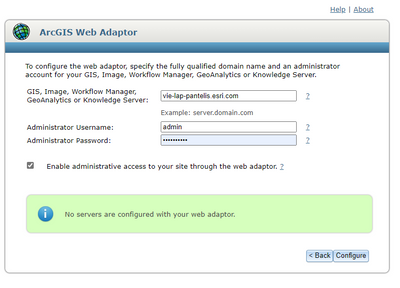
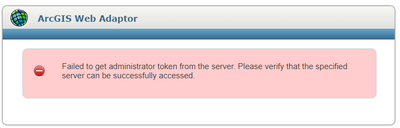
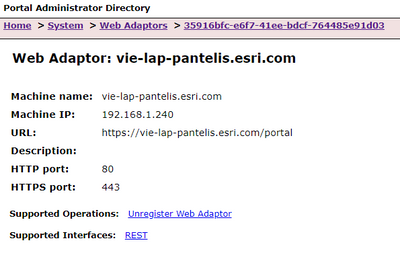


- Mark as New
- Bookmark
- Subscribe to RSS Feed
- Permalink
Hello,
Looks like you already have a web adapter configured?
- Mark as New
- Bookmark
- Subscribe to RSS Feed
- Permalink
The configured web adaptor is for the Portal, not for the Server.


- Mark as New
- Bookmark
- Subscribe to RSS Feed
- Permalink
Assuming you are attempting to configure a Web Adaptor for an ArcGIS Server (you appear to already have a "portal" webadaptor configured)
Is "admin" the "Primary Site Administrator" account that was used when creating the ArcGIS Server site?
You will not be able to use a Portal user for this dialog. The WA is attempting to access the Server's token service and this will only work for a built-in account - most likely the Primary Site Administrator account (not the windows service account)
- Mark as New
- Bookmark
- Subscribe to RSS Feed
- Permalink
I think I am using the proper admin user, but could you please tell me how to check that?
- Mark as New
- Bookmark
- Subscribe to RSS Feed
- Permalink
If you go to the server admin page
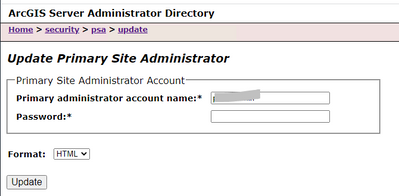
you should be able to see the name of the Primary Site administrator (PSA)
(dont apply any change)
- Mark as New
- Bookmark
- Subscribe to RSS Feed
- Permalink
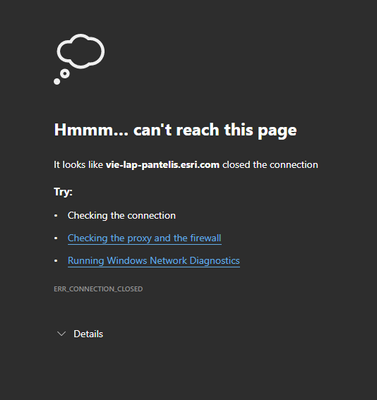
When I try to visit https://vie-lap-pantelis.esri.com:6443/arcgis/admin I receive the following:
- Mark as New
- Bookmark
- Subscribe to RSS Feed
- Permalink
sorry about slow response - I was away from work for a few days.
Looks like Server is not even running - did you check the windows service?
Can you reach https://vie-lap-pantelis.esri.com:6443/manager ?
or https://vie-lap-pantelis.esri.com:6443/arcgis/rest/services ?
- Mark as New
- Bookmark
- Subscribe to RSS Feed
- Permalink
a typo - sorry - the first test link I suggested should have been
https://vie-lap-pantelis.esri.com:6443/arcgis/manager
you may also try remote on to the vie-lap-pantelis.esri.com machine (if you are not already on there) and go to https://localhost:6443/arcgis/manager
but if that doesn't work, please check that the Windows Service "ArcGIS Server" is actually running.
also, check from the Start menu - Internet Information Services (IIS) Manager
navigate down to Sites -> Default Web Site
there should at this point only be "portal" as a configured web adaptor
it is possible you have accidentally created an "arcgis" Web Adaptor that may be confusing your web requests
