- Home
- :
- All Communities
- :
- Products
- :
- ArcGIS CityEngine
- :
- ArcGIS CityEngine Questions
- :
- Re: Performance between different versions of Pall...
- Subscribe to RSS Feed
- Mark Topic as New
- Mark Topic as Read
- Float this Topic for Current User
- Bookmark
- Printer Friendly Page

- Mark as New
- Bookmark
- Subscribe to RSS Feed
- Permalink
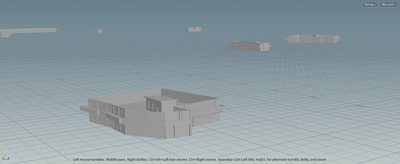
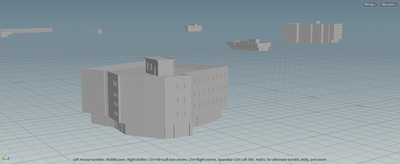
Hello, during the use process, I found that there is a significant performance difference between Palladio version 1.7 and version 2.0. I opened the same file to test the build speed, and their information is shown in the following figure. Is it possible to obtain the performance of version 1.7 on the new version
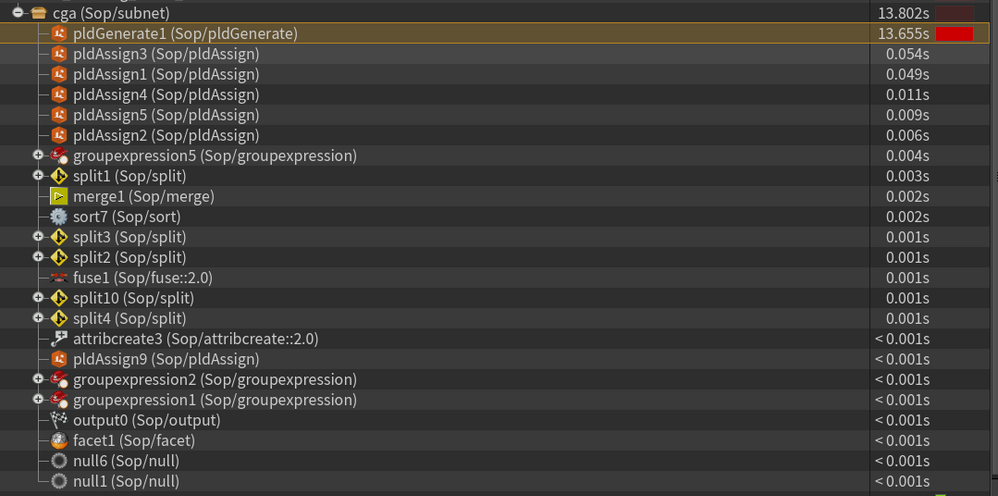
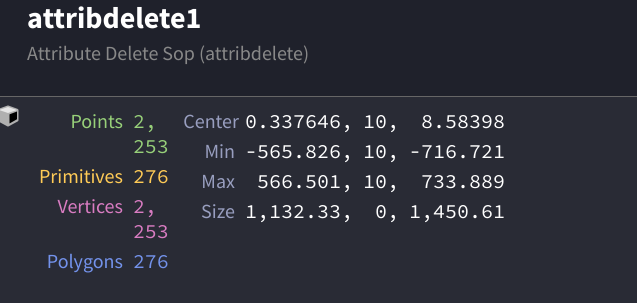
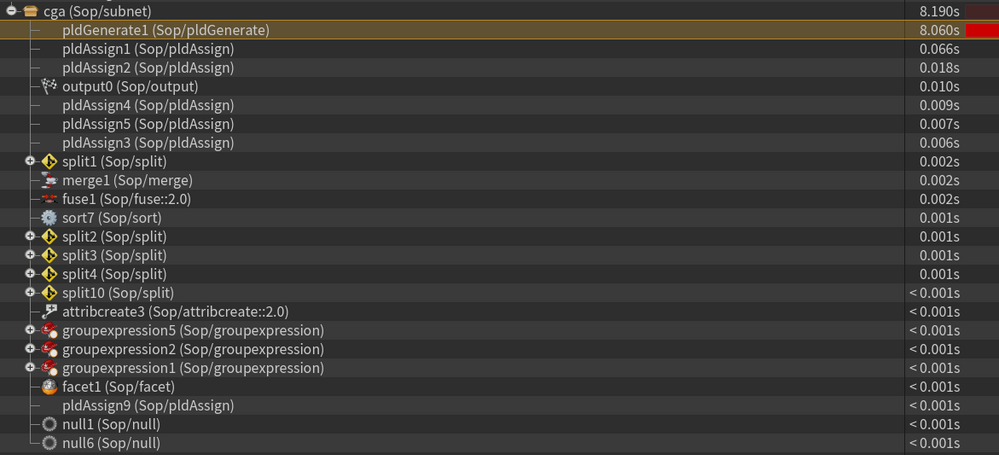
Solved! Go to Solution.
Accepted Solutions
- Mark as New
- Bookmark
- Subscribe to RSS Feed
- Permalink
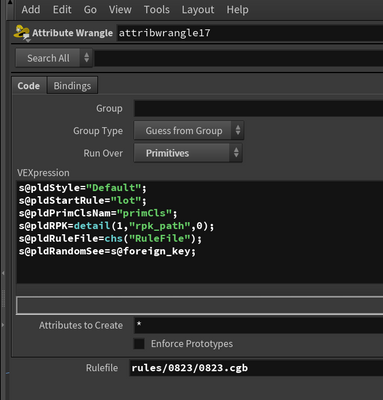
In order to use path variability, I used attribute nodes myself to replace the pldAssign node, but its height did not take effect


- Mark as New
- Bookmark
- Subscribe to RSS Feed
- Permalink
I'm not completely sure I understand your requirements for the location of the RPK file.
Here is what I meant by using $HIP:
1. Create project with rpk subdir
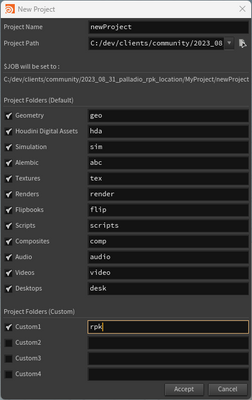
2. Copy your RPKs into it:
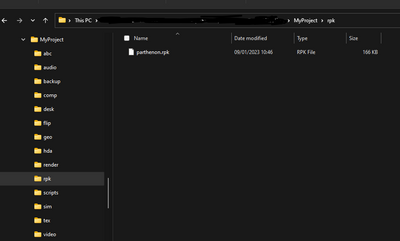
3. Assuming you store your hip files in the project root, you can then reference the RPKs with the $HIP variable:
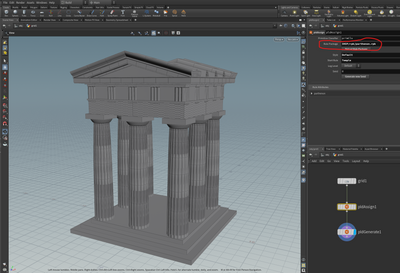
I hope this helps!
- Mark as New
- Bookmark
- Subscribe to RSS Feed
- Permalink
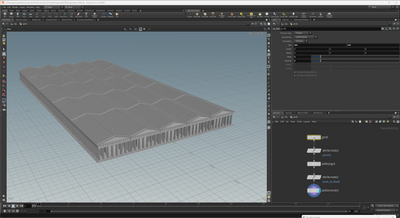
Regarding performance, I did some initial tests (25 buildings with ~20mio polygons):
- Palladio 1.7 in Houdini 18.0: 6.1s
- Palladio 2.0 in Houdini 19.5: 5.8s
So we cannot yet see worse perf in Palladio 2.0.
Would you mind sharing some of your scene parameters, for example:
- How many initial shapes do you have?
- How complex are your rules, e.g. how many attributes do you have?
- Do you use inter-occlusion (between models)?
- How many assets do the rules insert?
- How many textures do you use?
Ideally, if you could share an example scene where you see the perf difference would be best!
Thanks & best,
Simon
- Mark as New
- Bookmark
- Subscribe to RSS Feed
- Permalink
I noticed that there is a significant difference in the attributes they convey on the original object. In 1.7, simply check Re mit set CGA attributes to transfer the attributes, while in 2.0, you need to create the same name attribute that needs to be exported in the rules and then check Re mit set CGA attributes
- Mark as New
- Bookmark
- Subscribe to RSS Feed
- Permalink
Thanks for the report!
Regarding performance: with which Houdini version did you do the comparison? Did you build Palladio yourself?
Regarding attributes: just to be sure, you say that the original initial shape attributes are not passed through anymore?
- Mark as New
- Bookmark
- Subscribe to RSS Feed
- Permalink
帕拉迪奥-2.0.0+B6-HDN19-5-640.PRT3-0-8905.win10-VC1427-x86_64-rel-opt.zip
帕拉迪奥-1.7.0+B199-HDN18-0-460.PRT2-1-5704.win10-VC141-x86_64-rel-opt.zip
I am using these two versions
Additionally, I have a question about whether the RPK file can be locked on the node because if the path where the RPK is stored changes, it will no longer work
- Mark as New
- Bookmark
- Subscribe to RSS Feed
- Permalink
Thanks for the info - we will try to reproduce the changes you saw.
Regarding RPK path: we recommend to use a Houdini project, create an RPK directory in there and then use the $HIP variable to reference the RPK relative to the Houdini scene. I hope that works for you.
- Mark as New
- Bookmark
- Subscribe to RSS Feed
- Permalink
In order to use path variability, I used attribute nodes myself to replace the pldAssign node, but its height did not take effect
- Mark as New
- Bookmark
- Subscribe to RSS Feed
- Permalink
.
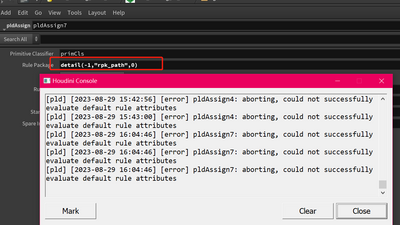
I constructed a relative path, but this node doesn't seem to support it
- Mark as New
- Bookmark
- Subscribe to RSS Feed
- Permalink
I'm not completely sure I understand your requirements for the location of the RPK file.
Here is what I meant by using $HIP:
1. Create project with rpk subdir
2. Copy your RPKs into it:
3. Assuming you store your hip files in the project root, you can then reference the RPKs with the $HIP variable:
I hope this helps!
- Mark as New
- Bookmark
- Subscribe to RSS Feed
- Permalink
I asked my colleague to help me solve the problem of this path by traversing all drive letters in Python
- Mark as New
- Bookmark
- Subscribe to RSS Feed
- Permalink
Regarding performance, I did some initial tests (25 buildings with ~20mio polygons):
- Palladio 1.7 in Houdini 18.0: 6.1s
- Palladio 2.0 in Houdini 19.5: 5.8s
So we cannot yet see worse perf in Palladio 2.0.
Would you mind sharing some of your scene parameters, for example:
- How many initial shapes do you have?
- How complex are your rules, e.g. how many attributes do you have?
- Do you use inter-occlusion (between models)?
- How many assets do the rules insert?
- How many textures do you use?
Ideally, if you could share an example scene where you see the perf difference would be best!
Thanks & best,
Simon
