Turn on suggestions
Auto-suggest helps you quickly narrow down your search results by suggesting possible matches as you type.
Cancel
- Home
- :
- All Communities
- :
- Developers
- :
- ArcGIS API Silverlight (Retired)
- :
- ArcGIS API Silverlight Questions
- :
- Dynamic Raster image format
Options
- Subscribe to RSS Feed
- Mark Topic as New
- Mark Topic as Read
- Float this Topic for Current User
- Bookmark
- Subscribe
- Mute
- Printer Friendly Page
Dynamic Raster image format
Subscribe
2232
2
03-01-2011 06:27 PM

by
Anonymous User
Not applicable
03-01-2011
06:27 PM
- Mark as New
- Bookmark
- Subscribe
- Mute
- Subscribe to RSS Feed
- Permalink
Original User: qpsitas
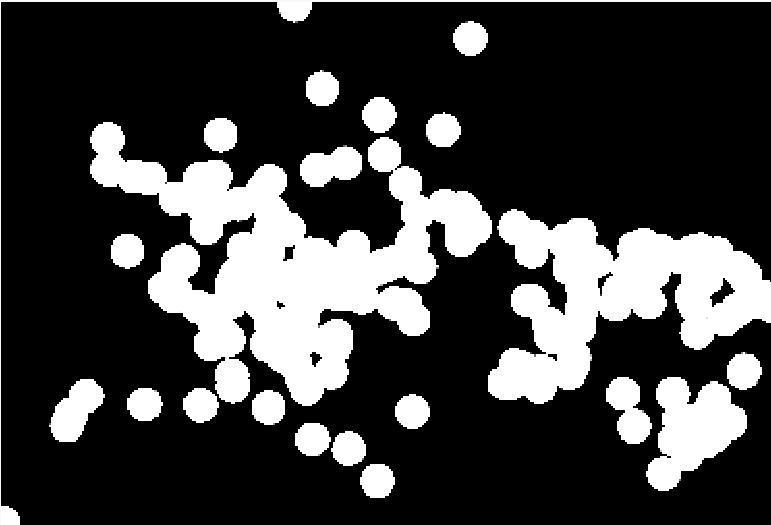
I published a toolbox model generating a raster and it looks fine in ArcMap but when I use the wpf rest api (i.e. using the SubmitJobAsync & GetResultImageLayerAsync pattern), it basically looks like a black-and-white blob with no gradient!
Question 1: Is there a way to specify the format of the image that is generated by the model other than tiff?
Question 2: Is there a preferred way to dynamically generate and display a heatmap style raster with the wpf api?
I published a toolbox model generating a raster and it looks fine in ArcMap but when I use the wpf rest api (i.e. using the SubmitJobAsync & GetResultImageLayerAsync pattern), it basically looks like a black-and-white blob with no gradient!
Question 1: Is there a way to specify the format of the image that is generated by the model other than tiff?
Question 2: Is there a preferred way to dynamically generate and display a heatmap style raster with the wpf api?
2 Replies


03-03-2011
10:13 AM
- Mark as New
- Bookmark
- Subscribe
- Mute
- Subscribe to RSS Feed
- Permalink
The Toolkit.DataSources assembly already has a client-side generated heatmap layer. Can't you use that?
Example: http://help.arcgis.com/en/webapi/silverlight/samples/start.htm#HeatMapLayerSimple
Example: http://help.arcgis.com/en/webapi/silverlight/samples/start.htm#HeatMapLayerSimple
by
Anonymous User
Not applicable
03-03-2011
02:05 PM
- Mark as New
- Bookmark
- Subscribe
- Mute
- Subscribe to RSS Feed
- Permalink
Original User: qpsitas
Well, I have tried the HeatMapLayer option, and it is really fast... but I have an issue with the way
the rendering changes with the zoom level (as opposed to a kernel density raster). For example at a high zoom level I see a really hot spot and then when I zoom in, that hot spot splits into individual hot and cold spots.
To be honest I've always used the Kernel Density tool and I'm fairly comfortable with that approach whereas I only have one day of experience with the HeatMapLayer and I'm still figuring it out...
Also, I am really wondering what everyone else is doing because I thought that dynamically generating density maps or hotspot (Getis-Ord) would be so widespread, but I could only find a handful of posts in the Esri forum!
My ideal solution would be one where the heatmap is generated on the server and the appropriate color bands are applied, and the pattern supports concurrency. Ideas anyone?
Well, I have tried the HeatMapLayer option, and it is really fast... but I have an issue with the way
the rendering changes with the zoom level (as opposed to a kernel density raster). For example at a high zoom level I see a really hot spot and then when I zoom in, that hot spot splits into individual hot and cold spots.
To be honest I've always used the Kernel Density tool and I'm fairly comfortable with that approach whereas I only have one day of experience with the HeatMapLayer and I'm still figuring it out...
Also, I am really wondering what everyone else is doing because I thought that dynamically generating density maps or hotspot (Getis-Ord) would be so widespread, but I could only find a handful of posts in the Esri forum!
My ideal solution would be one where the heatmap is generated on the server and the appropriate color bands are applied, and the pattern supports concurrency. Ideas anyone?