- Home
- :
- All Communities
- :
- Developers
- :
- ArcGIS API for Python
- :
- ArcGIS API for Python Questions
- :
- VectorTileLayer: rebuild_cache() works in browser,...
- Subscribe to RSS Feed
- Mark Topic as New
- Mark Topic as Read
- Float this Topic for Current User
- Bookmark
- Subscribe
- Mute
- Printer Friendly Page
VectorTileLayer: rebuild_cache() works in browser, but not from Python API

- Mark as New
- Bookmark
- Subscribe
- Mute
- Subscribe to RSS Feed
- Permalink
Greetings ESRI-Community,
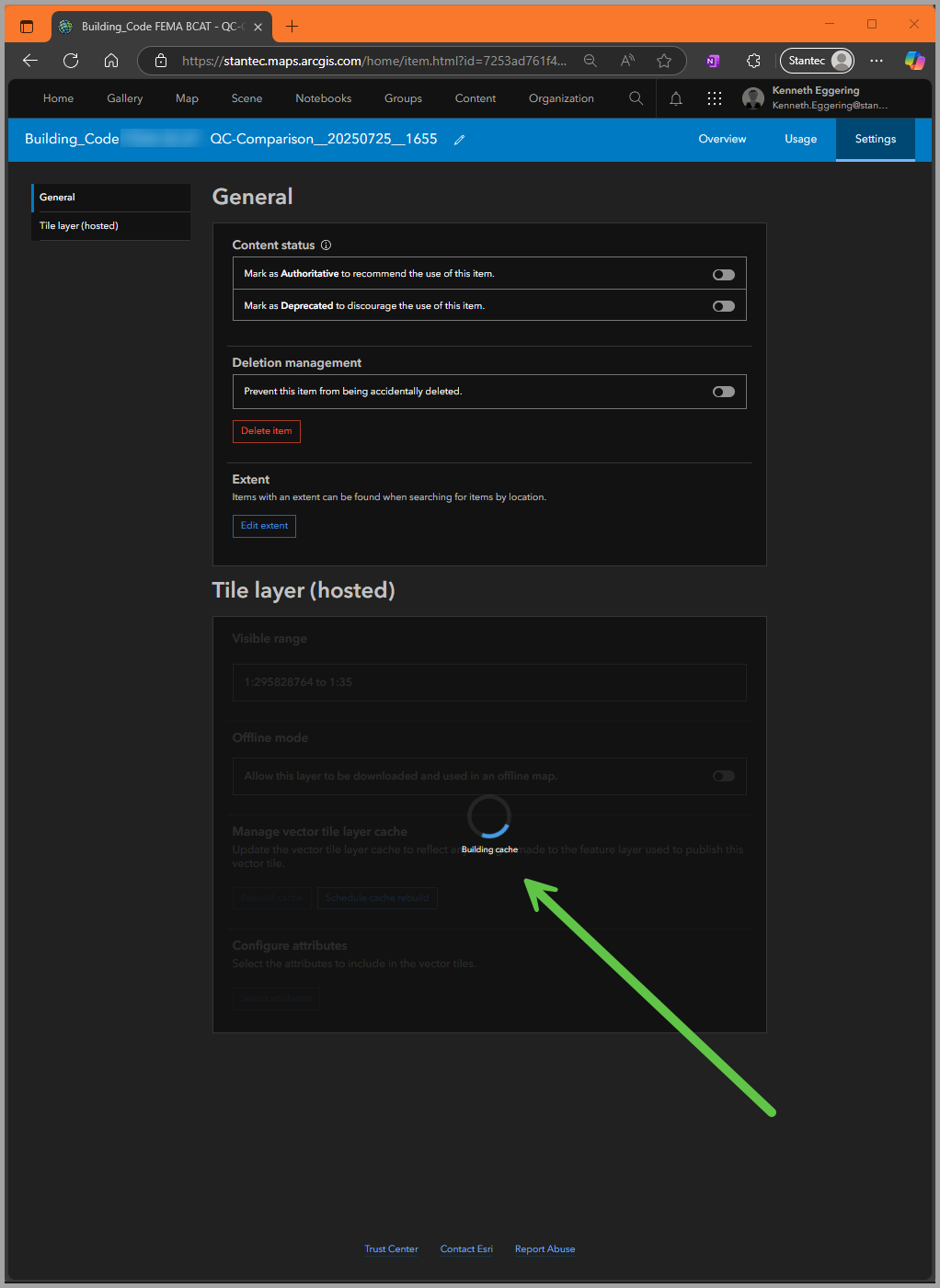
Having an issue rebuilding vector-tile-layer caches through the Python API. I have been able to rebuild them through the browser without issue (see attached image), but it fails to work when using the following script despite Python returning a "success" message.
When I run the script, the success message happens instantly (I assume this is normal behavior but wanted to note it). When rebuilding through the browser, the spinning wheel takes about 20 minutes to complete, so I have tried waiting for over an hour to check if the Python update worked correctly.
Am I missing something in my code?
Thanks,
Ken
gis = GIS("pro")
vector_tile_item = gis.content.get("7253ad761f424cec882e6dabcdefghij")
print(f"\tSearch returned: {vector_tile_item.title}, of type '{type(vector_tile_item)}'")
vector_tile_lyr0_manager = vector_tile_item.layers[0].manager
cache_rebuild = vector_tile_lyr0_manager.rebuild_cache()
print(f"Cache-Rebuild status: {cache_rebuild}")
# Prints --> Cache-Rebuild status: {'id': '0bb7112a-f705-4832-a7e7-a66e27216c83', 'name': 'Building Code20250725__1655', 'status': 'Success', 'itemId': '7253ad761f424cec882e6dabcdefghij', 'type': 'Map Service', 'jobId': '00000000-0000-0000-0000-000000000000', 'message': 'success'}
- Mark as New
- Bookmark
- Subscribe
- Mute
- Subscribe to RSS Feed
- Permalink
It seems that the "rebuild cache" button exposed through the browser/UI and the "rebuild_cache()" method exposed through the API are not the same thing. Just had success using update_tiles() instead, despite the note in the docs that states:
It is recommended to use the rebuild_cache method when your layer has been published through a Feature Layer since edits require regeneration of the tiles.
