Select to view content in your preferred language

Excerpted LAS To Points Feature Class

667
2
05-06-2015 06:14 AM
MatthewDuffy
Frequent Contributor
0 2 667

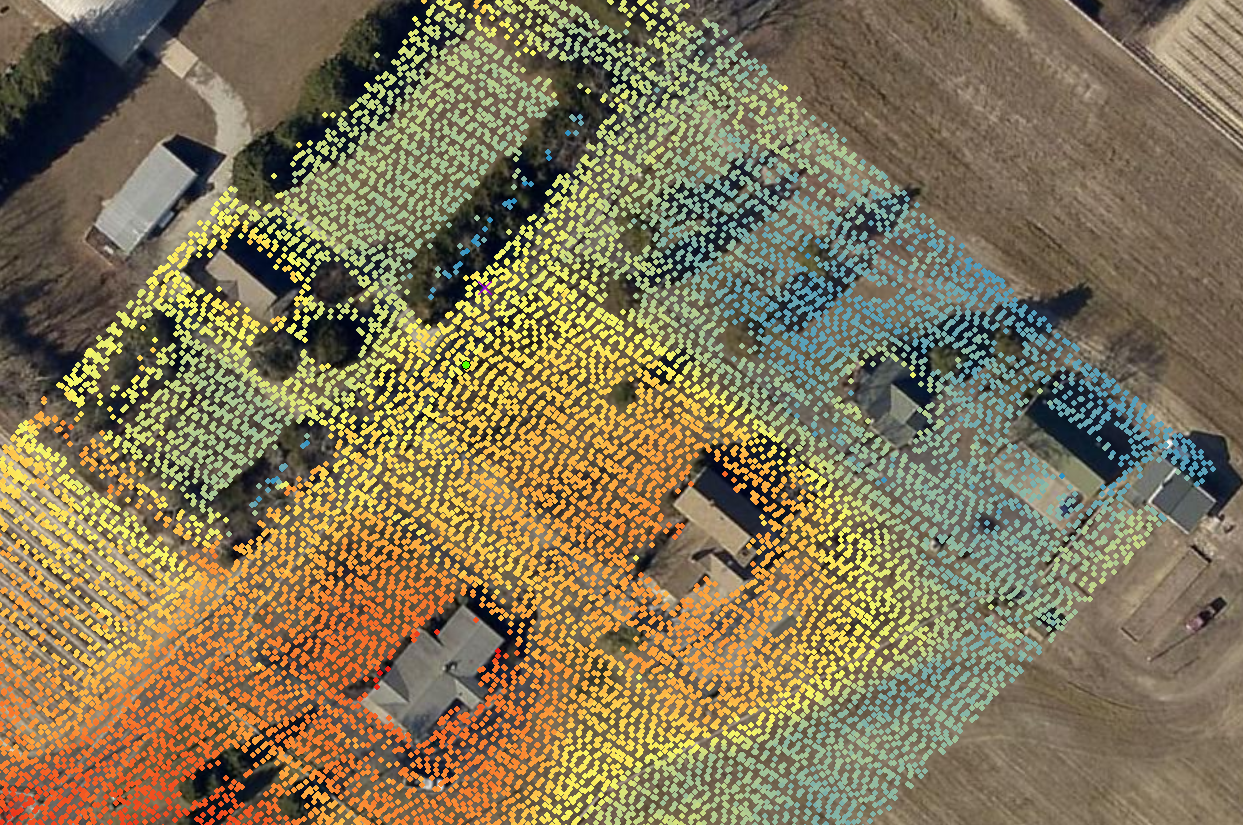
I looked around briefly this morning and was trying to determine how to get the class two bare earth point locations, for a specific area, into a point feature class (from QT Modeler to my project file geodatabase).  My goal for this part of the project is to symbolize spot elevations based on elevations taken from the las file.

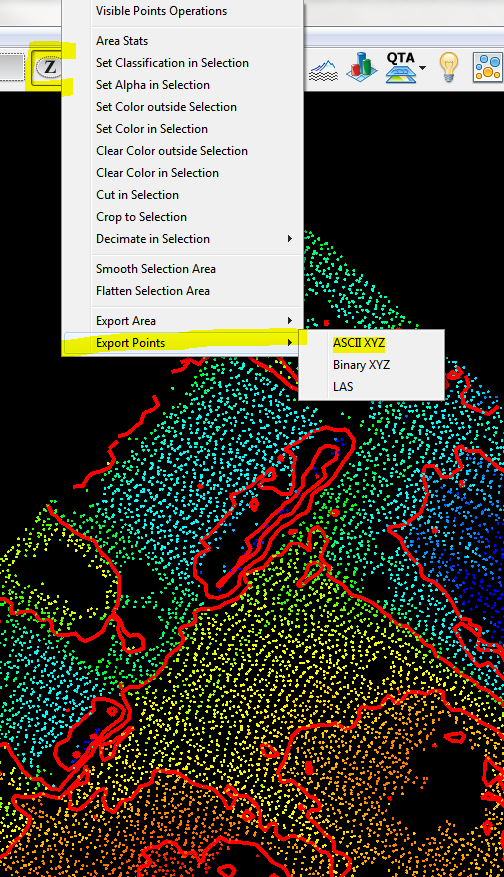
From within QT Modeler I used the Z-poly tool to first define my area of interest and then right-clicked to access the 'Export Point' menu.
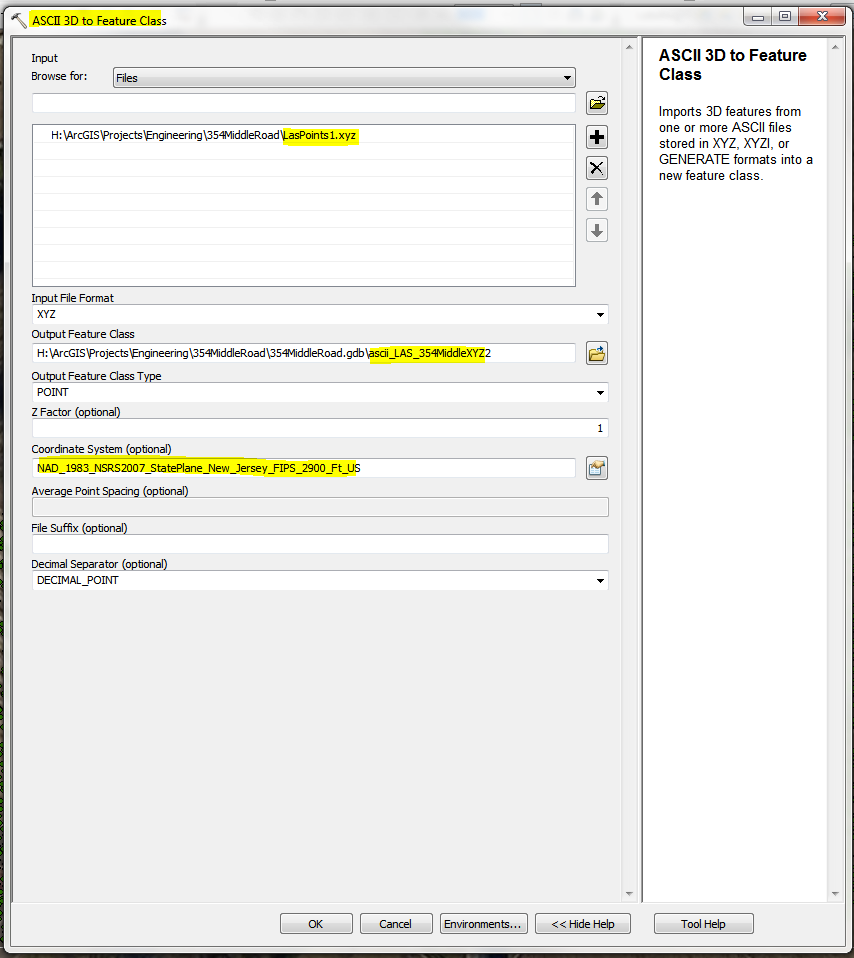
After activating the 3D Analyst extension, I was able to execute the 'ASCII 3D to Feature Class' tool and specified the feature class and input projection and coordinate system at the bottom
This gave me a Z enabled point feature class that contained 15816 point features
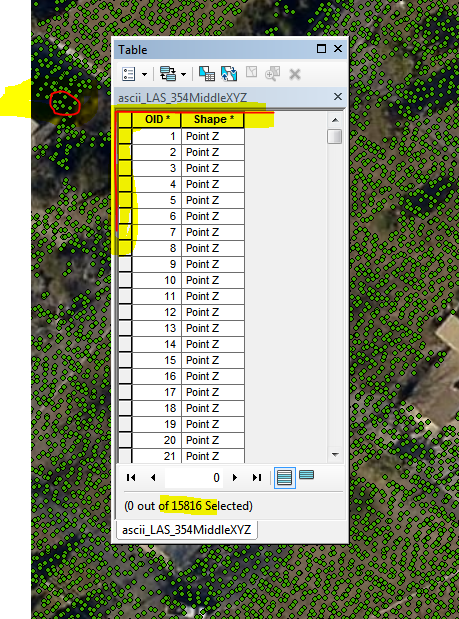
In order to symbolize by elevation, I will need the implicit Z values to be stored explicitly in the table.

'Add Z Information' tool menu:
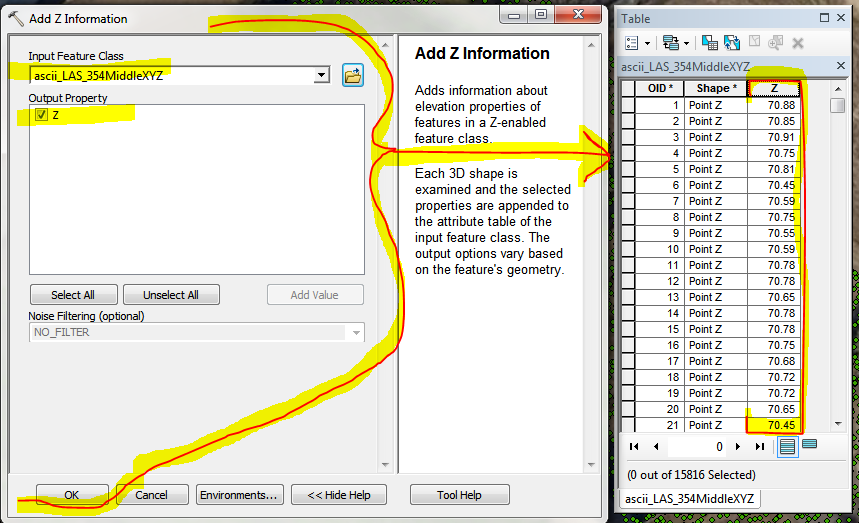
Now I have all that I need for this aspect of the project, but its a dog and draws like a slow moving beast.  In order to reduce the high level of redraw torture time, 'Dissolve':
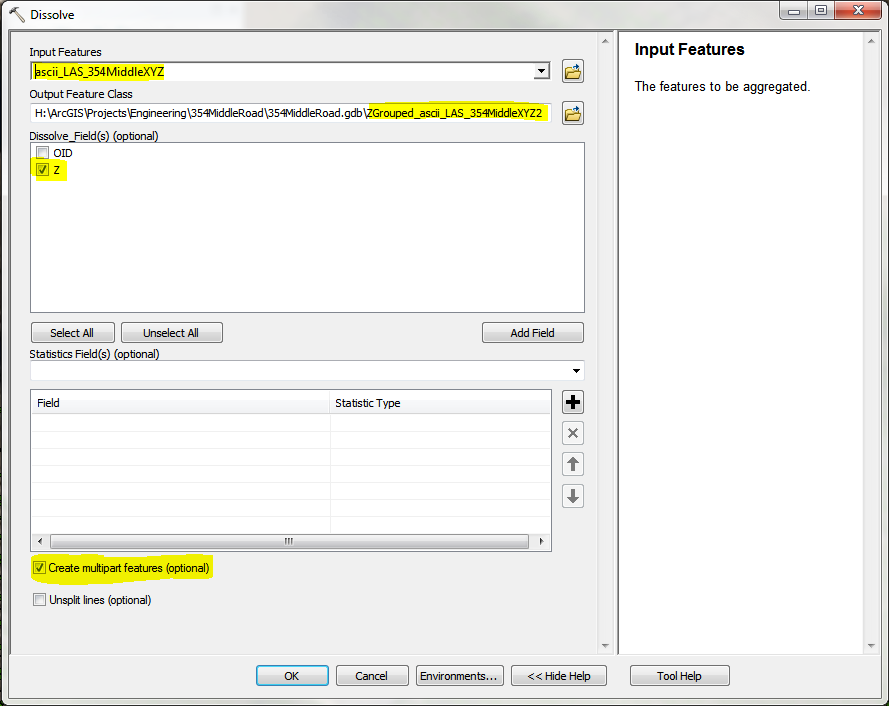
Now my redraw time is a snap and I have all that I need for this aspect of the elevation project requirements.

2 Comments
MatthewDuffy
Frequent Contributor

So apparently I was originally on the right-track to export the points with within QT Modeler using the 'Export Model(s)' menu.  It went awry for me when I did not first highlight the model that I wanted exported, honestly I didn't even know I was supposed to interact with the window (must not have been paying attention yesterday).  I sent this to our friends at Applied Imagery and Mike replied with the message below.  Thank you Mike, I appreciate your continued support.

From: Mike @ appliedimagery.com

Sent: Wednesday, May 06, 2015 11:47 AM

To: 'Matthew Duffy'

Subject: RE: Point Export

ExportModel.png

Matt,

I just tried and it worked well
for me.  Here are my steps:

  1. Load point into QT
    (in your case, import and filter for class 2 (not return 2))
  2. Once loaded, use
    selection polygon to draw your area of interest
  3. Then, click the crop
    button on the toolbar (blue square)
  4. Now, go to EXPORT
    > EXPORT MODEL DATA – choose ESRI SHAPEFILE SAMPLED 3D and make sure the
    point cloud file is highlighted as shown below
  5. Once exported, the
    resulting 3D shapefile can be opened directly in Arc products (image of QT and
    ArcScene with loaded data below).

ExportModelArcScene.jpg

Regards,

Mike
www.appliedimagery.com

MatthewDuffy
Frequent Contributor

Rather than export to ASCII text file, use the Export Model (either top menu or right-click on model), export to ESRI Shapefile Sample 3D.  This will reduce the above process by a step, unless you need the output to be a feature class opposed to a shapefil

About the Author
Atlantic County Board of Taxation