Hello,
I have designed a Survey using Survey123 Connect which I want to share publicly for submission. I would like some of the results containing private information filtered out before displayed in a web map.
I realised that switching to 'Everyone' can submit was making my feature hosted layer public and not protecting the data, so I followed this article and created a hosted view layer which the survey URL then referenced. This enabled my featured host layer to stay private and the view layer to be public.
However I now cannot submit new survey results, getting the error 'Failed to submit'.
If I go on the 'Collaborate' setting for the survey and check the box 'Only add new records' for 'What can submitters do?', the page saves successfully but when I navigate away and back it is unchecked. It is similar to this issue but because I used Connect I do not have a '_fieldworker' layer so can't use this fix .
These are my setting in the hosted feature layer. As you can see the 'Add' is greyed out for 'what kind of editing is allowed'.
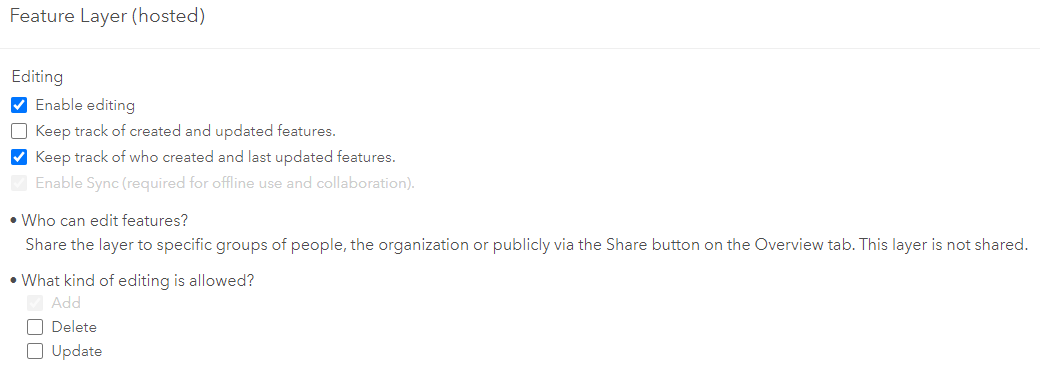
Does anyone have any tips? It seems using the fix to protect the data has somehow broken the submission process.
Many thanks!


