I have survey set up that uses the photo field type with the multiline appearance to allow users to attach up to five photographs with their survey entry. The photo "question" works well in the Survey123 app and in Survey123 Connect but in the Web Form the survey only allows for one photo attachment and doesn't allow for additional photos to be added beyond the first photo. I have published the survey with Survey123 Connect 3.12 and used the photo count constraint described in this blog post to limit the number of photos to <6.
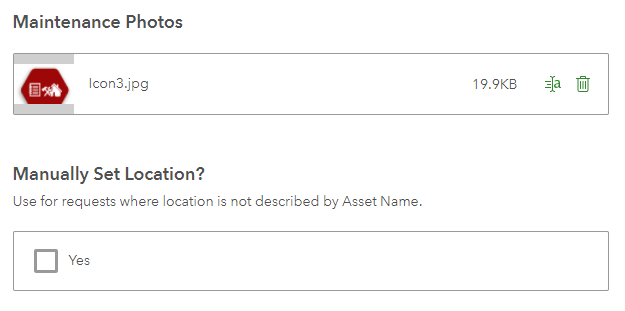
This is how the multiline photo question appears in the web form. I expected after the first photo was attached that a new row/prompt would appear to allow for the next photo to be attached like in the Survey123 app, but I do not see how a user could attach an additional photo.
I am curious how to fix this. A screenshot of how I have the xlsx form set up for these fields is below. I also have body::esri:style field set to method=camera,browse





